GPT Image 2 AI Image Generator
Create professional marketing assets and original creative worlds from text or references—product campaigns, UGC concepts, storybook scenes, characters, cover art, storyboards, and social content.
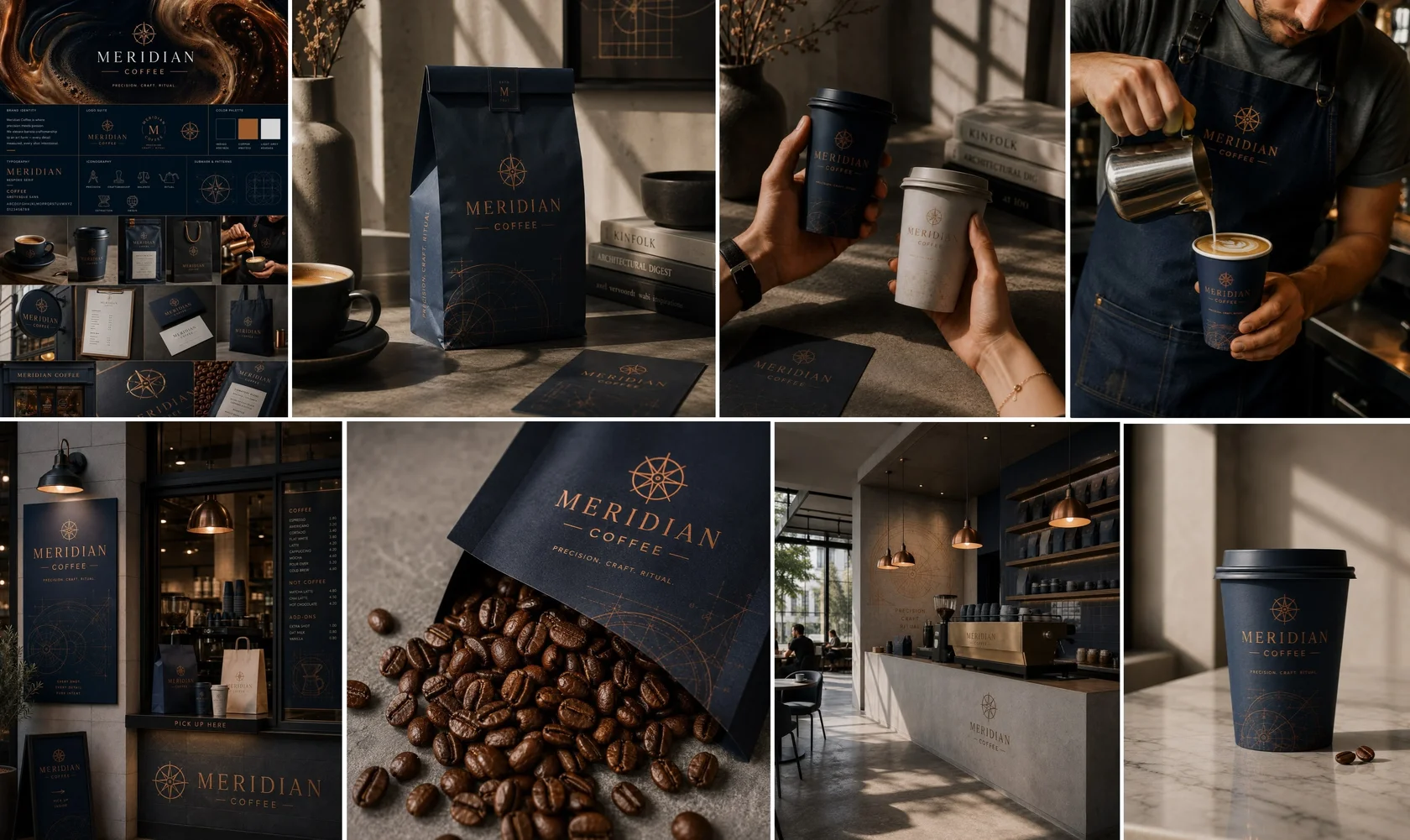 Marketing · Brand system
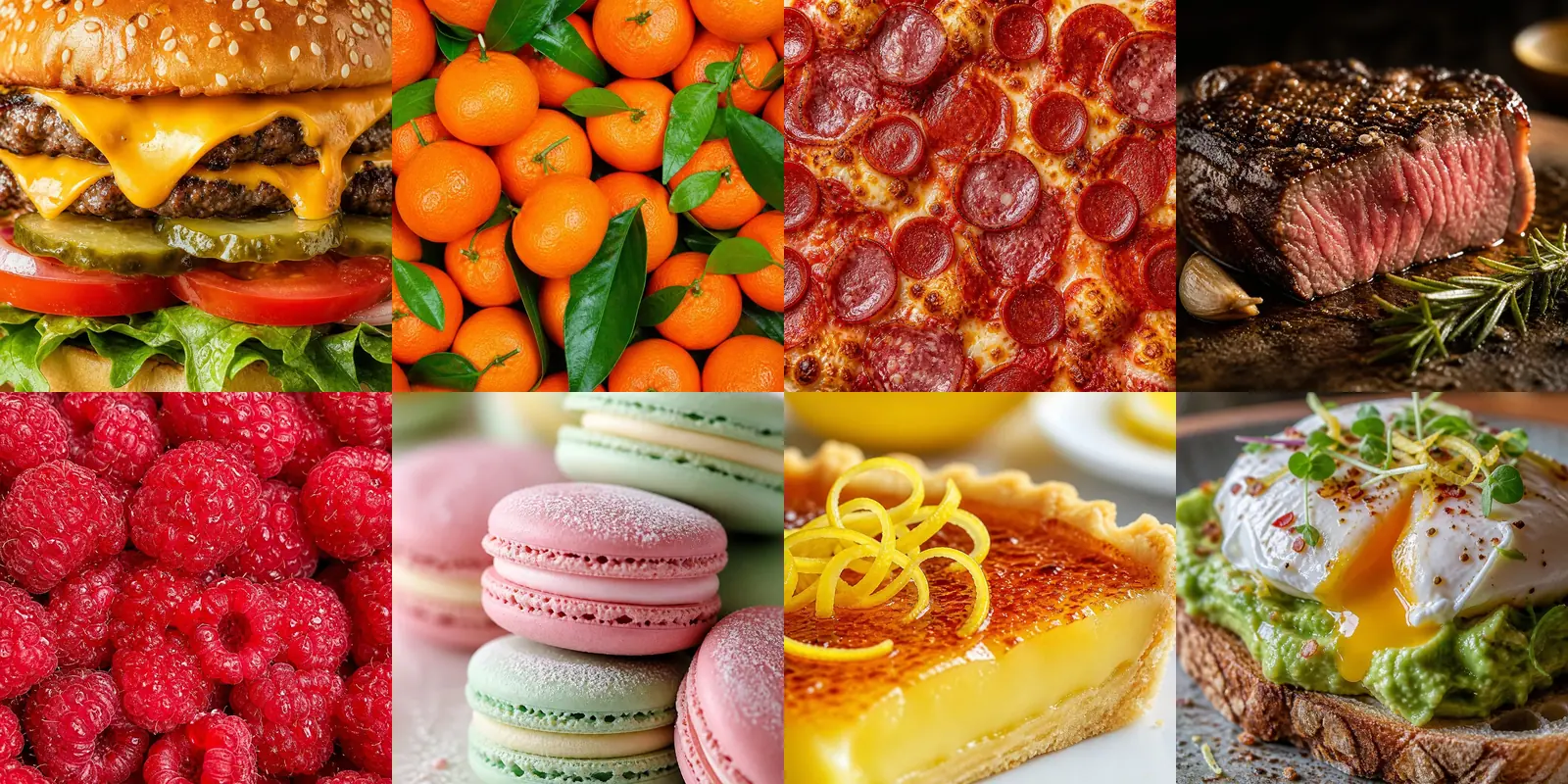 Marketing · Food content
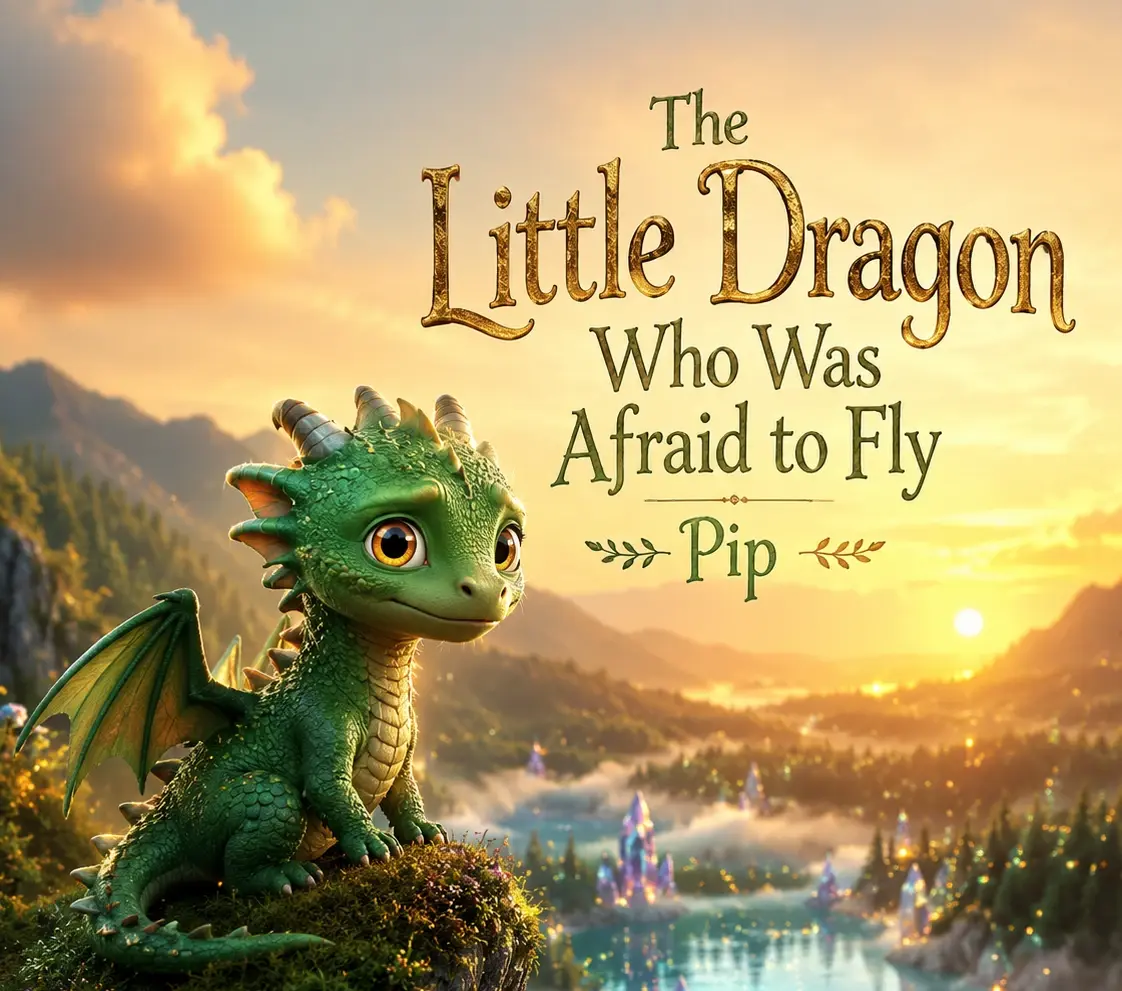 Creative · Cover art
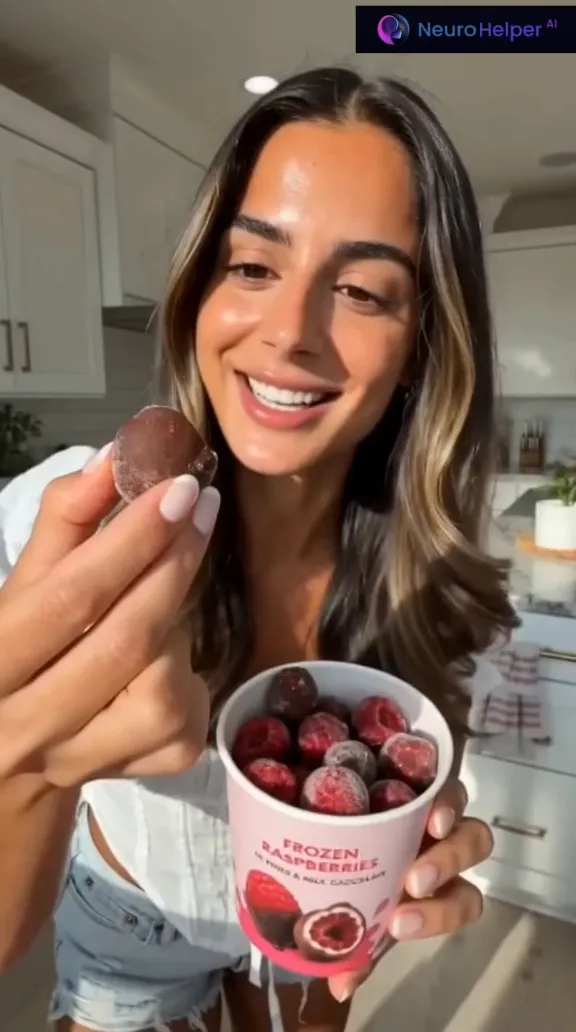 Marketing · UGC ad
Build characters, worlds, covers, and storyboards
Turn an idea into repeatable visual language for stories, music, video, illustration, and personal projects.
Explore creative workflows →Marketing & UGCCreate campaigns, product visuals, and social assets
Develop brand systems, creator-style ads, product scenes, and format-ready campaign variations.
Explore marketing workflows →Explore the workflow
From prompt or reference to a finished visual
Switch between a marketing edit, an original creative scene, and a complete brand system to see how GPT Image 2 adapts to different production goals.
 Add
Addimage
This is a visual product preview. Sign in to generate, edit, and manage your own images.
Real outputs and prompts
Creative ideas and marketing assets in one model
GPT Image 2 can support both sides of visual production: original characters and story worlds, plus commercial campaigns, UGC concepts, and social formats. Open any example prompt to see how the visual direction was described.
From GPT Image 2 Story World to Video Trailer
The character, cover, and cinematic keyframes were created with GPT Image 2, then animated into a complete trailer with Seedance 2.0.
View image prompt
Create a cinematic storybook scene featuring a small young dragon who is afraid to fly. Keep the character gentle and recognizable, use warm magical light, expressive eyes, layered clouds, and a family-friendly animated-film mood.
Visual Identity for an Original Music Release
GPT Image 2 created the city-pop cover and visual direction; MiniMax Music 2.6 turned the same concept into an original track. Play the finished release above.
View cover prompt
Create nostalgic city-pop cover art for an original song called “Neon Nights”: a woman driving along a neon-lit coastal boulevard at blue hour, wet-road reflections, palms, a cinematic 1980s Japanese album aesthetic, and clean title typography.
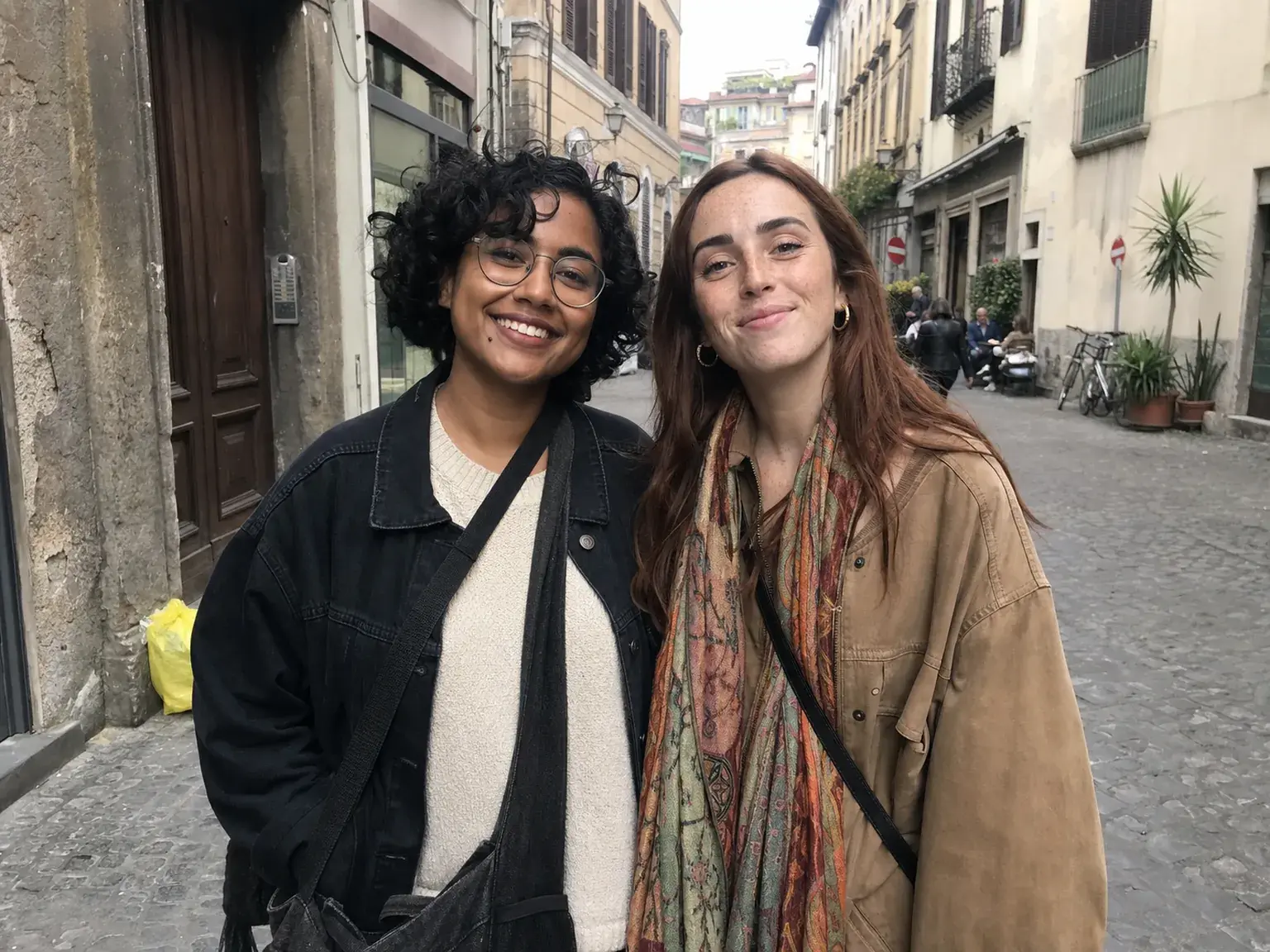 Casual source
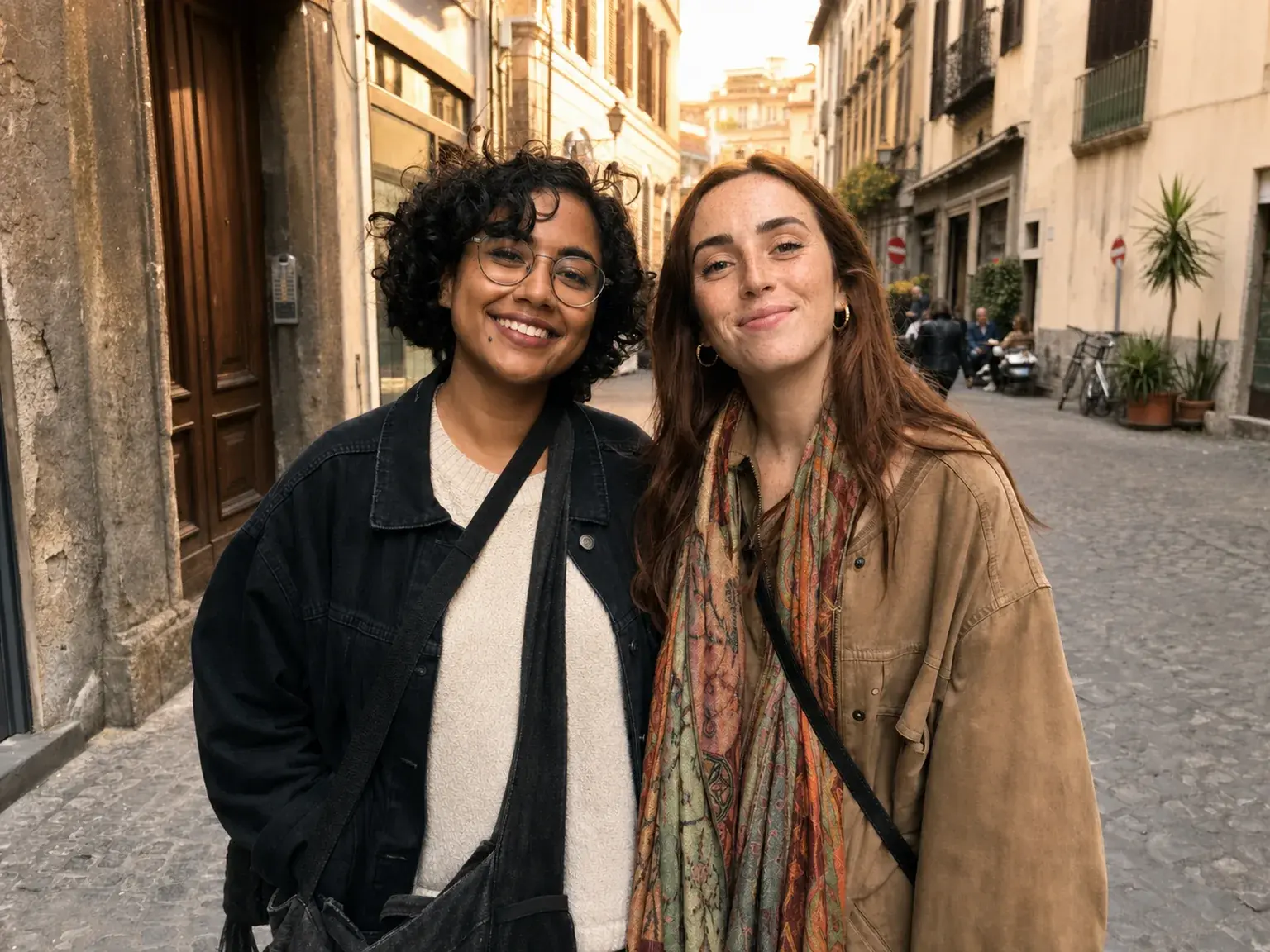 Golden-hour edit
Turn an Ordinary Travel Photo into a Memory
A casual phone snapshot keeps the same people and moment while gaining warmer light, richer atmosphere, and a more polished travel-story feel.
View example prompt
Enhance this casual travel photo while preserving every person, face, pose, outfit, and the real location. Introduce believable golden-hour light, natural warmth, gentle depth, and a cinematic but authentic travel-photography finish.
Illustrated Story Becomes an Audiobook
GPT Image 2 established the cover and visual identity; expressive narration and audio production were completed with ElevenLabs v3.
View cover prompt
Design a premium illustrated audiobook cover for “The Little Dragon Who Was Afraid to Fly.” Show the same young dragon above luminous clouds, leave clear hierarchy for the title, and use a magical but emotionally warm palette.
GPT Image 2 Key Visual to UGC Video Ad
The product concept and creator-style key visual were built with GPT Image 2, then recreated as a short-form UGC video with Seedance 2.0.
View image prompt
Create a natural creator-style vertical ad for frozen raspberries coated in chocolate. Use tactile close-ups, realistic home lighting, appetizing texture, a spontaneous reaction, and room for a short social hook.
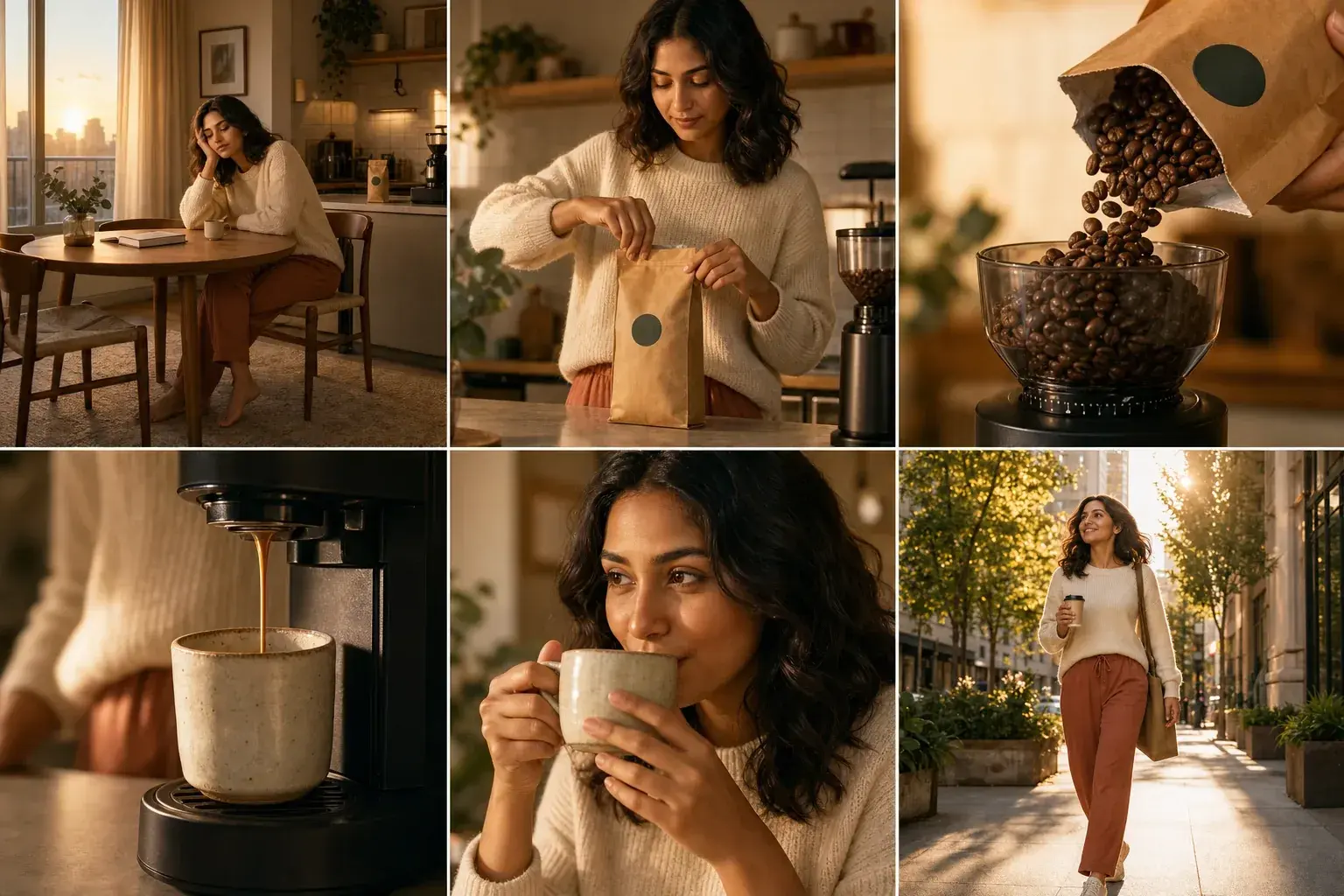
Six-Frame Storyboard for a Video Ad
A coherent shot sequence moves from a sleepy morning to an energized city walk, ready for filming or an AI video model.
View example prompt
Create a six-shot cinematic coffee advertisement storyboard. Preserve the protagonist, wardrobe, cup design, lighting progression, and overall visual tone across every frame. Compose each panel as a useful production keyframe.
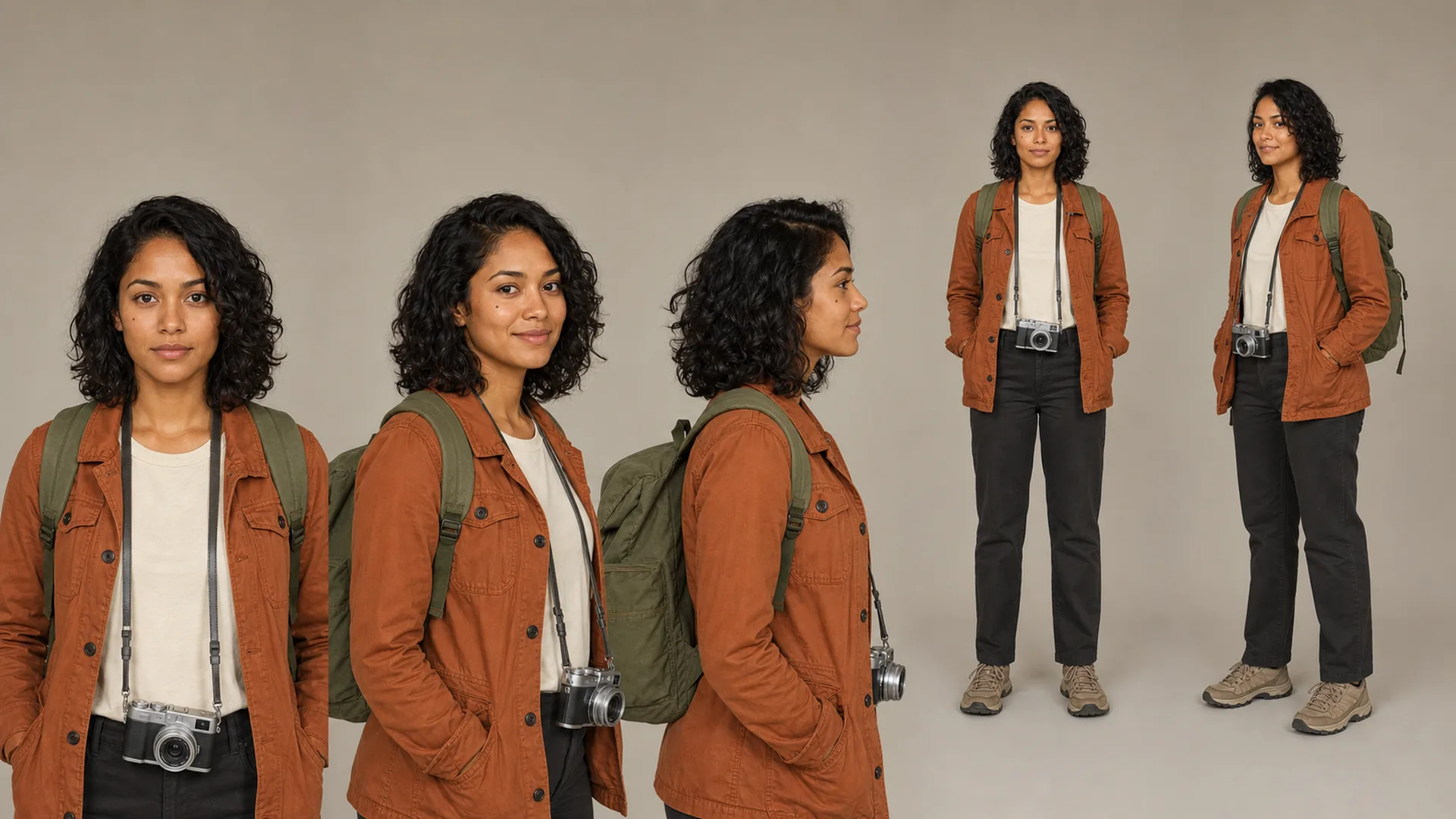 Character reference
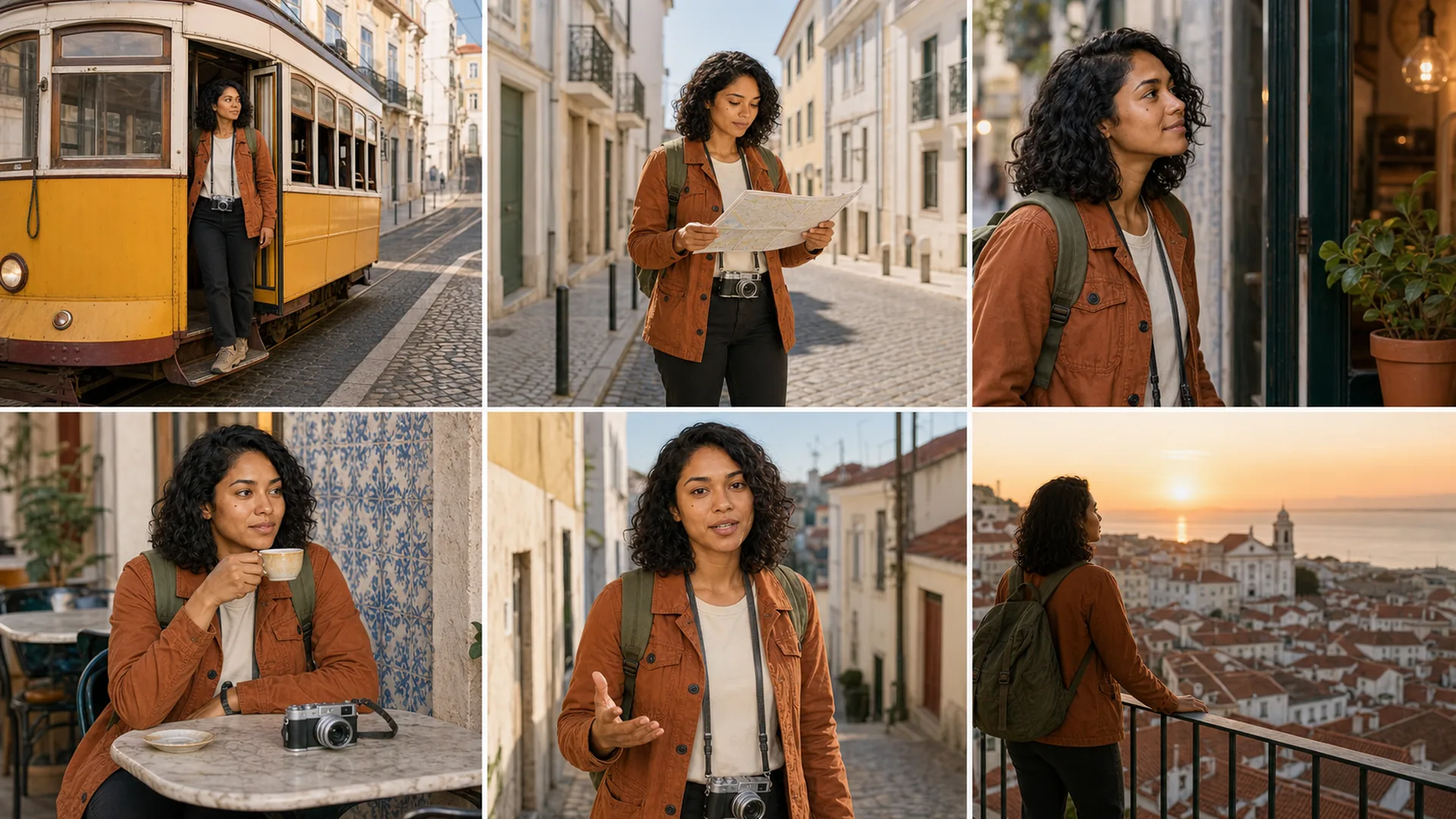 Six-frame storyboard
One Character, a Complete Travel Storyboard
A neutral character reference anchors Maya’s face, hair, wardrobe, backpack, and camera across six production-ready Lisbon travel scenes.
View consistency prompt
Use the supplied reference sheet as the identity source. Create a six-frame Lisbon travel storyboard with the same face, hair, age, rust jacket, backpack, and camera in every shot. Vary locations, framing, action, and daylight while preserving one recognizable protagonist.
Complete Coffee Brand Visual System
One direction expands into packaging, cups, menus, signage, and social content without losing the identity.
View example prompt
Create a complete visual system for a modern specialty coffee brand. Show packaging, takeaway cup, menu, storefront sign, loyalty card, Instagram post, and in-store poster. Keep colors, typography, motifs, and materials consistent.
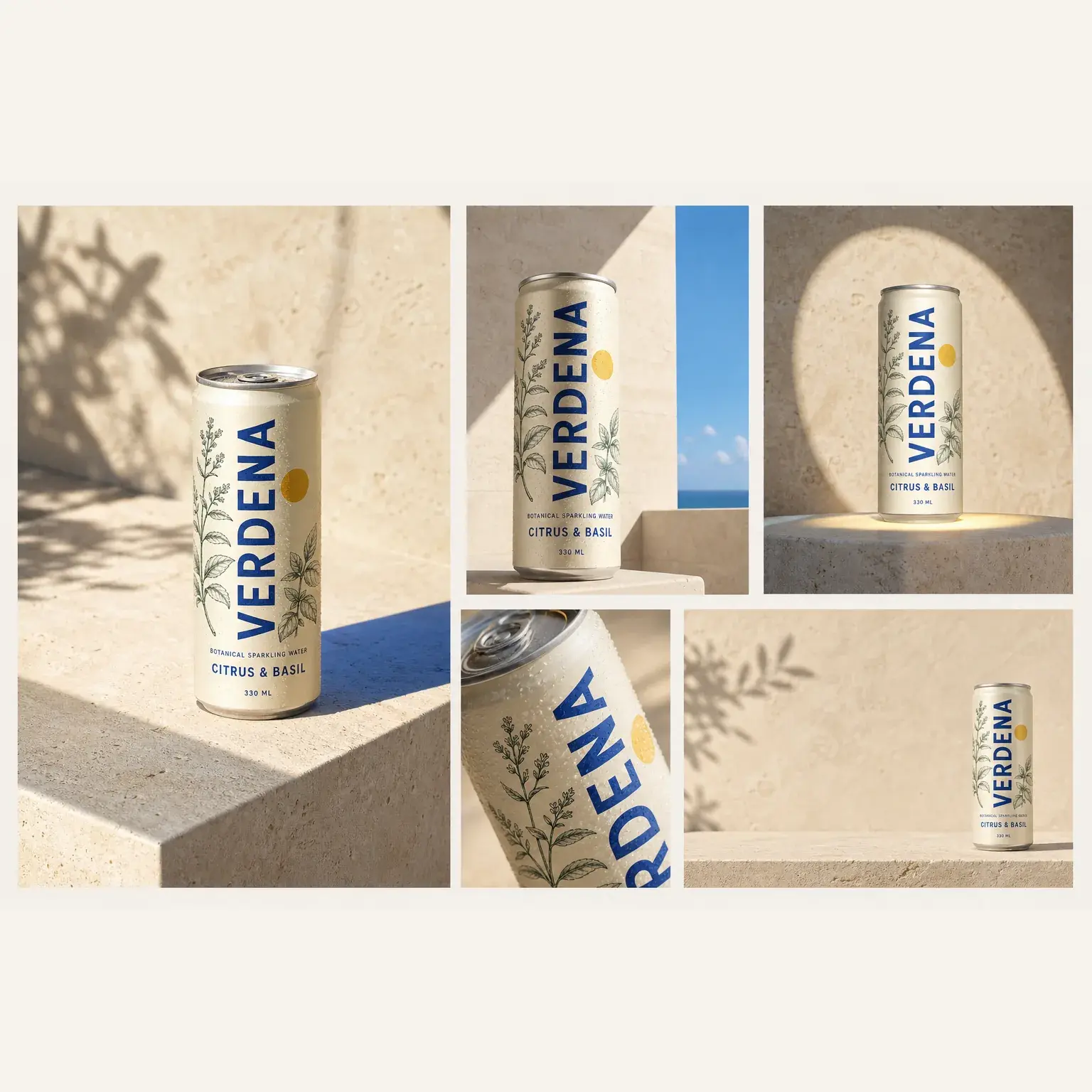
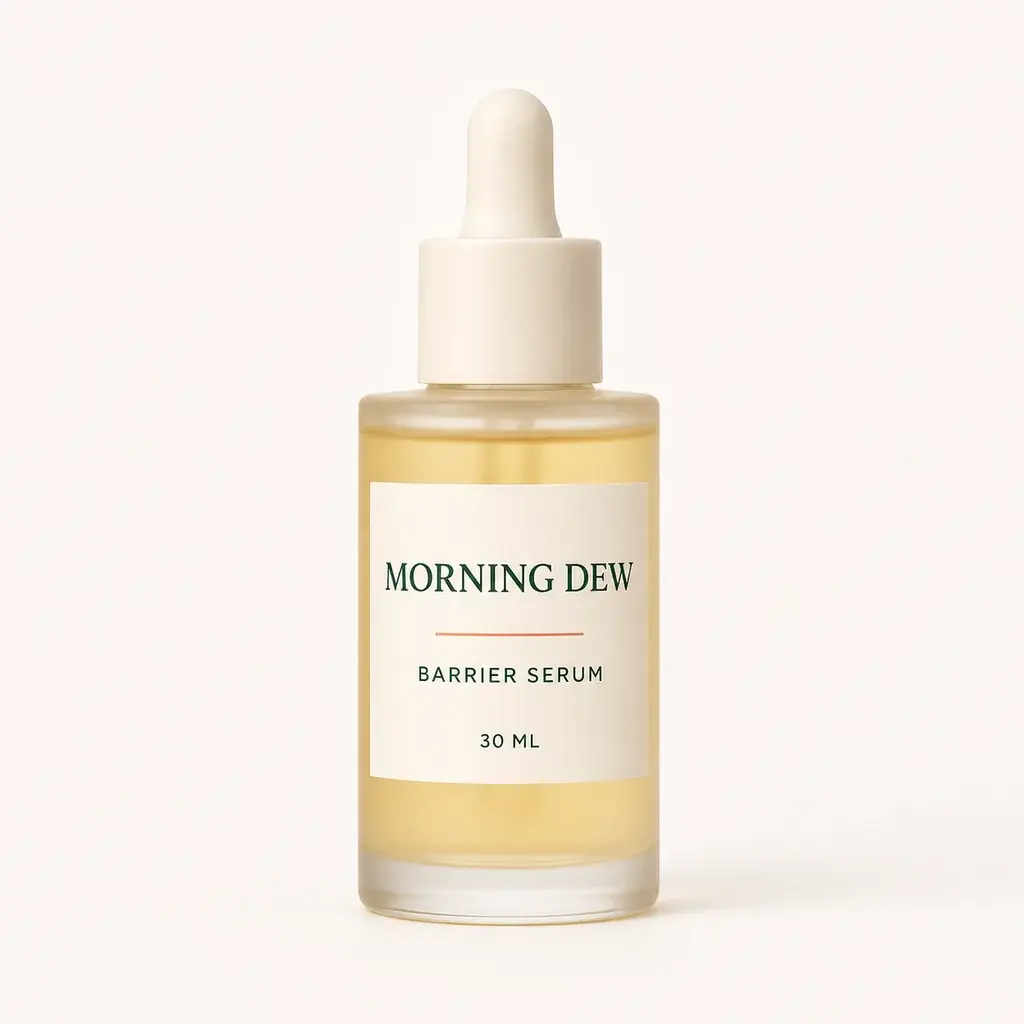
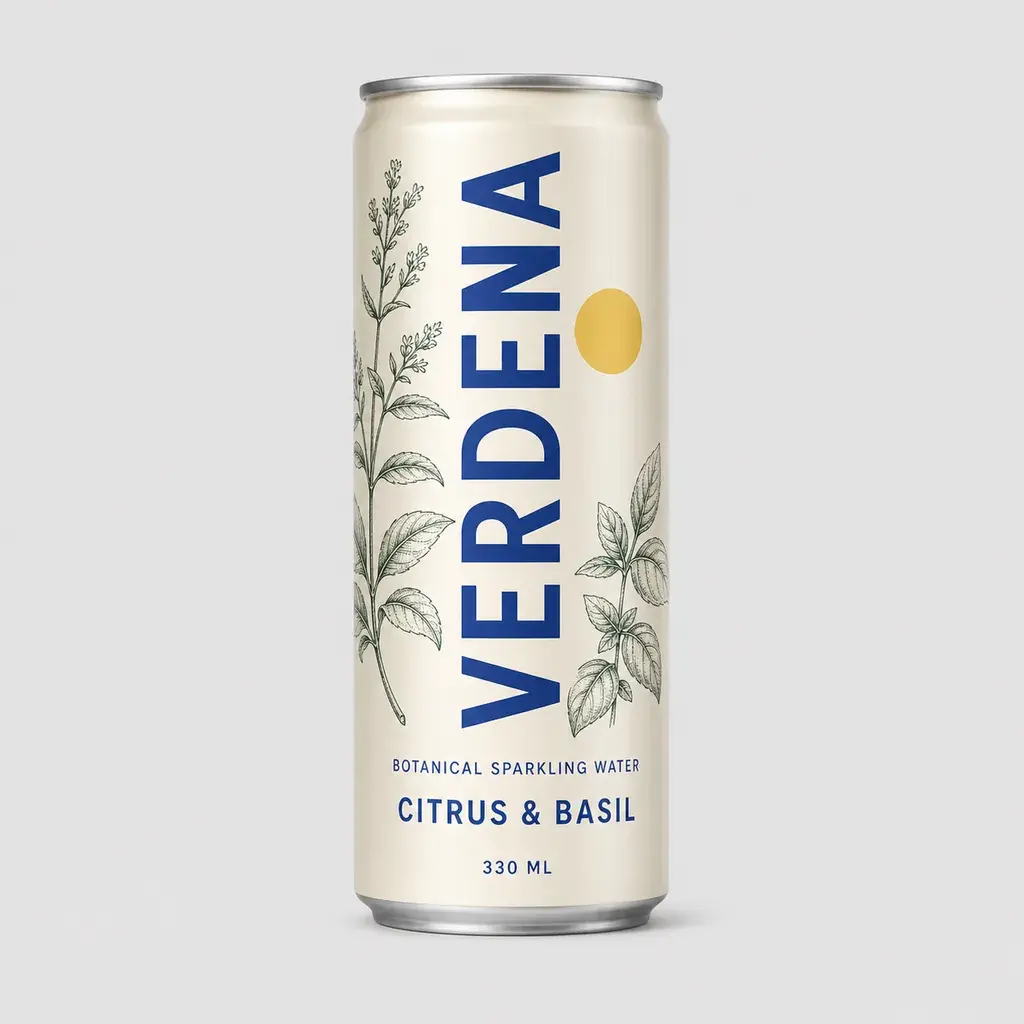 Source product
One Product, Multiple Social Formats
A single can becomes a coordinated feed post, Story, carousel, close-up, and paid-social creative.
View example prompt
Use the product reference as an invariant. Create a Mediterranean summer campaign across feed, Story, carousel, product close-up, and paid social while preserving packaging exactly.
Food Photography and Culinary Content Set
One appetizing visual direction becomes a coordinated collection for menus, recipe content, delivery apps, restaurant campaigns, and social media.
View example prompt
Create a premium food-content collage with varied culinary close-ups, overhead compositions, plated dishes, ingredient details, and lifestyle moments. Keep lighting, color grading, styling, and editorial quality consistent across the complete set.
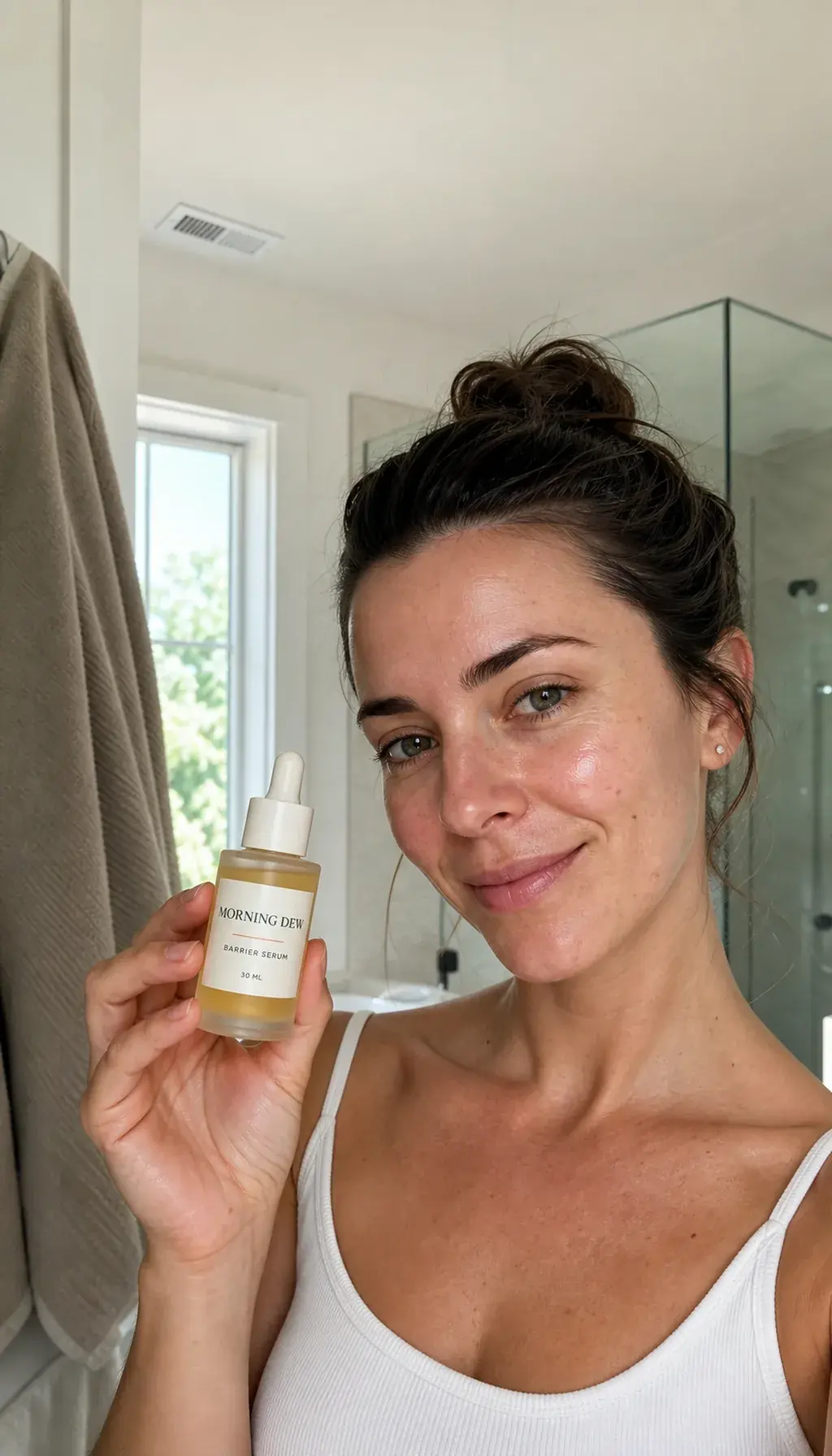
Reference-based image editing
Turn a product packshot into a UGC creative
Preserve the packaging, label, colors, and proportions while changing the person, setting, lighting, and campaign composition around the product.
Interactive comparison
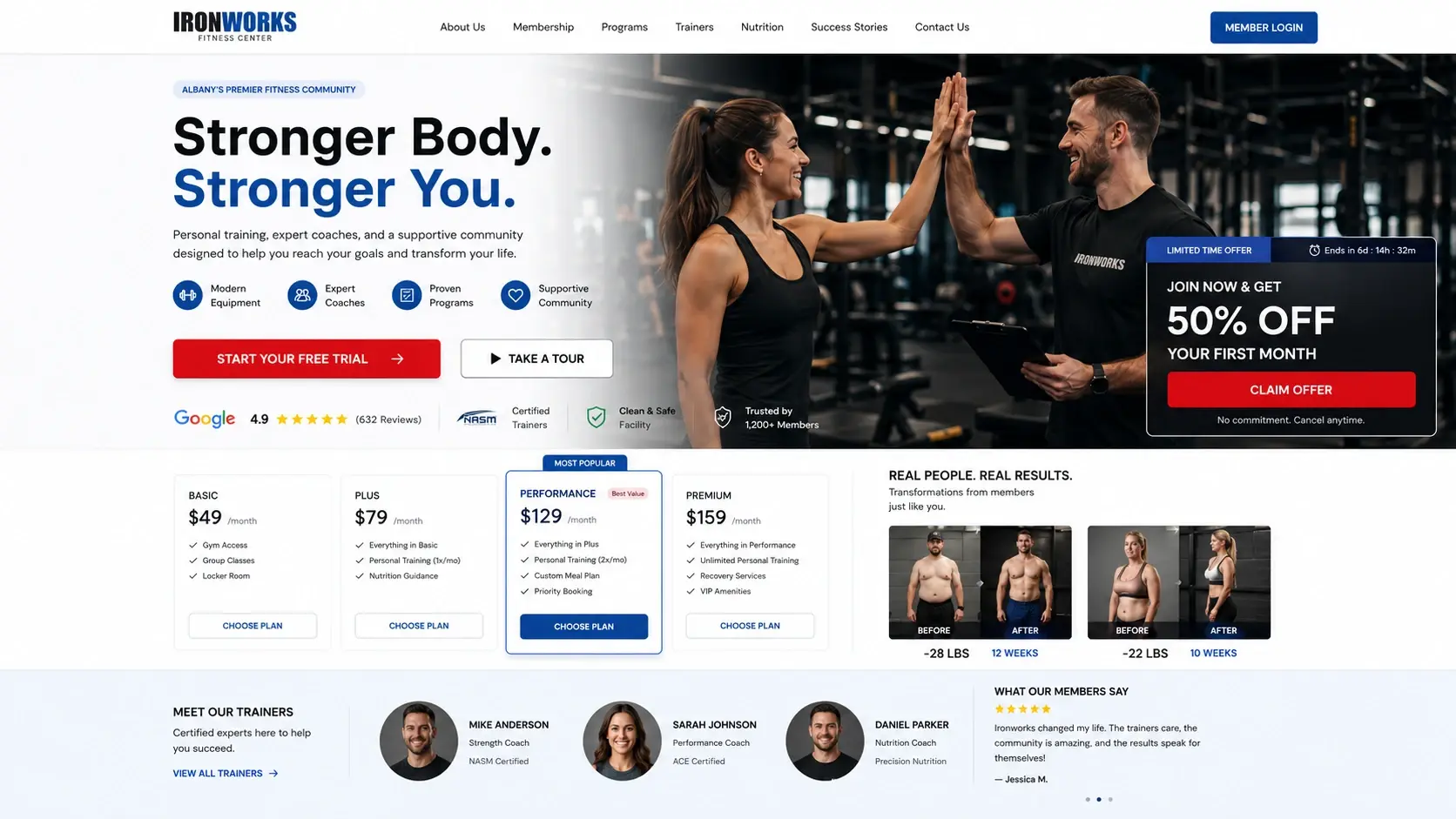
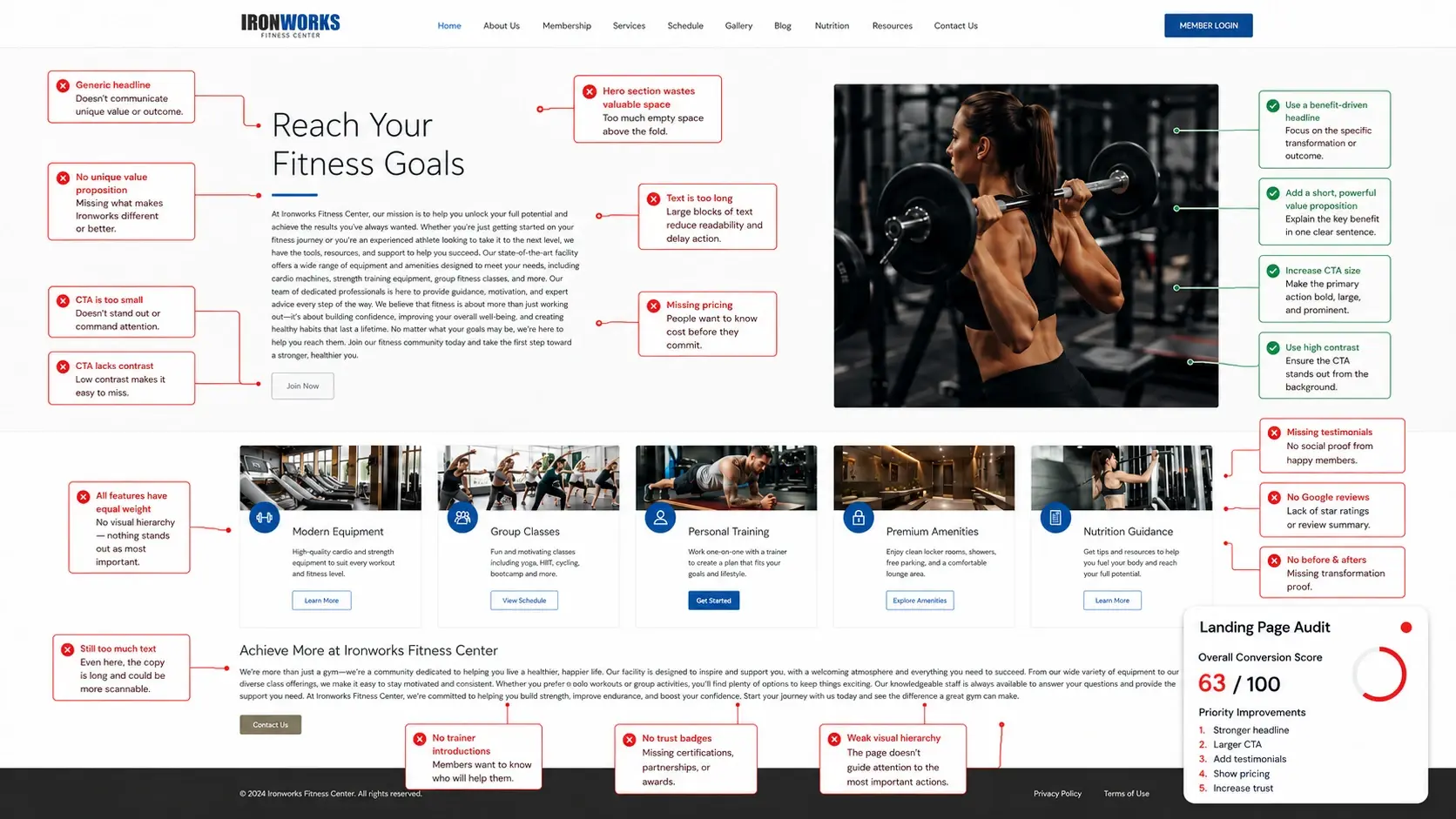
From CRO audit to visual redesign
Drag the handle to compare the original landing page with the cleaner redesign concept.
 OriginalRedesign↔
Core capabilities
Where GPT Image 2 is most useful
The best model depends on the workflow. GPT Image 2 is a strong general choice when generation and precise iterative editing belong in the same process.
Text in images
Create posters, packaging concepts, thumbnails, and social cards with specified copy. Always proofread before publishing.
Reference control
Combine products, people, styles, palettes, and composition references while defining the role of each input.
Format adaptation
Expand one visual direction into square, vertical, horizontal, marketplace, presentation, and campaign formats.
Creative systems
Build related groups of assets instead of stopping after one attractive but isolated image.
Beyond one generation
Continue into creative or marketing production
Neurohelper combines leading text, image, video, and audio models, so a GPT Image 2 result can become part of a finished creative project or campaign.
Story idea to cinematic scene
Write the story, establish the character and world, generate approved keyframes, then animate and add narration.
Music or podcast visual package
Develop the concept, cover artwork, episode cards, vertical teasers, and platform-ready promotional visuals.
Product brief to campaign system
Turn one product photo into lifestyle scenes, creator-style concepts, paid-social assets, and marketplace visuals.
Key visual to short-form video ad
Use an approved campaign image as the first frame, animate it, add voice, and prepare localized variants.
Practical guide
What is GPT Image 2?
GPT Image 2 is an OpenAI image generation and editing model available in Neurohelper. It can create new visuals from text, work from one or more reference images, and revise an existing image while following written instructions.
That combination makes it useful for AI product photography, advertising concepts, UGC-style visuals, social media images, packaging exploration, brand presentations, storyboards, interface concepts, and personal creative projects.
Good prompts identify the subject, purpose, audience, setting, composition, lighting, format, required text, and the elements that must remain unchanged. When several references are used, describe what each image controls.
Generated results still require human review. Check spelling, product details, anatomy, logos, claims, rights, and consistency before commercial publication.
FAQ
GPT Image 2 questions
What is GPT Image 2 best for?
It is a versatile choice for image generation and editing, especially when detailed instructions, reference images, readable text, format adaptation, and iterative commercial creative work matter.
Can GPT Image 2 edit an existing image?
Yes. You can provide an image and describe what should change and what must remain unchanged. Clear invariants help reduce unwanted drift.
Can it use multiple reference images?
Yes, depending on the current Neurohelper configuration. Define whether each image controls the product, person, style, palette, lighting, or composition.
Can GPT Image 2 create text inside an image?
It can generate compositions containing specified text, but every letter, number, label, and claim should be proofread before publication.
Is GPT Image 2 available in Neurohelper?
Yes. GPT Image 2 is available in Image Master alongside other leading image models within the Neurohelper model selection and subscription system.
How is GPT Image 2 different from Nano Banana?
Both support broad image-generation and editing workflows, but they can interpret references, layouts, styles, and instructions differently. The best choice depends on the specific input and desired result, which is why direct testing is useful.