ChatGPT is one of the most versatile AI assistants available, but it is not automatically the best tool for every workflow.
Some users need stronger support for long documents. Others want research with prominent citations, deep integration with Google Workspace or Microsoft 365, faster multilingual responses, private deployment options, or access to several AI model families without maintaining a separate subscription for each provider.
That is why the best ChatGPT alternative depends on what you are trying to replace.
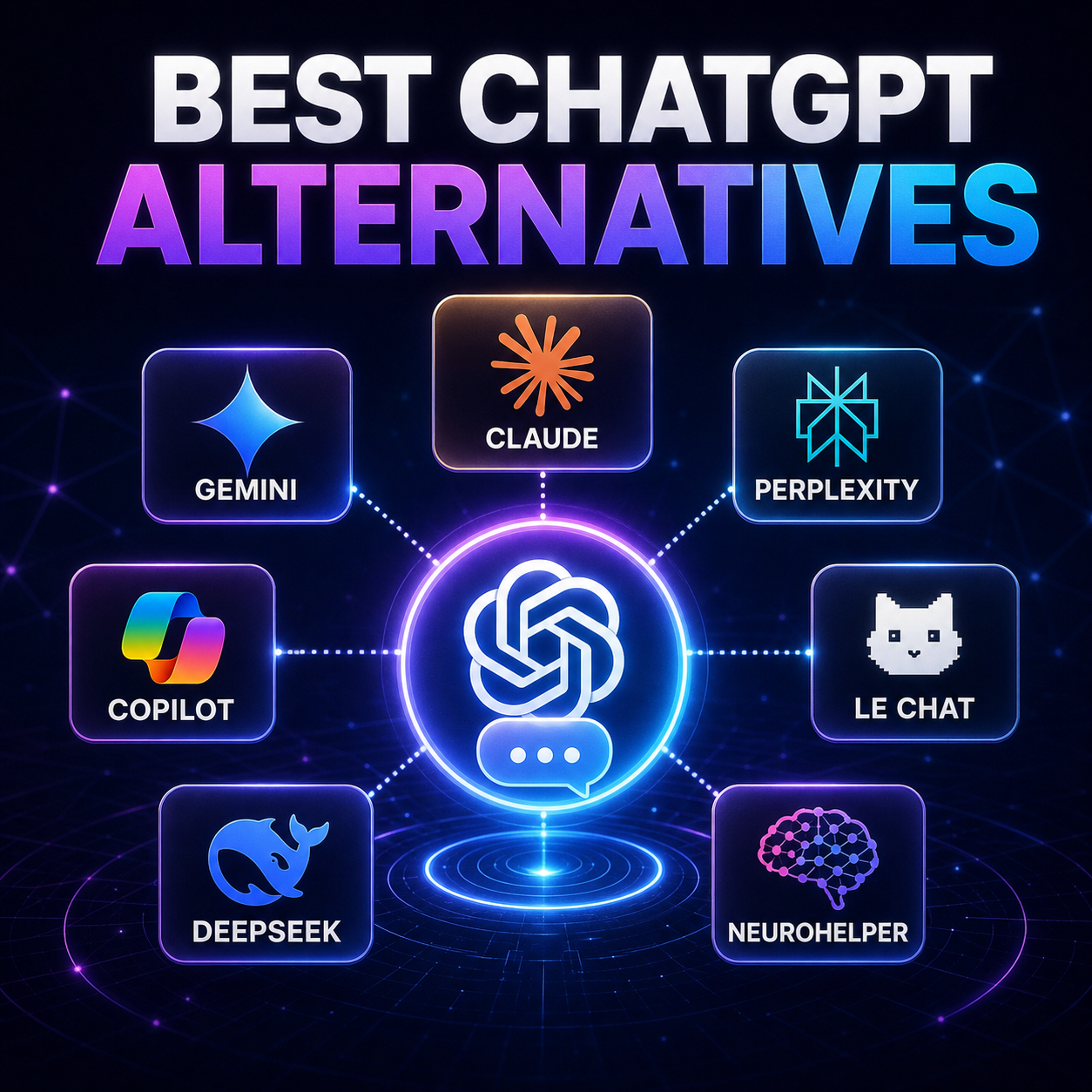
If you want a focused writing and coding partner, Claude may be the most natural option. If your work lives in Gmail and Google Drive, Gemini is more convenient. Perplexity is built around cited research. Microsoft Copilot fits organizations already centered on Microsoft 365. Le Chat offers a fast, multilingual experience with flexible deployment options. DeepSeek is attractive for reasoning and developer use cases.
Neurohelper takes a different approach: instead of asking you to replace ChatGPT with one permanent alternative, it brings supported models from multiple providers into one workspace under one subscription.
Quick verdict: Claude is a strong ChatGPT alternative for writing, coding, and long documents. Gemini is the best fit for Google users. Perplexity is especially useful for source-based research. Microsoft Copilot is designed for Microsoft 365 workflows. Neurohelper is the most flexible option when you want to choose among multiple model families instead of committing to one AI provider.
The best ChatGPT alternatives at a glance
| Alternative | Best for | Main advantage | Important consideration |
|---|---|---|---|
| Neurohelper | Multi-model AI workflows | Supported text, image, video, audio, and creative models in one workspace | Model availability and limits depend on the Neurohelper plan |
| Claude | Writing, coding, and long documents | Focused knowledge-work experience with Projects and Artifacts | It does not reproduce every multimodal feature of ChatGPT |
| Google Gemini | Google Workspace and multimodal work | Deep integration with Google services and large-context workflows | The experience and limits vary by Google AI plan |
| Perplexity | Research and source discovery | Search-first answers with visible citations and research modes | It is less centered on open-ended conversation than ChatGPT |
| Microsoft Copilot | Microsoft 365 organizations | Works alongside Word, Excel, PowerPoint, Outlook, and Teams | The strongest organizational features require the relevant Microsoft plan |
| Mistral Le Chat | Speed, multilingual work, and deployment flexibility | Fast responses, research, document analysis, and enterprise deployment options | Its broader ecosystem is smaller than those of OpenAI, Google, and Microsoft |
| DeepSeek | Reasoning, coding, and developer workflows | Reasoning-focused models and a familiar chat/API experience | Product integrations and media workflows are more limited |
There is no universal winner in this table. The practical question is whether you need a complete AI product, a specific model family, a research engine, an office-suite assistant, or a workspace that connects several models.
What should you look for in a ChatGPT alternative?
Before choosing an alternative, separate the model from the product.
ChatGPT is not only an OpenAI model. It is a complete application that can combine conversation, web search, deep research, Projects, file uploads, voice, image generation, data analysis, and other tools. Another service may provide access to an excellent language model without reproducing all of those product-level features.
Evaluate alternatives using the following criteria.
Response quality for your real tasks
Benchmarks are useful, but they rarely predict which assistant will produce the best sales page, analyze your specific PDF most accurately, understand your codebase, or match your preferred writing style.
Test the same representative prompts in several assistants. Compare correctness, structure, unnecessary editing, citations, speed, and how much work is required before the output is usable.
Tools beyond text chat
Decide whether you need:
- web search and cited research;
- image generation or editing;
- spreadsheet and data analysis;
- voice conversations;
- video or audio generation;
- code execution;
- reusable projects or knowledge bases;
- integrations with workplace applications;
- agents that can perform multi-step tasks.
A strong language model may still be the wrong product if it cannot support the rest of your workflow.
Context and file handling
If you regularly work with long reports, contracts, research papers, code repositories, or collections of project files, examine how each product stores context and retrieves information across sessions.
Look beyond the advertised context-window number. Upload limits, supported file types, project knowledge, retrieval quality, and citation accuracy often matter more in practice.
Ecosystem and integrations
Gemini is attractive when your work already lives in Google services. Microsoft Copilot is more natural for Microsoft 365 organizations. Claude Projects can suit focused document and code workflows. Perplexity is designed around searching and synthesizing external information.
The best integration is usually the one connected to the applications where your work already happens.
Pricing and usage limits
Free plans are useful for testing, but they often restrict advanced models, research requests, file uploads, image generation, context size, or daily usage.
Do not compare plans only by monthly price. Estimate the total cost of the workflow. A low-cost assistant can become expensive if you still need separate subscriptions for image generation, video, voice, research, and other models.
Privacy and deployment requirements
Companies should evaluate retention policies, training controls, access management, audit capabilities, data residency, connected-app permissions, and private deployment options.
The best personal AI assistant is not necessarily the best enterprise platform.
1. Neurohelper: best for using multiple AI models in one workspace
Neurohelper is the most flexible ChatGPT alternative for users who do not want to replace one closed ecosystem with another.
Instead of centering the workflow on a single provider, Neurohelper provides access to supported models for text, reasoning, images, video, audio, avatars, advertising, and other creative tasks within one workspace and one subscription.
Its current text-model selection includes the GPT-5.6 Sol, Terra, and Luna family alongside Claude Fable, Mythos, Opus, Sonnet, and Haiku models, subject to the availability and limits of the selected Neurohelper plan.
This changes the decision from:
Which single AI assistant should I use for everything?
to:
Which model is the best fit for this task?
You might use one model for a long document, another for fast everyday requests, another for demanding reasoning, and specialized models for images, video, avatars, voiceovers, or localization.
Neurohelper is best for:
- marketers and creators working across text, images, video, and audio;
- users who want to compare responses from different model families;
- teams trying to reduce the number of separate AI subscriptions;
- workflows where the best model changes from one task to the next;
- users who want OpenAI and Anthropic model access within the same service.
What to consider
Accessing an OpenAI or Anthropic model through Neurohelper is not the same as purchasing the complete ChatGPT or Claude product. Provider-specific features such as proprietary interfaces, account-level integrations, and exclusive product tools may not be included.
Neurohelper is the better fit when model choice and cross-modal creation matter more than staying inside one provider's complete native ecosystem.
2. Claude: best for writing, coding, and long documents
Claude is one of the closest direct alternatives to ChatGPT. Anthropic has built it around focused knowledge work: writing, analysis, research, coding, file-heavy projects, and the creation of substantial outputs.
Claude Projects provide self-contained workspaces with chat history, instructions, and uploaded knowledge. Artifacts place documents, code, visualizations, interfaces, and interactive outputs beside the conversation so they can be reviewed and refined.
Claude also supports web search with citations, making it useful when a task combines current information with drafting or analysis.
Claude is best for:
- editing and restructuring long documents;
- working with project-specific files and instructions;
- coding, debugging, and codebase analysis;
- creating documents, prototypes, and visualizations through Artifacts;
- users who prefer a focused interface for knowledge work.
What to consider
Claude can analyze images and create visual or interactive Artifacts, but it is not a replacement for every native image-generation, voice, and data-analysis workflow available in ChatGPT.
Choose Claude when the core deliverable is a document, analysis, code change, or interactive work product rather than a broad collection of media tools.
3. Google Gemini: best for Google Workspace users
Gemini is the most natural ChatGPT alternative for people and organizations already using Google's ecosystem.
Its advantage is not only the underlying Gemini models. The product can connect AI assistance with Gmail, Drive, Docs, and other Google services, depending on the account, region, and plan.
Gemini includes features such as Deep Research, Canvas, reusable Gems, file analysis, connected apps, image generation, and large-context options. Deep Research can use Google Search and, when connected, selected personal sources such as Gmail and Drive.
Gemini is best for:
- users whose files and communication live in Google Workspace;
- analyzing large collections of text, images, and video;
- research that combines the web with selected Google data;
- creating reusable assistants through Gems;
- students and teams already working in Google's productivity tools.
What to consider
Gemini's available models, context limits, media features, and usage allowances vary significantly between free and paid Google AI plans. Workspace administrators may also control which connected features are available.
Choose Gemini when Google integration is more valuable than having an independent AI workspace.
4. Perplexity: best for research with visible sources
Perplexity is a search-first ChatGPT alternative. It is designed to find information, synthesize it, and show citations that let the user inspect the underlying sources.
Its standard search experience is useful for quick fact-finding, while Research mode performs a longer multi-step investigation and produces a structured report. Perplexity also supports projects, file uploads, model selection on eligible plans, and the creation of documents, spreadsheets, presentations, and simple applications.
Perplexity is best for:
- market and competitor research;
- current events and rapidly changing topics;
- finding original sources;
- preparing cited reports;
- travel, product, and purchasing research;
- users who want an answer engine rather than a general-purpose chatbot.
What to consider
Citations do not guarantee that every conclusion is correct. You still need to inspect the cited material, check whether it supports the claim, and prioritize primary sources for important decisions.
Perplexity is strongest when the task begins with finding and verifying information. ChatGPT, Claude, or another workspace may feel more natural for extended creative collaboration and iterative production.
5. Microsoft Copilot: best for Microsoft 365 organizations
Microsoft Copilot is the strongest ChatGPT alternative when the surrounding workflow is already built on Word, Excel, PowerPoint, Outlook, Teams, and Microsoft organizational data.
Copilot Chat provides web-grounded AI chat with enterprise data protection, file uploads, image generation, Pages, and access to agents. Microsoft 365 Copilot extends the experience into workplace applications and, with the appropriate permissions, organizational files, emails, meetings, and chats.
Its Researcher agent is designed for complex, multi-step research across the web and accessible work content, producing structured reports with citations.
Microsoft Copilot is best for:
- organizations standardized on Microsoft 365;
- drafting and summarizing within office applications;
- working with permitted emails, meetings, documents, and chats;
- enterprise administration and data protection;
- research grounded in both public and organizational information.
What to consider
The name “Copilot” covers several experiences and licensing levels. Copilot Chat, Microsoft 365 Copilot, application-specific agents, and consumer Copilot do not provide identical access to organizational data or tools.
Choose it when Microsoft integration is the deciding factor, and verify which capabilities are included in the plan your organization uses.
6. Mistral Le Chat: best for speed and deployment flexibility
Le Chat is Mistral AI's general-purpose assistant for conversation, research, document analysis, coding, images, and voice.
It includes web search, Deep Research, Projects, document uploads, a code interpreter, multilingual reasoning, image generation and editing, and voice capabilities. Mistral also emphasizes enterprise deployment options, including environments where organizations need greater control over infrastructure and models.
Le Chat is best for:
- users who value fast responses;
- multilingual writing and reasoning;
- document understanding and OCR-heavy workflows;
- teams exploring European AI providers;
- organizations interested in private or flexible deployment.
What to consider
Le Chat has a smaller consumer ecosystem and fewer widely adopted third-party workflows than ChatGPT, Gemini, or Microsoft Copilot. Some capabilities and limits also depend on the selected plan.
It is worth testing when speed, language coverage, document processing, or deployment control matters more than ecosystem size.
7. DeepSeek: best for reasoning and developer experimentation
DeepSeek is a compelling alternative for users focused on reasoning, mathematics, coding, and API-based development.
Its models support a thinking mode for complex requests and can be used through a familiar chat interface or developer API. This makes DeepSeek attractive for developers who want to test another reasoning-model family or compare outputs and costs across providers.
DeepSeek is best for:
- complex reasoning and mathematical tasks;
- coding and technical problem-solving;
- API experimentation;
- developers comparing model behavior;
- users looking for a focused text-based assistant.
What to consider
DeepSeek is less suitable as a complete replacement for ChatGPT's broad product experience. Its ecosystem, workplace integrations, image workflows, voice features, and project tools are not equivalent to ChatGPT's.
Organizations should also complete their own privacy, security, availability, and compliance review before using any external AI service with sensitive data.
Which ChatGPT alternative is best for each task?
| Task | Best starting point | Why |
|---|---|---|
| Long-form writing and editing | Claude | Focused document workflows, Projects, and Artifacts |
| Google Workspace | Gemini | Native proximity to Gmail, Drive, Docs, and Google Search |
| Microsoft 365 | Microsoft Copilot | Integration with workplace apps and permitted organizational data |
| Research with citations | Perplexity | Search-first experience and prominent source links |
| Multiple AI model families | Neurohelper | Switch between supported providers and creative model categories |
| Multilingual and private deployment | Le Chat | Multilingual reasoning and flexible enterprise options |
| Reasoning and developer testing | DeepSeek | Reasoning-focused chat and API workflows |
| Images, voice, data, and general everyday use | ChatGPT | Broad collection of native product tools |
This table is a starting point, not a permanent ranking. AI products change quickly, and response quality varies by prompt, model, enabled tools, and plan.
Free ChatGPT alternatives: what can you realistically expect?
Most major AI assistants offer some level of free access, but “free” usually means limited access rather than unrestricted use.
Common restrictions include:
- lower daily or weekly message limits;
- reduced access to advanced reasoning models;
- fewer Deep Research requests;
- smaller file or context allowances;
- limited image or video generation;
- slower processing at busy times;
- fewer integrations and collaboration features.
A free plan is enough to evaluate response style and basic task quality. For production work, compare the paid limits that affect your actual workflow rather than choosing only by the existence of a free tier.
Is it better to replace ChatGPT or combine several AI models?
For simple everyday use, one assistant may be enough. For professional work, relying on a single model creates unnecessary limitations.
Different model families can interpret the same prompt differently. One may produce a clearer structure, another may catch a logical error, and a third may be better suited to a specialized media task.
A multi-model workflow provides three practical advantages:
You can match the model to the task
Use a fast model for summaries and repetitive requests, a stronger reasoning model for difficult decisions, and specialized generators for images, video, audio, or avatars.
You can compare important answers
For high-impact writing, code, research, or strategy, a second model can reveal assumptions, missing evidence, and alternative approaches.
You can reduce tool fragmentation
Managing separate subscriptions, interfaces, histories, and usage limits creates friction. A unified service can make model switching easier, especially for workflows that cross from research and copy into images, video, voice, and localization.
The goal is not to use the largest possible number of models. It is to have the right options available without rebuilding the workflow every time the task changes.
Final verdict
ChatGPT remains the best default for users who want a broad, polished AI product covering conversation, research, files, images, voice, data, and general creative work.
But several alternatives are better aligned with specific needs:
- choose Claude for writing, coding, and long documents;
- choose Gemini for Google Workspace;
- choose Perplexity for cited web research;
- choose Microsoft Copilot for Microsoft 365;
- choose Le Chat for speed, multilingual work, and deployment flexibility;
- choose DeepSeek for reasoning and developer experimentation;
- choose Neurohelper when you want access to multiple supported model families and creative AI tools through one subscription.
The strongest choice is the one that fits your workflow—not the assistant with the most recognizable name.
Frequently asked questions
What is the best alternative to ChatGPT?
Claude is one of the closest alternatives for writing, coding, and document work. Gemini is better suited to users of Google Workspace, Perplexity specializes in cited research, and Microsoft Copilot fits Microsoft 365 organizations. Neurohelper is a strong option when you want access to multiple model families rather than one permanent replacement.
Is there a free alternative to ChatGPT?
Claude, Gemini, Perplexity, Microsoft Copilot, Le Chat, and DeepSeek offer free access or free usage options in many markets. Limits, models, and regional availability change frequently, so check the current plan before relying on a service for production work.
Which ChatGPT alternative is best for writing?
Claude is an excellent starting point for long-form writing, editing, and document revision. ChatGPT remains strong when writing needs to connect with research, images, data, or reusable assistants. Test both with the same brief because tone preference is subjective.
Which ChatGPT alternative is best for research?
Perplexity is especially convenient for source discovery and cited answers. Gemini Deep Research, Claude web search, ChatGPT deep research, and Microsoft Researcher are also designed for multi-step research. Always verify important claims against primary sources.
Which ChatGPT alternative is best for coding?
Claude, DeepSeek, Gemini, and current OpenAI models are all capable coding options. The best choice depends on the repository, language, tools, and task. Evaluate them using a real issue and compare correctness, tests, unnecessary changes, and completion.
Can I use ChatGPT and Claude models in one place?
Yes. Neurohelper provides access to supported GPT-5.6 and Claude model families in one workspace under one subscription. Available models and usage limits depend on the selected Neurohelper plan.
Does access to a GPT model replace a ChatGPT subscription?
Not necessarily. A third-party service can provide access to an OpenAI model without including every feature of the native ChatGPT application. Choose based on whether you primarily need the model or the complete ChatGPT product ecosystem.