1
Choose what to create
Start with chat, images, video, audio, assistants, research or a reusable workflow.
Choose what to create
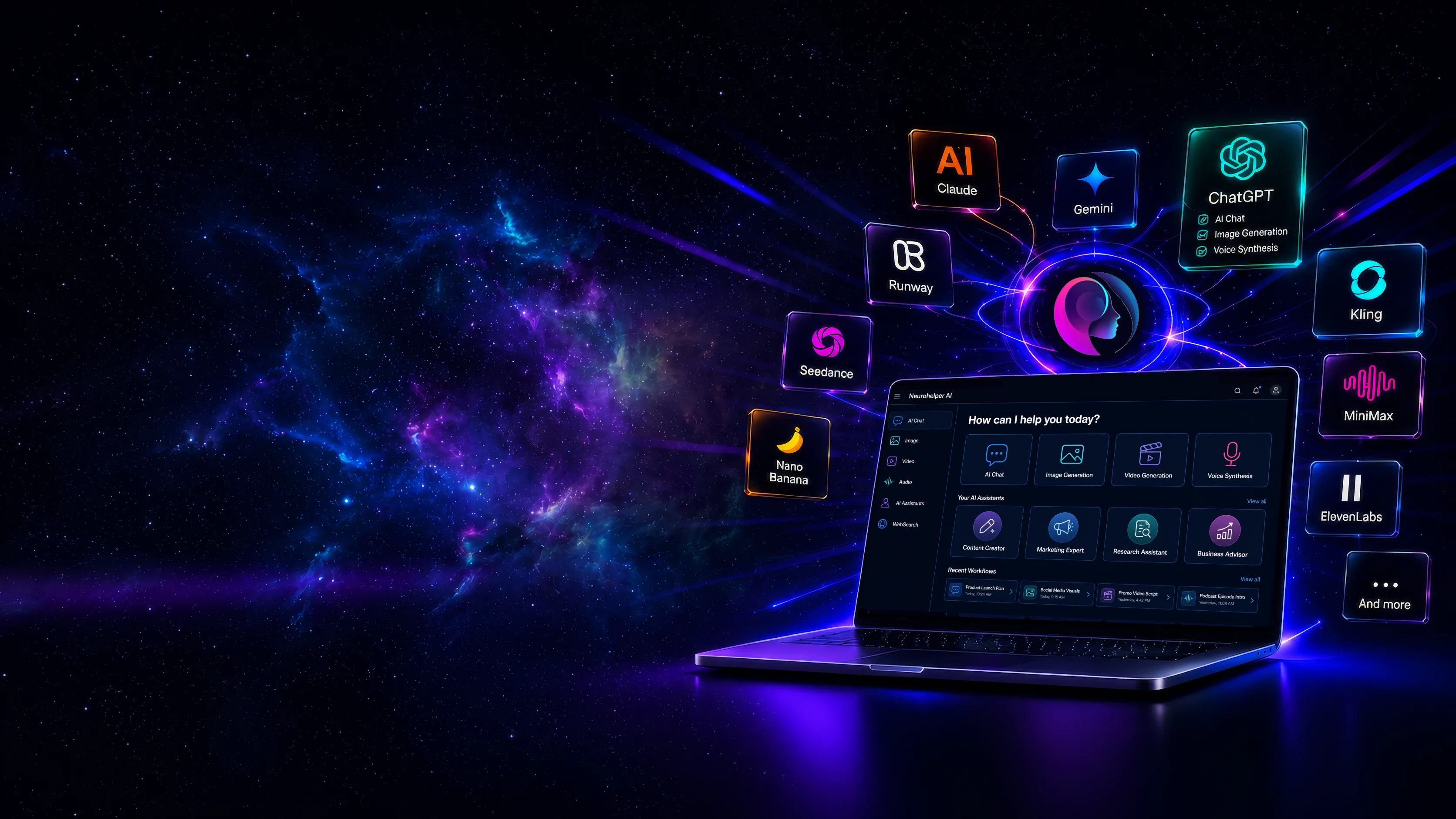
Chat, create images and videos, generate voiceovers, build assistants, and automate workflows — all in one powerful workspace.
Choose what you want to create, select the right AI model, and continue your work across tools without starting over.
Start with chat, images, video, audio, assistants, research or a reusable workflow.
Choose from leading models or let Neurohelper recommend the right one for your task.
Select the right balance of quality, speed and cost.
Generate a result, refine it, export it, or continue immediately in another studio.

Use the result in your project or continue creating.
Creative videos, ads, music, audio, images and chat workflows — all created inside one connected workspace.
Create content, grow campaigns, automate work and solve everyday tasks with leading AI models in one workspace.
Access leading AI models and tools through one subscription, one workspace and one shared credit balance.
Multiple payments, separate logins and different interfaces.

One workspace, one subscription and one shared balance.
Access leading AI models with monthly credits included. Upgrade anytime as your needs grow.
Perfect for everyday AI
Best for creators & marketers
Everything in Basic, plus:
Built for growing teams
Everything in Pro, plus:
Advanced AI for larger teams
Everything in Business, plus:
Generation estimates are illustrative. Actual credit usage varies by model, context size, duration, resolution and selected settings.
Everything you need to know about Neurohelper AI, subscriptions, models, credits and data security.
Neurohelper AI is a unified workspace that gives you access to leading AI models and tools for chat, images, video, audio, research, assistants and workflows.
Choose what you want to create, select a model or let Neurohelper help you choose one, then generate and refine your result without switching between separate platforms.
Neurohelper provides access to leading text, image, video and audio technologies from providers such as OpenAI, Anthropic, Google, Runway, Kling, Seedance, ElevenLabs, MiniMax and others.
The available selection is continuously updated as new models and capabilities are integrated into the platform.
Every plan includes access to the unified Neurohelper workspace and a selection of leading AI models.
Premium video models, avatars, dubbing, advanced assistants, integrations and higher generation limits may require a Pro, Business or Enterprise plan.
Each subscription includes a monthly credit balance that can be used across supported text, image, video, audio and assistant tools.
Credit consumption depends on the selected model, task, input size, duration, resolution and generation settings. The expected cost is shown before or during generation whenever the selected tool supports it.
AI providers charge different amounts depending on model complexity, speed, output quality and processing needs.
A short text request may use very few credits, while an advanced video, long voiceover or high-resolution image may require substantially more.
Yes. Unused subscription credits can roll over up to the maximum balance allowed by your plan.
Each plan has its own monthly allocation and maximum accumulated balance, which are shown in the pricing section.
No. New users receive 10 welcome credits and can explore selected Neurohelper features without adding a credit card.
A paid subscription is required after the welcome credits are used or when you need premium features and higher limits.
Welcome credits are intended to help you explore the workspace and test a selection of AI features.
The exact number of requests depends on the chosen model and task. Text requests usually use fewer credits than image, audio or video generation.
Yes. Monthly and annual billing options are available. Annual plans offer a lower effective monthly price, while monthly plans provide greater flexibility.
The selected billing period, total payment and renewal details are displayed before checkout.
Yes. You can upgrade your plan as your needs grow or cancel future renewals through your account billing settings.
After cancellation, paid access generally remains active until the end of the current billing period.
In many cases, AI-generated outputs can be used for business and commercial projects.
Usage rights may depend on the selected provider, model, source material and applicable law. You are responsible for reviewing outputs and ensuring they do not infringe third-party rights.
Neurohelper does not independently use your private projects to train its own public AI models.
Requests may be processed by third-party AI providers, whose data-handling practices can vary. Avoid uploading highly sensitive information unless the selected workflow is appropriate for it.
Neurohelper applies security controls designed to protect account information, files and generated content.
Access to platform features is tied to your authenticated account. Sensitive information should still be handled according to your organisation’s internal policies and the applicable provider terms.
No AI system can guarantee that every answer or generated output will be complete, accurate or suitable for every use.
Important information should be reviewed before it is used for legal, medical, financial, academic or critical business decisions.
Yes. Business and Enterprise plans are designed for more advanced workflows and team use.
Depending on the plan, features may include shared workspaces, role-based access, usage management, custom policies, integrations and dedicated support.
Neurohelper connects to external AI providers, so an individual model may occasionally experience delays, maintenance or temporary outages.
When alternatives are available, you can select another model and continue working inside the same workspace.
Neurohelper AI brings leading AI models and creative tools together in one workspace. Instead of managing multiple subscriptions, logins and disconnected workflows, you can create, research and work with AI from one place.
Explore our detailed guides to compare capabilities, workflows and overall value: