
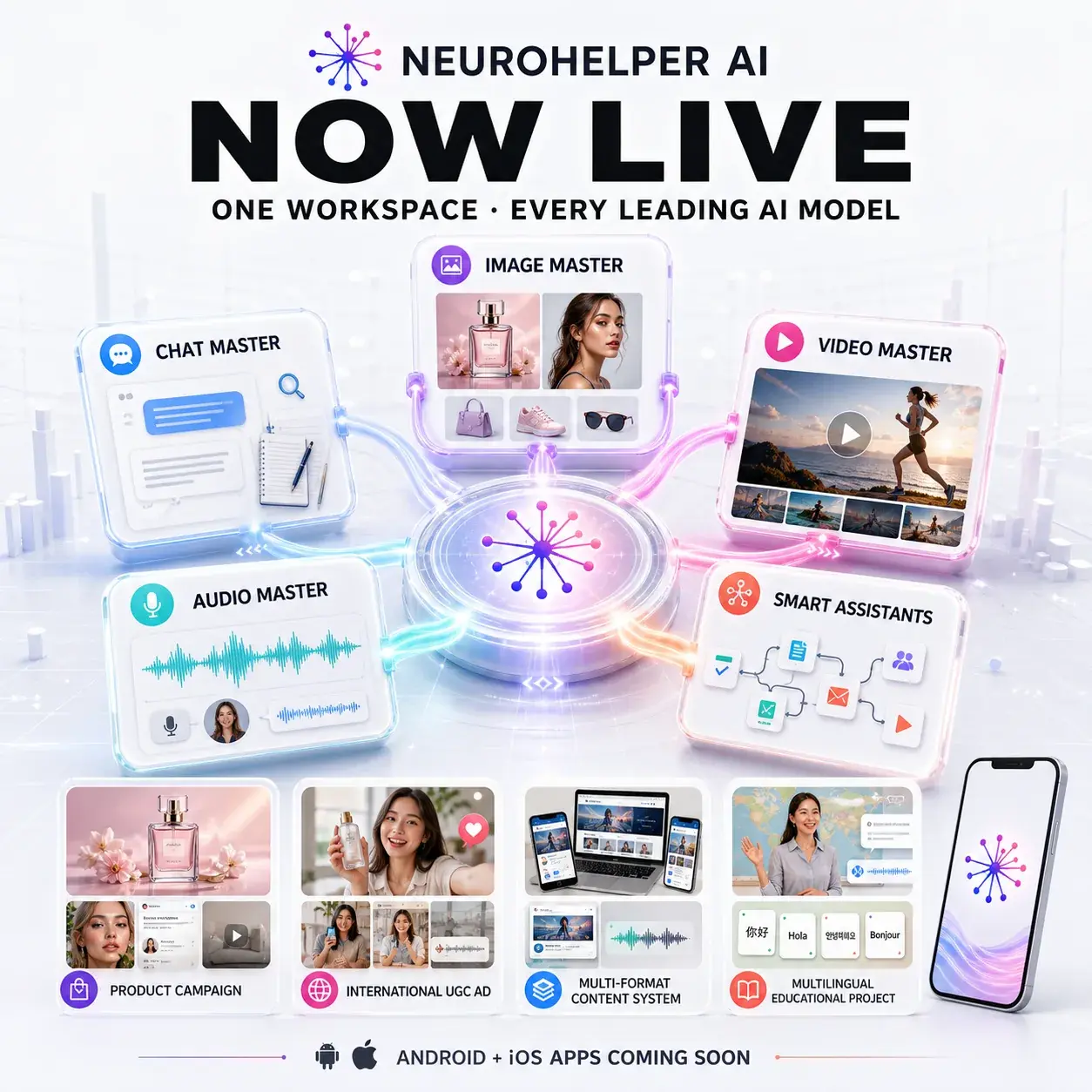
Today, we are excited to announce that Neurohelper AI is officially live.
Neurohelper brings leading AI models and practical creation tools into one connected workspace. Instead of managing separate subscriptions, interfaces, balances, and project histories, you can work across text, images, video, audio, assistants, and workflows in one place.
The first live version of the platform is now available, and this is only the beginning.
At the center of Neurohelper are five connected product areas: Chat Master, Image Master, Video Master, Audio Master, and Smart Assistants. Each can handle an individual task, but the most powerful use cases appear when you move a project through several modules as one continuous workflow.
Meet the Neurohelper Master modules
Chat Master
Chat Master brings leading text, reasoning, and research models into one interface.
Use them to:
- answer questions and explore ideas;
- analyze documents and other supplied materials;
- research markets, competitors, and topics;
- write, rewrite, summarize, and translate;
- prepare plans, reports, briefs, and structured content;
- compare how different models approach the same task.
You can choose a model yourself or use the platform's recommendations to find a suitable balance of quality, speed, and cost.
Chat Master can also prepare the brief, script, shot list, image prompt, voiceover text, or workflow instructions needed by the next module.
Image Master
Image Master is the workspace for generating and editing images for everyday projects, creative work, marketing, business, and social media.
The image tools can help with:
- illustrations and concept art;
- product visuals and advertising creatives;
- social posts and thumbnails;
- consistent characters;
- image variations;
- background replacement;
- style changes;
- reference-based editing;
- campaign assets in multiple formats.
Different image models are available for different styles and workflows, so you can compare outputs without maintaining a separate subscription for every provider.
An approved image can then become a video keyframe, avatar background, campaign asset, product scene, storyboard, or visual reference for another module.
Video Master
Video Master turns prompts, images, and creative concepts into video using leading AI video models.
Create:
- short social videos;
- advertising scenes;
- cinematic concepts;
- product clips;
- animated image sequences;
- video keyframes;
- experimental creative content.
You can begin with an image created inside Neurohelper and continue directly into video instead of rebuilding the project in another tool.
Audio Master
Audio Master brings voice, transcription, sound, and multilingual audio workflows into one place.
Available workflows include:
- text-to-speech;
- voiceovers for videos and presentations;
- transcription;
- sound and audio generation;
- multilingual audio content;
- preparing narration for ads, tutorials, and social media.
The available voices, languages, and controls depend on the selected model and plan.
Scripts prepared in Chat Master can become voiceovers in Audio Master, then be added to videos, avatar content, ads, lessons, presentations, and localized campaign versions.
Avatars, UGC, Dubbing, and Localization
Create avatar-led and creator-style content without organizing a traditional recording session for every variation.
Use AI avatars for:
- product explainers;
- training and onboarding;
- social videos;
- advertising concepts;
- multilingual presentations;
- creator-style UGC content.
Avatar and UGC tools can be combined with scripts, generated visuals, voiceovers, and localization workflows inside the same platform.
Use the localization tools to:
- translate scripts;
- create multilingual voiceovers;
- dub video content;
- prepare international ad variations;
- adapt messaging for different markets.
This makes it easier to move from one approved concept to several localized versions.
Smart Assistants
Smart Assistants are specialized AI helpers for recurring tasks and professional workflows.
Assistants can help with:
- marketing;
- content creation;
- business planning;
- research;
- productivity;
- education;
- development;
- other focused tasks.
The number of available assistants and integrations depends on the selected subscription plan.
Workflows and Automations
Save repeatable processes instead of rebuilding the same sequence every time.
Workflows can connect stages such as:
- research;
- planning;
- writing;
- image creation;
- video production;
- voice generation;
- localization;
- review and export.
Advanced business workflows, custom automations, and integrations are available on supported plans.
Prompt Library and Prompt Builder
Start with ready-made prompts and reusable workflow ideas, or build a more detailed prompt for your own task.
The Prompt Library helps you find practical starting points, while the Prompt Builder helps structure requirements, context, output format, and constraints before sending a request to a model.
AI Ad Studio
The AI Ad Studio brings the main advertising stages into one focused workflow.
You can move from:
- research and campaign angles;
- scripts and hooks;
- product images;
- video ads;
- AI avatars and UGC;
- voiceovers;
- dubbing and localization;
- multi-format campaign assets.
The goal is to make a complete campaign easier to create without constantly moving files and prompts between unrelated services.
One workspace, one balance, one history
Neurohelper is designed as a connected platform rather than a collection of isolated generators.
That means:
- one account for the available models and tools;
- one shared credit balance across supported modules;
- one project history;
- the ability to reuse and refine previous results;
- a faster path from an idea to a finished asset;
- fewer separate subscriptions and interfaces.
You can start in chat, create an image, continue into video, add a voiceover, and reuse the result in another workflow.
What connected Neurohelper workflows can look like
The modules are useful on their own, but Neurohelper is built for projects that move through several types of AI work.
These are not only ideas for a future roadmap. You can already build these workflows in the live Neurohelper web platform today, using the models and features available on your plan.
Workflow 1: Launch a complete product campaign
Chat Master researches the market, organizes customer insights, and develops campaign angles, hooks, scripts, and prompts.
Image Master turns the approved direction into product photography, lifestyle scenes, social visuals, ad concepts, and marketplace assets.
Video Master animates the strongest images into product clips, vertical ads, and campaign scenes.
Audio Master adds voiceovers, sound, and multilingual versions, while Smart Assistants help repeat the process for new products and campaign formats.
Result: one brief can become research, positioning, copy, product images, video ads, voiceovers, and localized campaign variations.
For a more detailed funnel example, read How to Build an AI Marketing and Sales Funnel.
Workflow 2: Create an international UGC advertising system
Start in Chat Master with customer research, UGC angles, hooks, scripts, creator directions, and compliance notes.
Use Image Master to prepare the product references, creator look, locations, and keyframes. Continue in Video Master to create creator-style scenes or avatar-led videos.
Use Audio Master for natural voiceovers, then create dubbed or localized versions for different languages and markets.
Result: one approved UGC concept can become several hooks, creators, formats, languages, and platform-ready variations.
Workflow 3: Turn one idea into a complete content engine
Use Chat Master to research a topic and create a long-form article, newsletter, social posts, carousel structure, and short-video scripts.
Use Image Master for the article cover, diagrams, carousel slides, thumbnails, and supporting visuals. Use Video Master to turn the best ideas into short videos.
Use Audio Master to create narration or an audio version, while a Smart Assistant helps repurpose future content using the same tone and workflow.
Result: one researched topic can become a blog article, newsletter, carousel, social posts, video clips, thumbnails, and narrated content.
See how multi-stage visual production works in How to Create Consistent AI Characters.
Workflow 4: Build a multilingual educational project
Chat Master creates the course structure, lesson scripts, exercises, summaries, and knowledge checks.
Image Master produces diagrams, illustrations, characters, and lesson visuals. Video Master turns approved scenes into explainers or avatar-led lessons.
Audio Master creates narration, transcription, and localized audio, while Smart Assistants can support recurring lesson preparation or help learners navigate the material.
Result: one course concept can become structured lessons, visuals, videos, narration, translations, and a reusable educational assistant.
Explore more learning workflows in Education Use Cases.
From separate tools to one continuous process
The key idea behind Neurohelper is simple: the result from one module should become the starting point for the next.
You should be able to:
- research and plan in Chat Master;
- create visual references in Image Master;
- animate them in Video Master;
- add voice or sound in Audio Master;
- turn the process into a repeatable workflow with Smart Assistants.
This reduces repeated setup, lost context, duplicated subscriptions, and the need to move the same brief manually between unrelated platforms.
Explore Neurohelper use cases
The same connected approach can support many different types of work. Browse the complete Neurohelper Use Cases library or go directly to a relevant section:
- Creative Content — visual stories, social content, characters, video concepts, and creative production;
- Marketing & Sales — campaigns, lead generation, conversion content, outreach, and sales enablement;
- Business Operations — planning, documentation, internal processes, customer support, and repeatable workflows;
- Productivity & Wellness — personal planning, organization, routines, reflection, and everyday assistance;
- Development — software planning, coding, debugging, documentation, and technical workflows;
- Research — source analysis, synthesis, comparisons, reports, and structured investigation;
- Education — lessons, explanations, study materials, assessments, and educational content;
- Finance — financial organization, analysis, explanations, reports, and decision support;
- Legal — drafting, reviewing, summarizing, and understanding legal content.
Each section will continue expanding with practical examples that show which modules to combine and how to move from the first prompt to a finished result.
Android and iOS apps are coming soon
We are also preparing native Android and iOS applications.
The mobile apps will make it easier to continue conversations, review projects, generate content, and work with Neurohelper away from a desktop.
Development is already underway. We will share availability and release details as the mobile launch gets closer.
This is the starting point
Going live is an important milestone, but it is not the final version of Neurohelper.
We will continue to:
- add new AI models;
- expand existing modules;
- improve generation and editing workflows;
- introduce more assistants and automations;
- make it easier to continue work between tools;
- improve the experience for individuals, creators, marketers, businesses, and teams.
Thank you to everyone who has followed the project, tested early versions, shared feedback, and helped us reach this point.
Neurohelper AI is live. We are excited to see what you create with it.
Frequently asked questions
Is Neurohelper AI available now?
Yes. The web platform is live and available for new users.
Do I need a credit card to try it?
No. New users can create an account and use the included welcome credits without adding a credit card.
Which tools are available?
Neurohelper includes Chat Master, Image Master, Video Master, Audio Master, Smart Assistants, avatars, UGC, dubbing, localization, reusable prompts, and connected workflows. Availability and limits may depend on the selected plan.
Will Neurohelper have a mobile app?
Yes. Android and iOS applications are currently in development and are planned for release soon.
Will more models and features be added?
Yes. Neurohelper will continue adding models, modules, assistants, integrations, and workflow improvements after launch.
