
Nano Banana 2 & Pro
Generate, edit, localize, and adapt professional visuals with Gemini 3.1 Flash Image and Gemini 3 Pro Image—two Google models for fast creative iteration and precision-first production.
 Creative · Interior redesign
  Creative · Consistent characters
  Marketing · Product pack
  Marketing · Localization
 Keep characters and ideas consistent across a complete visual story
Develop character sheets, travel sequences, storyboards, environments, cover concepts, and repeatable visual worlds.
Explore creative workflows → Marketing & UGC Turn approved products and campaigns into production-ready variations
Create marketplace packs, creator-style ads, localized campaigns, product scenes, and format-ready social content.
Explore marketing workflows → Two models, one visual workflow
Choose Flash speed or Pro precision
The public Nano Banana names and the Gemini model names refer to the same two Google image models. The right choice depends on how quickly you need to iterate and how demanding the final asset is.
Nano Banana 2
Also called Gemini 3.1 Flash Image. The best all-around starting point for fast generation, repeated editing, multiple references, 4K output, social content, products, characters, and everyday creative work.
Create with Nano Banana 2 →Nano Banana Pro
Also called Gemini 3 Pro Image. The precision-first choice for complex professional assets, advanced localization, dense text, diagrams, brand consistency, sophisticated compositions, and detailed creative control.
Create with Nano Banana Pro →Explore the workflow
From one reference to a complete visual system
Open six real workflows to see how the Nano Banana family handles interiors, recurring characters, products, localization, UGC, and social format adaptation.
 Add
Addimage
This is a visual product preview. Sign in to generate, edit, compare models, and manage your own images.
Conversational image editing
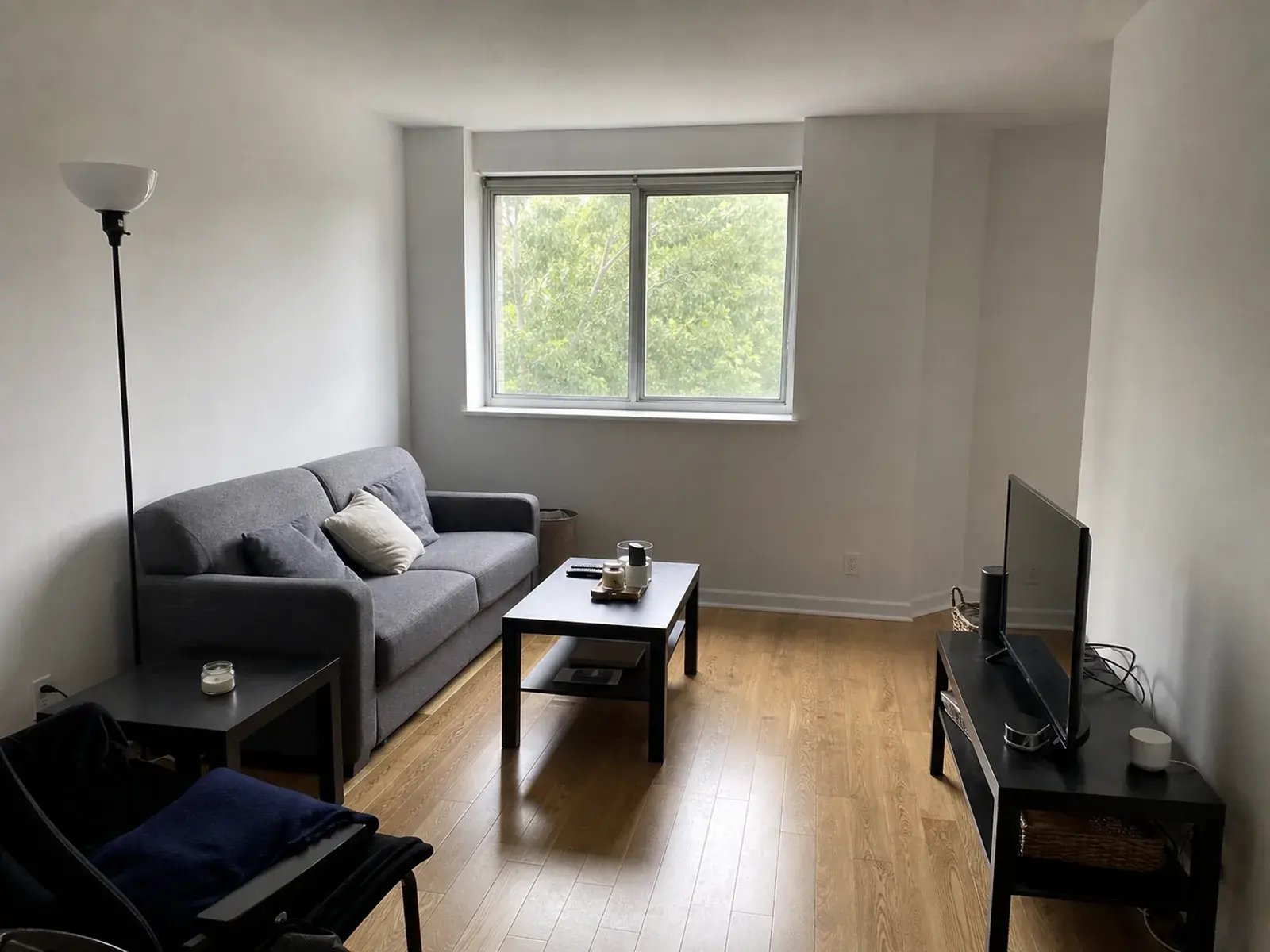
Redesign the room without rebuilding the architecture
Drag the handle to compare the ordinary apartment photograph with a new visual direction that preserves the original structure and camera position.
Real outputs and prompts
Creative content and marketing production in one model family
These examples use practical source images rather than isolated fantasy prompts. Each workflow begins with something real that must stay recognizable and expands it into a more useful production asset.
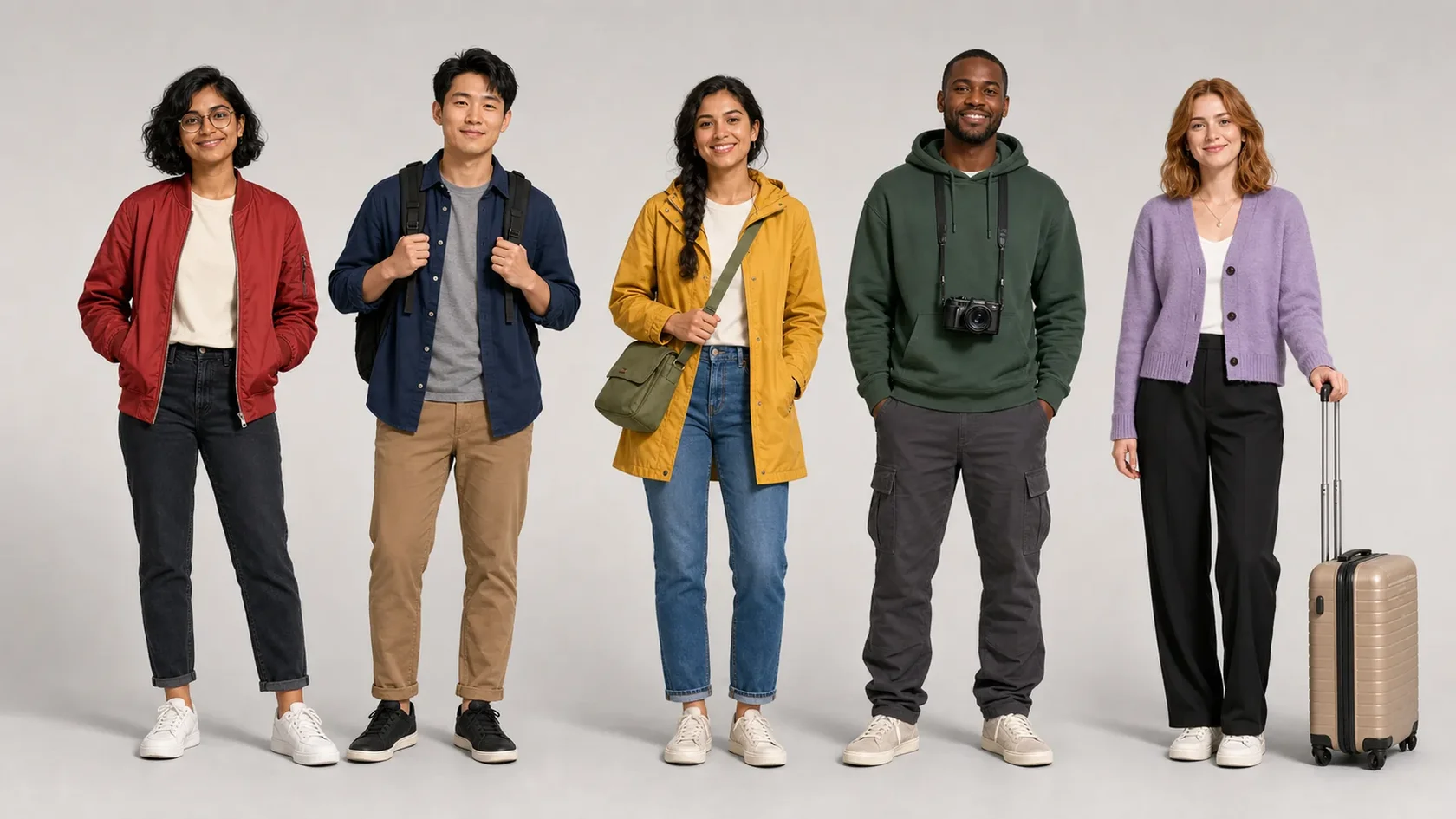 Character referenceTravel storyboard
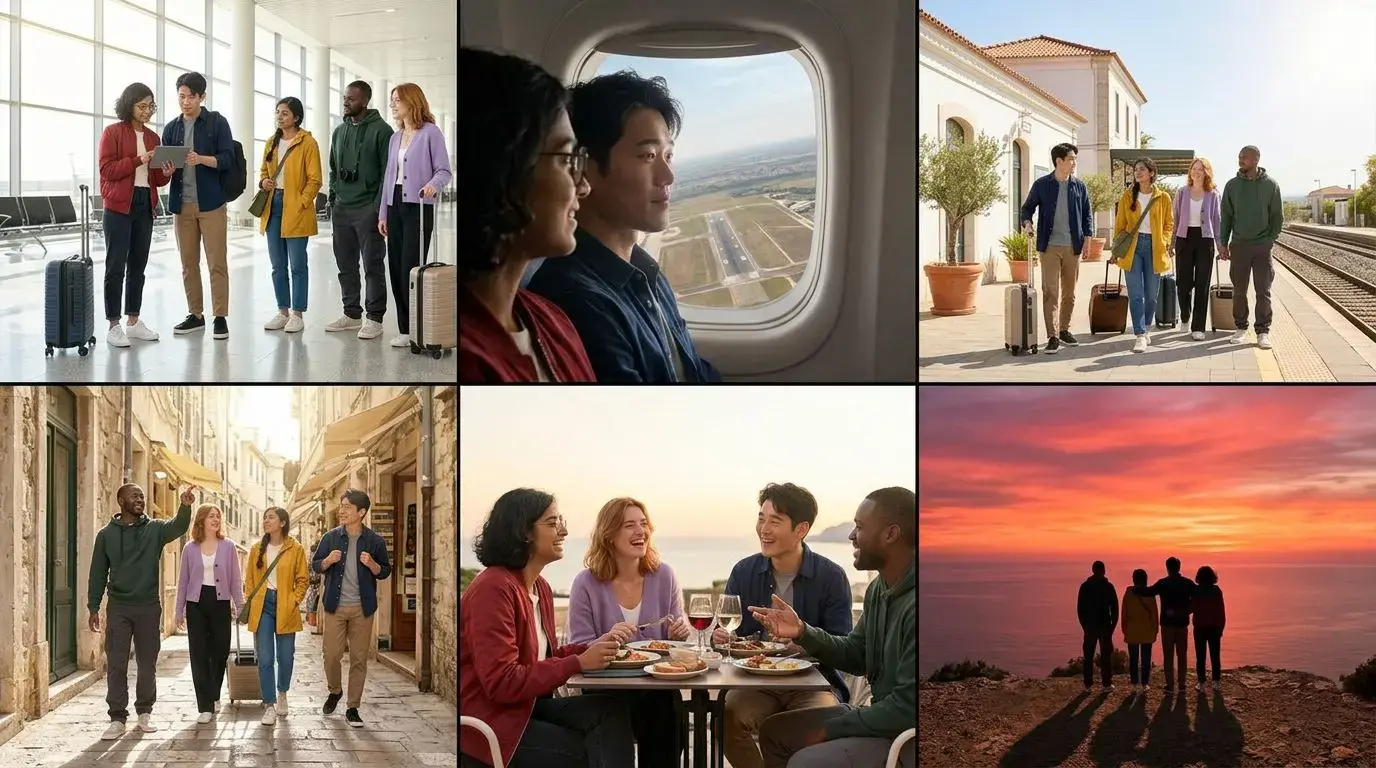
Five Characters Across a Complete Video Storyboard
A reference sheet anchors five identities while locations, framing, action, and lighting change across a coastal travel sequence.
View example prompt
Use the supplied five-character reference sheet as the identity source. Create a six-frame coastal travel storyboard. Preserve every character's face, hair, age, wardrobe colors, and key accessories while varying framing, action, location, and daylight.
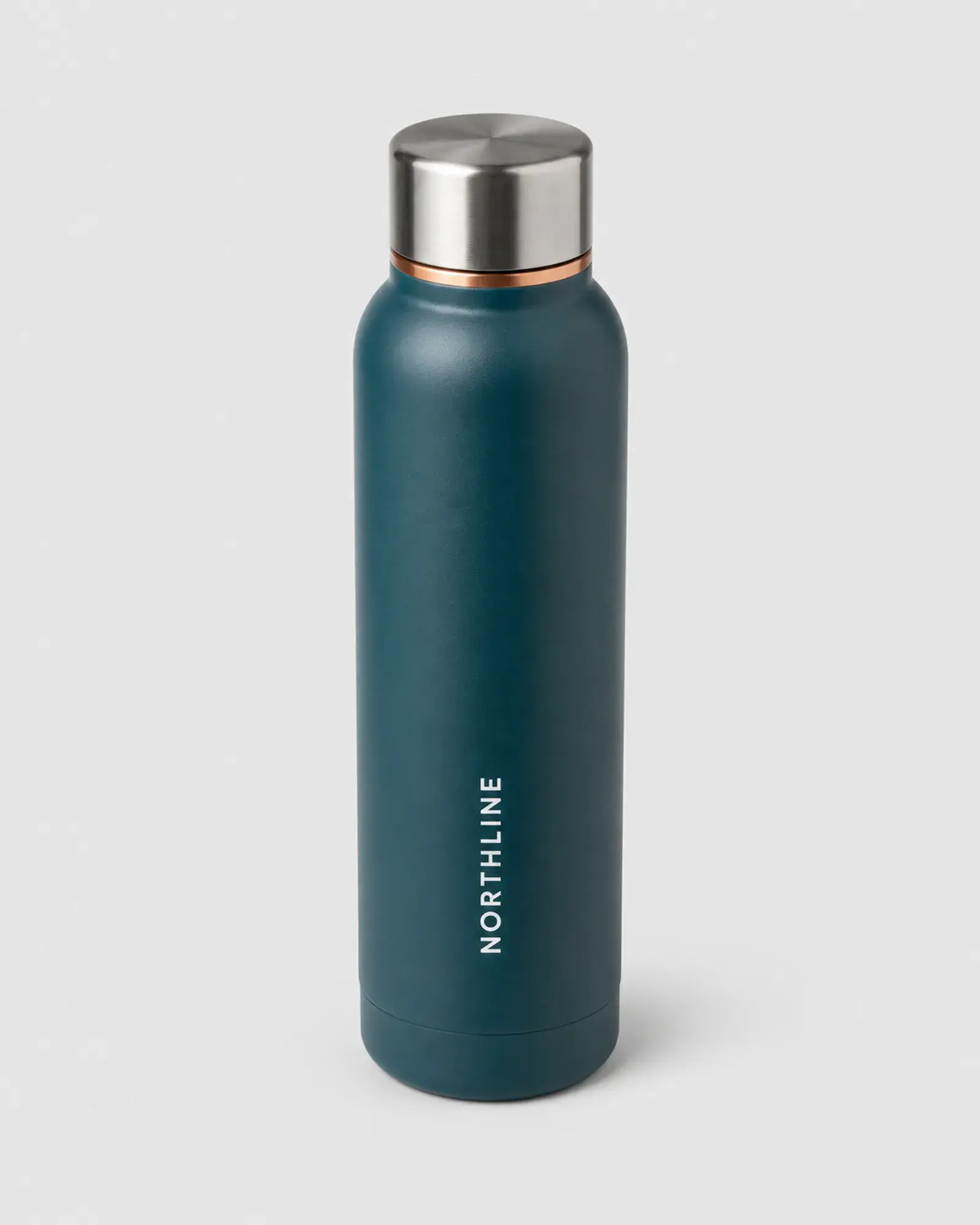 Product sourceMarketplace pack
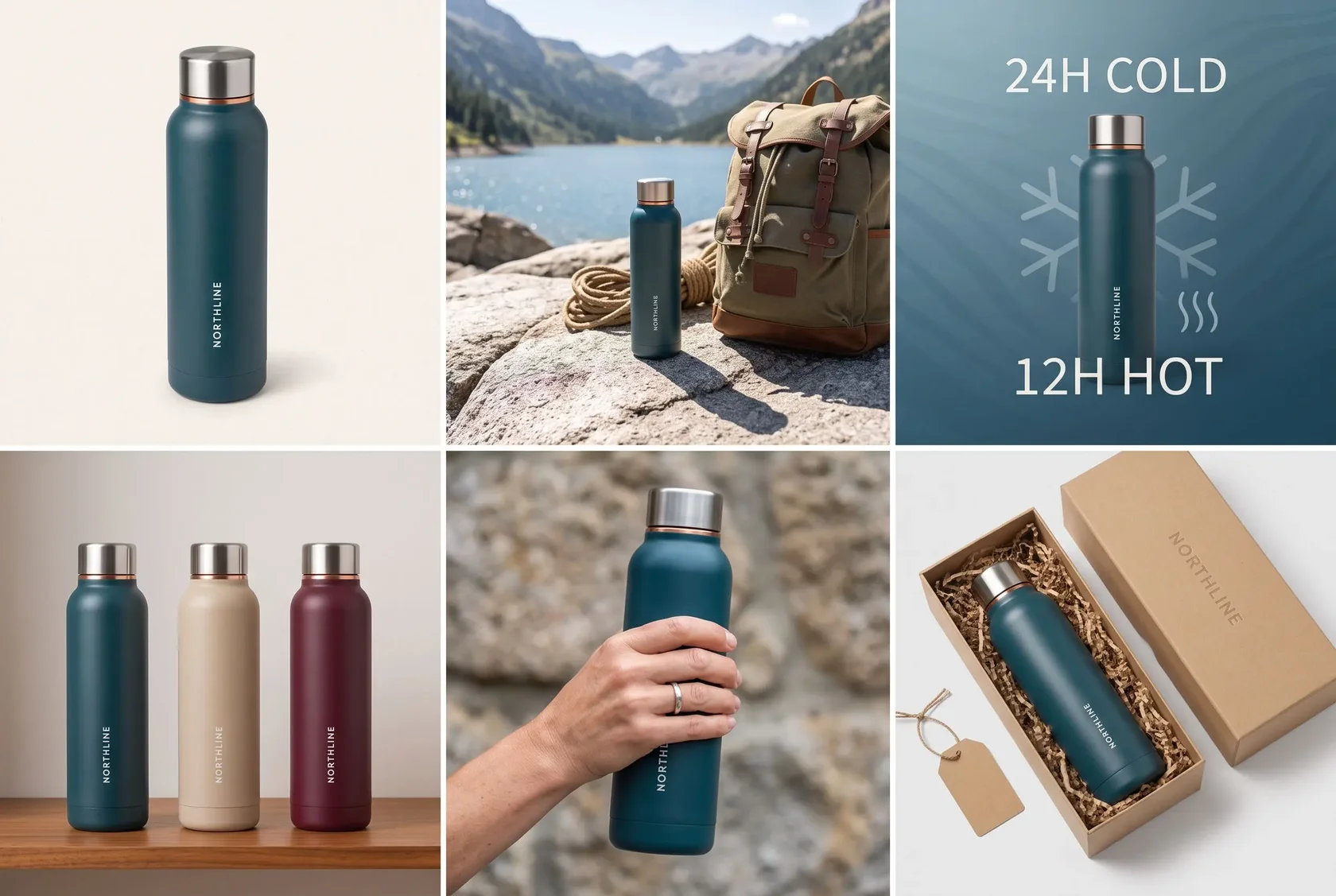
One Packshot Becomes a Marketplace Campaign
The approved product expands into a hero image, outdoor scene, feature visual, detail shot, and commercial product card.
View example prompt
Turn the Northline bottle packshot into a complete premium marketplace visual set. Preserve the product shape, cap, logo, colors, and proportions. Create a hero image, outdoor lifestyle scene, feature graphic, close-up, and product card with one consistent art direction.
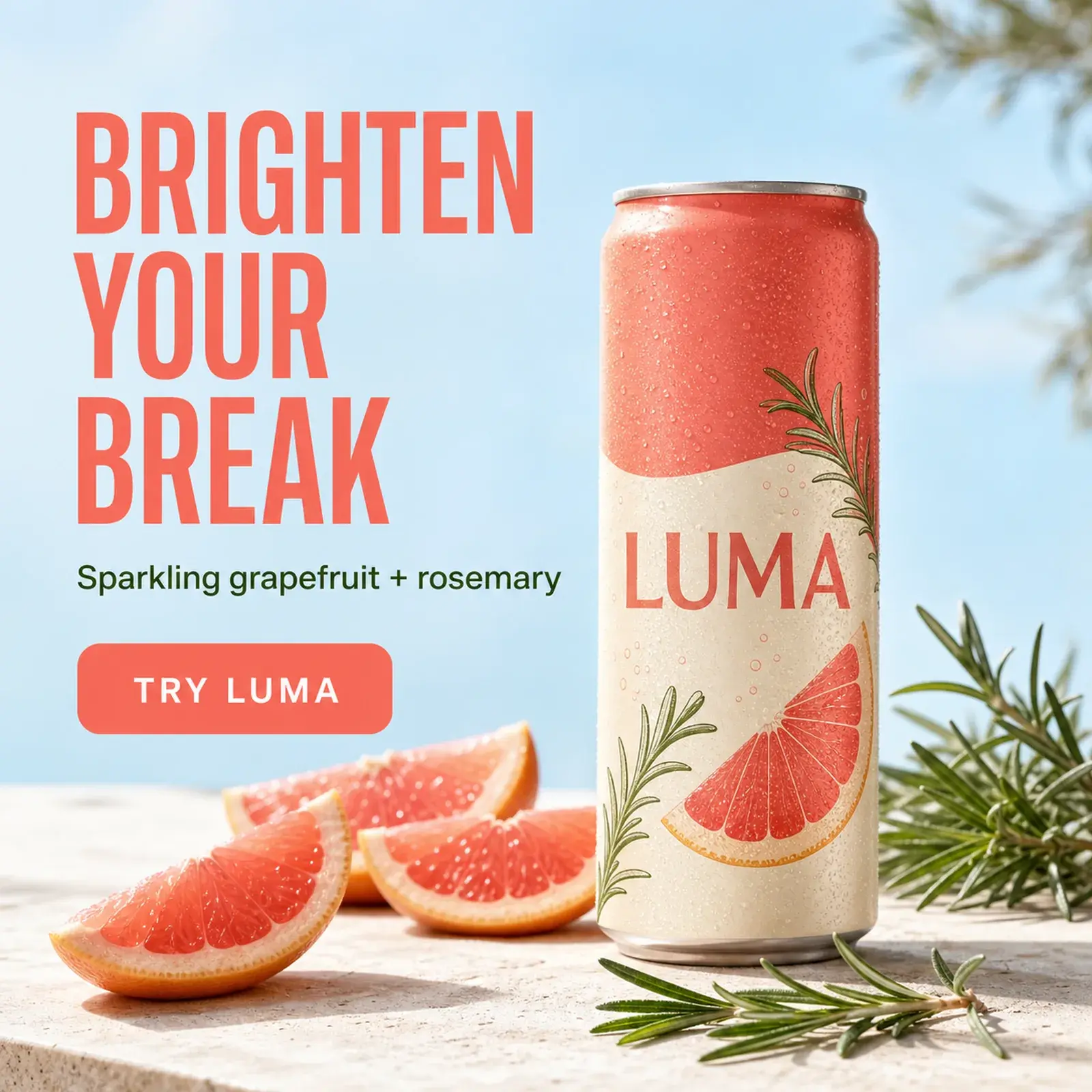 Approved campaignLocalized versions
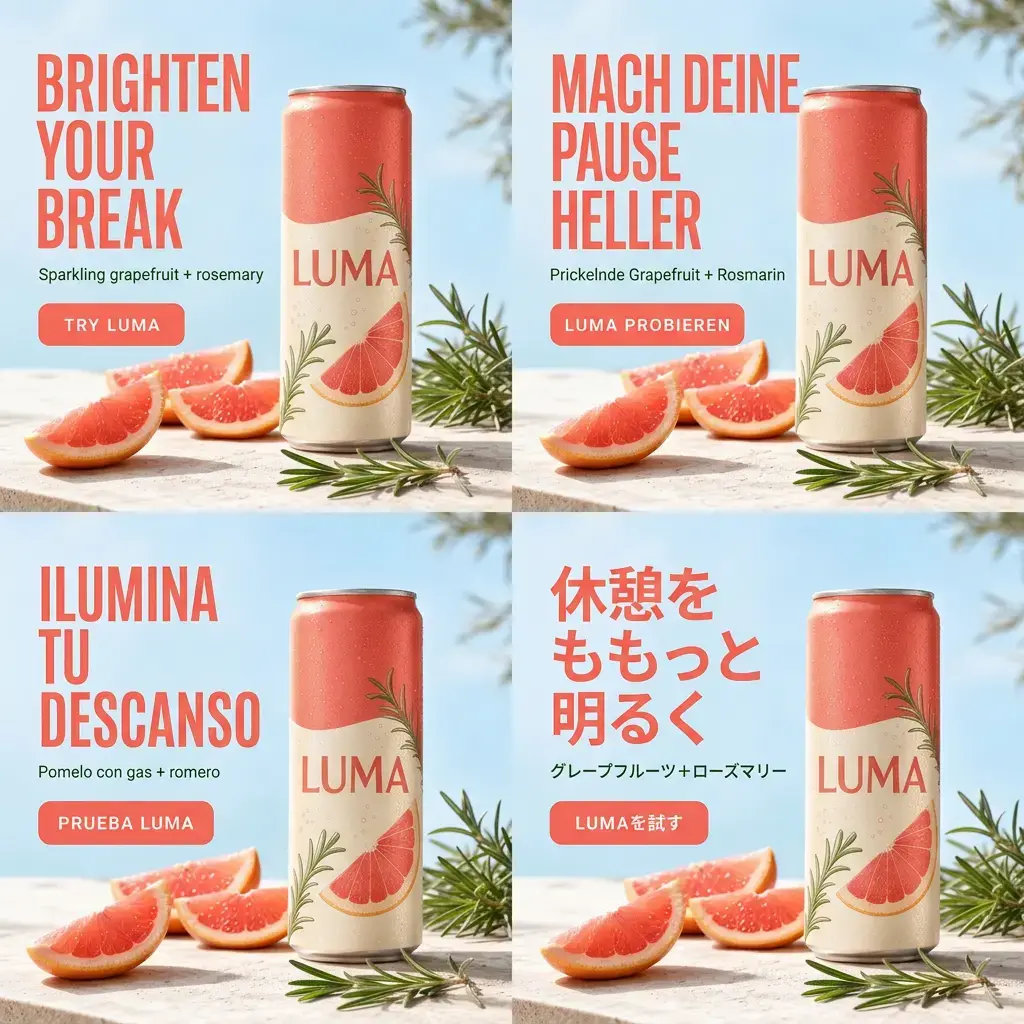
Localize the Copy Without Losing the Campaign
Approved German, Spanish, and Japanese copy is fitted into the established layout while the product and campaign identity stay consistent.
View example prompt
Localize this approved Luma summer advertisement into German, Spanish, and Japanese. Keep the can, composition, colors, sunlight, typography hierarchy, and campaign identity unchanged. Replace only the copy with the supplied approved translations and adapt spacing naturally.
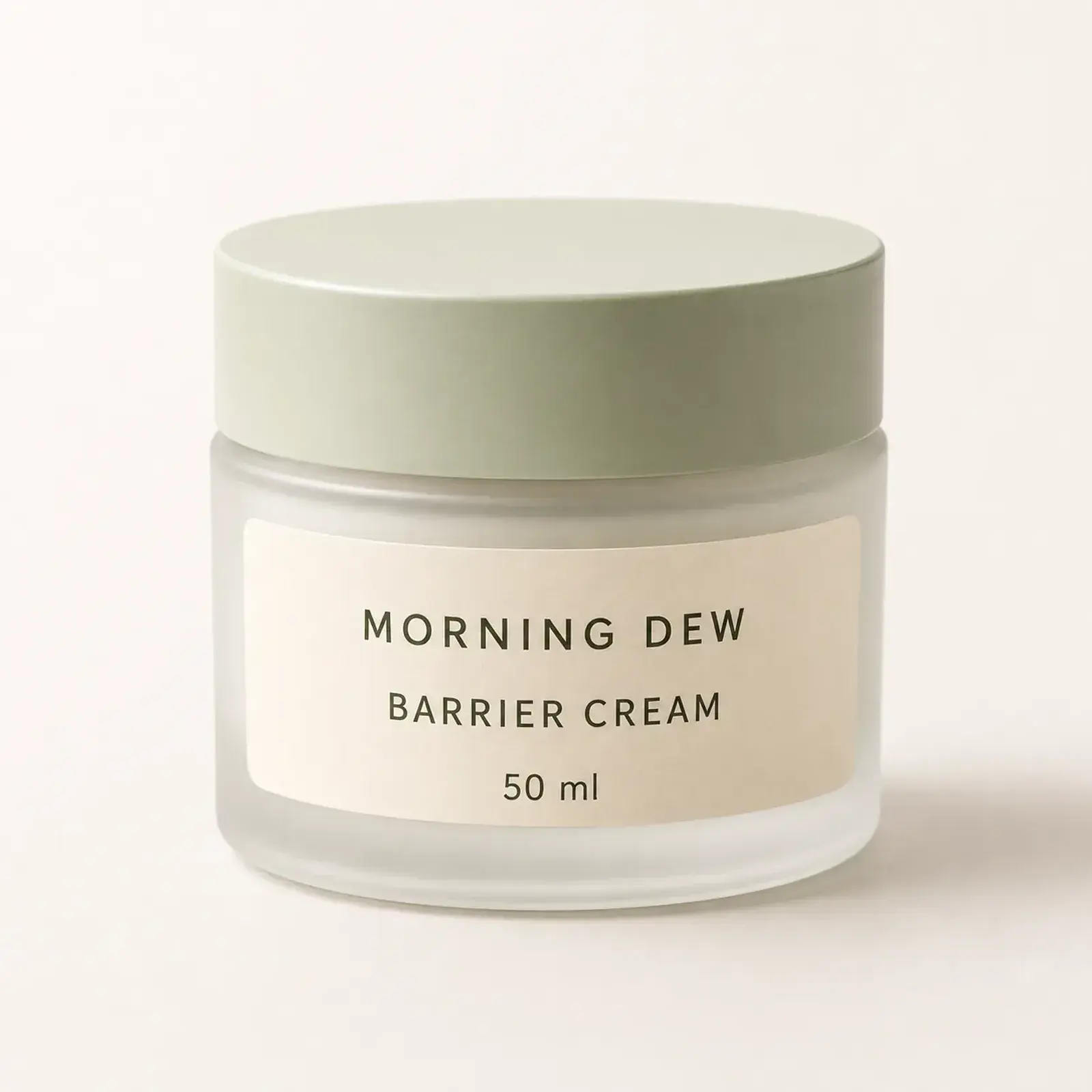 Product reference
 UGC creative
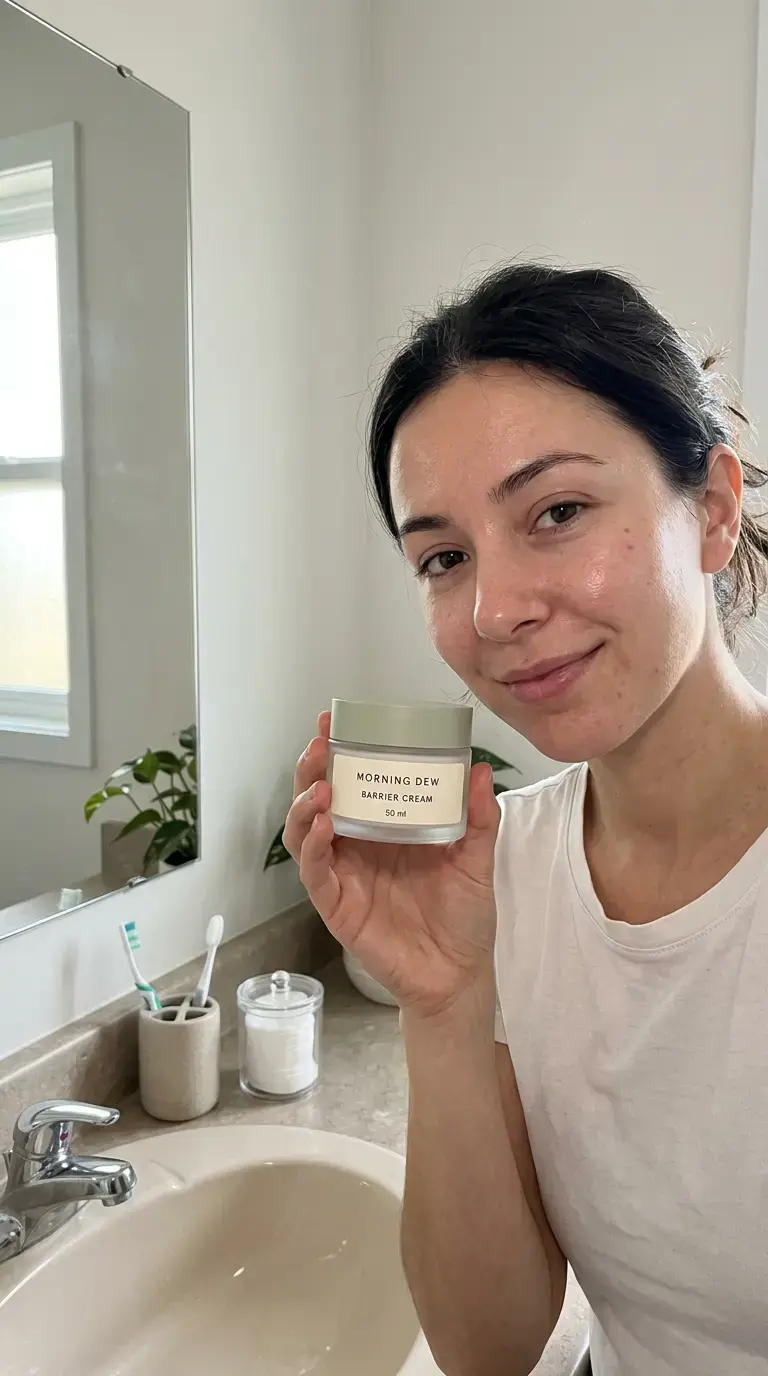
Turn a Product Reference Into a Creator-Style Ad
The real package remains recognizable while the model creates the person, home setting, natural light, and campaign composition around it.
View example prompt
Turn the Morning Dew product packshot into an authentic creator-style skincare advertisement. Preserve the exact jar, label, colors, lid, and proportions. Use natural morning light, a believable home setting, visible product placement, and clean space for campaign copy.
 Master creative
 Four formats
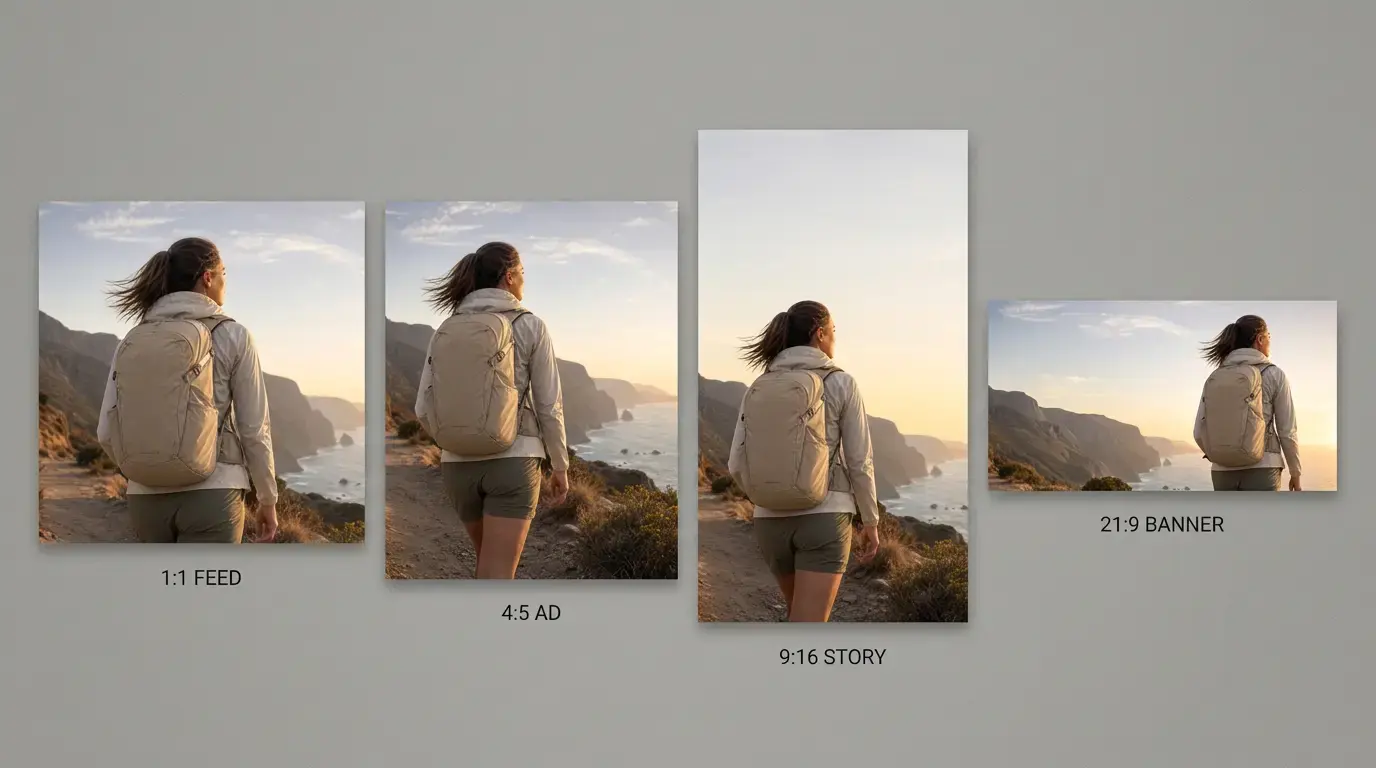
One Visual Direction, Every Important Format
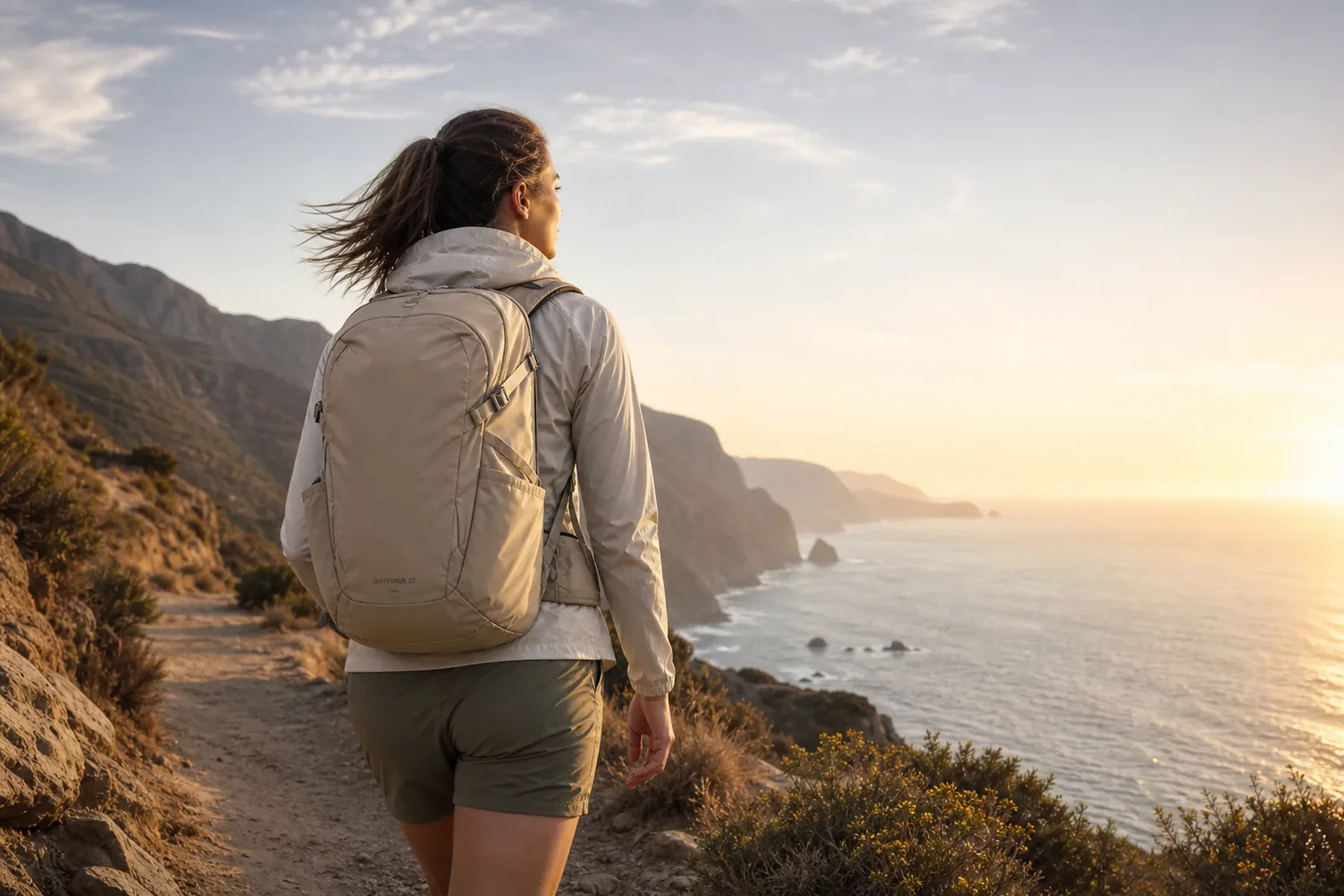
A master travel image becomes square, portrait, Story, and ultra-wide assets without simply stretching or awkwardly cropping the scene.
View example prompt
Adapt the approved Wayfarer 22 campaign into square, portrait, vertical Story, and ultra-wide formats. Preserve the traveler, destination, campaign colors, logo treatment, and photographic mood while recomposing each layout for its platform.
Core capabilities
Where the Nano Banana family is most useful
The strongest workflows combine generation with editing: start from a brief or reference, preserve the important elements, and iterate toward a complete set rather than one isolated image.
Conversational editing
Change one element at a time, continue refining the same visual, and state clearly what must remain unchanged.
Reference consistency
Use products, people, characters, layouts, palettes, or campaign masters as visual anchors across new outputs.
Text and localization
Create layouts with readable copy and adapt approved campaigns across languages. Proofread every production asset.
Production formats
Recompose a visual for social, marketplace, presentation, advertising, print, and video-preproduction formats.
Beyond image generation
Connect Nano Banana to a complete creative workflow
Neurohelper combines text, image, video, and audio models, so an approved Gemini image can continue into a campaign, story, presentation, or short-form video without managing separate AI subscriptions.
Character idea to animated story
Write the concept, approve a reference sheet, build a consistent storyboard, then animate the selected frames and add narration.
Interior idea to presentation
Explore visual directions from a real room, refine the chosen concept, and turn it into a coherent presentation or client proposal.
Product photo to campaign system
Develop marketplace visuals, creator-style concepts, paid-social assets, and localized variants from one approved product source.
Campaign image to video ad
Use the approved key visual as a starting frame, animate it, add voice, and prepare language or platform variants.
Compact model guide
What are Nano Banana 2 and Nano Banana Pro?
Nano Banana 2 is Google's public name for Gemini 3.1 Flash Image. Google positions it as the versatile all-around image model: fast enough for repeated iteration, while supporting high-quality generation, editing, multiple references, world knowledge, text rendering, and output up to 4K.
It is usually the practical default for social content, product visuals, UGC concepts, everyday photo editing, character workflows, interiors, and campaign variations.
Nano Banana Pro is Google's public name for Gemini 3 Pro Image. It is intended for the most complex professional work where factual context, localization, brand consistency, detailed typography, composition, or precision creative control matter more than maximum iteration speed.
Google documents both names in its official image generation guide. In Neurohelper, both models are available through Image Master within the same subscription system.
FAQ
Nano Banana 2 and Pro questions
Is Nano Banana 2 the same as Gemini 3.1 Flash Image?
Yes. Nano Banana 2 is the public-facing name, while Gemini 3.1 Flash Image is the official Gemini model name.
Is Nano Banana Pro the same as Gemini 3 Pro Image?
Yes. Nano Banana Pro and Gemini 3 Pro Image refer to the same professional image generation and editing model.
What is the difference between Nano Banana 2 and Nano Banana Pro?
Nano Banana 2 emphasizes an all-around balance of quality, speed, and repeated iteration. Nano Banana Pro is the precision-first option for complex professional assets, advanced localization, brand fidelity, detailed text, and sophisticated compositions.
Which Nano Banana model should I start with?
Start with Nano Banana 2 for most everyday, creative, social, and marketing workflows. Switch to Nano Banana Pro when the result requires the highest level of control, contextual accuracy, or brand-sensitive production.
Can Nano Banana edit an existing image?
Yes. Provide the image, explain the desired change, and list the people, products, architecture, copy, colors, or composition details that must remain unchanged.
Can Nano Banana keep products or characters consistent?
Both models can work from reference images and preserve recognizable visual elements, but important outputs still require review. Strong reference sheets and explicit invariants improve consistency.
Are Nano Banana 2 and Nano Banana Pro available in Neurohelper?
Yes. Both are available in Image Master alongside GPT Image 2 and other leading image models within one Neurohelper subscription. Availability and usage limits depend on the selected plan.