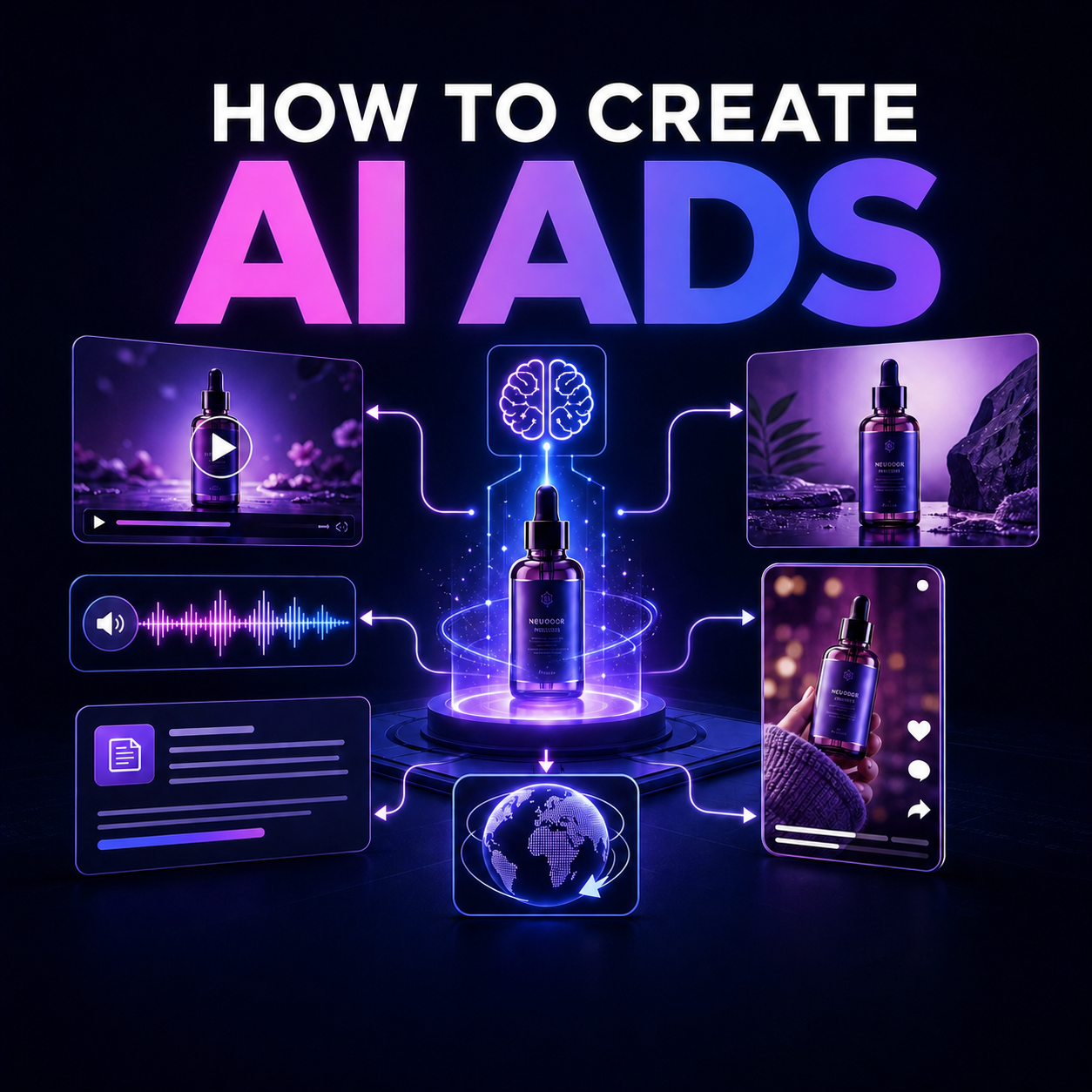
AI can now help create almost every component of an advertising campaign: competitor research, audience insights, hooks, scripts, product images, video scenes, UGC-style content, avatars, voiceovers, translations, and platform-ready variations.
But generating one attractive image is not the same as building an effective ad.
The quality of an AI ad depends on the thinking that comes before generation: the audience, problem, promise, evidence, angle, format, and next action. If those foundations are weak, a better image model will only produce a more polished version of the wrong idea.
This guide shows a complete workflow for creating AI ads—from the first product brief to a launch-ready campaign. You can complete the process in Neurohelper, where research, text, image, video, avatar, audio, and localization models are available in one workspace under one subscription.
The workflow: Research → offer → angles → hooks → scripts → visuals → video or UGC → voiceover → localization → testing.
What is an AI-generated ad?
An AI-generated ad is an advertising asset created or assisted by artificial intelligence. Depending on the workflow, AI may produce one element or the entire campaign.
Common AI-generated advertising assets include:
- product images;
- lifestyle scenes;
- social media graphics;
- display banners;
- video ads;
- UGC-style videos;
- AI-avatar presentations;
- voiceovers;
- translated and dubbed versions;
- hooks, headlines, scripts, and calls to action;
- campaign variations for testing.
The strongest workflows combine models rather than expecting one tool to do everything. A reasoning model can analyze competitors, a writing model can develop hooks, an image model can create keyframes, a video model can animate them, and a voice model can produce localized narration.
Neurohelper keeps these stages together so you can move from strategy to finished assets without maintaining a separate subscription and interface for every AI tool.
What you need before creating an AI ad
Do not begin with “make me an ad.” Start with a compact source package.
Collect:
- Product information: what the product is, how it works, and what is included.
- Audience: who is most likely to buy it and what situation triggers demand.
- Offer: price, trial, discount, bundle, guarantee, or other reason to act now.
- Evidence: reviews, measurable results, demonstrations, ingredients, specifications, or customer stories.
- Brand rules: tone, colors, fonts, logo files, prohibited phrases, and visual references.
- Destination: the landing page and the exact action you want the viewer to take.
- Channels: where the ad will run and whether it needs image, video, vertical, horizontal, or square formats.
If you do not have all of this information, mark the gaps. Never ask an AI model to invent reviews, statistics, certifications, guarantees, or product capabilities.
A reusable AI advertising brief
Copy this structure into Neurohelper:
Product:
Category:
Target audience:
Main problem:
Desired outcome:
Key features:
Customer evidence:
Offer:
Brand tone:
Visual style:
Landing page:
Advertising channels:
Required formats:
Claims that must not be made:
The brief becomes the shared source of truth for the campaign. Use it in every later step so the strategy, copy, visuals, and voiceover stay aligned.
Step 1: Research the market and competitors
AI is useful for organizing research, but it should not replace direct evidence.
Gather competitor landing pages, public ads, customer reviews, product listings, and discussions from the places where your audience already talks. Then ask a research-capable model to identify patterns.
Look for:
- repeated customer problems;
- promises competitors make most often;
- visual formats used across the category;
- objections raised in negative reviews;
- proof customers find convincing;
- overused claims that no longer feel distinctive;
- gaps between what customers want and what competitors communicate.
Research prompt
Act as an advertising strategist. Analyze the attached competitor pages,
customer reviews, and product information.

Identify:
1. The five most common customer problems.
2. The main promises competitors make.
3. The evidence used to support those promises.
4. The strongest objections and reasons not to buy.
5. Repeated visual patterns in the category.
6. Messaging gaps we can address honestly.

Separate direct evidence from your interpretation. Do not invent facts.
Present the result as a concise campaign research brief.
The output should inform creative decisions, not merely summarize the category.
Step 2: Define the offer and campaign goal
An ad cannot optimize for everything at once. Decide what the campaign should accomplish.
Possible goals include:
- purchase;
- trial signup;
- app installation;
- lead generation;
- webinar registration;
- product-page visit;
- retargeting;
- brand awareness.
Next, define the offer. The offer is not only the product. It is the product plus the commercial reason to act.
For example:
- product only: “Hydrating facial serum”;
- offer: “Try the 30-day hydration set with free delivery”;
- product only: “AI marketing platform”;
- offer: “Create your first complete campaign in one workspace.”
Offer-development prompt
Using the campaign brief and research, create five offer directions.

For each direction include:
- target segment;
- core problem;
- promise we can support;
- evidence required;
- offer structure;
- urgency or reason to act;
- possible risk or objection.

Do not create artificial scarcity or unsupported claims.
Choose one primary offer per ad. Too many promises dilute attention.
Step 3: Generate advertising angles
An angle is the perspective that makes the product relevant. The same product can support several angles without changing its features.
For a skincare serum, possible angles might include:
- simplify an overloaded routine;
- improve the appearance of dry skin before makeup;
- focus on the ingredient story;
- compare daily consistency with occasional intensive treatments;
- demonstrate texture and application;
- address skepticism about complicated beauty claims.
For each angle, connect five elements:
- audience situation;
- problem;
- product mechanism;
- evidence;
- next action.
Angle-generation prompt
Create 12 distinct advertising angles for this product.

Each angle must include:
- audience situation;
- emotional or practical tension;
- product relevance;
- evidence needed;
- suitable ad format;
- risk of sounding generic or unbelievable.

Do not repeat the same promise using different words.
Rank the final angles by clarity, differentiation, and strength of evidence.
Select three to five angles for the first campaign. This creates genuine test diversity instead of superficial headline changes.
Step 4: Write hooks that earn attention
The hook is the first idea the viewer encounters. In video, it may be the first spoken line, visual action, or on-screen statement. In an image ad, it is usually the main visual plus headline.
Useful hook structures include:
- a recognizable problem;
- a surprising demonstration;
- a specific question;
- a contrast;
- an objection;
- a mistake to avoid;
- a before-and-after process, provided it is truthful and permitted;
- a clear outcome with credible evidence.
Avoid empty lines such as “This changes everything” or “You won't believe what happened.” They create curiosity without explaining relevance.
Hook prompt
Create 30 hooks for the selected advertising angle.

Requirements:
- understandable in less than three seconds;
- specific to the audience and product;
- no unsupported superlatives;
- no vague clickbait;
- varied structures, not paraphrases;
- suitable for short-form social video.

Group the hooks into problem, demonstration, question, objection,
comparison, and outcome categories. Select the strongest two from each.
The goal is not to find one perfect hook. It is to create a testable set of genuinely different openings.
Step 5: Turn the best hooks into ad scripts
A short video ad usually needs four functions:
- Hook: earn attention.
- Problem or context: show why the viewer should care.
- Product and proof: explain the solution credibly.
- Call to action: tell the viewer what to do next.
One practical 20-second structure is:
- 0–3 seconds: hook;
- 3–8 seconds: problem;
- 8–15 seconds: product demonstration and evidence;
- 15–20 seconds: offer and CTA.
Video-ad script prompt
Write three 20-second video ad scripts based on this brief and hook.

For each script provide a table with:
- timecode;
- visual action;
- spoken line;
- on-screen text;
- sound or music direction;
- production note.

Keep spoken language natural. Show the product early.
Use only claims supported by the brief.
End with one clear call to action.
Read every script aloud. Text that looks short on screen can still be too long to speak naturally.
Step 6: Create product images and key visuals
Image models can produce product shots, lifestyle scenes, concept visuals, thumbnails, and backgrounds. The prompt should control the composition, not only describe the product.
Include:
- intended ad format;
- product appearance;
- environment;
- camera angle;
- lighting;
- color palette;
- composition and negative space;
- text-safe areas;
- details that must remain unchanged;
- elements to avoid.
Product-ad image prompt
Create a premium vertical product advertising image for social media.

Product: [describe the product and attach a reference image]
Scene: [environment]
Composition: product clearly visible in the lower center, generous clean
space in the upper third for a headline
Camera: [angle and lens feel]
Lighting: [lighting direction and mood]
Palette: [brand colors]
Materials: [important textures]

Preserve the packaging shape, label layout, proportions, and colors.
Do not invent extra text, claims, badges, logos, or product variants.
No watermark.
When product accuracy matters, use reference images and review labels, proportions, colors, and small packaging details before publishing.
Add text after generation when possible
Image generation models can render text, but a design editor still provides better control over legal copy, precise typography, spacing, and brand consistency. Generate the visual first, then place final headlines and disclaimers in a controlled layout.
Step 7: Create the video
There are two practical AI video workflows.
Text-to-video
Use text-to-video when the scene does not require an exact product, person, or layout. It works well for atmosphere, establishing shots, transitions, conceptual visuals, and background footage.
Image-to-video
Use image-to-video when visual consistency matters. Create an approved keyframe first, then animate it. This gives you more control over the product, composition, wardrobe, environment, and color palette.
Image-to-video prompt
Animate the attached approved keyframe as a five-second product ad shot.

Camera movement: slow controlled push-in
Subject movement: subtle natural motion only
Product: remain perfectly stable and unchanged
Lighting: preserve the existing direction and color
Background: gentle atmospheric movement
Ending: hold the final composition for one second

Do not alter the packaging, label, product shape, logo, colors, or text.
No new objects, no camera shake, no morphing, no watermark.
Generate short shots rather than one long film. Assemble the best clips around the script. Short modular scenes are easier to replace when one result fails.
Step 8: Create UGC-style ads or an AI avatar
UGC-style advertising works because it resembles native platform content, but “UGC-style” should not mean deceptive.
Do not fabricate a real customer, fake a testimonial, or imply that an AI-generated speaker personally used the product. Use an avatar or synthetic presenter transparently where disclosure is required or appropriate.
A strong presenter script should sound spoken rather than written:
- short sentences;
- one idea per line;
- concrete language;
- contractions;
- natural pauses;
- a clear demonstration;
- no corporate introduction.
UGC-style script prompt
Rewrite this ad as a natural 25-second creator-style video.

The speaker is demonstrating the product, not pretending to be a verified
customer. Use conversational language, short sentences, and one believable
objection. Include stage directions for product close-ups and on-screen text.

Do not invent personal results, reviews, statistics, or medical claims.
Step 9: Generate the voiceover
The best voice is not always the most dramatic one. Match the delivery to the audience, platform, and promise.
Specify:
- language and regional accent;
- age range and voice character;
- pace;
- emotional tone;
- pronunciation of product and brand names;
- pauses and emphasis;
- target duration.
Voice direction example
Language: English (United States)
Style: natural creator voice, warm and confident
Pace: conversational, approximately 145 words per minute
Delivery: curious in the hook, clear during the demonstration,
slightly more energetic for the CTA
Pronunciation: [phonetic brand pronunciation]
Avoid: radio-announcer tone, exaggerated excitement, unnatural pauses
Always listen to the complete voiceover. Check names, numbers, abbreviations, and the relationship between speech and on-screen action.
Step 10: Localize the campaign
Localization is more than translating words. The hook, proof, examples, pronunciation, CTA, visual references, and legal requirements may need to change for each market.
A reliable localization process is:
- translate for meaning;
- adapt for local phrasing and culture;
- review claims and platform requirements;
- generate or record the voiceover;
- adjust timing and subtitles;
- review the complete ad with a native speaker;
- export local variants.
Localization prompt
Localize this ad for [country and language].

Preserve the campaign's core promise and evidence, but adapt phrasing,
examples, cultural references, units, and call to action for the market.

Return:
1. Literal translation for reference.
2. Natural localized script.
3. Back-translation into English.
4. Notes explaining important changes.
5. Words that require pronunciation guidance.

Do not add new claims or change the offer.
Neurohelper supports a workflow in which the script, visual, avatar, voiceover, and localized versions remain connected in one campaign workspace.
Step 11: Export platform-ready variations
One master asset rarely works everywhere. Create variations for the channels you actually plan to use.
Typical deliverables include:
- vertical short-form video;
- square feed video or image;
- horizontal video;
- story placement;
- product image;
- carousel;
- thumbnail;
- display banner;
- short and long copy variants.
Do not resize blindly. Reframe the composition so the product, face, hook, subtitles, and CTA remain visible in each format. Keep critical elements away from interface overlays and cropping zones.
Platform requirements change, so verify current technical specifications and advertising policies before export.
Step 12: Build a useful testing matrix
AI makes variation cheap. That can lead to hundreds of nearly identical ads with no clear learning objective.
Test one meaningful variable at a time:
- audience;
- angle;
- hook;
- opening visual;
- proof;
- presenter;
- offer;
- CTA;
- format;
- duration.
A simple first matrix might contain:
- 3 angles;
- 2 hooks per angle;
- 2 visual styles per hook;
- 1 consistent offer.
That creates 12 variations with a clear structure. If one group performs better, the next round can test proof, format, or CTA inside the winning angle.
Name assets systematically
Use names such as:
ANGLE-PROBLEM_HOOK-QUESTION_VISUAL-DEMO_V1
ANGLE-SIMPLICITY_HOOK-CONTRAST_VISUAL-UGC_V2
ANGLE-INGREDIENT_HOOK-PROOF_VISUAL-PRODUCT_V1
Clear naming connects performance results to creative decisions.
A complete example: turning one skincare product into an AI campaign
Imagine a hydrating facial serum with a clean formulation, a lightweight texture, and verified customer feedback about ease of use.
Research finding
Customers in the category are overwhelmed by complicated routines and skeptical of dramatic promises.
Campaign angle
“One lightweight step for people who want a simpler hydration routine.”
Hook options
- “Your skincare routine may not need seven steps.”
- “What if hydration was the easiest part of your routine?”
- “A lightweight serum for people tired of layering products.”
20-second script structure
- 0–3 seconds: crowded shelf, then remove unnecessary products;
- 3–7 seconds: show the serum texture;
- 7–13 seconds: apply the product and explain the supported benefit;
- 13–17 seconds: show the offer;
- 17–20 seconds: clear CTA.
Creative set
- premium product image;
- creator-style vertical demonstration;
- five-second texture close-up;
- AI-avatar explainer;
- localized voiceovers;
- square and vertical campaign variations.
The same product becomes a coherent campaign because every asset comes from the same brief, evidence, and angle.
Common AI advertising mistakes
Starting with the visual
A beautiful asset cannot rescue an irrelevant offer. Begin with audience and evidence.
Asking for “a viral ad”
Virality is not a usable creative specification. Define the audience, hook, emotion, proof, format, and action.
Generating too many similar variations
Change angles and evidence, not only colors and wording.
Letting the model invent product details
Lock packaging, features, claims, reviews, and specifications to verified source material.
Using one model for every stage
Research, writing, image generation, video, avatars, speech, and localization require different capabilities. Use the right model for each stage.
Ignoring platform context
An ad should feel appropriate to its placement. A polished display banner, a creator-style vertical video, and a product-search image require different structures.
Publishing without human review
Review factual claims, spelling, product accuracy, hands and faces, subtitles, pronunciation, timing, rights, disclosure, and local advertising requirements.
How Neurohelper simplifies AI ad creation
A complete AI campaign often requires several separate services: a research assistant, a writing model, an image generator, a video tool, an avatar platform, a voice service, and a localization workflow.
Neurohelper brings supported models for these stages into one workspace under one subscription.
That means you can move through the campaign process without rebuilding the brief in disconnected tools:
- research competitors and audience needs;
- generate campaign angles and hooks;
- write scripts;
- create product images and marketing assets;
- generate video and UGC-style content;
- add AI avatars and voiceovers;
- translate and dub the campaign;
- prepare variations for multiple channels.
The advantage is not generation alone. It is continuity: one product brief can guide the entire campaign.
Final checklist before publishing an AI ad
Strategy
- Is the audience specific?
- Is there one clear campaign goal?
- Does the ad communicate one primary offer?
- Is the angle meaningfully different from competitors?
Evidence and accuracy
- Can every factual claim be supported?
- Are reviews and results genuine?
- Is product packaging represented accurately?
- Have invented statistics, badges, and certifications been removed?
Creative
- Is the hook understandable immediately?
- Does the product appear early enough?
- Is the visual hierarchy clear on a small screen?
- Are subtitles readable?
- Does the CTA explain the next action?
Production
- Are names and numbers pronounced correctly?
- Are generated faces, hands, labels, and motion clean?
- Does each aspect ratio have a deliberate composition?
- Are source files and campaign variations organized?
Compliance
- Have you checked current platform policies?
- Are required AI or synthetic-media disclosures present?
- Have sensitive or regulated claims received appropriate review?
- Do you have the necessary rights to product images, voices, music, and likenesses?
Final verdict
AI makes advertising production faster, but the most effective workflow still begins with human judgment.
Research the audience. Define the offer. Build distinct angles. Write hooks and scripts around real evidence. Then use specialized AI models to create visuals, videos, presenters, voiceovers, and localized versions.
The goal is not to generate the largest number of ads. It is to create a structured campaign in which every variation teaches you something.
Frequently asked questions
Can AI create an entire advertising campaign?
AI can assist with research, strategy, hooks, scripts, images, video, avatars, voiceovers, localization, and variations. Human review is still needed for positioning, evidence, brand judgment, compliance, and final quality control.
What is the best AI model for creating ads?
There is no single best model for every stage. Reasoning models are useful for research and strategy, writing models for hooks and scripts, image models for key visuals, video models for motion, and speech models for voiceovers. A multi-model workspace makes it easier to combine them.
Can I create AI video ads from product photos?
Yes. A common workflow is to create or approve a product keyframe and animate it with an image-to-video model. Explicitly instruct the model to preserve packaging, labels, proportions, colors, and product details.
Are AI-generated ads legal?
Rules depend on the country, industry, platform, content, and way AI is used. You are responsible for claims, rights, disclosures, endorsements, privacy, and regulated content. Seek qualified legal advice when the risk is significant.
How many ad variations should I generate?
Generate enough variations to test distinct hypotheses. Twelve strategically organized ads are more useful than one hundred nearly identical versions. Start with several angles, hooks, and visual approaches while keeping the offer consistent.
Can Neurohelper create images, videos, UGC, avatars, and voiceovers?
Neurohelper provides access to supported AI models for product and image ads, video, UGC-style content, AI avatars, voiceovers, marketing assets, and localization within one workspace. Available models and usage limits depend on the selected plan.