
Students and teachers do not usually search for an abstract vision of “the future of education.” They search for help with something specific:
- How can I use AI to study?
- Can AI summarize a textbook chapter?
- How do I make flashcards from my notes?
- Can an AI tutor help without simply giving me the answer?
- How can teachers create lesson plans, worksheets, quizzes, and rubrics faster?
- Is using AI for homework cheating?
This guide answers those questions directly. It covers practical AI tools for students, teachers, tutors, parents, and adult learners, with prompts that can be copied and adapted immediately.
The basic rule is simple: use AI to make learning clearer, more active, and better organized—not to replace the thinking that the course is designed to teach.
What is AI for education?
AI for education means using artificial intelligence to support learning and teaching tasks such as explanations, study plans, flashcards, practice questions, lesson plans, worksheets, feedback, presentations, transcription, language practice, and accessible learning materials.
For a student, AI can act as a patient study partner that explains the same idea in several ways, asks questions, and gives hints. For a teacher, it can prepare a useful first draft of routine materials while the teacher remains responsible for accuracy, pedagogy, assessment, and the needs of the class.
In Neurohelper, those tasks can continue across several modules. Chat Master handles explanations and written materials. Image Master creates learning visuals. Video Master helps produce short tutorials. Audio Master supports transcription, listening exercises, and narration. Smart Assistants can answer questions from a reviewed collection of course materials. The result is one connected learning workspace rather than a pile of unrelated tools.
AI for students: studying and understanding
1. How can I use AI to study?
Use AI for active tasks: ask it to explain a topic, question your understanding, turn notes into flashcards, create a practice test, or help plan a revision week. Avoid asking for a finished assignment before you have attempted it yourself.
A good study session has three steps: try the material, use AI to identify the gap, then answer again in your own words.
Try this prompt:
I am studying [topic] at [level]. First ask me three questions to find out what I already understand. Then teach only the parts I am missing, using one simple example at a time. Do not give me a final answer until I try.2. Can AI explain a difficult topic in simple words?
Yes. Ask for an explanation matched to your current level and request an everyday analogy. If the first explanation does not help, ask for a different one rather than repeating the same wording.
For example, a student learning electrical resistance could ask for an explanation using water moving through pipes, followed by the real scientific definition and its limitations.
Try this prompt:
Explain [concept] to a [age or course level] student. Start with plain language, use one everyday analogy, then give the accurate technical explanation. Finish with two questions that check whether I understood it.3. Can AI summarize a textbook chapter or PDF?
AI can summarize material you provide, but a short summary may remove examples, exceptions, definitions, or evidence that matter. Ask for a structured summary with page or section references when the source allows it, then compare the result with the original.
Do not upload copyrighted, private, or school-restricted material unless you are allowed to process it.
Try this prompt:
Summarize the material I provide. Organize it into key ideas, important terms, examples, formulas or dates, and questions I should still be able to answer. Do not add facts that are not in the source. Mark anything unclear.4. How do I turn class notes into a study guide with AI?
Paste or upload your notes and ask AI to preserve the course structure while cleaning repetition and filling only clearly marked organizational gaps. A useful study guide separates definitions, core ideas, worked examples, common mistakes, and likely revision questions.
Your notes remain the source. If AI adds outside information, it should label it so you can verify it.
Try this prompt:
Turn these class notes into a study guide. Keep every important fact from my notes. Create sections for key concepts, definitions, examples, formulas, common mistakes, and five review questions. Label any information you add yourself as “verify separately.”5. Can AI make flashcards from my notes?
Yes. Ask for short, single-focus cards rather than cards containing an entire paragraph. Mix definition, application, comparison, and “why” questions. Delete weak cards and edit the wording into language you naturally understand.
Flashcards work best when you attempt the answer before revealing it.
Try this prompt:
Create 25 flashcards from these notes. Put one clear question on the front and one concise answer on the back. Mix definitions, examples, comparisons, and common misconceptions. Do not include information that is absent from my notes.6. Can AI create a practice quiz?
AI can generate multiple-choice, short-answer, true-or-false, and scenario questions. Ask it to delay the answer key until you finish and to explain why incorrect options are wrong.
Check factual questions against your course material, especially when exact terminology or numerical values matter.
Try this prompt:
Create a 15-question practice quiz on [topic] for [level]. Use 6 multiple-choice, 5 short-answer, and 4 application questions. Ask one question at a time, wait for my answer, then give a hint before showing the solution.7. How can I use AI for exam preparation?
Give AI the exam date, syllabus, available study time, and topics you find difficult. Ask for a realistic revision plan that alternates learning, retrieval practice, mixed questions, and review of mistakes.
Do not spend the whole week making a beautiful plan. The schedule should reserve most of the time for solving questions and recalling information without notes.
Try this prompt:
My [subject] exam is on [date]. I can study [time] on these days: [availability]. Build a realistic revision plan from this syllabus. Prioritize my weak topics, include practice questions and spaced review, and leave one buffer session.8. Can AI help with math without giving me the answer?
Yes—tell it to behave like a tutor. Ask for one hint at a time, questions about your reasoning, and a check of your next step. This keeps the useful struggle that develops problem-solving skill.
For calculations that matter, verify the result with your textbook, teacher, calculator, or another trusted method.
Try this prompt:
Tutor me through this math problem without solving it for me. Ask what I have tried, identify the first incorrect or missing step, and give only one hint at a time. Let me calculate each step before you continue.
AI homework help and assignments
9. Can AI help with science homework?
AI can explain a scientific concept, define variables, suggest a method, or review your reasoning. It should not invent observations, lab results, sources, or safety instructions.
For an experiment, provide the actual task and your real observations. Ask AI to help distinguish what you observed from what you infer.
Try this prompt:
Help me understand this [biology/chemistry/physics] assignment. Explain the relevant concept, ask me what evidence I have, and help me plan my own answer. Do not invent data, sources, or experimental results.10. Can AI help me write an essay without cheating?
Use AI for brainstorming, clarifying the question, testing a thesis, organizing your own notes, or receiving feedback on a draft you wrote. Do not submit AI-generated prose as your own when the rules prohibit it.
The safest workflow is: read, take notes, form your view, draft, then ask for feedback. Follow your institution’s policy and disclose AI assistance when required.
Try this prompt:
I will provide my assignment question, notes, and draft. Do not rewrite the essay. Identify where my argument is unclear, unsupported, repetitive, or off-topic. Ask questions that help me revise it in my own words.11. Can AI improve grammar and clarity?
Yes. Ask for suggested edits with explanations instead of a silent rewrite. This helps you learn recurring patterns and decide which changes still sound like you.
For language coursework, confirm whether grammar assistance is permitted and preserve evidence of your own work.
Try this prompt:
Review this paragraph for grammar, clarity, and flow. Keep my meaning and voice. Show each suggested change, explain why it helps, and let me choose whether to accept it. Do not add new arguments.12. Can AI help me understand an assignment question?
Ask AI to identify the task verb, topic, scope, required evidence, constraints, and expected output. It can translate “compare,” “evaluate,” and “critically discuss” into a practical checklist.
If the brief remains ambiguous, use the checklist to ask your teacher a specific question rather than guessing.
Try this prompt:
Break down this assignment brief into: what I must do, key task words, required evidence, constraints, deliverables, and questions I should ask my teacher. Do not answer the assignment itself.13. Can AI help me find research sources?
AI can suggest keywords, source types, databases, and candidate references. It can also help compare papers you have already found. Never assume a citation is real just because it looks plausible: open the original source and confirm the author, title, date, and claim.
For a fuller evidence workflow, use the AI for Research guide.
Try this prompt:
Help me build a search strategy for [question]. Give me keyword groups, synonyms, narrower terms, and source types to look for. Do not invent citations. I will verify every candidate source myself.14. Can AI create citations and a bibliography?
AI can format bibliographic details you supply into a requested citation style, but it should not be trusted to invent or reconstruct missing publication data. Always compare the output with the original document and your institution’s style guide.
Use a reference manager when you need a durable research library.
Try this prompt:
Format only the bibliographic details I provide in [APA/MLA/Chicago/other] style. Do not guess missing fields. List missing information separately so I can find it in the original source.15. Can AI help with a presentation?
AI can turn your own argument and evidence into a slide outline, speaker notes, and a shorter spoken version. Image Master can help create an original cover, simple concept illustration, or visual metaphor when stock photography feels generic.
Keep slides readable: one point per slide, little text, and a source note for factual claims.
Try this prompt:
Turn my notes into a [number]-slide presentation for [audience]. Give each slide one message, a short title, up to three supporting points, a suggested visual, and speaker notes. Preserve my sources and mark claims that need verification.16. Can AI create diagrams and visual explanations?
Yes. Start with a concept that is genuinely easier to understand visually: a process, comparison, timeline, labeled object, or cause-and-effect relationship. Ask Chat Master to simplify the explanation, then use Image Master to create the visual.
Review every label. Decorative complexity can make a learning image less useful.
Try this prompt:
Turn this explanation of [concept] into a simple visual plan. Tell me what should appear, what each label should say, and how the viewer should read it. Use only information from the explanation I provide.
AI for languages, skills, and accessibility
17. Can AI help me learn a language?
AI can explain grammar, generate level-appropriate examples, create vocabulary practice, correct short writing, and simulate everyday conversations. Tell it your level and ask it to keep most of the conversation in the target language.
Check pronunciation and nuanced usage against trusted dictionaries, teachers, or native materials.
Try this prompt:
Help me practice [language] at [level]. Have a short conversation about [everyday topic]. Use natural but level-appropriate language, correct only important mistakes, and explain corrections briefly after I reply.18. Can AI help me practice speaking?
Use Audio Master or a voice-capable model as a low-pressure conversation partner. Practice an introduction, oral exam, interview, presentation, or travel situation. Ask for feedback on clarity, vocabulary, structure, and repeated filler words.
Do not treat automated pronunciation feedback as a medical or speech diagnosis.
Try this prompt:
Act as a friendly speaking partner for a [duration]-minute practice on [topic]. Ask one question at a time. Afterward, give me three strengths, three useful corrections, and five phrases to practice next.19. Can AI turn a lecture recording into notes?
Audio Master can transcribe a recording you are permitted to process. Chat Master can then organize the transcript into headings, definitions, examples, decisions, and review questions.
Record only with permission. Check names, numbers, formulas, and specialist terms against the recording or lecture materials.
Try this prompt:
Turn this lecture transcript into structured notes. Separate main ideas, definitions, examples, questions raised, and items the lecturer emphasized. Keep timestamps where available and mark unclear transcription instead of guessing.20. Can AI make learning materials easier to read?
AI can shorten sentences, explain difficult vocabulary, create a plain-language version, add headings, or provide the same idea as text, audio, and a simple visual. This can make material more approachable, but it is not a substitute for formal accessibility support.
Keep the original available because simplification can remove important precision.
Try this prompt:
Create a plain-language version of this material for [reader level]. Keep every essential idea, explain difficult terms, use short sections, and add a brief glossary. List any details that became less precise during simplification.21. Can AI help students with ADHD organize schoolwork?
AI can turn a long task into smaller steps, estimate effort, create a visible checklist, and plan short focus sessions. It cannot diagnose ADHD or replace accommodations, professional support, or the student’s existing care plan.
Choose a plan that feels realistic, not an ideal schedule with every minute occupied.
Try this prompt:
Break this school task into small steps that each take 10–25 minutes. Put the easiest starting action first, identify what materials I need, include short breaks, and create a simple checklist without motivational speeches.22. Can AI help students with dyslexia?
AI may help by reformatting dense text, explaining vocabulary, producing a concise audio script, or creating a cleaner summary. Individual needs differ, so follow the learner’s preferences and any support agreed with the school.
Always preserve meaning and allow the learner to compare the adapted version with the original.
Try this prompt:
Reformat this text to make it easier to follow: short paragraphs, descriptive headings, simple sentence structure, key terms in bold, and a concise summary. Do not remove essential facts or change the meaning.23. Can AI help me learn coding?
AI can explain an error, generate a small practice exercise, compare two approaches, or review code you wrote. Ask for hints and tests before requesting a complete solution. Learning to debug your own assumptions matters more than receiving a working snippet.
For product documentation, release materials, and visual packaging around software, see AI for Software Development Beyond Coding.
Try this prompt:
Help me debug this code as a tutor. First explain what the error message means. Ask me to predict the cause, suggest one test, and give one hint at a time. Do not rewrite the whole solution unless I ask.24. Can AI build a study schedule around my real week?
Yes. Include classes, work, commuting, sleep, exercise, and fixed commitments. Ask for minimum, normal, and catch-up versions so one missed session does not destroy the plan.
The same approach can support broader time and attention routines in the AI for Productivity and Wellness guide.
Try this prompt:
Build a weekly study schedule around these fixed commitments: [list]. My priorities are [subjects]. Use realistic 25–50 minute sessions, include breaks and one catch-up block, and protect my stated sleep time.
AI for teachers: lesson planning and classroom materials
25. How can teachers use AI?
Teachers can use AI to prepare first drafts of lesson plans, objectives, examples, worksheets, quizzes, rubrics, feedback stems, parent messages, classroom visuals, and differentiated versions of existing material.
The teacher still decides what is accurate, age-appropriate, aligned with the curriculum, and useful for this class. AI saves preparation time; it does not know the students as the teacher does.
Try this prompt:
I teach [subject and level]. Here is the curriculum goal and what my class already knows: [details]. Suggest three practical ways AI could reduce preparation time this week while keeping every final decision with me.26. Can AI create a lesson plan?
Yes. Provide the age or level, topic, duration, learning objective, prior knowledge, available materials, class needs, and assessment method. A useful plan includes timing, teacher actions, student actions, checks for understanding, and an alternative if an activity runs short or long.
Review the content and adapt it to your own teaching style.
Try this prompt:
Create a [duration]-minute lesson plan for [subject, topic, and level]. Students already know [prior knowledge]. Include a clear objective, opening activity, explanation, guided practice, independent practice, checks for understanding, exit ticket, and a backup option.27. Can AI write learning objectives?
AI can turn a broad topic into observable outcomes. Tell it what students should know or be able to do by the end, and ask it to avoid vague verbs such as “understand” unless the objective explains how understanding will be demonstrated.
Match the objective to the actual lesson time and assessment.
Try this prompt:
Write three measurable learning objectives for this lesson: [description]. Use student-friendly language and observable actions. For each objective, suggest one quick way I could check it during or after the lesson.28. Can AI create worksheets?
AI can draft reading questions, worked-example gaps, matching tasks, vocabulary exercises, short problems, and reflection prompts. Provide the material students have already seen and ask for an answer key kept separate.
Check every question for ambiguity, unintended difficulty, factual accuracy, and accessibility before distributing it.
Try this prompt:
Create a one-page worksheet for [topic and level] based only on the material I provide. Include a short warm-up, six core questions, two application questions, and a separate answer key. Keep the instructions concise.29. Can AI generate quiz questions and answer keys?
Yes. Specify the learning objectives and request a mix of recall, explanation, application, and misconception checks. Ask AI to explain why each distractor in a multiple-choice question is plausible but incorrect.
Teacher review is especially important for high-stakes assessment.
Try this prompt:
Create a 12-question quiz aligned with these learning objectives: [objectives]. Use varied question types and difficulty. Provide a separate answer key, brief rationales, and the objective tested by each question.30. Can AI create a grading rubric?
AI can draft criteria and performance-level descriptions from an assignment brief. Give it the actual learning goals and ask for language that distinguishes levels through observable evidence rather than vague adjectives.
Edit the rubric before students see it and test it against sample work for unintended gaps.
Try this prompt:
Draft a clear rubric for this assignment: [brief]. Use these learning goals: [goals]. Create [number] criteria and [number] performance levels. Make each descriptor observable and avoid criteria that were not stated in the assignment.31. Can AI help teachers write student feedback?
AI can organize teacher notes into concise, constructive feedback tied to a rubric. Provide only information you are permitted to process, remove unnecessary personal details, and never let the model make the final judgment about a student.
Good feedback identifies evidence, one priority for improvement, and a practical next step.
Try this prompt:
Using this rubric and my anonymized notes, draft feedback with: one specific strength, one priority for improvement, one next action, and one question for reflection. Do not invent evidence or assign a grade.32. Can AI adapt a lesson for different ability levels?
AI can suggest extra scaffolding, alternative examples, shorter instructions, extension tasks, and different ways to demonstrate learning. Give it the same core objective so adaptation does not quietly lower expectations for some learners.
Use professional judgment and established accommodations; do not ask AI to label or diagnose students.
Try this prompt:
Adapt this activity for learners who need more scaffolding and for learners ready for an extension. Keep the same core objective. Suggest changes to instructions, examples, support, and output—not assumptions about individual students.
AI for teaching, communication, and course support
33. Can AI create discussion questions?
Ask for a sequence that moves from observation to interpretation, evidence, comparison, and evaluation. Give AI the exact reading or topic so the questions stay grounded.
Remove questions that have only one obvious answer when the goal is discussion.
Try this prompt:
Create eight discussion questions for [reading or topic] at [level]. Start with two accessible questions, then move toward evidence, interpretation, comparison, and evaluation. Add one follow-up probe for each question.34. Can AI rewrite a text for a different reading level?
Yes. Ask for a target level, shorter sentences, explanations of necessary specialist vocabulary, and a list of details that were simplified. Keep the original text available for comparison.
For source-dependent subjects, make sure the rewrite does not introduce claims or remove qualifications.
Try this prompt:
Rewrite this passage for readers at approximately [level]. Keep the central ideas and necessary subject vocabulary, explain difficult terms in context, and list any nuance that could not be preserved in simpler language.35. Can AI create classroom slides and visuals?
Chat Master can structure a concise deck, while Image Master can create a clean opening image, historical scene, labeled object, vocabulary illustration, or visual comparison. Use visuals to support a teaching point, not merely decorate the slide.
Check text, labels, dates, maps, scientific structures, and historical details carefully.
Try this prompt:
Plan eight simple classroom slides for [topic and level]. Give each slide one teaching point, minimal on-screen text, a suggested visual, and speaker notes. Include two moments where students must respond rather than only listen.36. Can AI make a short educational video?
Video Master can turn a teacher-reviewed script and approved visuals into a short recap, worked example, course introduction, or revision clip. Audio Master can add narration or an alternative-language voice track.
Keep the video focused on one learning objective and include captions. Verify every factual and visual detail before publishing.
Try this prompt:
Write a 60-second educational video script about [concept] for [audience]. Use a clear hook, three short explanation beats, one concrete example, and a final recall question. Also suggest one simple visual for each beat.37. Can AI help write emails to parents or students?
AI can turn rough notes into a clear, calm message, announcement, reminder, or explanation of an assignment. Remove unnecessary personal data and check tone before sending.
For sensitive issues, disciplinary matters, safeguarding, or consequential decisions, write and review the message personally under the institution’s process.
Try this prompt:
Draft a concise, respectful message to [parents/students] about [topic] using only these facts: [facts]. State the action needed, deadline, and contact route. Do not add assumptions or personal information.38. Can AI organize course materials into a tutor?
A Smart Assistant can answer recurring questions from a reviewed collection of syllabi, lesson notes, instructions, glossaries, and FAQs. It should identify the source used and admit when the approved materials do not contain the answer.
This works well for course navigation and revision support, but teachers still handle judgment, pastoral care, exceptions, and assessment decisions.
Try this prompt:
Answer only from the approved course materials. Cite the document and section used. If the answer is missing or ambiguous, say so and suggest what the student should ask the teacher. Never invent a policy or deadline.
AI for parents and adult learners
39. Can parents use AI to help with homework?
Parents can use AI to understand the topic, generate a similar practice question, or find a simpler explanation. Ask it to coach the child through the task instead of producing the submitted answer.
Follow school rules, avoid uploading personal information, and let the student explain the final reasoning aloud.
Try this prompt:
Help me support a student with this homework without doing it for them. Explain the concept to me first, then give me three questions I can ask the student and one similar practice problem. Keep the original answer hidden.40. Can adults use AI to learn a new skill?
Yes. AI can turn a broad goal into a realistic learning path, recommend practice activities, explain unfamiliar terms, simulate scenarios, and review progress. Examples include language learning, public speaking, software skills, professional certification, writing, and creative work.
Define a real outcome—such as completing a small project or passing a practice test—so learning does not become endless content consumption.
Try this prompt:
I want to learn [skill] for [real goal]. I have [time] per week and currently know [level]. Create a four-week beginner plan with short lessons, hands-on practice, one small project, weekly self-tests, and clear signs of progress.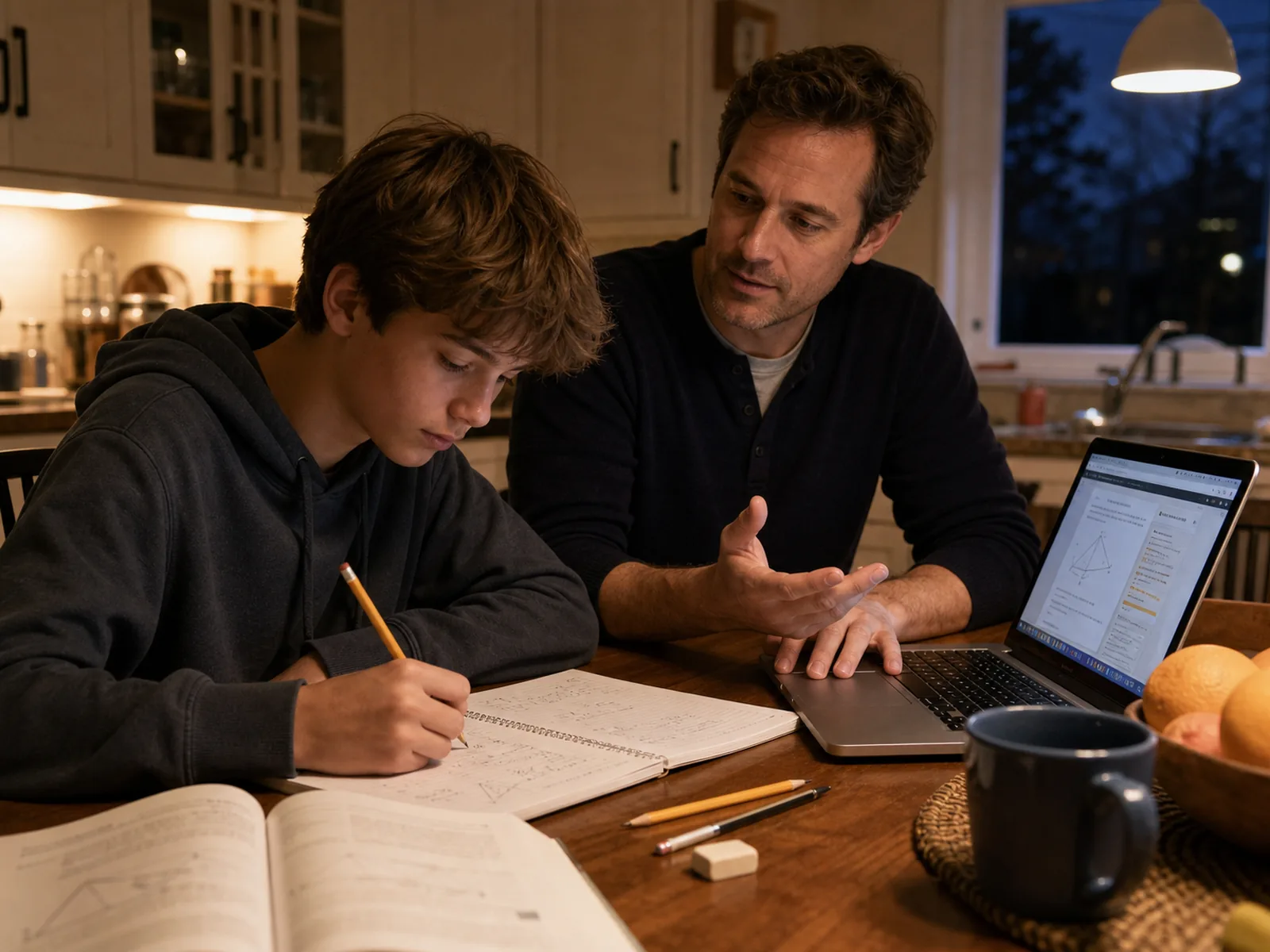
How to use AI for school without cheating
Whether AI use counts as cheating depends on the assignment and the rules of the school, university, teacher, or examination body. If the policy is unclear, ask before using it.
A practical distinction is whether AI supports the learning process or replaces the work being assessed.
Usually safer uses include:
- asking for an explanation after attempting the problem;
- generating extra practice questions;
- turning your own notes into flashcards;
- receiving feedback on a draft you wrote;
- planning study time;
- checking grammar when the rules allow it;
- practicing a language conversation;
- organizing sources you have personally verified.
Often prohibited or risky uses include:
- submitting AI-generated writing, code, artwork, or answers as your own;
- using AI during a closed assessment;
- inventing citations, quotations, data, experiments, or reading you did not complete;
- uploading another person’s work or private information without permission;
- hiding AI assistance when disclosure is required.
When in doubt, preserve your notes and drafts, disclose assistance, verify the output, and make sure you can explain every part of the final work yourself.
A simple prompt formula for education
The most useful education prompt is usually specific about six things:
- Role: tutor, quiz partner, lesson-planning assistant, editor, or speaking partner.
- Learner: age, course level, current knowledge, and relevant needs.
- Goal: what the learner should understand or be able to do.
- Source: notes, textbook excerpt, syllabus, rubric, or approved course documents.
- Method: ask questions, give one hint at a time, create practice, or provide feedback.
- Boundary: do not invent facts, do not write the submission, and mark uncertainty.
Act as a [role] for a [learner and level]. The goal is [learning objective]. Use only [source or context]. Help by [method]. Do not [boundary]. Check understanding by [short assessment].Which Neurohelper modules are useful for education?
| Module | Practical education uses |
|---|---|
| Chat Master | Explanations, study guides, quizzes, lesson plans, rubrics, feedback, language practice, and comparison of leading AI models |
| Image Master | Classroom visuals, concept illustrations, presentation images, vocabulary scenes, labeled examples, and creative assignments |
| Video Master | Short tutorials, lesson recaps, worked examples, course introductions, and revision videos |
| Audio Master | Lecture transcription, narrated notes, pronunciation practice, listening exercises, and accessible audio versions |
| Smart Assistants | Course Q&A grounded in reviewed syllabi, instructions, lesson notes, glossaries, and FAQs |
The main benefit is continuity. A teacher can draft a lesson in Chat Master, create a visual in Image Master, turn the explanation into a short video, add narration in Audio Master, and make the approved materials available through a Smart Assistant. A student can move from explanation to practice questions, flashcards, an audio recap, and a revision plan without rebuilding the context in separate subscriptions.
A 20-minute AI study workflow
- Spend five minutes attempting the topic or problem without AI.
- Ask Chat Master to identify the first gap and explain it with one example.
- Explain the idea back in your own words.
- Request three practice questions without answers.
- Answer them, review mistakes, and write one sentence about what to revise next.
This workflow keeps the student active. The output is not a finished assignment; it is better understanding and a visible next step.
A 30-minute AI lesson-planning workflow
- Enter the learning objective, class level, prior knowledge, duration, and constraints.
- Generate a lesson skeleton with checks for understanding.
- Replace generic examples with examples that fit the class.
- Create one worksheet or exit ticket tied to the objective.
- Review every fact, question, answer, timing estimate, and accessibility choice.
- Save the approved version and note what should change after the lesson.
AI handles the blank page. The teacher handles the teaching.
Frequently asked questions about AI in education
Is AI good for education?
AI can be useful when it supports explanation, practice, feedback, organization, accessibility, and teacher preparation. It is less useful when it replaces effort, hides uncertainty, or produces work that a learner cannot explain.
What is the best AI for students?
The best AI study tool depends on the task. Strong reasoning matters for difficult explanations; speed may matter for quick practice; image, audio, and video tools help with visual and language learning. A practical platform should also make it easy to compare models and keep work in one place.
Can AI replace teachers?
No AI system understands a class, motivates learners, notices social context, protects student welfare, or makes educational judgments in the way a responsible teacher does. AI is most valuable as preparation and practice support under human direction.
Is an AI homework helper always cheating?
No. Asking for a hint, explanation, or similar practice question may support learning. Submitting an AI-generated answer as your own may violate the rules. The assignment policy determines what is allowed.
Can AI answers be wrong?
Yes. AI can produce incorrect facts, calculations, citations, quotations, and confident explanations. Important information should be checked against course materials, original sources, and qualified teachers.
Should students upload textbooks and class recordings?
Only when they have permission and the platform is appropriate for the material. Copyright, school policy, privacy, consent, and personal data all matter.
How should teachers introduce AI to students?
Start with a clear allowed-use policy and one bounded activity. Show students how to verify an answer, disclose assistance, protect personal information, and distinguish a helpful hint from outsourced work.
How can I stop becoming dependent on AI for studying?
Attempt first, ask for hints rather than answers, close the tool and recall the concept from memory, and regularly complete practice without assistance. If you cannot explain the final work, AI has done too much.
Final takeaway
The best AI for education is not the system that finishes the most homework. It is the one that helps a learner understand more, practice deliberately, and notice what remains unclear—and helps a teacher spend less time on repetitive preparation without giving up professional judgment.
Start with one real question. Ask for an explanation, a hint, a quiz, a lesson draft, or a clearer version. Keep the original sources visible, review the output, and make the learner’s own thinking the center of the process.
