
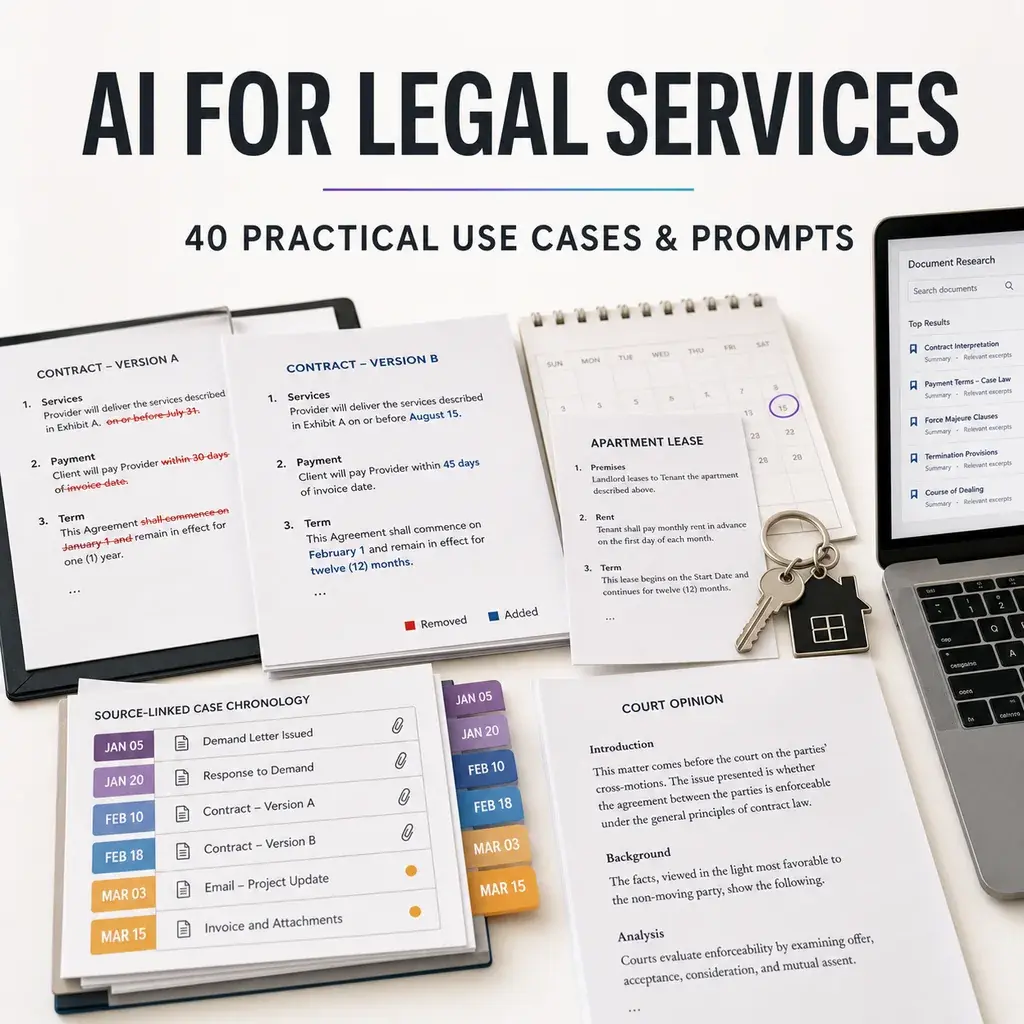
People do not usually search for “the future of legal technology.” They search because a real document, deadline, question, or client matter is in front of them:
- Can AI review a contract before I sign it?
- Can AI explain an NDA or lease in plain English?
- How do lawyers use AI for legal research?
- Can AI find risky clauses or compare contract versions?
- Can AI organize evidence and create a case chronology?
- How can a law firm use AI for client intake, due diligence, and legal content?
- Is an AI legal assistant confidential and reliable?
This guide answers those questions for both sides of legal services: people and businesses trying to understand what they need, and lawyers, legal teams, law firms, and legal operations professionals delivering the work.
The central boundary is important. AI can help read, organize, compare, summarize, draft, and explain supplied information. It is not a licensed lawyer, does not know every current rule in every jurisdiction, and should not make a final legal judgment or submit unverified work to a court, regulator, counterparty, or client.
What is AI for legal services?
AI for legal services means using artificial intelligence to support legal-information and legal-workflow tasks such as document explanation, contract review, clause extraction, version comparison, legal research, chronology building, transcript summarization, due diligence, client intake, knowledge management, and client communication.
For a person seeking legal help, AI may make a dense document easier to navigate and help prepare better questions for a qualified lawyer. For a legal professional, it may reduce blank-page work, organize large source collections, and create a reviewable first draft.
Neurohelper AI fits around the professional workflow. Chat Master can compare leading models, analyze supplied text, build tables, and challenge a draft. Audio Master can transcribe permitted interviews, meetings, or hearings. Image Master can create client-education visuals. Video Master can produce reviewed explainers. Smart Assistants can answer recurring questions from an approved legal knowledge collection.
Before using AI for a legal question
1. What is a legal AI assistant?
A legal AI assistant is software that helps with tasks involving legal documents, legal information, or legal workflows. Some tools are general-purpose assistants. Others connect to verified legal databases, firm templates, contract playbooks, matter-management systems, or document-review platforms.
The label “legal AI” does not guarantee that an answer is current, jurisdiction-specific, confidential, or correct. Always check what sources and controls are actually available.
Try this prompt:
I want to use AI for this legal-related task: [task]. Classify what AI can safely help me prepare, what facts or jurisdiction details are missing, what must be verified in an original source, and what requires a qualified lawyer.2. Can AI give legal advice?
A general AI model can provide legal information and help formulate questions, but its response should not be treated as personalized legal advice. The relevant answer may depend on jurisdiction, dates, facts, contract wording, procedure, deadlines, and professional duties that the model does not know.
Use AI to understand the vocabulary and organize the issue. Use a qualified lawyer for advice and consequential decisions.
Try this prompt:
Explain the general legal concepts related to [issue] without advising me what action to take. List the facts, dates, jurisdiction details, documents, deadlines, and questions a lawyer would likely need before giving advice.3. Can AI replace a lawyer?
No. A lawyer identifies legally significant facts, applies current authority, protects confidentiality and privilege, exercises judgment, manages procedure, negotiates, communicates with other parties, and accepts professional responsibility.
AI can make parts of the preparation faster. It cannot create the trusted professional relationship or accountability that legal representation requires.
Try this prompt:
For this situation [brief description], separate the work into: information I can organize myself, tasks AI can assist with, decisions requiring legal judgment, and urgent issues that should go directly to a qualified lawyer.4. Is it safe to upload a legal document to AI?
Only if the person or organization is authorized to process the document in that tool. Legal files may contain confidential, privileged, commercially sensitive, personal, medical, employment, financial, or identifying information.
Check the platform, account, retention settings, contractual terms, organizational policy, client consent requirements, and applicable professional rules. Remove unnecessary data and use the smallest relevant excerpt where possible.
Try this prompt:
Create a privacy and confidentiality checklist before this document is processed with AI. Cover authorization, privilege, personal data, commercial secrets, retention, model training, access controls, redaction, minimum necessary content, and approval.5. How can I check whether an AI legal answer is reliable?
Ask for the jurisdiction, date, source, quotation, and uncertainty behind every material statement. Open the original statute, regulation, case, official guidance, or contract clause. Confirm that it says what the AI claims and remains current.
A source-shaped answer is not the same as a sourced answer. If the citation cannot be found, do not use it.
Try this prompt:
Audit this legal-information answer. Separate claims based on my documents, claims requiring primary legal authority, factual assumptions, jurisdiction dependencies, date dependencies, and unresolved questions. Do not create citations.AI contract review for individuals and businesses
6. Can AI explain a legal document in plain English?
Yes. AI can divide a supplied document into sections, explain defined terms, summarize obligations, and turn dense wording into questions. Ask it to preserve the original clause beside every explanation.
Plain language can remove nuance. Treat the explanation as a reading aid and return to the exact document before making a decision.
Try this prompt:
Explain this legal document in plain English section by section. Quote the exact clause first, then explain its purpose, who must do what, relevant dates or triggers, and questions to ask a lawyer. Do not state that a clause is enforceable or standard.7. Can AI review a contract before I sign it?
AI can create a contract map containing parties, term, payment, deliverables, renewal, termination, liability, confidentiality, intellectual property, dispute process, and unusual obligations. It can also identify missing information or internal inconsistencies.
It cannot determine whether the agreement is suitable for your situation without full facts and jurisdiction-specific legal judgment.
Try this prompt:
Create a pre-signing review of this contract. Extract the parties, purpose, money, dates, obligations, renewal, termination, liability, IP, confidentiality, dispute terms, and missing schedules. For each item, cite the exact clause and create a question—not a legal conclusion.8. Can AI find risky clauses in a contract?
AI can flag clauses that deserve attention based on criteria you provide, such as automatic renewal, broad indemnity, unlimited liability, unilateral changes, restrictive IP rights, short notice periods, or one-sided termination.
“Risky” depends on the deal, bargaining position, jurisdiction, insurance, and business priorities. Use a lawyer or approved contract playbook to decide what matters.
Try this prompt:
Review this contract against these approved concerns: [list or playbook]. For each match, quote the clause, explain the practical issue, identify missing context, and suggest a question for legal review. Do not call a clause invalid or unacceptable.9. Can AI compare two contract versions?
Yes. AI can summarize additions, deletions, changed dates, altered definitions, and shifts in responsibility. Ask it to compare legal effect only as a question for review, not as a definitive conclusion.
For final redlining, use reliable document-comparison software and preserve both originals.
Try this prompt:
Compare Version A and Version B. List every material change by section, show the old and new wording, describe the practical difference, and flag changes involving money, duration, liability, termination, IP, confidentiality, or dispute terms. Do not omit formatting-only changes from a separate list.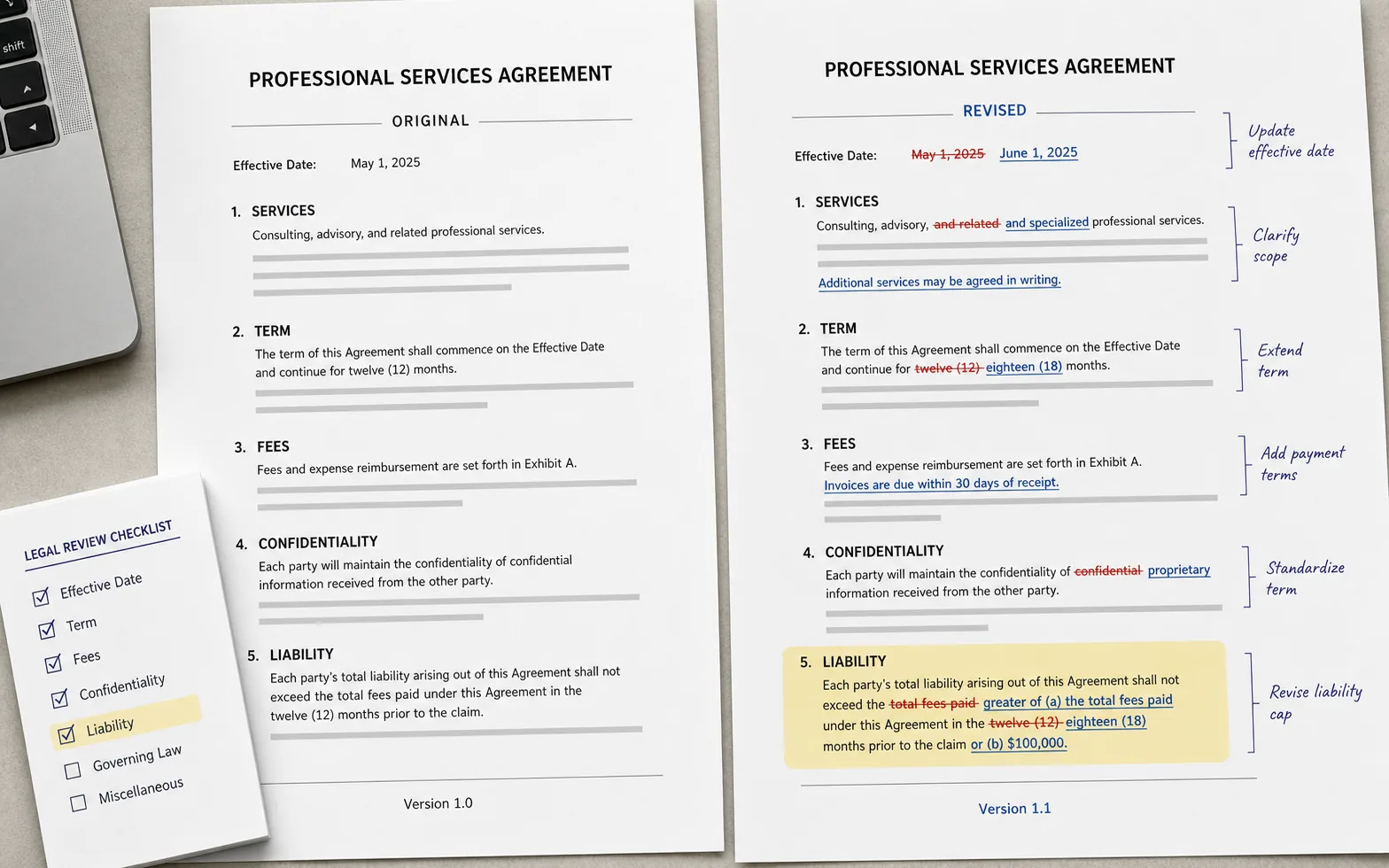
10. Can AI explain an NDA?
AI can identify what information is covered, who may receive it, permitted use, exclusions, duration, return or deletion requirements, remedies, and whether obligations are mutual or one-way.
The practical effect depends on the exact wording and jurisdiction. Pay particular attention to definitions, residual knowledge, compelled disclosure, and interaction with employment or IP terms.
Try this prompt:
Map this NDA into: parties, protected information, exclusions, permitted use, permitted recipients, required safeguards, compelled disclosure, duration, return or deletion, remedies, and mutuality. Quote each clause and list questions for counsel.11. Can AI review a lease or rental agreement?
AI can help locate rent, deposits, term, renewal, repairs, utilities, access, insurance, subletting, notice, fees, move-out obligations, and attached rules. It can create a calendar of dates and a list of questions for the landlord or lawyer.
Residential and commercial leases differ substantially, and tenant protections vary by location.
Try this prompt:
Create a reading guide for this [residential/commercial] lease. Extract every payment, deadline, notice method, repair duty, access right, restriction, renewal, termination condition, and referenced attachment. Do not advise me whether to sign.
12. Can AI explain an employment agreement or job offer?
AI can extract compensation components, duties, probation, benefits, location, working time, intellectual-property terms, confidentiality, restrictive covenants, termination, notice, and incorporated policies.
Employment law and enforceability vary widely. AI should prepare a clause map and questions, not tell someone whether a term is lawful or what they should accept.
Try this prompt:
Summarize this employment document by compensation, duties, probation, benefits, workplace, hours, confidentiality, IP, restrictions, termination, notice, and referenced policies. Quote the clause for every point and list jurisdiction-specific questions for an employment lawyer.13. Can AI help write a legal letter or formal email?
AI can organize facts and produce a calm first draft of a request, response, complaint, preservation notice, or negotiation email. It should not invent legal threats, deadlines, rights, or consequences.
For a consequential dispute, have a lawyer review the wording before sending it. A poorly framed letter can affect later negotiations or proceedings.
Try this prompt:
Draft a neutral factual letter from these verified facts: [facts]. State the issue, relevant dates, documents, requested response, and a reasonable non-legal deadline. Do not threaten, accuse, admit liability, waive rights, or cite law unless I provide verified authority.14. Can AI draft a legal document?
AI can create an outline or first draft from an approved template and supplied facts. It may omit required clauses, use the wrong jurisdiction, conflict with another provision, or produce wording that does not fit the transaction.
Use lawyer-approved templates, version control, defined clause libraries, and qualified review before relying on the document.
Try this prompt:
Using only this approved template and fact sheet, prepare a first draft. Preserve required clauses and defined terms, mark every missing fact as [INPUT NEEDED], identify any template conflict, and create a final lawyer-review checklist.15. Can AI help create terms and conditions or a privacy policy?
AI can help inventory business practices, user journeys, data categories, vendors, payment flows, cancellation rules, and unanswered questions. It should not generate a generic policy and represent it as compliant.
These documents must match the real product, jurisdiction, audience, and current legal requirements. Use qualified counsel for the final text.
Try this prompt:
Create a fact-gathering questionnaire for website terms and a privacy policy for [product]. Cover users, transactions, subscriptions, refunds, content, accounts, data collected, purposes, vendors, retention, security, children, international use, and current documents. Do not draft compliance claims.Preparing to use legal services
16. Can AI help me prepare for a lawyer consultation?
Yes. AI can turn scattered notes into a one-page chronology, participant list, document index, objectives, deadlines, and questions. This can help a lawyer understand the matter faster.
Do not let the model delete facts that seem unimportant. Preserve originals and include uncertainty, unfavorable facts, and prior communications.
Try this prompt:
Organize my notes for a lawyer consultation. Create a neutral chronology, people and organizations, documents available, deadlines, what I know, what I am unsure about, my objectives, and ten questions. Do not decide which facts are legally important.17. Can AI organize evidence for a legal matter?
AI can help label files, extract dates, build an index, identify duplicates, and connect documents to events. It should not alter originals, invent missing context, or decide authenticity, relevance, or admissibility.
Keep source files, metadata, collection notes, permissions, and chain-of-custody requirements under the applicable process.
Try this prompt:
Create an evidence index from this authorized document list. Include file name, date, author or sender, recipient, document type, event, issue, source location, confidentiality, and verification status. Mark uncertainty and preserve every original identifier.18. Can AI build a case chronology?
AI can extract dates and events from documents and present them in order. A useful chronology links each entry to the source, separates document date from event date, and marks conflicts.
The person reviewing the matter should decide legal significance and resolve disputed facts.
Try this prompt:
Build a neutral chronology from these authorized materials. For each event include event date, document date, people involved, factual description, exact source, confidence, and conflicts with other sources. Do not fill gaps with assumptions.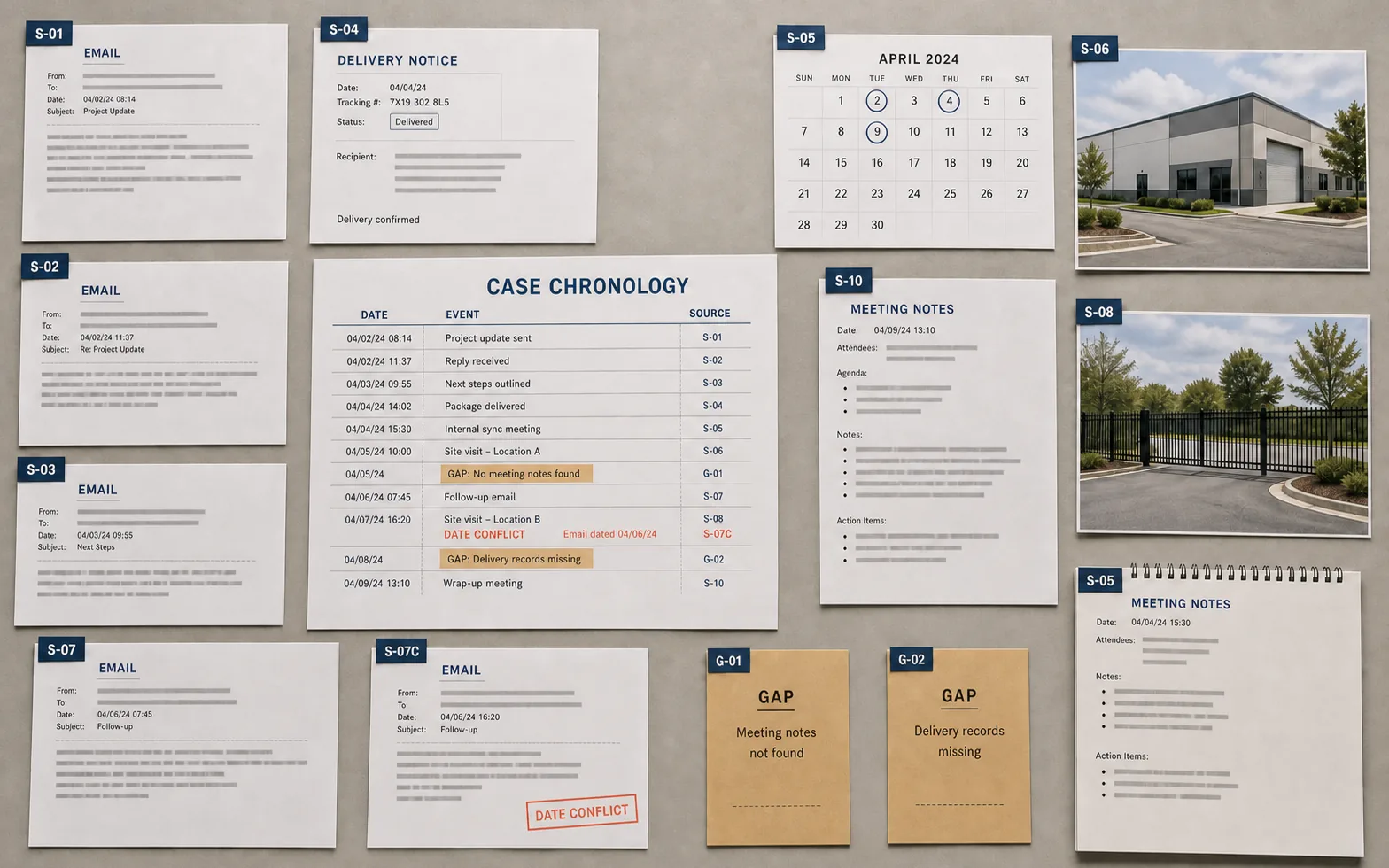
19. Can AI explain a legal notice or court order?
AI can identify the issuing body, parties, date, stated obligations, referenced documents, hearing or response dates, and unfamiliar terms. It should not interpret the final legal effect or tell someone to ignore a notice.
If a document may involve a deadline, enforcement, removal, payment, court appearance, or loss of rights, contact a qualified lawyer promptly.
Try this prompt:
Extract the visible facts from this notice or order: issuer, parties, date, case reference, stated obligations, deadlines, hearing details, response method, referenced documents, and unclear terms. Do not advise me what to do; create urgent questions for a lawyer.20. Can AI help me find the right lawyer or legal service?
AI can help identify the likely practice area, create a list of questions for providers, and compare publicly stated services, locations, languages, pricing approaches, and consultation processes.
It should not invent credentials, outcomes, disciplinary history, or local licensing information. Verify professionals through current official directories and direct contact.
Try this prompt:
Based on this neutral issue summary, suggest which legal practice areas may be relevant and create a provider-comparison checklist. Include jurisdiction, licensing verification, experience questions, conflicts, scope, fees, communication, language, timing, and documents to bring.AI for lawyers, law firms, and legal teams
21. How can lawyers use AI?
Lawyers can use AI for document organization, issue spotting, first-draft outlines, clause extraction, version comparison, research planning, chronology creation, transcript summarization, knowledge retrieval, client communication, and content production.
Professional obligations still apply. The American Bar Association’s Formal Opinion 512 on generative AI addresses areas including competence, confidentiality, communication, supervision, candor, and fees. Applicable duties differ by jurisdiction and role.
Try this prompt:
Review this proposed law-firm AI use case: [description]. Map source data, confidentiality, privilege, client communication, human supervision, citation verification, court or regulator rules, fee implications, vendor controls, and final responsible lawyer.22. Can AI help with legal research?
AI can refine a research question, create search terms, identify source categories, summarize authority supplied by the researcher, and build a table of issues and holdings.
General models may invent or misstate cases. Use current authoritative legal research sources, check treatment and jurisdiction, read the full authority, and verify every proposition.
Try this prompt:
Help me plan legal research for [question] in [jurisdiction and date]. Create issue branches, terms of art, synonyms, likely primary and secondary source types, exclusions, and verification steps. Do not generate case citations.23. Can AI summarize case law?
Yes, when the complete decision is supplied. Ask for court, date, procedural posture, material facts, issue, rule, holding, reasoning, disposition, separate opinions, and limits.
Read the decision yourself. A summary can flatten ambiguity, omit an exception, or confuse dicta with the holding.
Try this prompt:
Summarize this supplied decision into court, date, procedural posture, material facts, issue, governing authority cited, holding, reasoning, disposition, separate opinions, and limits. Quote and page-reference every central proposition.24. Can AI verify legal citations?
AI can create a citation-audit checklist and compare a draft citation with the source document you provide. It cannot reliably determine current validity or subsequent treatment without an authoritative citator and current database.
Before filing or advising, verify the existence, wording, jurisdiction, date, pin cite, proposition, and treatment of every authority.
Try this prompt:
Audit this draft against the supplied authorities. For every citation, identify the proposition it supports, exact source passage, page or paragraph, quotation accuracy, and any mismatch. Mark current validity and treatment as requiring authoritative citator review.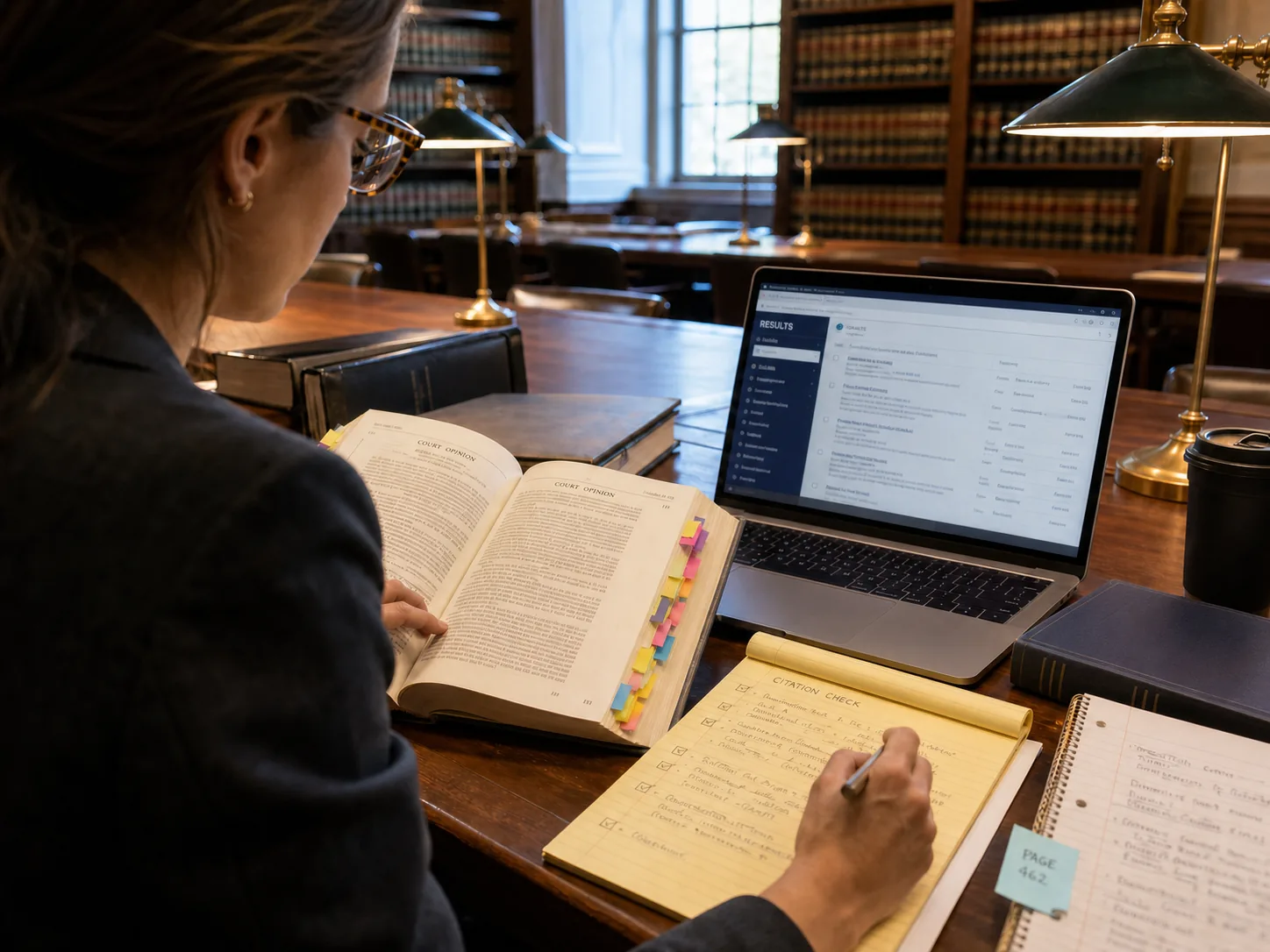
25. Can AI draft a legal memo or brief?
AI can help build an outline from verified facts and authorities, test counterarguments, improve structure, and identify unsupported statements. It should not introduce authorities that the lawyer has not found and checked.
The responsible lawyer must control legal analysis, strategy, candor, accuracy, and final filing.
Try this prompt:
Using only the verified facts and authorities I supply, create a memo outline with question, short answer, facts, analysis by issue, counterarguments, uncertainty, and conclusion. Cite the supplied source for each proposition and mark unsupported gaps.26. Can AI speed up professional contract review?
AI can compare an agreement with an approved playbook, extract deviations, produce a clause table, and prepare negotiation questions. It works best when the contract type, fallback positions, materiality, and permitted language are explicit.
The lawyer decides legal risk, negotiation strategy, and acceptable departures.
Try this prompt:
Review this agreement against the approved playbook. For each relevant clause show contract wording, preferred position, deviation, business impact question, fallback options already in the playbook, and lawyer-review status. Do not invent fallback language.27. Can AI extract obligations and deadlines from contracts?
AI can create an obligations register with party, action, trigger, due date, frequency, notice method, dependency, evidence, and source clause. This is useful for handover and contract management.
Verify defined terms, conditional obligations, amendments, schedules, and survival clauses before relying on the register.
Try this prompt:
Extract an obligations register from this agreement. Include responsible party, obligation, trigger, deadline or frequency, notice method, dependency, evidence, survival, and exact clause. Mark every date that requires calculation or external facts.28. Can AI assist with legal due diligence?
AI can index data-room documents, extract recurring fields, compare agreements, identify missing schedules, summarize change-of-control or termination clauses, and prepare a question log.
Access controls, privilege, source traceability, materiality, specialist workstreams, and qualified conclusions must remain under the transaction team.
Try this prompt:
Create a legal due-diligence review plan for [transaction]. Organize authorized documents by corporate, commercial, employment, IP, privacy, disputes, property, finance, regulatory, and jurisdiction. Add source references, materiality, open questions, owner, and specialist review.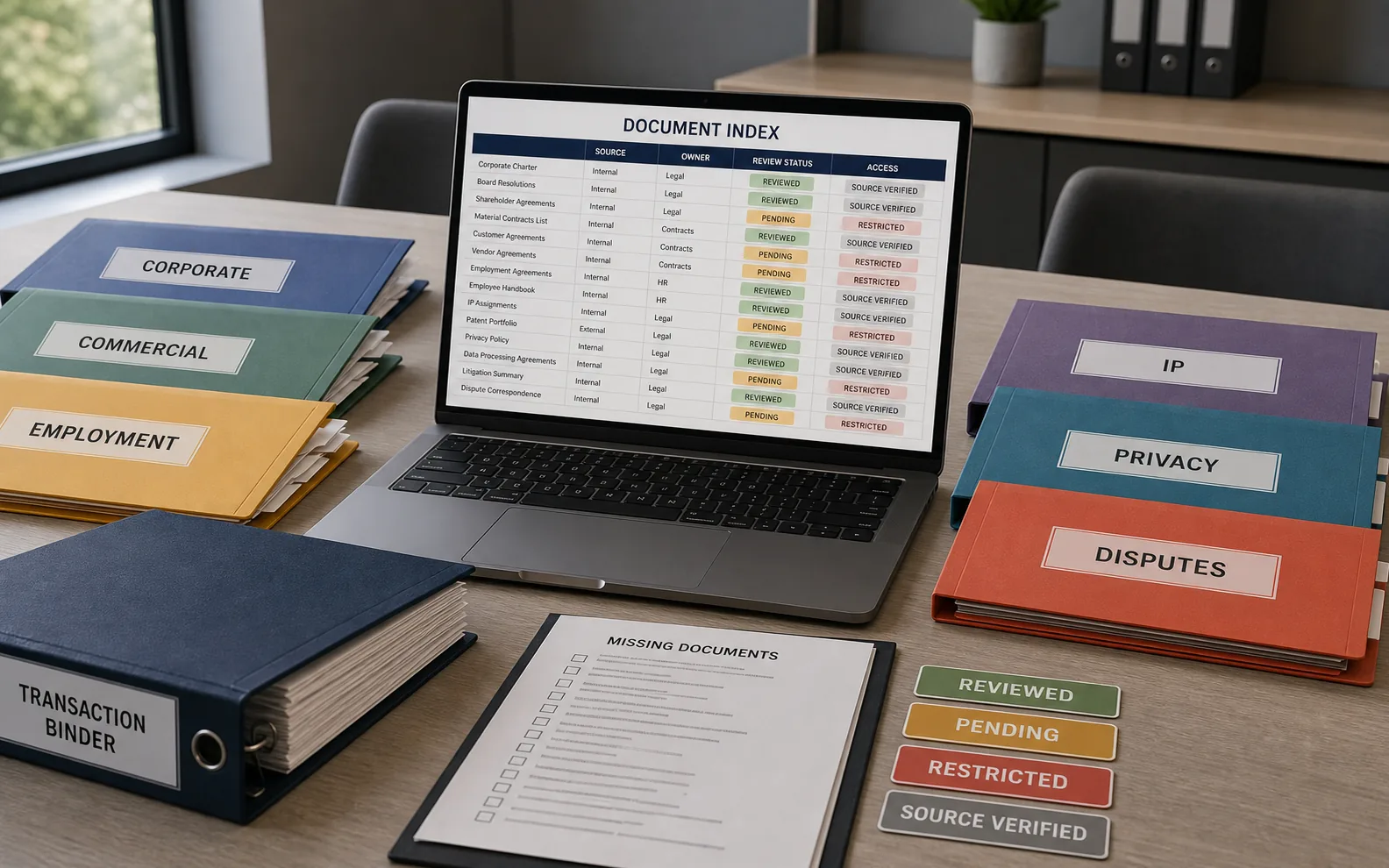
29. Can AI help with discovery or large document review?
Specialized review systems can classify large document sets, support search, group near-duplicates, and prioritize material for human review. A general AI workspace is better suited to authorized subsets, research questions, summaries, and review protocols.
Preserve collection scope, metadata, privilege procedures, validation, quality control, and applicable discovery obligations.
Try this prompt:
Design a document-review protocol for [matter]. Include scope, custodians, date range, sources, search concepts, relevance, issues, confidentiality, privilege, duplicates, reviewer guidance, sampling, quality control, escalation, and production decisions reserved for counsel.30. Can AI summarize depositions, interviews, or hearings?
Audio Master can transcribe a recording when processing is authorized. Chat Master can create topic summaries, timelines, named exhibits, commitments, inconsistencies, and follow-up questions.
Verify the transcript, speaker attribution, timestamps, terminology, and official record. AI-generated transcription is not automatically the authoritative transcript.
Try this prompt:
Summarize this authorized transcript by topic, speaker, key factual statement, cited document or exhibit, date, commitment, inconsistency, and follow-up question. Preserve timestamps and mark unclear transcription instead of guessing.31. Can AI help with client intake?
AI can turn an intake form or authorized call notes into a neutral summary, chronology, party list, requested outcome, documents, deadlines, jurisdiction questions, and missing facts.
It should not promise representation, determine merits, create an attorney-client relationship, or replace conflict and eligibility processes.
Try this prompt:
Structure these authorized intake notes into contact preference, parties, issue, chronology, jurisdiction, deadlines, documents, objectives, adverse parties, missing facts, and next administrative step. Do not assess merits or promise representation.32. Can AI perform a conflict check?
AI can normalize names, identify aliases and related entities, and prepare candidate search terms. The actual conflict check belongs in the firm’s controlled, complete conflict system and must follow firm policy.
A general model does not have reliable access to all former clients, adverse parties, affiliates, confidential relationships, or waivers.
Try this prompt:
From this authorized intake record, extract candidate names for a controlled conflict search: individuals, aliases, companies, parents, subsidiaries, affiliates, officers, counterparties, advisers, and adverse parties. Do not determine whether a conflict exists.33. Can AI create a matter summary for handover?
AI can organize objectives, parties, posture, timeline, documents, completed work, open issues, deadlines, risks, decisions, and next actions. Every item should link back to the matter record.
The supervising lawyer reviews the summary and decides what a new team member needs to know.
Try this prompt:
Create a matter-handover summary from these approved records. Include scope, client objectives, parties, posture, chronology, key documents, work completed, decisions, unresolved issues, deadlines, owners, and source link for every material item.34. Can AI power a law-firm knowledge assistant?
A Smart Assistant can answer questions from approved templates, practice notes, playbooks, policies, training materials, and matter precedents. It should identify the exact source, version, owner, jurisdiction, and review date.
If the collection does not contain the answer, the assistant should say so rather than improvise.
Try this prompt:
Answer only from the approved legal knowledge collection. Cite document, version, section, jurisdiction, and review date. If sources conflict or the answer is absent, state that clearly and direct the user to the responsible practice owner.AI for legal client communication and growth
35. Can AI draft client updates?
AI can turn lawyer-approved notes into a concise update containing status, what changed, upcoming dates, documents needed, decisions required, and next steps. It should not add legal conclusions or predictions.
The responsible lawyer checks accuracy, confidentiality, tone, and whether advice should be communicated differently.
Try this prompt:
Draft a client update from these approved notes. Use sections for status, work completed, new information, upcoming dates, documents needed, choices requiring discussion, next actions, and contact point. Add no advice or outcome prediction.36. Can AI make legal information easier to understand?
AI can produce a plain-language version, glossary, FAQ, decision-neutral checklist, or accessible audio script. Preserve the original wording and identify where simplification loses precision.
This is useful for onboarding, policy explanations, public legal education, and service guidance—not for replacing individual advice.
Try this prompt:
Create a plain-language explanation of this lawyer-approved material for [audience]. Keep essential qualifications, explain defined terms, use short sections, and list any nuance that cannot be simplified safely.37. Can AI translate legal documents or client communications?
AI can prepare a working translation, bilingual glossary, or plain-language version for review. Legal meaning can change through small differences in terminology, modality, defined terms, and local usage.
Use a qualified legal translator or bilingual lawyer when the translation affects rights, obligations, filing, execution, or advice.
Try this prompt:
Prepare a review draft translation of this lawyer-approved text into [language]. Preserve defined terms, numbering, dates, names, modal verbs, and formatting. Flag ambiguous terminology and create a glossary for qualified legal-linguistic review.38. Can AI help a law firm create SEO content?
Yes. AI can organize search intent, build an article outline, turn lawyer-approved knowledge into clear answers, create FAQs, and adapt one topic for local landing pages or different audiences.
Try this prompt:
Create an SEO outline for a law-firm article targeting [search query] in [jurisdiction]. Separate general information from advice, include common client questions, avoid outcome promises, and add review points for current law, professional advertising rules, and responsible lawyer approval.39. Can AI create legal explainer videos and audio?
Chat Master can structure a lawyer-reviewed script. Image Master can create contextual illustrations. Video Master can produce a short explainer, while Audio Master can add narration, captions, or an accessible audio version.
Use one narrow topic, identify the jurisdiction and review date, and end with a clear boundary between general information and advice.
Try this prompt:
Turn this lawyer-approved article into a 90-second explainer for [audience]. Use a clear question, three practical points, one example, important limitations, jurisdiction and review date, and a final instruction to seek individual advice where appropriate.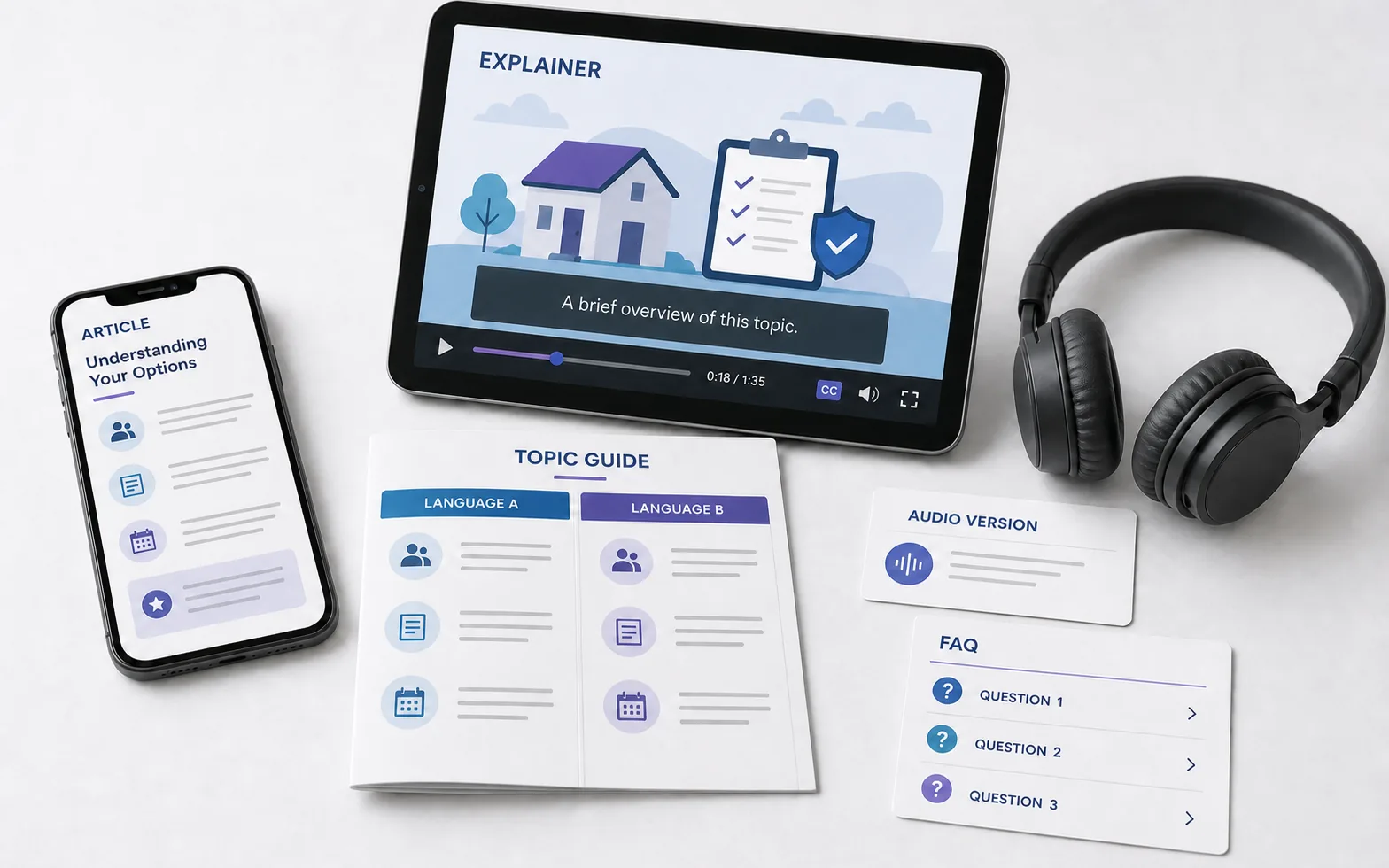
40. How should a law firm govern AI use?
A practical policy should define approved tools, prohibited data, matter authorization, client communication, supervision, source verification, citation checks, court and regulator requirements, vendor review, incident handling, training, fees, retention, and audit records.
Start with a few bounded use cases and named reviewers. Update the policy as technology, professional guidance, law, and court rules change.
Try this prompt:
Create an AI governance checklist for a legal organization. Cover approved use cases and tools, prohibited data, confidentiality, privilege, client consent or notice, supervision, verification, citations, filings, vendors, fees, training, logging, retention, incidents, owners, and review cycle.A simple prompt formula for legal work
A useful legal prompt should define nine things:
- User role: member of the public, business owner, lawyer, paralegal, legal operations, or approved reviewer.
- Purpose: explanation, preparation, research plan, extraction, comparison, draft, or communication.
- Jurisdiction and date: where and when the question matters.
- Authorized sources: exact documents, verified authority, approved templates, or knowledge collection.
- Facts and uncertainty: what is known, disputed, missing, or assumed.
- Method: summarize, quote, compare, classify, build a chronology, or create questions.
- Traceability: clause, page, paragraph, timestamp, file, or source link.
- Boundary: no invented authority, no final legal conclusion, no filing or external communication without review.
- Reviewer: qualified lawyer or named responsible owner.
Act as a [role] assisting with [purpose] in [jurisdiction] as of [date]. Use only [authorized sources]. The verified facts and uncertainties are [details]. Perform [method] and cite the exact clause, page, paragraph, timestamp, or file for every material point. Do not invent law, facts, citations, deadlines, or outcomes and do not provide a final legal conclusion. End with questions and a review checklist for [responsible reviewer].Which Neurohelper AI modules are useful for legal services?
| Module | Practical legal uses |
|---|---|
| Chat Master | Document explanation, contract maps, version comparison, research planning, chronology building, draft review, and model comparison |
| Image Master | Contextual client-education visuals, article covers, presentation assets, and approved legal-service content |
| Video Master | Legal explainers, client onboarding, internal training, policy updates, and accessible service guidance |
| Audio Master | Authorized interview and meeting transcription, narrated updates, audio explainers, and multilingual review drafts |
| Smart Assistants | Q&A grounded in approved playbooks, policies, templates, practice notes, training materials, and reviewed client resources |
Neurohelper AI does not replace legal research databases, document-management systems, conflict databases, e-discovery platforms, matter-management systems, court filing systems, or the responsible lawyer. It complements them by making review, explanation, and multi-format communication easier.
A 20-minute AI contract-reading workflow
- Confirm authorization, confidentiality, jurisdiction, and document version.
- Preserve the original and redact unnecessary sensitive information.
- Ask AI to map the clauses without giving advice.
- Request exact quotations beside every explanation.
- Extract money, dates, obligations, renewal, termination, liability, IP, confidentiality, and dispute terms.
- Turn uncertainty into questions for the counterparty or lawyer.
- Let a qualified reviewer make the final decision.
A 30-minute legal-professional workflow
- Define the matter question and approved source collection.
- Choose a bounded task: extraction, comparison, chronology, outline, or communication draft.
- Require source references for every material point.
- Compare the output with the original documents and authoritative legal sources.
- Check confidentiality, privilege, facts, citations, jurisdiction, dates, and procedural rules.
- Record the responsible reviewer and approval status.
- Reuse only the reviewed result in client, court, regulator, or public communication.
Frequently asked questions about legal AI
What is the best AI for legal work?
The best tool depends on the task, jurisdiction, source access, confidentiality requirements, and review controls. A general model may be useful for organization and explanation. Current legal research, citator work, conflicts, discovery, and matter management often require specialized systems.
Is AI contract review accurate?
It can identify clauses and patterns, but it can miss language, misunderstand defined terms, ignore schedules, or apply the wrong assumptions. Every material finding should link to the exact contract text and receive appropriate review.
Can AI create fake legal citations?
Yes. A model may produce realistic-looking authorities that do not exist or do not support the proposition. Verify every citation in a current authoritative source before use.
Is AI legal advice free?
Many tools provide low-cost or free legal information, but that is not the same as advice from a qualified professional who understands the full facts and accepts responsibility for the work.
Can I use AI to respond to a legal notice?
AI can extract deadlines and prepare questions, but it should not decide the response. If the notice could affect rights, money, housing, employment, immigration, licensing, or court procedure, seek qualified help promptly.
Can lawyers put client information into AI?
That depends on professional obligations, jurisdiction, client arrangements, firm policy, the tool, the data, and its handling. Lawyers should evaluate confidentiality, privilege, security, vendor terms, retention, training use, and required client communication or consent.
Can AI replace legal research databases?
Not reliably. Legal work may require current authority, jurisdiction filters, historical versions, subsequent treatment, citators, docket access, and licensed sources that a general model does not provide.
What is the safest first legal AI use case?
Choose a bounded, reversible task using approved materials: build a document index, explain defined terms, compare versions, create a chronology, structure intake notes, or turn an approved article into a plain-language FAQ.
Final takeaway
The most useful legal AI does not pretend to be a lawyer. It helps people understand what is in front of them, prepare better questions, and arrive at professional help with clearer facts. It helps legal providers organize sources, compare documents, build reviewable drafts, and explain approved work in formats clients can actually use.
Start with authorization, jurisdiction, exact sources, and a narrow task. Require traceability. Treat uncertainty as a question rather than an answer. Keep the qualified person responsible for advice, negotiation, filing, and final communication.
