
Seedream 5 Pro & Lite Visual ideas that understand the brief
Generate and edit images for creative projects, product campaigns, UGC concepts, social content, storyboards, presentations, and everyday visual work—then choose Pro for a quality-first pass or Lite for faster exploration in Neurohelper AI.
 Marketing · Brand system
 Creative · Character
 Video · Keyframe
Seedream 5 Pro and Lite are available inside the same Neurohelper AI subscription as GPT Image 2, Nano Banana, Flux, Grok Imagine, Recraft, Seedance, and leading text models. Develop the brief in Chat Master, generate or edit in Image Master, then continue into Video Master and Audio Master without rebuilding the project.
Seedream 5 overview
An AI image model that reasons about visual intent
ByteDance positions Seedream 5.0 Pro around advanced reasoning, professional production, interactive editing, photographic quality, and information-rich visuals. Seedream 5.0 Lite emphasizes unified multimodal understanding, precise control, world knowledge, and practical image generation and editing. Neurohelper AI makes both profiles available for different production priorities.
Understands the job
Describe the intended use—marketplace card, UGC ad, presentation slide, storyboard, poster, or social campaign—along with the subject, layout, style, and constraints.
Edits with references
Add, remove, replace, restyle, relight, or recombine elements while telling the model what must remain unchanged across the edit.
Builds connected sets
Create character sequences, brand systems, storyboards, campaign variations, stickers, or presentation pages that share a coherent visual direction.
Seedream 5 Pro vs Lite
Choose the profile that matches the stage
The practical difference is workflow intent: use Pro when you want to invest more generation effort in the selected direction; use Lite when fast exploration and repeated iteration matter most. Exact availability and limits depend on the current Neurohelper AI configuration.
Seedream 5 Pro
Use Pro after the concept is clear and the result needs a more deliberate final pass for publication, presentation, campaign, or production handoff.
- hero campaign imagery and polished key visuals;
- brand-sensitive product scenes and detailed layouts;
- important character or story-world frames;
- final creative directions before video production.
Seedream 5 Lite
Use Lite to explore, edit, iterate, and test many visual directions quickly while retaining Seedream's reasoning-led image workflow.
- concept exploration and visual mood testing;
- social and paid-media variations;
- reference-based edits and format adaptation;
- storyboard drafts, presentation graphics, and everyday content.
Seedream 5 examples and prompts
Six production briefs worth testing
These examples span brand production, UGC, consistent characters, cinematic scene development, information design, and video pre-production. Each prompt is written around a practical deliverable rather than a generic image request.
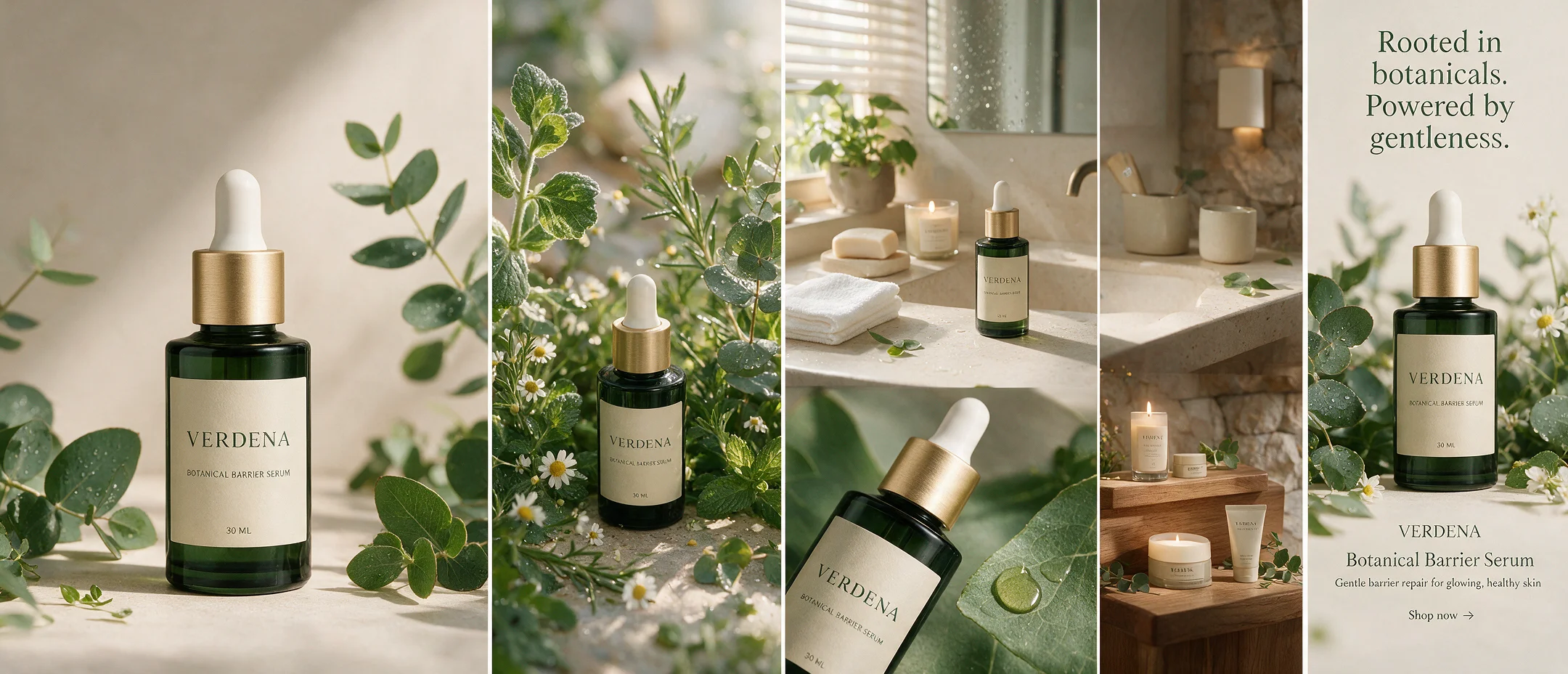
One Product, Complete Botanical Campaign
Turn a simple skincare packshot into a premium visual system spanning hero imagery, detail cards, ingredients, lifestyle scenes, retail displays, and social formats.
View example prompt
Use the supplied botanical serum packshot as the immutable product reference. Build a six-image campaign for a modern skincare brand: premium hero image, ingredient story, bathroom lifestyle scene, macro texture, retail display, and vertical social ad. Preserve bottle geometry, cap, label hierarchy, colors, and legible brand name. Use soft morning light, dew, pale stone, botanical greens, and restrained editorial typography. Return a coherent six-image campaign set.
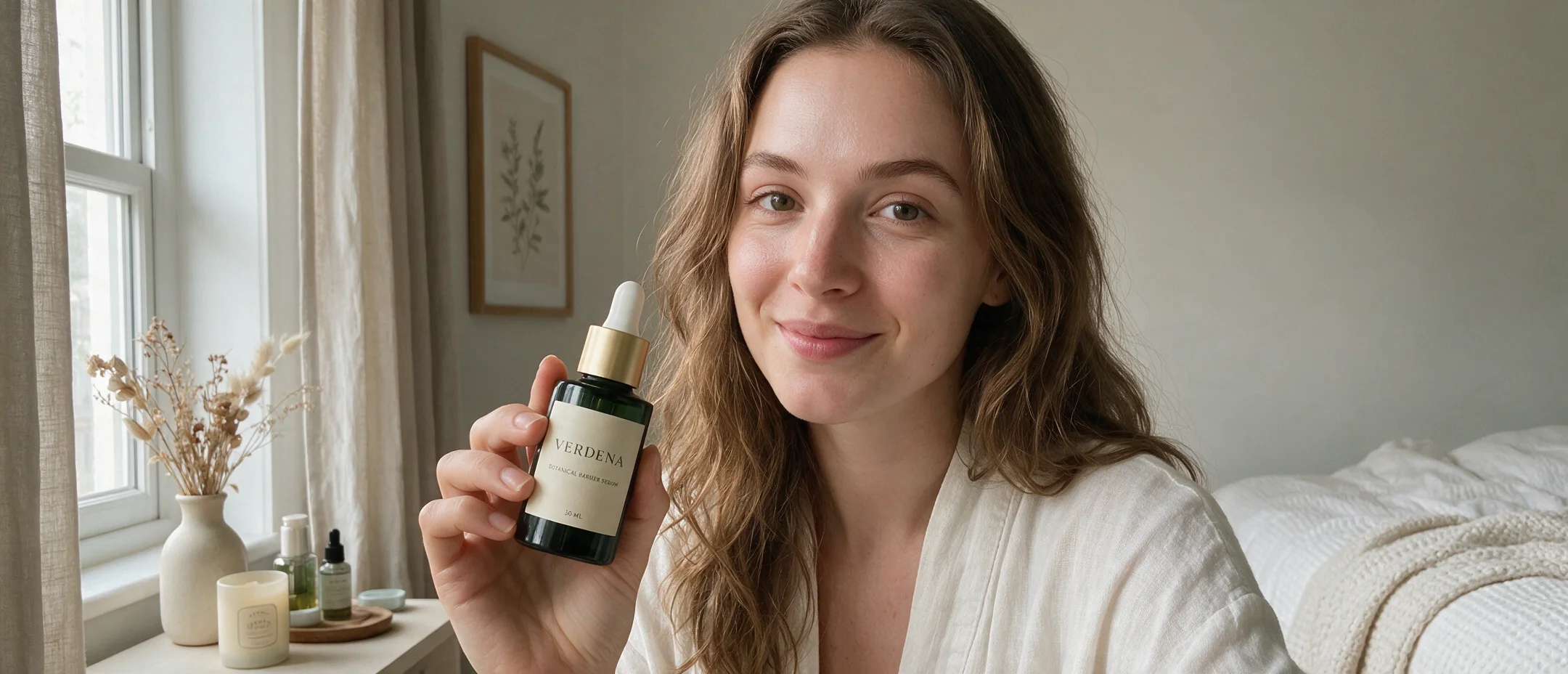
Packshot to Creator-Style Product Moment
Place the real product into an authentic bathroom or bedroom scene while protecting packaging identity and keeping the product visible.
View example prompt
Transform the supplied product packshot into a natural creator-style vertical advertisement. A relatable creator holds the product close to the camera so the label remains readable. Preserve exact packaging, proportions, color, cap, and logo. Use believable morning light, casual phone-camera framing, clean skin texture, and a lived-in but uncluttered environment. Leave negative space for a short hook. Output coordinated 4:5 and 9:16 variants.
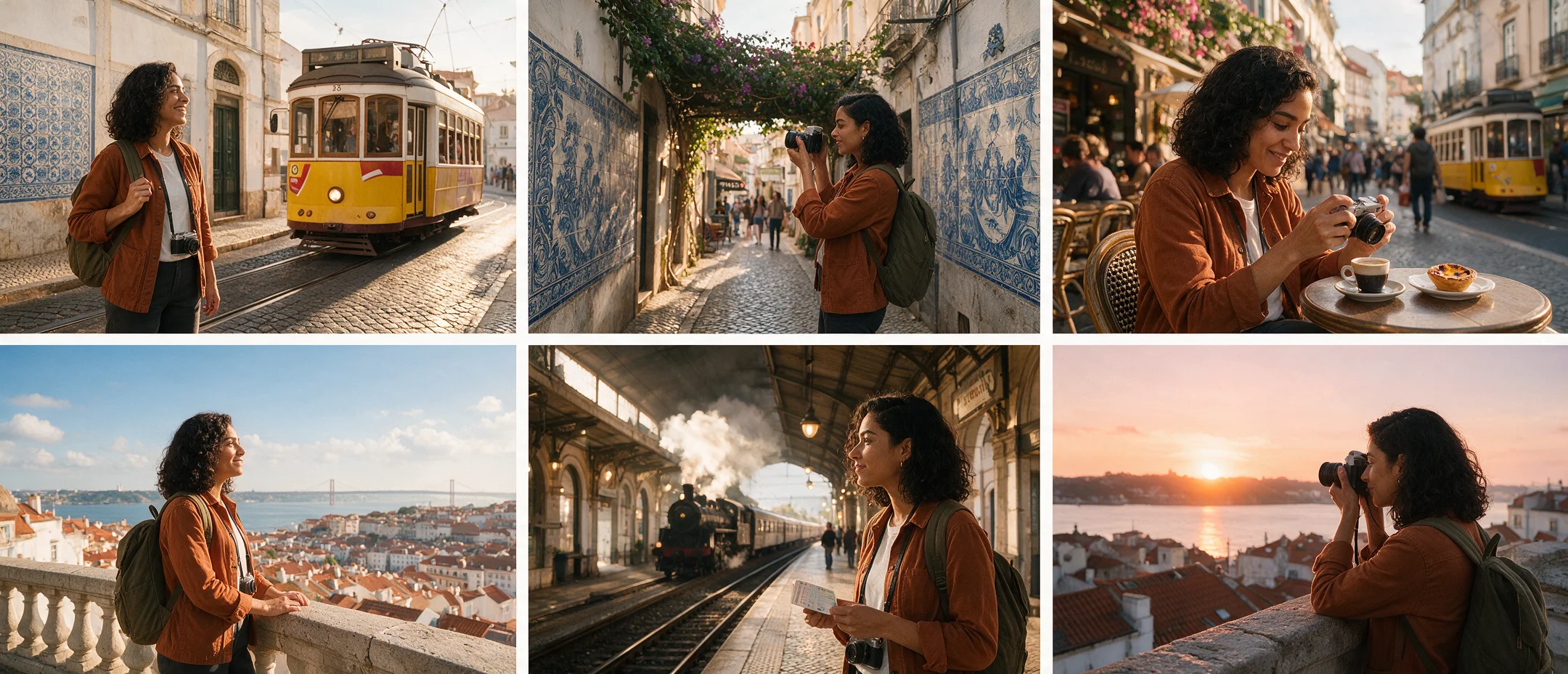
Consistent Character Across Six Scenes
Develop a recurring protagonist, wardrobe, props, and location language before individual frames move into animation or social storytelling.
View example prompt
Use the attached character reference sheet as the identity source. Create six cinematic frames of the same traveler arriving in Lisbon: tram stop, tiled street, café, lookout, train platform, and sunset rooftop. Preserve face, hair, rust jacket, white shirt, dark trousers, camera, and backpack. Vary shot size and action while keeping warm late-afternoon grading and documentary travel photography. Return six separate cinematic frames.
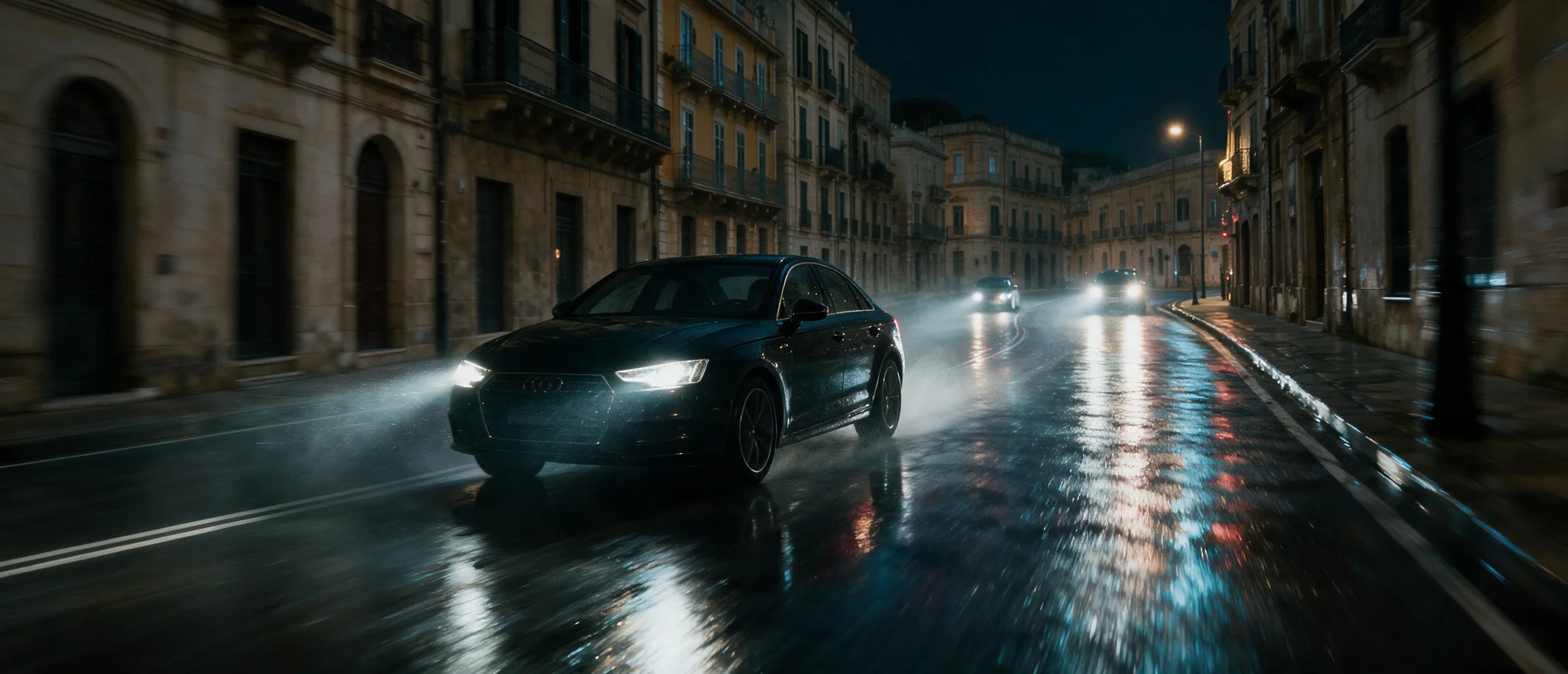
Daylight Street Photo to a Rainy Car-Chase Scene
Use a real location and simple annotations to design a cinematic hero frame before extending the scene into an image-to-video sequence.
View example prompt
Use the supplied annotated daylight European street photo as the base composition. Preserve the camera position, street geometry, architecture, and main vehicle placement. Transform the scene into a cinematic rainy-night car chase: make the marked black sedan the hero vehicle, add wet asphalt, controlled neon reflections, strong headlight beams, tire spray, and distant pursuit lights. Keep the car sharp, use motion blur only in the background, remove all annotation marks, and output a clean 16:9 production keyframe with no text.
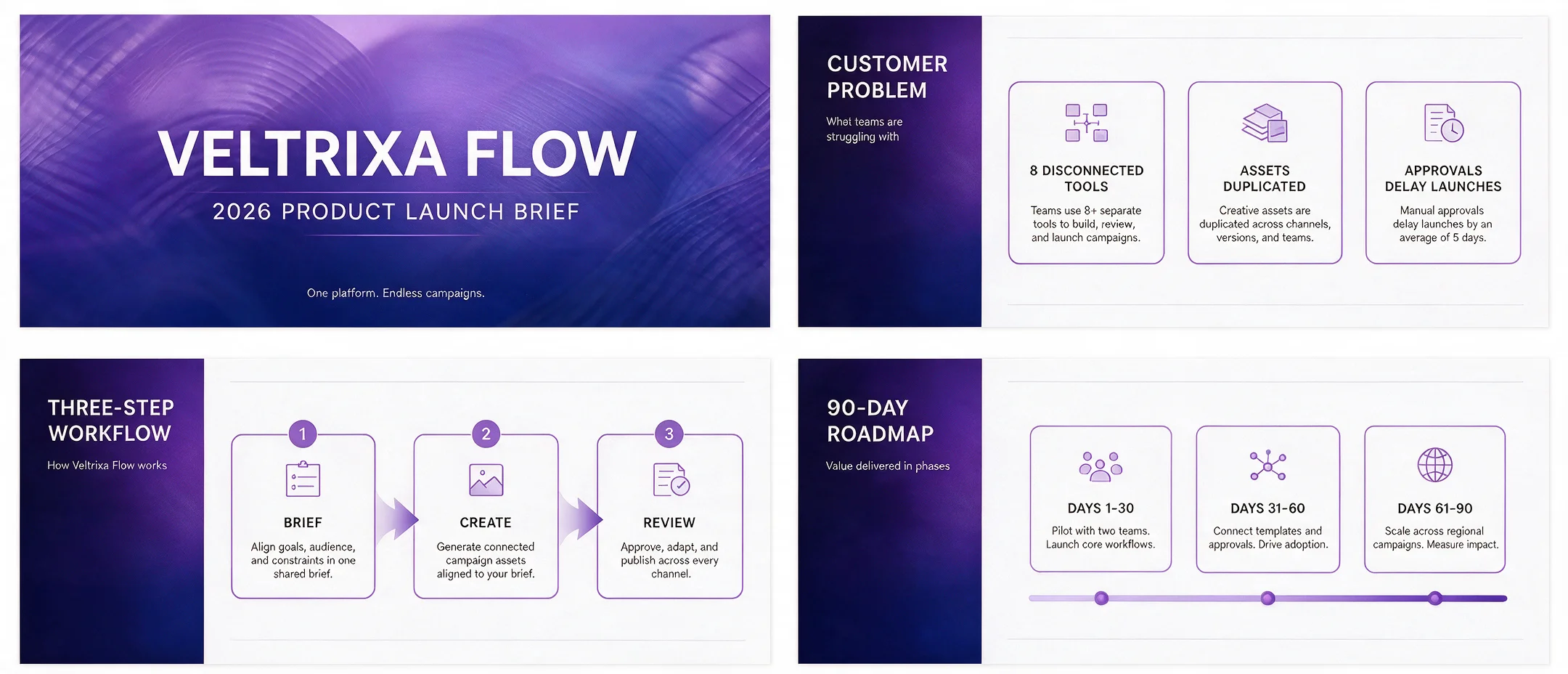
Information-Rich Slides People Can Read
Turn structured content into presentation covers, timelines, process diagrams, comparison slides, and campaign mind maps with an intentional layout.
View example prompt
Create a four-slide 16:9 presentation set for a 2026 product launch: cover, customer problem, three-step workflow, and 90-day roadmap. Use the supplied content exactly, clear hierarchy, modern editorial layout, generous whitespace, and the brand's violet-blue palette. Keep every heading and key label legible. Return four separate 16:9 slides.
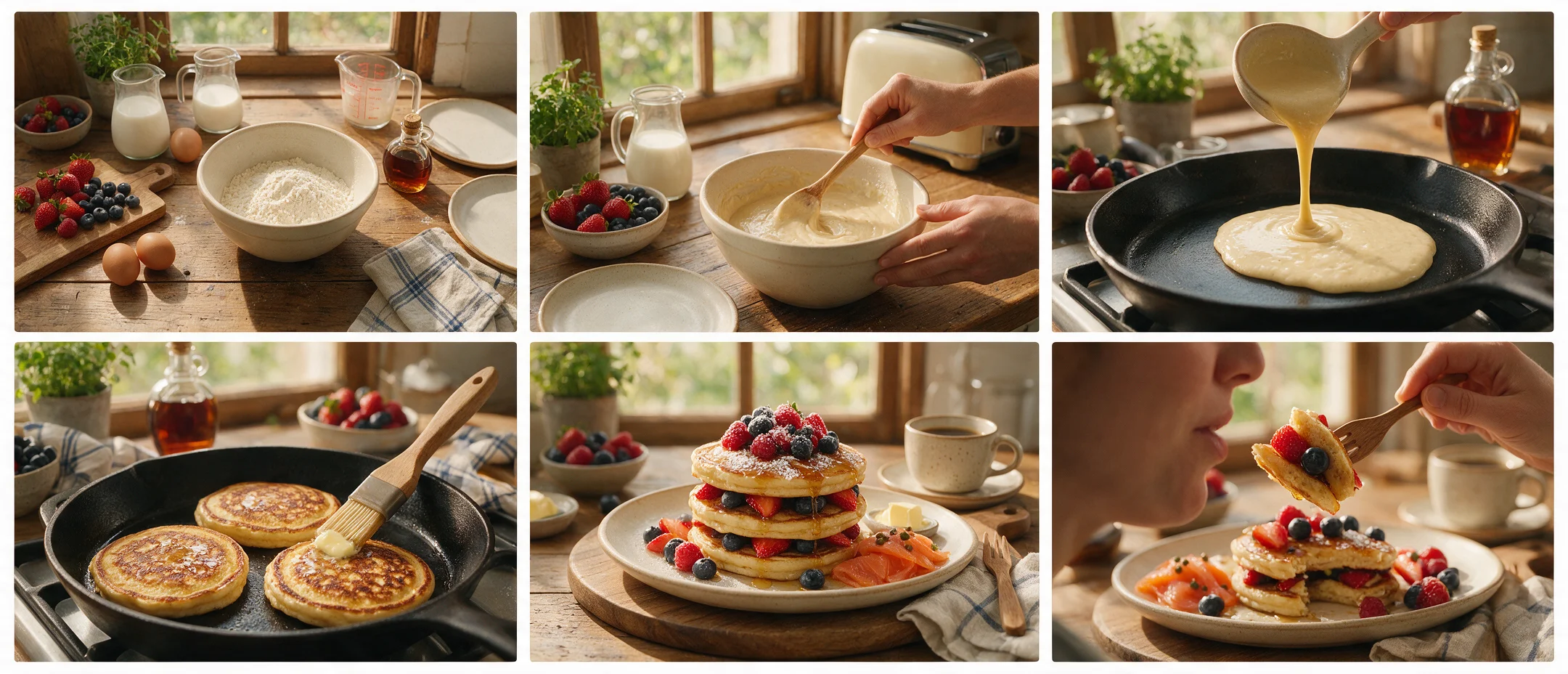
From Recipe Idea to Video Storyboard
Explore food styling rapidly with Lite, then refine the selected visual language with Pro before the keyframes move into Seedance.
View example prompt
Create a six-frame vertical storyboard for a premium weekend brunch reel: overhead ingredients, hands preparing batter, close-up pour, pan texture, plated hero, and first bite. Maintain the same kitchen, tableware, ingredients, warm daylight, and color grade. Use appetizing macro detail and clear continuity between shots. Return individual 9:16 frames suitable as image-to-video references.
Reference-based image editing
Change the world without changing the character
Seedream can reinterpret an entire environment while preserving the subject, pose, camera, and scene structure. Define both sides of the edit: what should transform and what must remain recognizable.
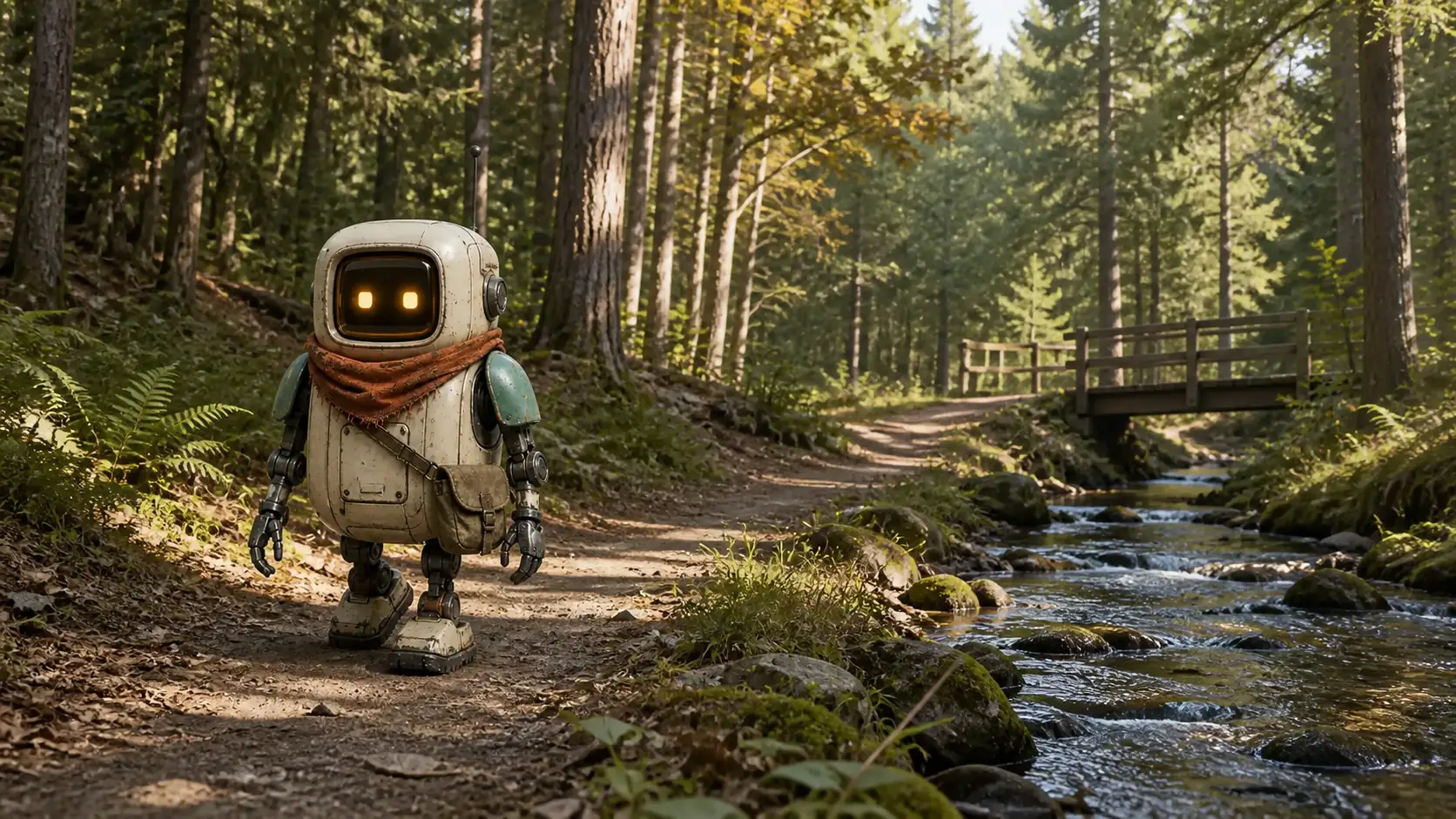
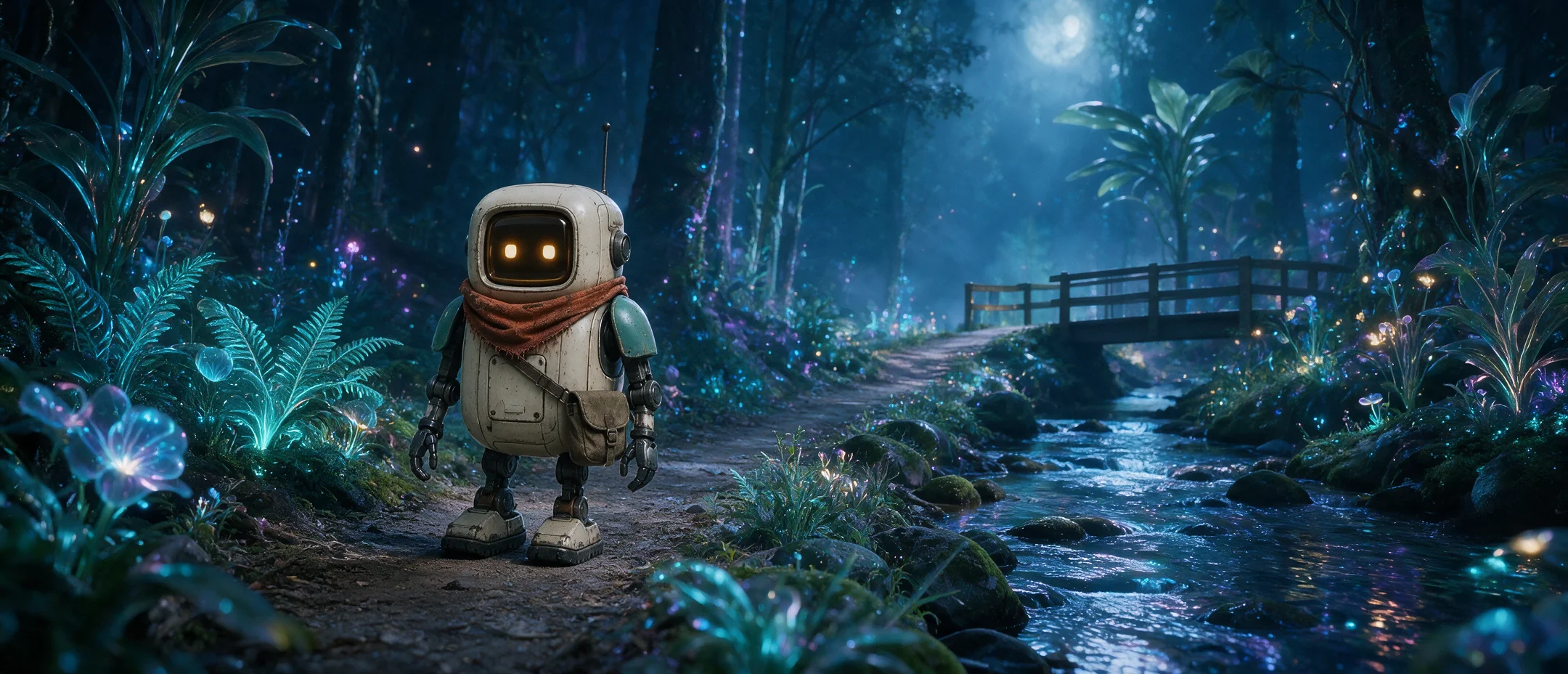
“Transform the ordinary daytime forest into a bioluminescent alien forest at night. Preserve the robot's exact design, pose, scale, camera position, trail, stream, bridge, and overall composition. Change only the environment, vegetation, lighting, atmosphere, and color grade.”
Connected Neurohelper AI workflow
From campaign strategy to moving content
Use Seedream as the visual stage inside a larger production system rather than treating each generated image as an isolated result.
Build the brief
Chat Master turns customer research, product truth, brand rules, and platform needs into a creative system.
Explore with Lite
Test compositions, styles, edits, formats, characters, and campaign directions quickly.
Refine with Pro
Give the selected direction a quality-first pass for key visuals, hero frames, and production handoff.
Animate and publish
Move approved frames into Seedance or another video model, then add voice and music in Audio Master.
Practical model selection
When Seedream 5 is the right image model
Use Seedream 5 when
- the brief combines generation, references, editing, and layout;
- you need visual sets rather than one disconnected image;
- marketing and creative variants must share a direction;
- the task benefits from world knowledge or information design;
- the images will become inputs for video production.
Compare another model when
- GPT Image 2 follows your exact instruction more reliably;
- Nano Banana preserves your specific references better;
- Flux or Recraft wins the required visual style;
- a real photograph or licensed stock asset is more appropriate;
- the output cannot receive human review before publication.
Compact Seedream 5 guide
Confirmed capabilities without invented specifications
ByteDance now publishes separate official pages for Seedream 5.0 Pro and Seedream 5.0 Lite. The available controls, routing, limits, and optional provider features can still vary by platform and current Neurohelper AI configuration.
Verified against the official Seedream 5.0 Pro model page, Seedream 5.0 Lite model page, ByteDance Seed release article, and official Seedream prompt guide. Last reviewed August 14, 2026.
Frequently asked questions
Seedream 5 Pro and Lite FAQ
What is Seedream 5 best for?
Seedream is useful for image generation, reference-based editing, product campaigns, UGC concepts, storyboards, character sequences, social assets, presentation graphics, posters, and coherent multi-image sets.
What is the difference between Seedream 5 Pro and Lite?
Inside Neurohelper AI, Pro is the quality-first option for polished production, complex layouts, cinematic keyframes, and selected final directions. Lite is the iteration-first option for exploration, reference-based editing, and repeated creative work. Exact routing and limits depend on the current product configuration.
Can Seedream 5 edit existing images?
Yes. Official documentation describes adding, removing, replacing, combining, restyling, and locally modifying content with text instructions and reference images.
Can Seedream create consistent image sequences?
Seedream supports multi-image output for coherent characters, storyboards, comics, visual identity sets, stickers, and other connected designs. Strong reference sheets and explicit continuity rules still improve results.
Should I use Seedream, GPT Image 2, or Nano Banana?
There is no universal winner. Test the same reference and acceptance criteria across models. Seedream is especially interesting for reasoning-led visual creation, editing, information-rich layouts, and connected image sets; another model may follow a particular brand, face, or composition better.
Are Seedream 5 Pro and Lite available in Neurohelper AI?
Yes. They are available alongside other leading image, video, audio, and text models within the Neurohelper AI workspace. Availability and usage limits depend on the selected plan.
One Neurohelper AI subscription, a complete creative workflow
Explore with Lite. Refine with Pro. Continue into video.
Move from a campaign idea or everyday visual task to generated images, controlled edits, social variations, storyboards, video, voice, and music inside one connected workspace.
