
Neurohelper AI Models

Deepseek V4 Flash

Chat Models

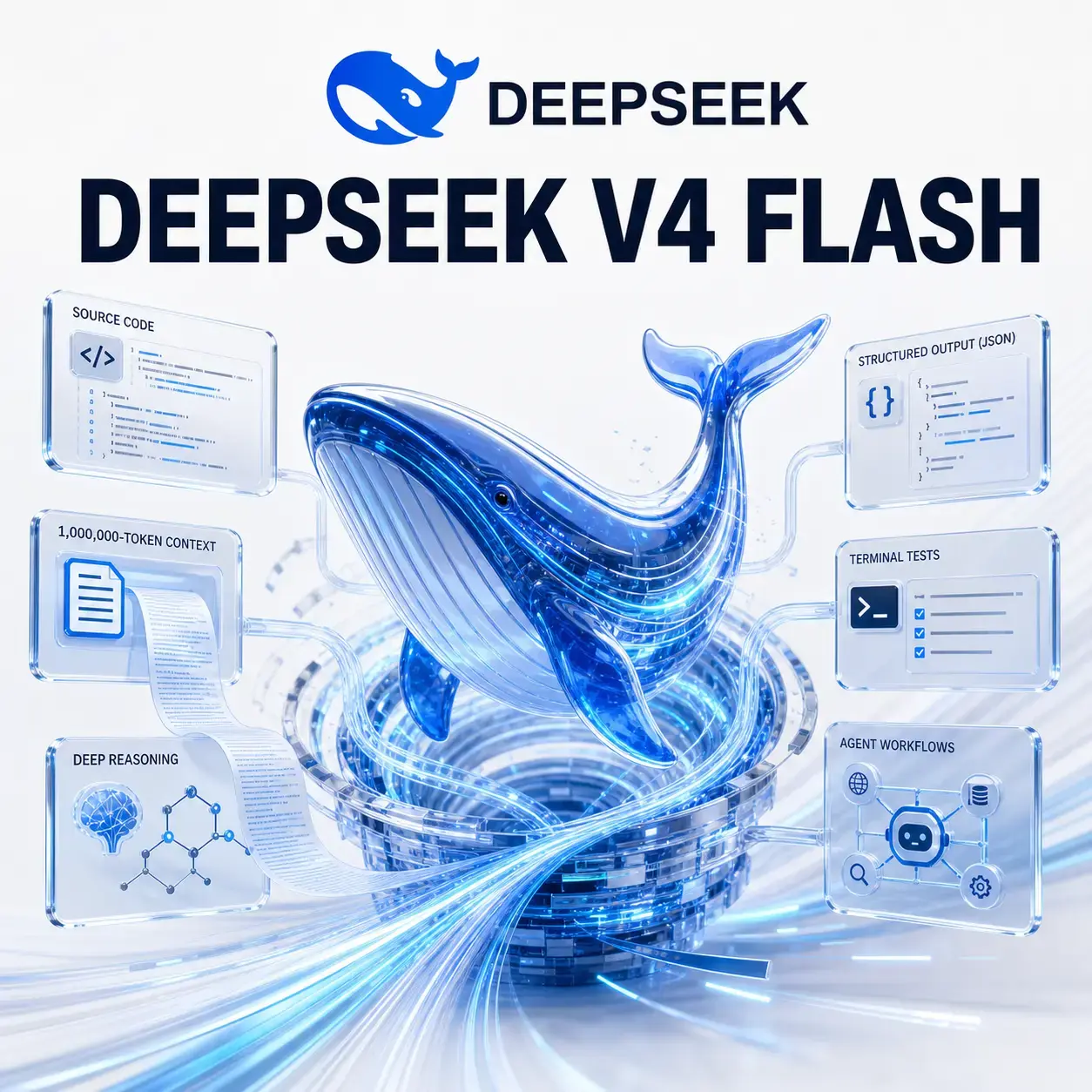
DeepSeek V4 Flash is the faster, more cost-effective model in DeepSeek's V4 family. It is built for coding, reasoning, long-context analysis, and agent workflows that need strong results without using the capability-first V4 Pro for every request.

Imagine asking an AI model to inspect a large repository, read the architecture documentation and issue history, trace a bug across several services, run approved tools, propose a small patch, and verify the relevant tests.

That is the territory DeepSeek V4 Flash targets.

It combines a one-million-token context window with thinking and non-thinking modes, tool calls, JSON output, context caching, and a maximum output of 384K tokens. DeepSeek says its reasoning approaches V4 Pro and that it performs on par with V4 Pro on simpler agent tasks, while using a smaller model and delivering faster responses.

In Neurohelper, it appears as DeepSeek V4 Flash. It is available alongside DeepSeek V4 Pro, Qwen 3.7 Plus and Max, GPT-5.6 Luna, Terra and Sol, Claude Haiku, Sonnet, Opus and Fable, Gemini Flash and Pro, and other supported models within one subscription.

Quick verdict: Choose DeepSeek V4 Flash for fast coding, large-repository analysis, long documents, structured output, and well-bounded agents. Choose DeepSeek V4 Pro when the engineering problem, autonomous execution, or reasoning challenge is unusually difficult.

DeepSeek V4 Flash specifications

SpecificationDeepSeek V4 Flash
ProviderDeepSeek
Neurohelper display nameDeepSeek V4 Flash
Official model IDdeepseek-v4-flash
Model architecture size284B total parameters / 13B active
Input context limit1,000,000 tokens
Maximum output384,000 tokens
Input type in official Chat APIText
Output typeText
ThinkingThinking and non-thinking modes
Default thinking modeEnabled
Reasoning effortHigh or max
JSON outputSupported
Tool callsSupported
Maximum functions per request128
Strict tool schemaSupported in beta
Chat prefix completionSupported in beta
Fill-in-the-middle completionNon-thinking mode, beta
API compatibilityOpenAI and Anthropic formats
Context cachingEnabled automatically in the direct DeepSeek API

The reviewed official DeepSeek API does not document image, video, or audio input for this model. Its Chat Completion schema specifies text content. Use a multimodal model when direct media understanding is required.

These specifications describe DeepSeek's official API. Neurohelper provides the model through its own interface, plan limits, settings, and integration. Not every direct API feature is necessarily exposed in a third-party product.

What is DeepSeek V4 Flash?

DeepSeek V4 Flash is an efficient mixture-of-experts model in the DeepSeek V4 family.

Its published architecture contains 284 billion total parameters but activates 13 billion for each token. The practical goal is to preserve strong capability while reducing the compute required for each response.

“Flash” describes its role in the lineup:

  • faster than the capability-first model;
  • more economical for repeated workloads;
  • strong enough for many coding and reasoning tasks;
  • suitable for simpler agent workflows;
  • able to escalate harder cases to V4 Pro.

This does not mean it is a lightweight chatbot. A one-million-token context window and 384K maximum output place it firmly in long-context professional work.

What happened to deepseek-chat and deepseek-reasoner?

DeepSeek introduced two explicit V4 model IDs:

  • deepseek-v4-flash;
  • deepseek-v4-pro.

The company documented July 24, 2026 as the retirement date for the legacy API names deepseek-chat and deepseek-reasoner. During the transition, those names routed to the non-thinking and thinking modes of V4 Flash.

For new direct API integrations, use the current model ID deepseek-v4-flash and control thinking explicitly.

This naming change matters because deepseek-chat was not a permanent model version. It was an alias whose underlying model changed over time.

What is DeepSeek V4 Flash best at?

Coding with large repository context

The one-million-token context window can hold substantial repository material:

  • architecture documents;
  • source files;
  • tests;
  • issue history;
  • database schemas;
  • API contracts;
  • migration notes;
  • operational runbooks.

Example: A team needs to add idempotency to a payment webhook. Give the model the handler, storage layer, event schema, existing retry logic, tests, and architecture constraints. Ask it to map the current flow before proposing the smallest safe change.

The goal is not to make the model read every file. The goal is to give it enough connected evidence to avoid a locally plausible but systemically wrong answer.

Debugging across several components

Many bugs do not live in one function. A failed request may involve a frontend payload, gateway transformation, backend validation, database state, and retry worker.

DeepSeek V4 Flash can help:

  1. reconstruct the request path;
  2. identify where observed behavior diverges from expectations;
  3. rank hypotheses;
  4. locate the evidence needed to distinguish them;
  5. propose a minimal fix;
  6. define verification.

Example: An order is created twice only after a network timeout. Ask the model to trace client retries, API idempotency, queue delivery, and database uniqueness before changing code.

Bounded coding agents

DeepSeek V4 was optimized for agent use and can call tools while thinking.

A coding agent can:

  • inspect files;
  • search symbols;
  • run tests;
  • read command output;
  • edit a scoped set of files;
  • run validation;
  • explain what remains uncertain.

The most reliable agent is not the one with the broadest authority. It is the one with a clear objective, limited tools, reversible actions, and explicit stopping conditions.

Example: Ask the agent to reproduce one failing test, identify the root cause, change only the relevant module, rerun targeted validation, and stop if the fix requires a public API change.

Long-document analysis

DeepSeek V4 Flash is also useful outside software development.

It can process:

  • technical specifications;
  • policy collections;
  • research archives;
  • customer transcripts;
  • legal or procurement documents;
  • product documentation;
  • operational logs exported as text.

Example: Compare a current security policy with four previous versions. Return every changed obligation, affected team, effective date, source section, and unresolved ambiguity.

Long context helps, but important claims still need exact source references and human review.

Structured extraction and JSON

DeepSeek V4 Flash supports JSON output.

Useful workflows include:

  • converting tickets into structured records;
  • extracting requirements;
  • classifying incidents;
  • preparing data for another service;
  • producing test cases from specifications;
  • turning logs into an event timeline.

Example: Convert incident reports into JSON with service, severity, start time, end time, customer impact, root cause, contributing factors, actions, owner, and source evidence.

Tell the model explicitly to produce JSON when using JSON mode. DeepSeek warns that otherwise the response can become a long stream of whitespace.

Tool-based business agents

Tool calls are not limited to coding.

A business agent might:

  • search approved documentation;
  • retrieve an order;
  • check inventory;
  • draft a response;
  • create a review task;
  • route a request.

DeepSeek supports up to 128 function definitions in one request, but giving an agent 128 tools is rarely good design. A small relevant tool set reduces confusion and risk.

Reasoning with explicit effort

Thinking mode supports high and max effort.

Use high for:

  • normal debugging;
  • code review;
  • document comparison;
  • planning;
  • bounded tool use.

Use max for:

  • difficult architectural reasoning;
  • complex agent tasks;
  • subtle failures;
  • several interacting constraints;
  • cases where an incorrect answer is expensive.

DeepSeek may automatically use max for some complex coding-agent integrations.

Code completion and transformation

The direct API supports fill-in-the-middle completion in non-thinking mode as a beta feature.

This is useful when code already has a prefix and suffix and the model must generate the missing section.

Examples include:

  • completing a function body;
  • adding a branch inside existing code;
  • filling a migration step;
  • generating a test between setup and assertions;
  • inserting documentation into a fixed structure.

For a broader task requiring investigation and judgment, use Chat Completion rather than treating everything as autocomplete.

Repeated workloads with shared context

DeepSeek's direct API enables context caching automatically.

If several requests share the same prefix—such as a system prompt, codebase rules, or a long reference document—the matching portion may be retrieved from cache.

Example: A review pipeline repeatedly uses the same engineering standards and repository map while analyzing different pull requests.

Place stable shared material before request-specific content so the reusable prefix remains identical.

Eight practical DeepSeek V4 Flash workflows

1. Investigate a failing integration test

Provide:

  • failure output;
  • test code;
  • relevant implementation;
  • recent changes;
  • environment assumptions.

Ask DeepSeek to return:

  1. observed failure;
  2. expected behavior;
  3. ranked root-cause hypotheses;
  4. evidence for and against each;
  5. smallest diagnostic action;
  6. likely fix only after diagnosis.

This avoids changing code based on the first plausible explanation.

2. Review a pull request

Give the model the task description, diff, surrounding code, tests, and project conventions.

Ask it to check:

  • functional correctness;
  • regressions;
  • error handling;
  • concurrency;
  • security;
  • data migration;
  • public API compatibility;
  • test coverage.

Require every finding to cite a specific changed line or interaction. General advice is not a review finding.

3. Plan a legacy migration

Supply the old and new schemas, usage sites, compatibility requirements, deployment constraints, and rollback process.

Ask the model to produce:

  • dependency map;
  • staged migration plan;
  • dual-read or dual-write period;
  • backfill strategy;
  • monitoring;
  • rollback triggers;
  • unresolved decisions.

Then send the plan to V4 Pro or another capability-first model for a second opinion if the migration is high risk.

4. Build an internal support agent

Define the knowledge sources, allowed account lookups, categories, and escalation rules.

Let Flash handle common requests while escalating:

  • payment disputes;
  • privacy or security issues;
  • account ownership uncertainty;
  • conflicting policies;
  • low-confidence answers.

Track accepted resolutions and correction time, not only response count.

5. Extract requirements from a specification

Ask DeepSeek to identify:

  • requirement ID;
  • actor;
  • trigger;
  • required behavior;
  • edge cases;
  • dependencies;
  • acceptance criteria;
  • source section;
  • ambiguity.

Then ask it to generate test cases only from verified requirements.

6. Analyze an incident timeline

Provide logs, alerts, deployments, status updates, and operator notes as text.

Ask the model to separate:

  • observed events;
  • inferred causes;
  • confirmed root cause;
  • contributing factors;
  • response delays;
  • follow-up actions.

Make timestamp normalization explicit, especially when sources use different time zones.

7. Generate tests for existing behavior

Give the model the implementation, public contract, and current test style.

Ask for:

  • normal cases;
  • boundaries;
  • invalid input;
  • retry behavior;
  • concurrency;
  • state transitions;
  • regression cases.

Tell it not to encode accidental implementation details unless those details are contractual.

8. Create a repository question-answering assistant

Build a curated context containing architecture, conventions, major modules, and current documentation.

A developer can ask:

  • Where is this behavior implemented?
  • Which services depend on this schema?
  • What must change to add this field?
  • Which tests cover this flow?
  • What is documented but not implemented?

Require file references and treat undocumented assumptions as hypotheses.

Thinking vs non-thinking mode

Thinking is enabled by default in the current DeepSeek V4 API.

Use thinking mode when:

  • the task needs multi-step reasoning;
  • tools must be selected dynamically;
  • evidence conflicts;
  • debugging is difficult;
  • several constraints interact;
  • the model must plan and verify.

Use non-thinking mode when:

  • latency matters;
  • the task is straightforward;
  • output follows a fixed transformation;
  • fill-in-the-middle completion is required;
  • classification or extraction has clear rules;
  • deeper reasoning does not improve acceptance.

In thinking mode, sampling parameters such as temperature and top-p do not affect the result even if supplied.

For direct API tool loops, preserve reasoning_content across tool-call turns. DeepSeek documents that omitting it can produce a 400 error. Neurohelper handles model integration at the product level, so this detail mainly matters to direct API developers.

DeepSeek V4 Flash vs DeepSeek V4 Pro

ModelDeepSeek V4 FlashDeepSeek V4 Pro
Main roleFast, cost-effective V4 modelCapability-first V4 model
Published size284B total / 13B activeLarger capability tier
Context1M tokens1M tokens
Maximum output384K tokens384K tokens
Thinking modesThinking and non-thinkingThinking and non-thinking
Best fitRepeated coding, long context, simple agentsHard engineering and long-horizon execution
Relative speedFasterSlower, deeper tier

DeepSeek says Flash reasoning closely approaches Pro and that the two perform similarly on simple agent tasks.

Start with Flash when:

  • the task is common and well scoped;
  • response time matters;
  • validation is inexpensive;
  • many requests share the same pattern;
  • Pro has not shown a meaningful quality advantage.

Use Pro when:

  • the agent must work for a long time;
  • architecture is ambiguous;
  • the change spans many systems;
  • subtle reasoning determines success;
  • a failed result is expensive.

A useful routing strategy sends normal cases to Flash and escalates difficult or low-confidence cases to Pro.

DeepSeek V4 Flash vs Qwen 3.7 Plus

FeatureDeepSeek V4 FlashQwen 3.7 Plus
ProviderDeepSeekAlibaba Cloud / Qwen
Main roleFast coding, reasoning, and agentsCost-effective multimodal agents
Context1,000,000 tokens1,000,000 tokens
Maximum output384,000 tokens65,536 tokens
Official inputTextText, images, and video
ThinkingThinking and non-thinkingThinking and non-thinking
Distinctive fitCoding, very long output, tool-based text workflowsVisual and video analysis, multimodal extraction

Choose DeepSeek V4 Flash for:

  • large text or code repositories;
  • long generated artifacts;
  • coding-agent workflows;
  • direct OpenAI or Anthropic API compatibility;
  • text-first reasoning.

Choose Qwen 3.7 Plus when:

  • images or video are primary inputs;
  • visual evidence must be connected with text;
  • the workflow benefits from Qwen's multimodal limits;
  • its output performs better on your evaluation set.

DeepSeek V4 Flash vs GPT-5.6 Luna Pro

Both models target efficient, high-volume professional work with large context windows.

Choose DeepSeek V4 Flash when:

  • coding and text-based agents dominate;
  • a 384K maximum output is useful;
  • explicit high/max reasoning controls matter;
  • DeepSeek performs better on your repository;
  • price-performance is central to direct API deployment.

Choose GPT-5.6 Luna when:

  • you prefer OpenAI-family behavior;
  • image input matters;
  • the GPT-5.6 ecosystem fits the workflow;
  • it follows your instructions or coding standards more reliably;
  • your team already has GPT-specific evaluations.

Inside Neurohelper, run the same representative prompt through both and compare accepted output rate, latency, correction time, and tool reliability.

How to prompt DeepSeek V4 Flash

A good DeepSeek prompt should define the objective, relevant context, constraints, allowed actions, output, and verification.

Reusable DeepSeek V4 Flash prompt template

Objective:
[Describe the outcome and why it matters.]

Relevant context:
- [File, module, document, or source]: [its role]
- [Constraint or source of truth]

Tasks:
1. Inspect the current state.
2. Identify the root cause or governing requirement.
3. Propose the smallest sufficient solution.
4. Verify the result.

Constraints:
- Preserve: [behavior, API, data, style]
- Do not change: [out-of-scope areas]
- Ask before: [external, destructive, costly, or irreversible actions]
- Stop if: [scope expansion or missing authority]

Output:
[Specify headings, table, patch, JSON schema, or checklist.]

Success criteria:
- [Required behavior]
- [Required validation]
- [Unacceptable regression]

Evidence:
Cite the relevant file, section, test, or command output for important claims.
Separate observation from inference.

Prompt for debugging

Investigate the failing checkout integration test.

Before proposing a fix:
1. reconstruct the request and state transitions;
2. identify the first divergence from expected behavior;
3. rank root-cause hypotheses;
4. state what evidence would disprove each hypothesis.

Constraints:
- do not weaken validation;
- do not change the public API;
- do not add retries until idempotency is verified;
- modify only files required by the confirmed cause.

Run the targeted tests and report exactly what was and was not verified.

Prompt for code review

Review this change against the task, surrounding implementation, and tests.

Report only actionable findings.
For each finding include:
- severity;
- file and location;
- failure scenario;
- why current tests do not catch it;
- smallest correction.

Check correctness, data integrity, concurrency, security, compatibility, and rollback.
Do not report style preferences already enforced by automated tools.

Prompt for an agent task

Goal:
Fix the single failing test without changing unrelated behavior.

Allowed tools:
- read and search repository files;
- run the targeted test;
- edit files inside the named module;
- run formatting and targeted validation.

Ask before:
- changing a public interface;
- modifying dependencies;
- touching database migrations;
- running external or destructive actions.

Stop when:
- the root cause is outside the named module;
- the test expectation conflicts with documented behavior;
- required information is missing.

At completion report:
- root cause;
- files changed;
- validation run;
- remaining uncertainty.

Prompt for JSON extraction

Convert the incident reports into valid JSON using this schema:
[schema]

Rules:
- use null for absent values;
- preserve identifiers exactly;
- normalize timestamps to UTC;
- include source_document and source_section;
- separate confirmed_root_cause from suspected_causes;
- never infer customer impact without evidence.

Return JSON only.
Validate required fields and enum values before finishing.

Weak prompt vs strong prompt

A weak prompt says:

Review my code and improve it.

A stronger prompt says:

Review the attached payment-webhook change for duplicate processing.

Use the API contract, handler, retry worker, database schema, and tests.
Trace the event from receipt to final state.

Find cases where the same provider event can create more than one payment.
For every finding, cite the relevant code path and provide a reproducible sequence.

Do not suggest a rewrite. Recommend the smallest safe correction that preserves the public API.

The stronger prompt defines a failure model and makes the review verifiable.

Working with a one-million-token context window

Capacity is not the same as perfect attention.

For better long-context results:

  • include only relevant repository areas;
  • provide a file map;
  • identify authoritative documents;
  • put stable shared context first;
  • distinguish generated files from source files;
  • ask for file and section references;
  • extract evidence before synthesis;
  • split unrelated questions;
  • verify consequential details.

A practical repository workflow is:

  1. map the system;
  2. locate the relevant execution path;
  3. collect only connected files;
  4. identify current behavior;
  5. diagnose;
  6. change;
  7. test;
  8. review the diff.

Sending the entire repository without a question often produces a broad summary rather than a useful result.

Common mistakes with DeepSeek V4 Flash

Using the old API aliases

New integrations should use deepseek-v4-flash explicitly rather than relying on deepseek-chat or deepseek-reasoner.

Leaving thinking enabled for trivial transformations

Test non-thinking mode for simple, latency-sensitive work.

Expecting temperature to work in thinking mode

DeepSeek documents that temperature and top-p have no effect in thinking mode.

Losing reasoning content during tool loops

Direct API integrations must preserve reasoning_content after tool calls.

Giving a coding agent excessive permissions

Limit files, tools, external actions, and stopping conditions.

Treating one million tokens as perfect memory

Structure the context and require evidence.

Assuming Flash is always equal to Pro

DeepSeek claims close reasoning and parity on simple agent tasks, not universal equivalence.

Expecting multimodal input

The reviewed official Chat API documents text input. Use a supported multimodal model for images, audio, or video.

Publishing or merging the first output

Review the diff, run tests, verify security implications, and preserve human ownership of consequential changes.

DeepSeek V4 Flash in Neurohelper

Neurohelper lets DeepSeek V4 Flash participate in a multi-model workflow.

For example:

  • DeepSeek V4 Flash reviews a repository and diagnoses a bug;
  • DeepSeek V4 Pro or GPT-5.6 Sol checks the most difficult architectural decision;
  • Qwen 3.7 Plus or Gemini Flash analyzes screenshots and video;
  • Claude refines documentation or user communication;
  • a creative model produces final visual assets.

The benefit is not merely having many model names in a selector. It is using an efficient model for normal work and switching when the task needs a different capability.

Because the models are available within one Neurohelper subscription, teams can compare DeepSeek with GPT, Claude, Gemini, Qwen, and other supported families without purchasing a separate consumer subscription for each provider.

Neurohelper does not reproduce every direct DeepSeek API feature. Model versions, thinking controls, tool access, context limits, and usage limits depend on the current integration and selected plan.

Limitations of DeepSeek V4 Flash

DeepSeek V4 Flash can:

  • write incorrect code;
  • miss an interaction across a large repository;
  • invent an API or parameter;
  • make unsafe tool choices;
  • return malformed structured data;
  • generate unsupported claims;
  • underperform V4 Pro on difficult long-horizon work;
  • require extra integration care for thinking-mode tool loops.

The official Chat API is text-focused, so direct image, audio, and video understanding are not documented for this model.

Use qualified review for security, privacy, legal, financial, medical, safety-critical, and other high-stakes work.

Final verdict

DeepSeek V4 Flash is a strong default for text-first coding, reasoning, long-context analysis, and bounded agents.

Its most distinctive combination is:

  • one million tokens of context;
  • up to 384K tokens of output;
  • thinking and non-thinking modes;
  • high and max reasoning effort;
  • tool calls;
  • JSON output;
  • automatic context caching in the direct API;
  • OpenAI and Anthropic API compatibility.

Start with Flash for repeated, well-scoped work. Move difficult engineering and long-horizon execution to V4 Pro when the stronger tier produces a measurable advantage. Use Qwen or Gemini when native multimedia input is required, and compare Flash with GPT-5.6 Luna on real coding and agent workloads.

Neurohelper makes that comparison practical because all these model families are available within one subscription.

Frequently asked questions

What is DeepSeek V4 Flash?

DeepSeek V4 Flash is the faster and more cost-effective model in DeepSeek's V4 family. It is designed for coding, reasoning, long context, and agent workflows.

What is the DeepSeek V4 Flash model ID?

The official direct API model ID is deepseek-v4-flash.

How large is the DeepSeek V4 Flash context window?

DeepSeek documents a one-million-token context window and a maximum output of 384K tokens.

Does DeepSeek V4 Flash support thinking?

Yes. It supports thinking and non-thinking modes. Thinking is enabled by default in the current direct API, with high and max reasoning effort.

Is DeepSeek V4 Flash good for coding?

Yes. Coding, repository analysis, debugging, structured generation, and coding agents are central use cases. Difficult long-horizon engineering should also be tested with V4 Pro.

Is DeepSeek V4 Flash multimodal?

The reviewed official Chat Completion API specifies text input and does not document image, audio, or video input for this model.

Is DeepSeek V4 Flash better than DeepSeek V4 Pro?

Not universally. Flash is faster and more economical, while Pro is the capability-first tier. DeepSeek says Flash approaches Pro in reasoning and performs similarly on simpler agent tasks.

Is DeepSeek V4 Flash available in Neurohelper?

Yes. It appears alongside DeepSeek V4 Pro, GPT-5.6, Claude, Gemini, Qwen, and other supported models. Availability and usage limits depend on the selected plan.
