
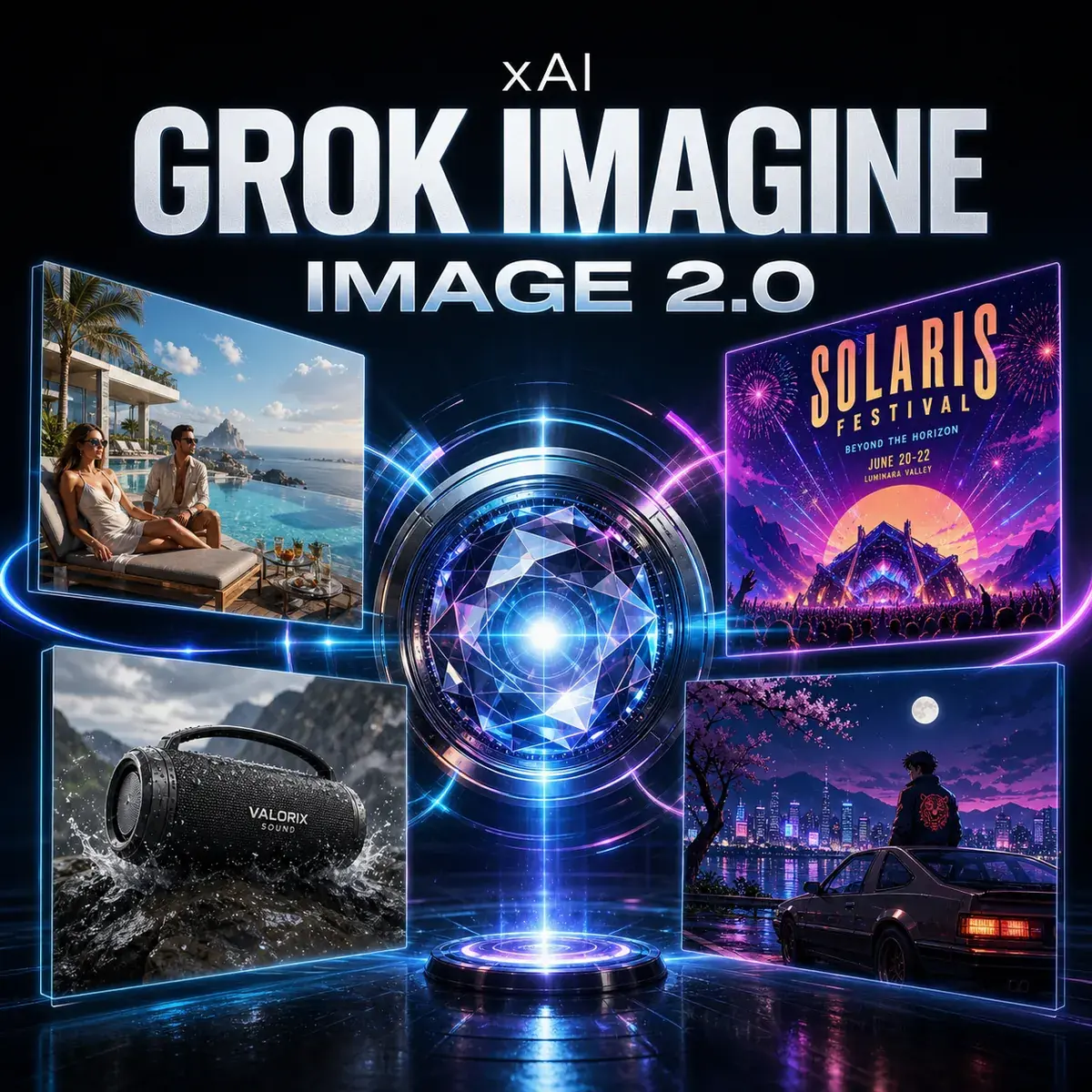
Grok Imagine Image 2.0 Realism with a creative edge
Create and edit realistic campaign photography, readable poster designs, social-native visuals, cinematic story worlds, and video-ready keyframes—then continue the workflow with other leading AI models inside Neurohelper AI.
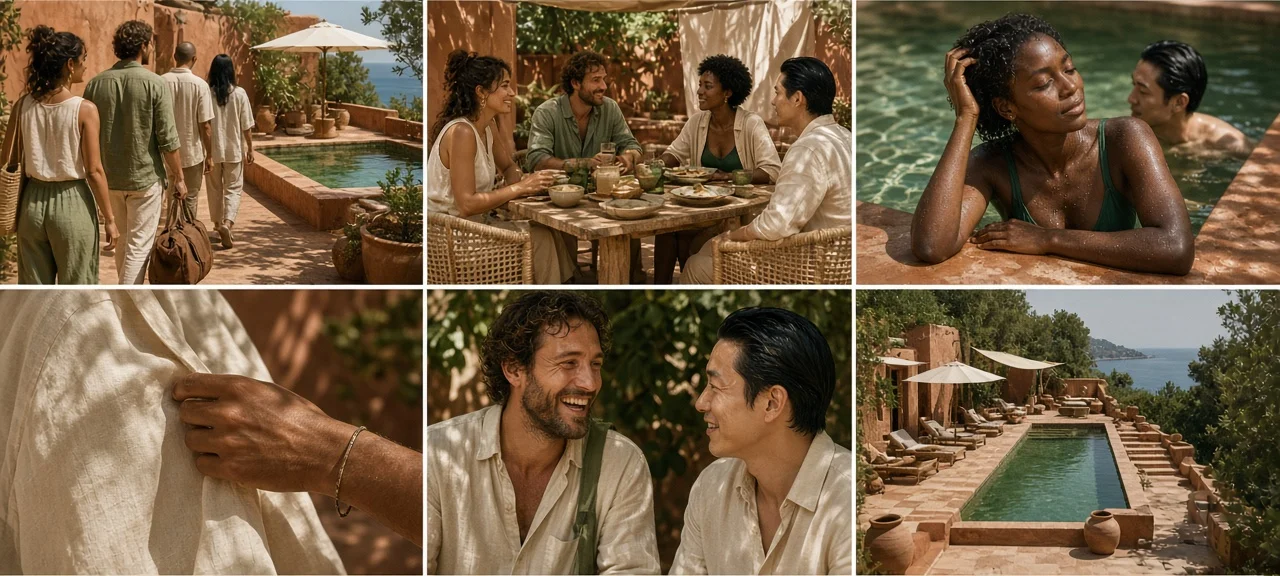 Photoreal editorialNatural light
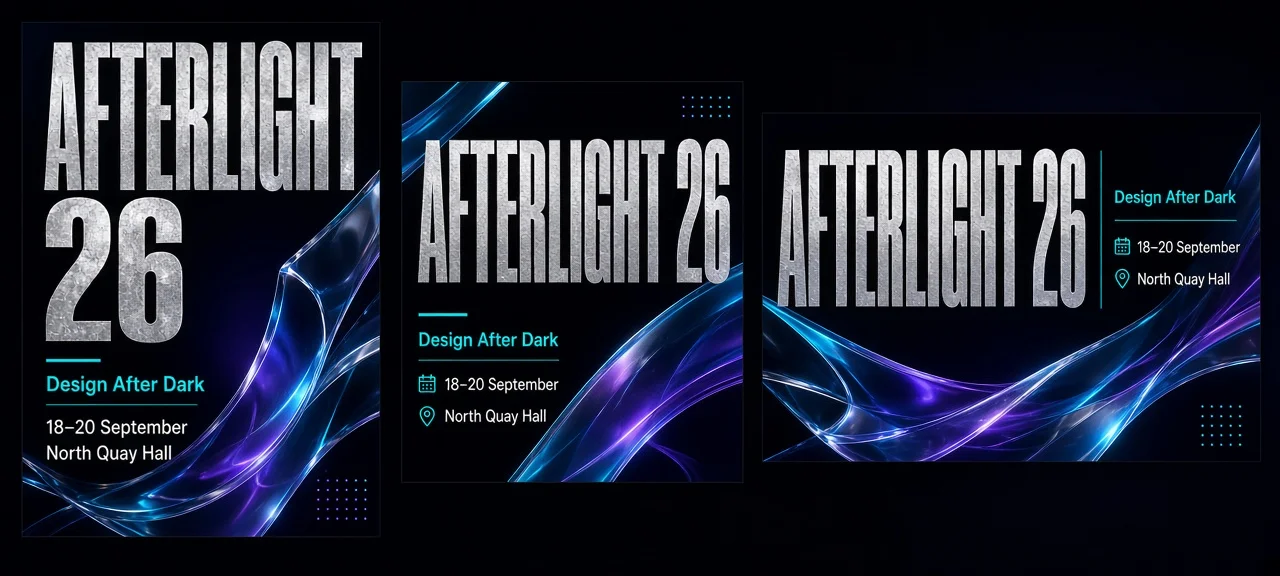 Readable posterTypography
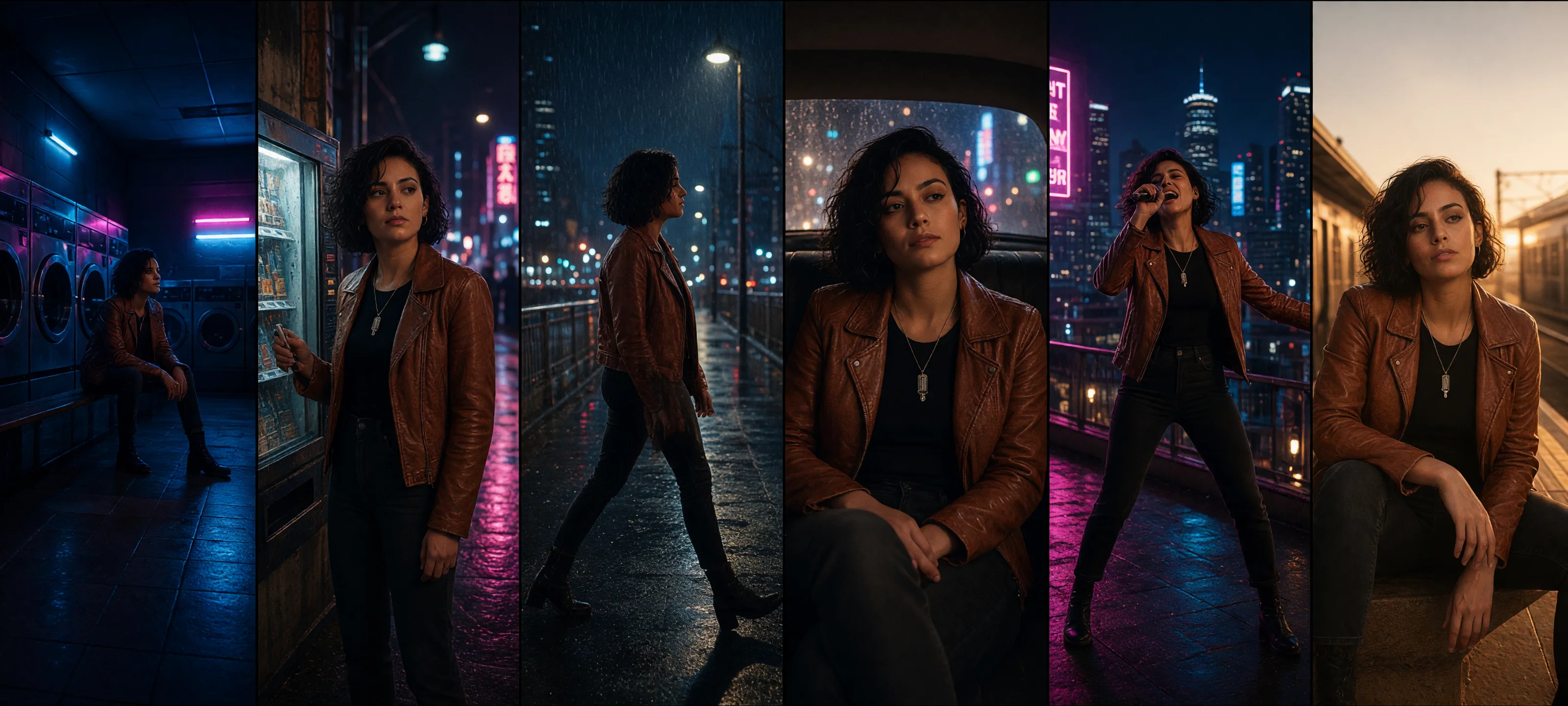 Creative worldVideo keyframes
Grok Imagine Image 2.0 is available in the same Neurohelper AI subscription as GPT Image 2, Nano Banana 2, Seedream 5, and other image, video, audio, and text models. Build the brief in Chat Master, create in Image Master, compare outputs, and continue into Video Master without rebuilding the project elsewhere.
Grok Imagine Image 2.0 overview
A visual model for realism, typography, and controlled transformation
xAI documents Grok Imagine Image 2.0 for image generation and editing. Its current image stack emphasizes realistic characters and scenes, accurate textures, stronger text rendering, tighter prompt following, style transfer, canvas extension, and iterative editing. That combination makes it useful when a visual must work as content—not merely look impressive in isolation.
Make realism feel lived-in
Describe skin, fabric, glass, metal, architecture, weather, and natural light with enough specificity to create editorial images that feel observed rather than over-polished.
Put words inside the visual
Create poster headlines, menu titles, campaign labels, and social copy as part of the composition while keeping a clear hierarchy and room for human review.
Edit without starting over
Change backgrounds, objects, colors, lighting, aspect ratio, or visual style while explicitly naming the subject and details that must remain unchanged.
Model-specific use cases
Six briefs designed around Grok Imagine's strengths
These are not generic image-generator demos. Each brief deliberately tests a capability xAI highlights for the current Imagine image family: realism, text rendering, reference-led brand work, broad visual range, controlled edits, or the bridge from still image to video.
Natural-Light Resort Editorial That Feels Human
Build a cinematic travel story with believable skin, linen, stone, water, and difficult dappled sunlight instead of synthetic perfection.
View example prompt
Create a six-image editorial campaign for the fictional coastal retreat “Casa Orilla.” Show a diverse group of adult friends during a slow afternoon by a terracotta pool: arrival, shaded lunch, wet hair after swimming, linen details, a candid laugh, and a wide architectural closing frame. Use natural skin texture, realistic pores and imperfections, warm analogue film color, deep forest green, terracotta, cream canvas, hard dappled sunlight, and medium-format photography. Preserve the same people, wardrobe palette, and location language across all six images. No logos and no text.
A Festival Poster People Can Actually Read
Combine expressive art direction with a strict text hierarchy for a fictional cultural event and its coordinated social formats.
View example prompt
Create a bold poster system for the fictional independent design festival “AFTERLIGHT 26.” Main headline: “AFTERLIGHT 26”. Supporting lines: “Design After Dark”, “18–20 September”, and “North Quay Hall”. Use oversized condensed typography, silver foil texture, electric cyan, black, and ultraviolet gradients with abstract glass forms. Keep every supplied word spelled exactly and clearly readable. Produce one vertical poster, one square feed post, and one 16:9 event screen while preserving the hierarchy and visual identity.
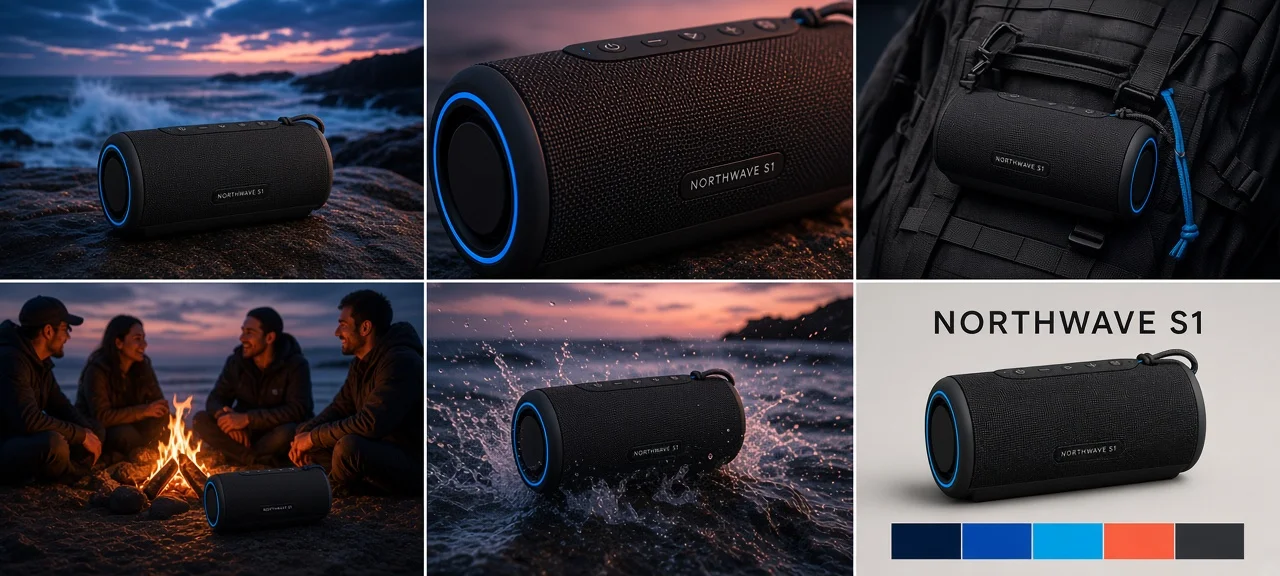
One Speaker, a Complete Outdoor Launch
Use a fictional product packshot and a separate visual moodboard to build a campaign that preserves the hardware while adopting the intended atmosphere.
View example prompt
Use the supplied packshot of the fictional “NORTHWAVE S1” portable speaker as the immutable product reference and the second image as the campaign-style reference. Preserve the exact speaker shape, grille pattern, controls, proportions, charcoal finish, and fictional wordmark. Create a six-image dusk campaign: rocky shoreline hero, close-up material detail, backpack carry scene, friends at a small beach fire, waterproof splash moment, and clean retail end card. Match the moodboard's cobalt sky, coral light, wet stone textures, and cinematic contrast. Do not introduce any real brand marks.
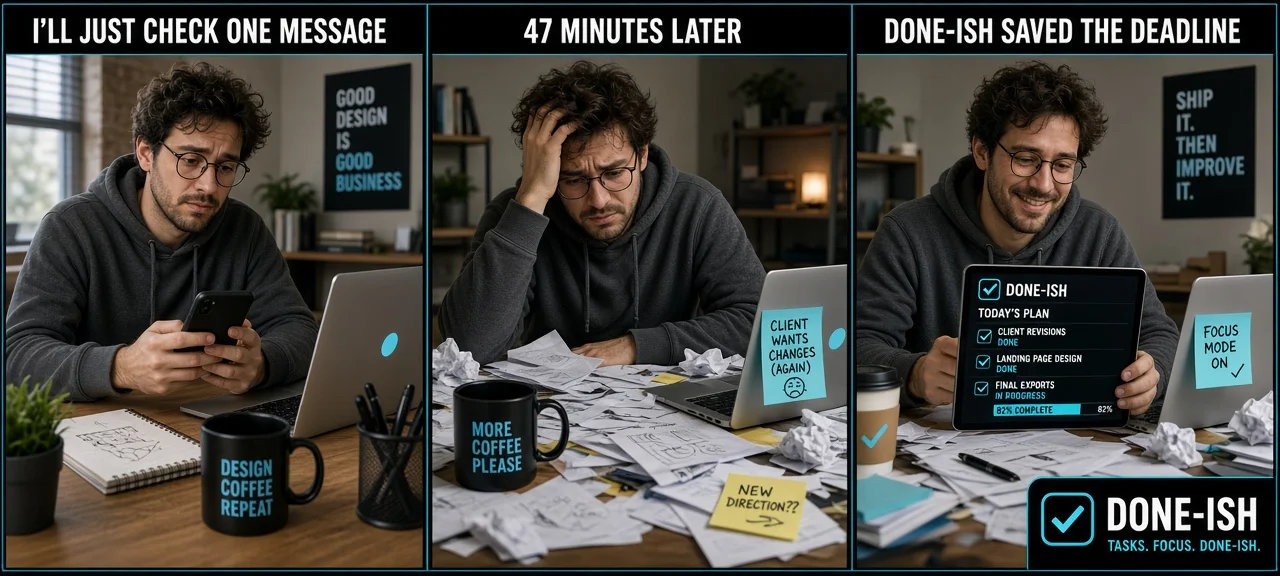
A Visual Punchline Built for the Feed
Turn an everyday product truth into a fast, brand-safe three-panel visual joke with readable captions and a recognizable recurring character.
View example prompt
Create a three-panel social comic for the fictional task app “Done-ish.” The same overwhelmed freelance designer appears in every panel. Panel 1 caption: “I'LL JUST CHECK ONE MESSAGE”. Panel 2 caption: “47 MINUTES LATER”. Panel 3 caption: “DONE-ISH SAVED THE DEADLINE”. Use expressive but realistic photography, escalating desk chaos, a clean cyan-and-black visual identity, large readable captions, and space for a small fictional app badge. Keep the character, room, clothing, and camera angle consistent. Do not use public figures, real interfaces, or real company logos.
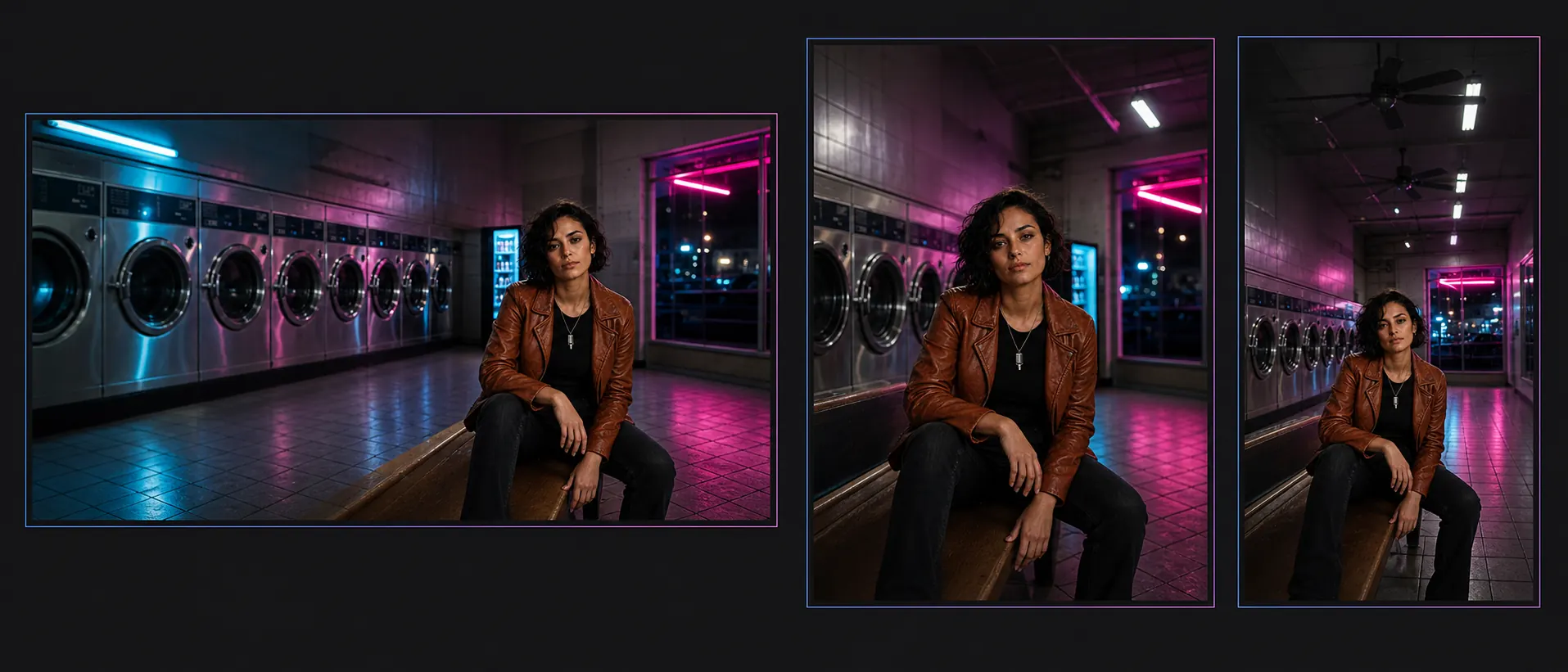
One Album Portrait Across Every Placement
Extend a tightly framed source photo into a wide streaming hero, a 4:5 feed post, and a vertical Story without stretching the artist or inventing a different face.
View example prompt
Create one ultra-wide 21:9 presentation board using the supplied square portrait of the fictional singer Mira Vale as the immutable identity reference. Show three clearly separated adaptations: a 21:9 streaming hero with Mira in the right third and negative space on the left, a 4:5 release composition with safe space above, and a 9:16 Story with the subject in the lower-middle area. Preserve her exact face, short dark hair, copper jacket, seated pose, silver microphone pendant, magenta rim light, and photographic grain in every panel. Extend the same laundromat naturally with consistent perspective, cyan practical light, reflections, and materials. Do not add text, logos, additional people, or redesign the singer.
From Laundromat Portrait to a City-Pop Dream
Transform one grounded character reference into a coherent sequence of live-action keyframes ready for image-to-video experimentation.
View example prompt
Use the supplied portrait of the fictional singer Mira Vale as the immutable identity reference. Create six cinematic live-action keyframes for an original city-pop music video: empty midnight laundromat, vending-machine glow, rain-soaked pedestrian bridge, taxi interior, rooftop chorus, and sunrise train platform. Preserve her exact facial identity, short dark hair, natural skin, copper jacket, black top, silver microphone pendant, age, and proportions. Use realistic locations, practical cyan-magenta lighting, wet reflections, subtle 35mm grain, and a clear progression from midnight solitude to sunrise release. Vary the sequence across establishing, medium, profile, intimate close-up, performance, and closing shots. Photorealistic live-action cinematography only—no anime, illustration, cel shading, text, logos, or real brands.
Multi-turn image editing
Turn an empty gallery into a launch night—without moving the room
Grok Imagine Image 2.0 supports iterative editing: use one output as the input for the next, progressively changing the environment while preserving architecture, camera position, and approved elements.
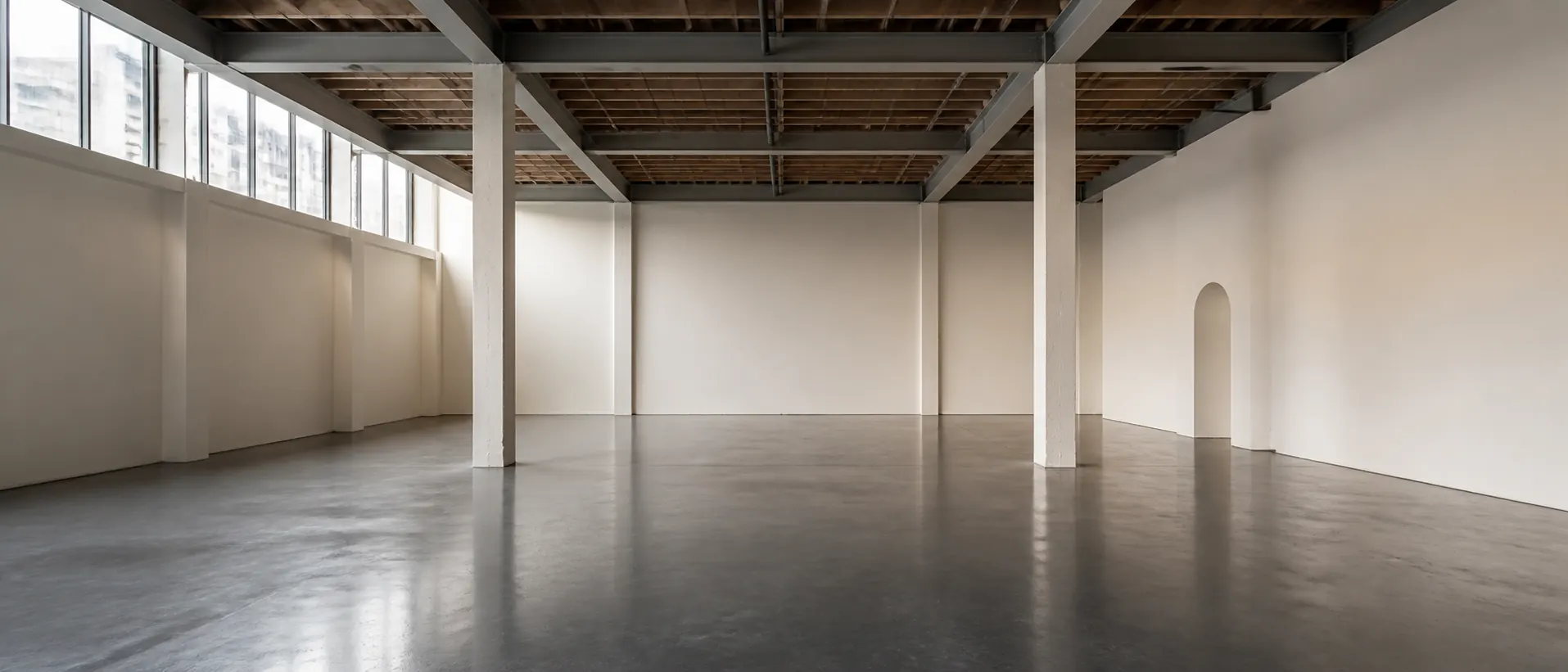
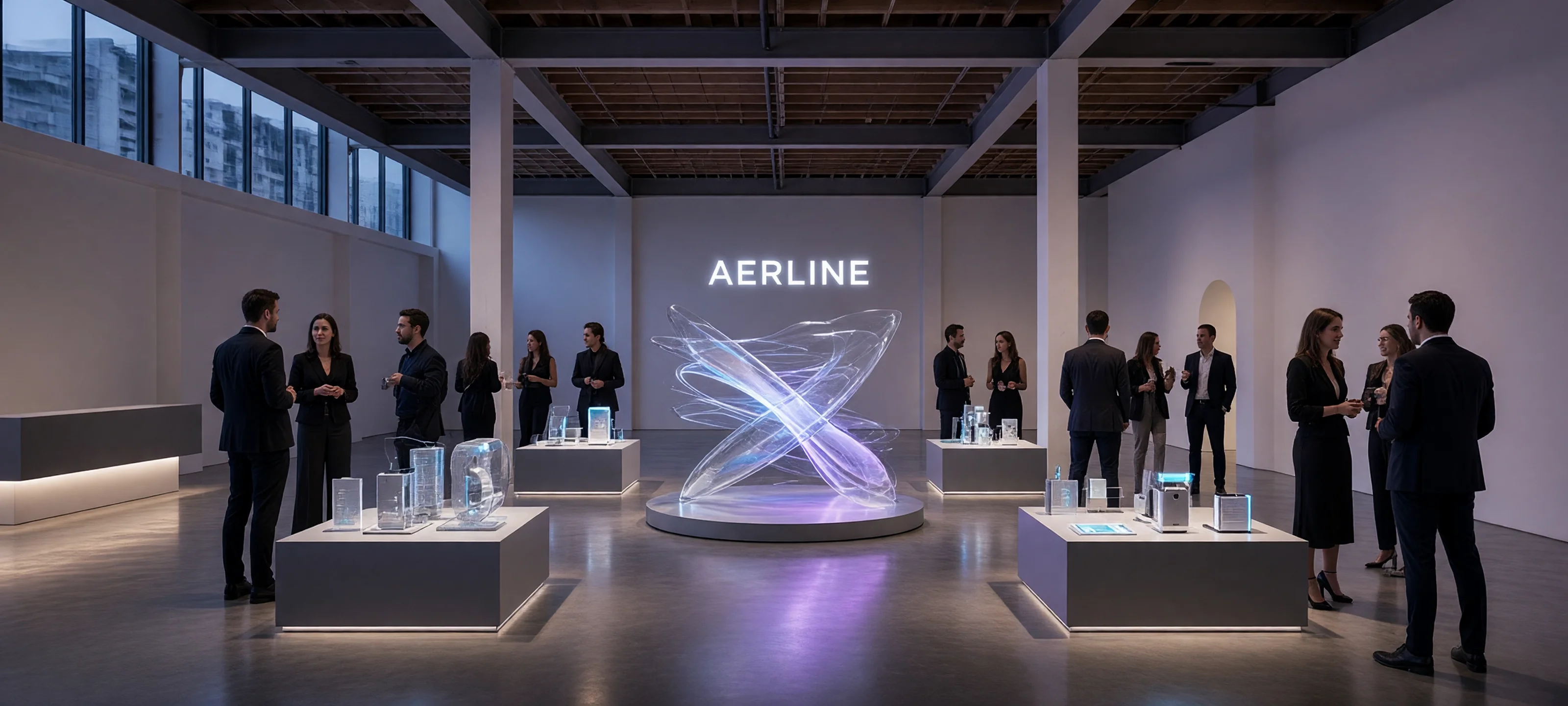
Pass 1: add modular display plinths and a central translucent sculpture while preserving the room. Pass 2: relight the scene for evening with cyan and violet practical light, keeping every object fixed. Pass 3: add a small invited audience and fictional “AERLINE” signage without changing the architecture, camera, or approved installation.
Prompting Grok Imagine Image 2.0
Describe the job, then separate change from preservation
A useful Grok Imagine prompt reads like a compact production brief. State the deliverable, references, immutable details, desired transformation, visual language, composition, and final formats.
Name the outcome
Say whether the image is a poster, hero banner, editorial frame, product ad, social comic, album cover, or video keyframe.
Lock what matters
List the exact person, product, pose, architecture, text, colors, or composition that must survive the edit unchanged.
Specify acceptance criteria
Define required spelling, number of outputs, aspect ratios, safe space, continuity rules, and forbidden elements before generation.
“Create [deliverable] for [fictional subject or brand]. Use [references] for [specific purpose]. Preserve [immutable details]. Change or generate [requested content]. Apply [lighting, materials, palette, lens, style]. Compose for [placement and aspect ratio]. Return [number and format of outputs]. Exclude [unwanted elements].”
Connected Neurohelper AI workflow
From strategy to still image, motion, and sound
Grok Imagine Image 2.0 is most valuable as one stage in a connected production workflow. The same brief can move through planning, image generation, comparison, editing, animation, voice, and music.
Shape the concept
Use Chat Master to turn research, audience insight, story intent, and brand constraints into a production-ready brief.
Create and edit
Generate with Grok Imagine Image 2.0, add references, preserve key details, and refine the selected direction across multiple turns.
Compare models
Test the same brief in GPT Image 2, Nano Banana 2, or Seedream 5 when fidelity, typography, realism, or style needs another interpretation.
Continue into motion
Move approved keyframes into Video Master, then add narration, dialogue, sound effects, or original music in Audio Master.
Practical model selection
When Grok Imagine Image 2.0 is the right choice
Use Grok Imagine Image 2.0 when
- realistic skin, materials, lighting, and scenes matter;
- the visual needs short, readable text inside the composition;
- you want to restyle, extend, or progressively edit a source image;
- a reference product must enter a broader campaign world;
- the final stills will become video keyframes or social assets.
Compare another model when
- another model preserves your specific face or product more reliably;
- the brief requires long passages of exact text or pixel-perfect UI;
- one-shot generation is less effective than a manual design workflow;
- the subject requires licensed photography or documentary evidence;
- the output cannot receive human review before publication.
Compact Grok Imagine Image 2.0 guide
Confirmed capabilities from xAI's current documentation
The exact controls and availability inside Neurohelper AI can evolve. The facts below are limited to capabilities xAI currently documents publicly for Grok Imagine Image 2.0 and the Grok Imagine image family.
Verified against the official Grok Imagine image model page, xAI image editing documentation, Grok Imagine Quality Mode announcement, and official image editing use case. Last reviewed August 14, 2026.
Frequently asked questions
Grok Imagine Image 2.0 FAQ
What is Grok Imagine Image 2.0 best for?
It is especially useful for realistic editorial scenes, product visualization, marketing assets, UGC-style concepts, posters with short readable text, style transformation, canvas extension, social creative, and video-ready keyframes.
Can Grok Imagine Image 2.0 edit an existing image?
Yes. xAI documents background changes, color swaps, object removal, style transfer, canvas extension, compositing, and natural-language edits that preserve selected parts of the source.
Does Grok Imagine Image 2.0 support multi-turn editing?
Yes. You can use each result as the next input, progressively adding details, changing objects, adjusting lighting, or refining style without restarting the whole composition.
Can it generate readable text?
xAI specifically highlights stronger text rendering in Grok Imagine Quality Mode. Keep copy short, state the exact spelling, define hierarchy, and review every output before publishing.
Should I use Grok Imagine, GPT Image 2, Nano Banana 2, or Seedream 5?
Use the same source files and acceptance criteria to compare them. Grok Imagine is particularly compelling for realism, visual range, text inside images, and iterative transformation; another model may win a specific identity, layout, or reference-fidelity test.
Is Grok Imagine Image 2.0 available in Neurohelper AI?
Yes. It is available alongside other leading image, video, audio, and text models within the Neurohelper AI workspace. Availability and usage limits depend on the selected plan.
One Neurohelper AI subscription, many visual directions
Create with Grok Imagine, compare the result, and keep building.
Move from brief to realistic campaign imagery, poster systems, social creative, controlled edits, and video-ready story worlds without maintaining a separate subscription for every stage.
