
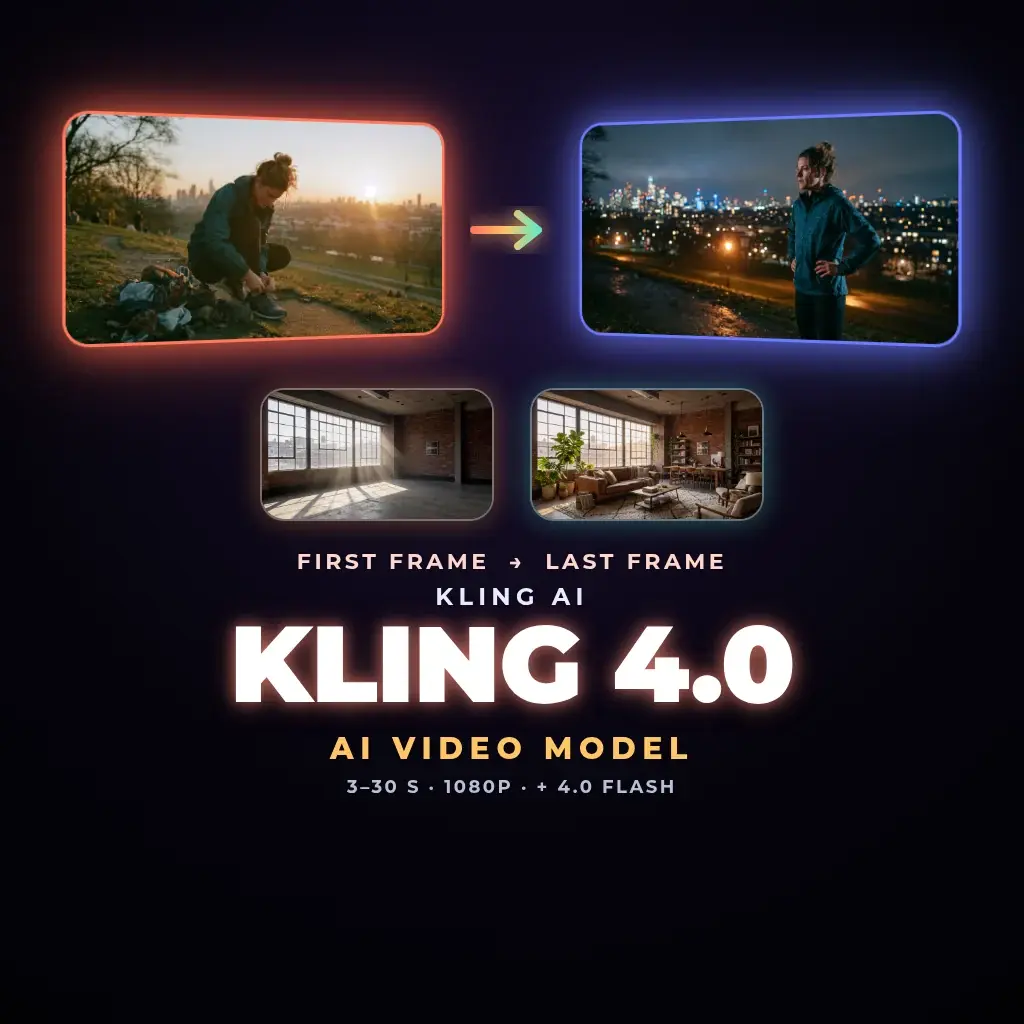
Kling 4.0 AI video generator: long takes from your first and last frame
Kling 4.0 is Kuaishou's newest video model, launched on 15 October 2026 and live in NeuroHelper AI Video Master since 12 November. Start from your own still, add a last frame if the ending matters, describe the motion, and get one take of 3 to 30 seconds at 720p or 1080p with native audio. Kling 4.0 Flash is the quick-draft tier: first frame only, 3 to 20 seconds at 720p.
Made in NeuroHelper AI
Kling 4.0 examples
Made in NeuroHelper AI
One take, three worlds: a 30-second Kling 4.0 short
A runner goes from a city street to desert dunes to a glacier in a single Kling 4.0 generation, with no cuts between the scenes. We made it in NeuroHelper AI from one first frame and one prompt. Sound on: the stereo audio comes straight from the model.
City, dunes, glacier in one shot
Kling 4.0 renders up to 30 seconds in one take (3–30 s) at 720p. Fast motion stays steady and the runner stays the same while the world changes around them. You set the first frame and describe the motion; the model handles the transitions inside the shot.
Kling 4.0 specs
Kling 4.0 and Kling 4.0 Flash specs in NeuroHelper AI
Both tiers are image-to-video: the first frame already is the scene, and your prompt describes the motion. Here is exactly what you can set in the Video Master picker.
| Setting | Kling 4.0 | Kling 4.0 Flash |
|---|---|---|
| Input | First frame (required) | First frame (required) |
| Last frame | Optional, locks the ending | Not available |
| Length per take | 3–30 seconds | 3–20 seconds |
| Resolution | 720p or 1080p | 720p |
| Native audio | Yes | No |
| Text-only generation | No | No |
| Middle frame, multi-shot board, 4K | Not on this route | Not on this route |
| Best for | Final takes, product reveals, long single shots | Fast checks of framing, motion and timing |
Kuaishou released Kling 4.0 on 15 October 2026; it joined NeuroHelper AI on 12 November 2026 and replaces the previous Kling version in Video Master.
Kling 4.0 use cases
What to make with Kling 4.0
Product reveal that ends on the packshot
Use a close-up as the first frame and your final packshot as the last frame, so the clip always lands on the exact shot you need.
Time and place transitions
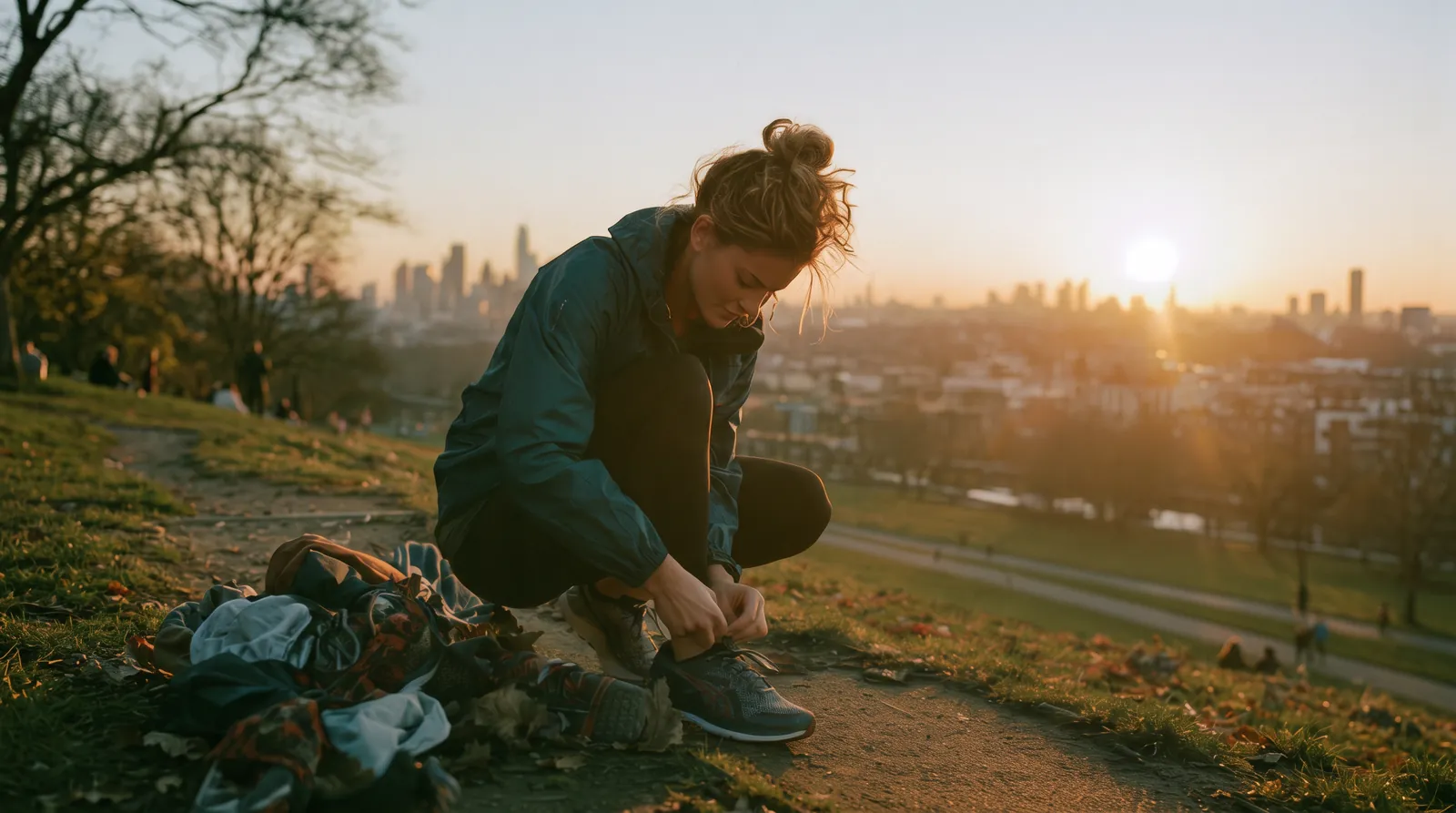
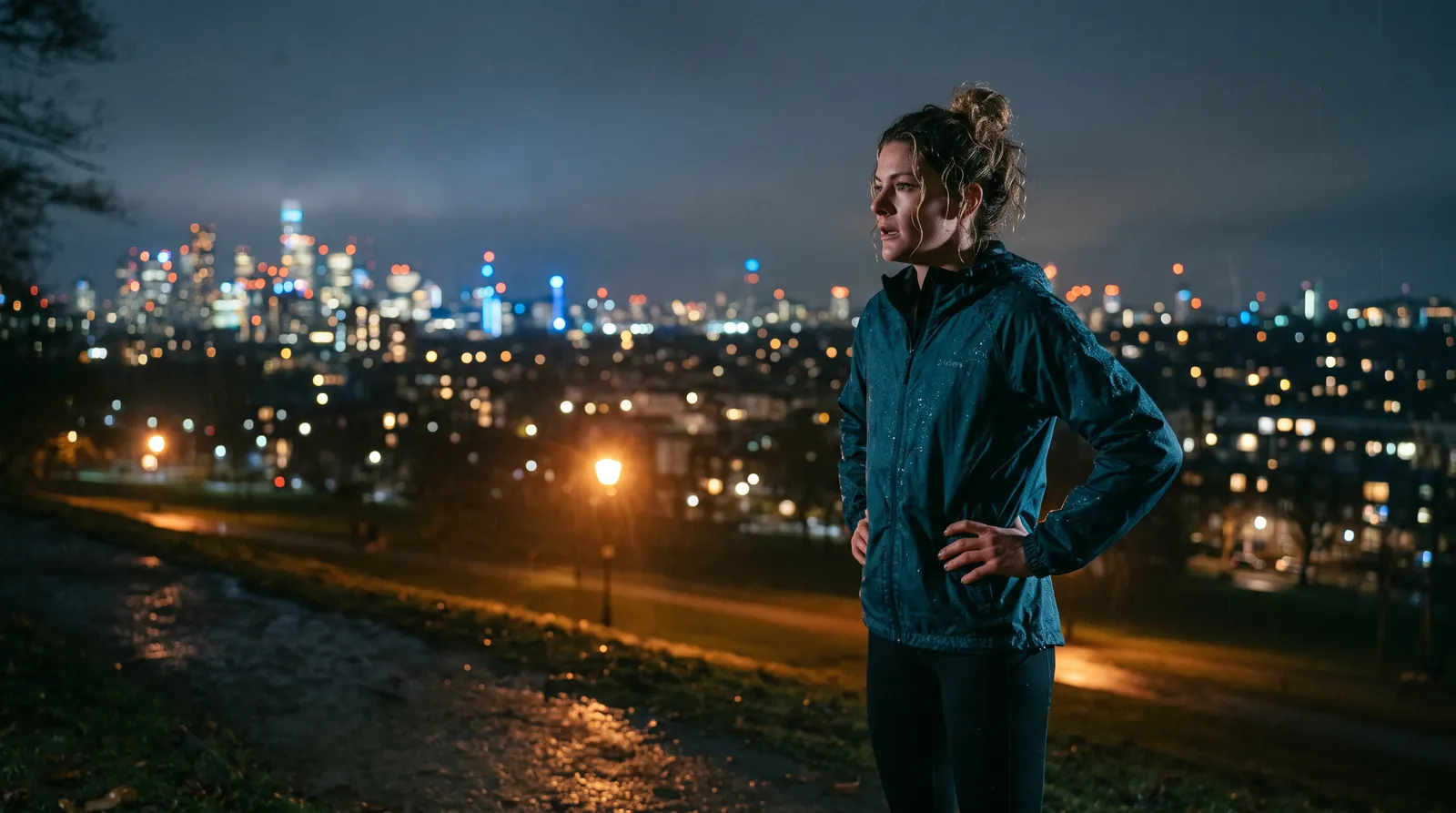
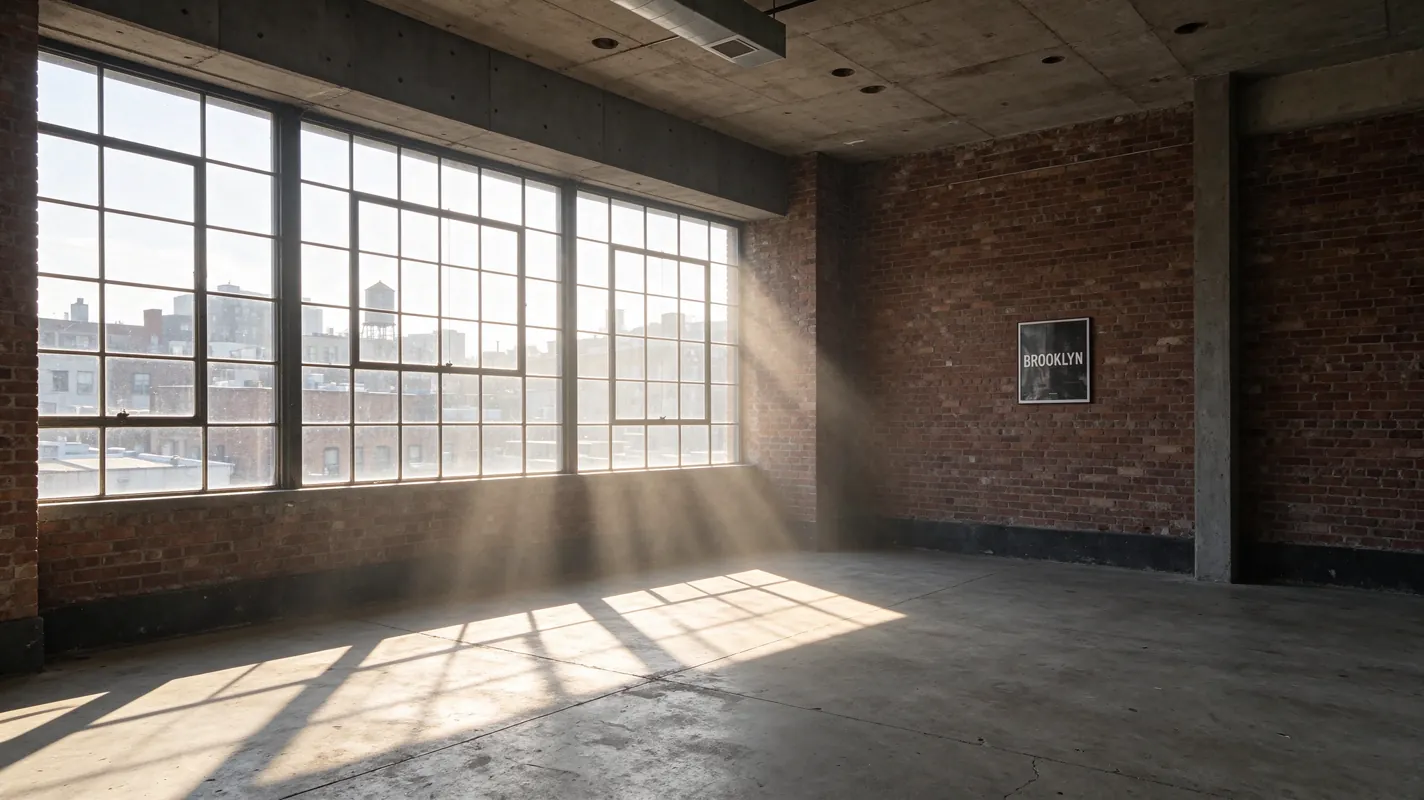
Go from sunset to night, empty room to finished interior, or sketch to finished product inside one continuous take.
Long takes for social ads
Up to 30 seconds in a single generation leaves room for a hook, a demonstration and an ending without stitching clips. A 15-second take is enough for a product walkaround.
Animate stills you already made
Generate a key visual with Nano Banana 2.1, Midjourney 8.2, GPT Image 2.6 or Seedream 5.5, then bring it into Video Master as the first frame.
Cheap motion tests
Try framing and pacing with Kling 4.0 Flash, then move the winning prompt to Kling 4.0 at 1080p.
How to use Kling 4.0
How to use Kling 4.0 in NeuroHelper AI
A useful first session is small: one still you already like, a 720p test, then a 1080p render of the version you want to keep.
Open Video Master
Choose Kling 4.0 for a final take, or Kling 4.0 Flash for a quick motion check.
Add your frames
Upload the first frame. Add a last frame when the shot must land on a packshot, a night street or a finished room.
Set length and resolution
Pick 3 to 30 seconds and 720p or 1080p. Check the in-app cost estimate before you generate.
Write the motion, then listen
Describe the camera and subject movement. Review picture and sound together, and replace the audio in Audio Master if it is wrong.
Kling 4.0 prompts
Kling 4.0 prompts: describe the move, not the picture
The first frame already shows the scene. If the prompt only restates what is in the still, the take tends to drift or just breathe in place. Give the model one clear camera move, how the subject moves and how the light changes.
Slow dolly-in toward the bottle on the marble counter. Soft daylight from the left window, gentle condensation on the glass, label held sharp. No jump cuts. End on the locked packshot.
- One camera move, named plainly
- Light and texture changes, not a scene description
- The ending is fixed by the last frame
Locked tripod. The sky moves from sunset to deep blue night over thirty seconds; city lights switch on block by block. The runner finishes tying her shoe, stands and looks over the city. Keep her face and outfit unchanged.
- Static camera keeps attention on the change
- Pacing is spread across the full take
- Asks the model to keep the subject consistent
Gentle handheld follow as the model walks toward camera along the pier. Wind moves her jacket and hair. Ten seconds, natural pace, no zoom.
- Short, cheap check of framing and timing
- If it reads well, rerun on Kling 4.0 at 1080p
- Use a last frame whenever the ending matters, and keep the product, face or typography consistent between the two stills.
- Start at 720p; move only the brief you want to keep to 1080p.
- Need a cut? Generate two takes and edit them together; this route makes one continuous shot.
Start with the $1 trial
Try Kling 4.0 in NeuroHelper AI
Lock a first frame you already trust, run a brief you know, and compare it with the model you use today. $1 trial, then Basic $19 or Pro $49.
Kling 4.0 vs other video models
Kling 4.0 vs Wan 3.0, Seedance 2.5 and Veo 3.1
Kling 4.0 does not replace the other current Video Master models. Pick by the shot you need.
Kling 4.0
One controlled take of up to 30 seconds from your first frame, with an optional last frame and native audio. Choose it when the ending has to land on a specific still.
Wan 3.0
Still a strong choice for a longer take with sound. See Wan vs Seedance for a side-by-side test.
Seedance 2.5
A strong default for timed commercials and start/end-frame control. Compared directly in Seedance vs Kling.
Veo 3.1 Pro & Fast
Pick Veo when you need text-to-video with no starting image, or a 4K final. See Kling vs Veo.
Kling 4.0 pricing
What Kling 4.0 costs in NeuroHelper AI
You do not need a separate Kling or Kuaishou account. Kling 4.0 runs on your NeuroHelper AI plan next to every other model: start with the $1 trial, then choose Basic $19 or Pro $49 per month. Each generation shows an in-app cost estimate before you run it; longer takes and 1080p use more of your plan than a 720p Flash test. We do not print per-clip figures here because they can change.
Frequently asked questions
Kling 4.0 FAQ
Is Kling 4.0 available in NeuroHelper AI now?
Yes. It was added on 12 November 2026 and is live in Video Master. You do not need a separate Kling or Kuaishou account; use it next to the other video models on the same trial or plan.
What is the difference between Kling 4.0 and Kling 4.0 Flash?
Kling 4.0 takes a first frame and an optional last frame and renders 3–30 second clips at 720p or 1080p with native audio. Kling 4.0 Flash is the faster tier: first frame only, 3–20 seconds, 720p, without native audio.
Can I set the last frame?
Yes, with Kling 4.0. Add a last frame to control where the shot ends. Kling 4.0 Flash uses only a first frame.
How long can a Kling 4.0 video be?
From 3 to 30 seconds in one generation with Kling 4.0, and from 3 to 20 seconds with Kling 4.0 Flash.
Does Kling 4.0 include audio?
Yes. Kling 4.0 clips can include native audio. Listen to the result, and replace the track in Audio Master if you need a different one.
Can Kling 4.0 make video from text only, or in 4K?
Not on this route. Kling 4.0 in NeuroHelper AI needs a first frame and renders at 720p or 1080p. For text-to-video or 4K finals, pick Veo 3.1 or another model in Video Master.
How much does Kling 4.0 cost?
It is included in NeuroHelper AI plans: a $1 trial, then Basic $19 or Pro $49 per month. Each generation shows an in-app cost estimate before you run it.
What happened to the previous Kling version?
Kling 4.0 replaces it in NeuroHelper AI. The earlier Kling page stays available in the Archive section of the models hub.
One workspace, many models
Ready to try Kling 4.0?
Start the $1 trial and switch between models whenever a task needs it.
