
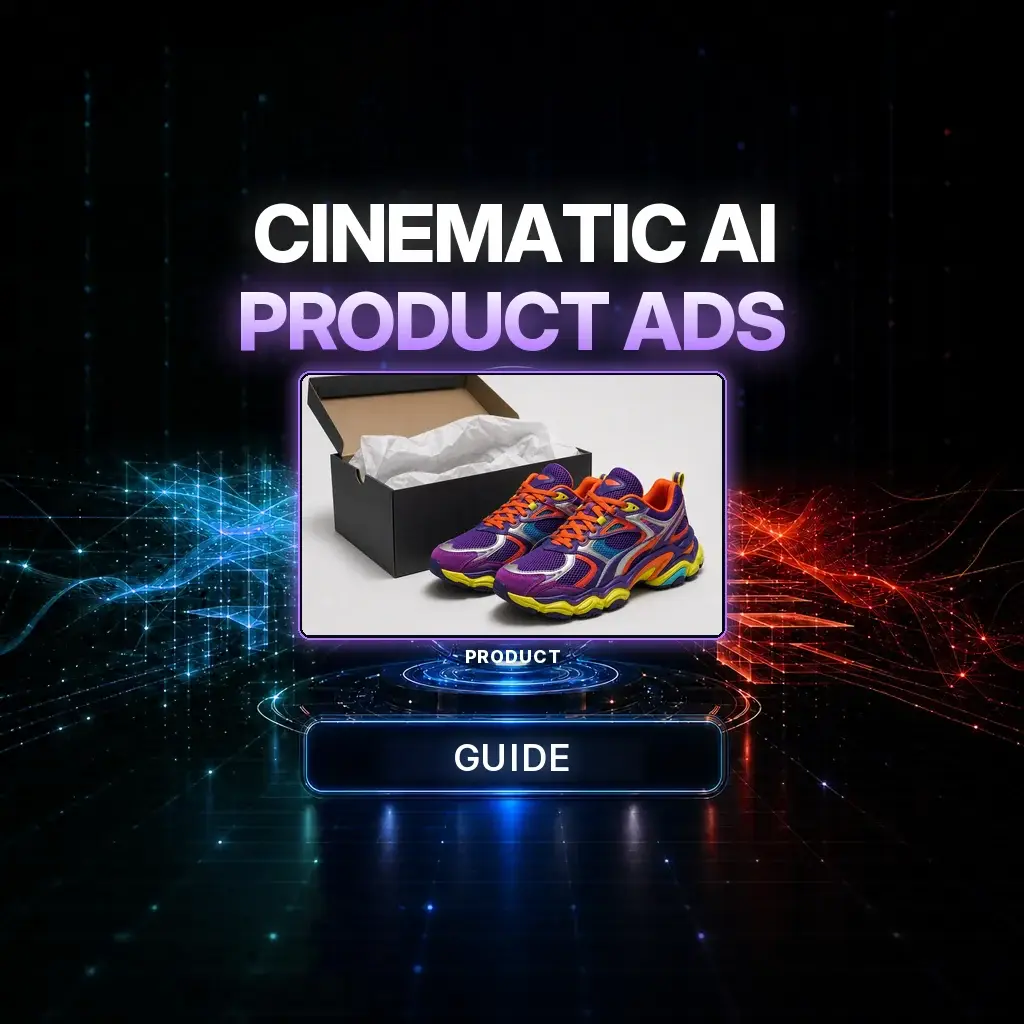
A cinematic product ad does not start with a storyboard deck. It starts with one honest product photo and a motion brief that already knows the joke: something desirable sits in an expensive place, a character notices it, and the product stays itself from the first frame to the end card.
This guide rebuilds the official NeuroHelper AI case study in NeuroHelper AI: one still of a pair of sneakers, Chat Master to adapt a 20-second commercial brief, and Seedance 2.5 in Video Master to shoot it. The finished film is the only large media here — the product still is shown at a modest storyboard size, the way it appears in the original tutorial.
The case study, in one look
An elegant grandmother, about seventy, walks up to a graphite-black sports car on a quiet upscale street. Inside, on the rear passenger seat and pressed almost to the glass, is the exact product from the reference photo. She notices it, decides, and the rest of the twenty seconds is dry action-comedy: a calm window break, an alarm, a getaway, and an end card that still shows the same sneakers — not a redesigned pair.
The workflow: Upload one product photo → have Chat Master adapt a master commercial prompt to that product → generate a 20-second 9:16 film in Seedance 2.5 → check product consistency and end-card typography, then refine one beat.
Why one photo is enough — if the brief is strict
Most failed AI commercials are not failed cameras. They are failed product locks. The model invents a cleaner logo, a new colorway, or a second pair of shoes mid-shot. A single high-quality still, named as the only product reference and restated in every beat, is more reliable than a folder of “inspirations.” For context on where Seedance sits among current tools, see best AI video generators, Seedance vs Kling, and Higgsfield vs Runway. If you already advertise with a specialist tool, start from the alternatives hub, including pages such as Creatify.
We also keep a live, more general playbook at how to create AI ads. This article is the cinematic, one-photo Seedance 2.5 version of that idea — a short film, not a static banner set.
The production pipeline
1. Photograph the product once, honestly
Use a sharp, well-lit photo of the actual item (or official pack shot). Include packaging if the packaging is part of the brand. Do not composite a logo onto a generic shoe and hope the model will “understand” it. If the label is illegible in the still, it will be illegible — or invented — in the film.
2. Adapt the master prompt in Chat Master
Open Chat Master, attach the product photo, and paste the master brief below. Ask the model to keep the structure, timing, character, car, and comedy beats, and only swap in this product’s exact appearance. You should get back a ready-to-paste Video Master prompt with the same 20-second spine and a stricter product paragraph.
3. Generate in Video Master
In Video Master, choose Seedance 2.5, attach the same product still, and paste the adapted prompt in full. The official tutorial used a 20-second, vertical 9:16 commercial. Confirm duration, aspect, and output in the picker — those settings live there, not in the text. Click generate and review the film once through for product fidelity before you touch any other note.
4. Review, then change one thing
If the sneakers morph, tighten the product-lock paragraph and regenerate. If the grandmother becomes cartoonish, restate “natural wrinkles, never goofy.” If the car grows a real-world badge, say again: fictional, no recognizable brand. Do not rewrite the getaway to fix a logo.
Copy-ready master prompt
This is the spine of the official guide, tightened for a paste box. Keep the fictional car (no real badge), the grandmother’s calm register, and the product lock. Chat Master can retarget the product paragraph to whatever you attach.
Create one continuous 20-second vertical 9:16 cinematic commercial, ultra-photorealistic, premium fashion advertising with stylish dry action-comedy.

PRODUCT REFERENCE
Use the exact attached product and, if visible, its exact packaging throughout. Keep the same design, colors, materials, proportions, labels and details in every shot. Never redesign, recolor, simplify, duplicate or morph the product.

MAIN CHARACTER
Elegant sophisticated grandmother, approximately 70–75. Realistic elderly face with natural wrinkles, neatly styled silver-gray hair, slim natural proportions. Premium camel-beige trench, dark trousers, refined blouse, black sunglasses and a small handbag. Wealthy, fashionable, calm and confident — never cartoonish or exaggerated. Same woman, face, hair, outfit and proportions throughout.

CAR
Expensive fictional exotic sports car, glossy deep graphite-black, luxurious dark leather interior. No recognizable real-world car brand or badge.

LOCATION
Upscale modern city street in daylight, premium shopping district, clean architecture, natural cinematic light, minimal distractions.

0:00–0:03 OPENING HOOK
Start INSIDE the car, looking across the rear seat toward the rear passenger-side window. Place the exact product on the rear passenger seat directly beside the window, extremely close to the glass and immediately visible from outside. If packaging is in the still, place it naturally beside or slightly under the product. The product must be large, sharp and dominant against the dark leather. Outside, the grandmother approaches. Start sharp on the product, then a smooth focus pull toward her as she gets closer. Instant read: desirable product in an expensive car + elegant grandmother approaching.

0:03–0:06 SHE NOTICES IT
She reaches the window, notices the product, takes one extra step, stops, steps slightly back, and slowly lowers her sunglasses. Close-up through the glass: her eyes on the product. Quick premium product close-up. Back to her face. A short look left, then right. A dry pause. She decides to take it. No dialogue.

0:06–0:08 WINDOW + ALARM
Without changing her calm expression she delivers one quick, confident elbow strike to the window. The glass breaks in a realistic, contained way. The car alarm starts. She remains composed.

0:08–0:14 SHE TAKES THE PRODUCT AND LEAVES
She reaches in, takes the exact same product (and packaging if present), turns, and walks away at a controlled, fashionable pace — never a slapstick run. Brief product hero as it leaves the car. The street stays upscale and quiet except for the alarm.

0:14–0:18 GETAWAY
Cut to her already in another equally expensive, equally fictional car, still composed, product visible beside her. She drives off down the same district. Keep identity, outfit and product locked.

0:18–0:20 END CARD
Hold a clean end card with the exact product hero-lit on a premium surface, plus simple brand typography if you supply a name. No new design of the shoes. No other logos.

SOUND: restrained premium commercial design — quiet street, a short glass break, alarm, engines, no wall-to-wall music bed unless it stays under the action. No dialogue unless you add a single dry line in post.

Do not change her identity, do not badge the cars, do not morph the product.How to do this in NeuroHelper AI
- Chat Master. Attach the product still and ask for a Video Master prompt that preserves this timing and comedy, with your item locked in every sentence that mentions it.
- Image Master, only if you need a cleaner pack shot. If the source photo is weak, rebuild a 9:16 or 4:5 pack shot first with a current still model such as GPT Image 2.6, then use that as the only product reference.
- Video Master. Seedance 2.5, your still attached, the full adapted brief pasted once.
- Audio Master. If you want a tighter alarm, street bed, or end-card sting than the native pass, finish in Audio Master.
Compare current video models from the models hub. Related directing notes live in start and end frames, turning a viral trend into a product ad, the billboard ad workflow, and cinematic action videos. For a brand face you will reuse, see how to create an AI influencer.
Mistakes that break a one-photo commercial
- A recognizable car badge. The brief specifies a fictional exotic. Real brands in the background are a rights problem and a consistency problem.
- A redesigned product in the end card. The last two seconds are where models “improve” the shoe. Repeat the product lock there explicitly.
- Turning the grandmother into a caricature. The comedy is dry and confident, not slapstick. If she becomes goofy, the luxury register collapses.
- Hiding the product in the opening. It has to be large and against the glass at 0:00. If it is deep on the seat, the hook is gone.
- Stacking a second story. Twenty seconds is one theft and a getaway. A second gag usually smears the product.
Watch the film, then retarget the brief
The test is simple: could a buyer pause on the first second and still recognize the shoes at 0:19? Watch the case study once more, then attach your own still and only change the product paragraph.
Frequently asked questions
Can I really make a cinematic product ad from one photo?
Yes. This workflow uses a single product still as the visual reference and a 20-second Seedance 2.5 brief for story, camera, and sound. The still has to be sharp and honest; the prompt has to forbid redesigning the product.
Which YouTube film should I watch with this guide?
The primary embed is the official NeuroHelper short at b-rBTBHZv3o. A second official short, s62pvGFpjn4, is a related product-ad walkthrough and can be used as an alternative if you prefer that cut.
Which model generated the commercial in this guide?
Seedance 2.5, in Video Master, from one attached product photo and a Chat Master-adapted brief. Duration and output options are whatever the current Video Master picker offers — confirm them there before you generate.
What if Seedance changes the product mid-shot?
Tighten the product-reference paragraph, reattach the same still, and regenerate. Do not add a second reference image that shows a different angle of a different shoe. Fix the lock, not the comedy.
Can I swap in my own product and keep this story?
Yes. That is the point of the Chat Master step: keep the grandmother, the fictional car, and the timing, and retarget only the product description to the item you attach.
How much does a 20-second Seedance 2.5 ad cost in NeuroHelper AI?
It depends on the model, duration, resolution, and references you choose. Video Master shows the current estimate before you generate. You can start with the $1 trial.
