
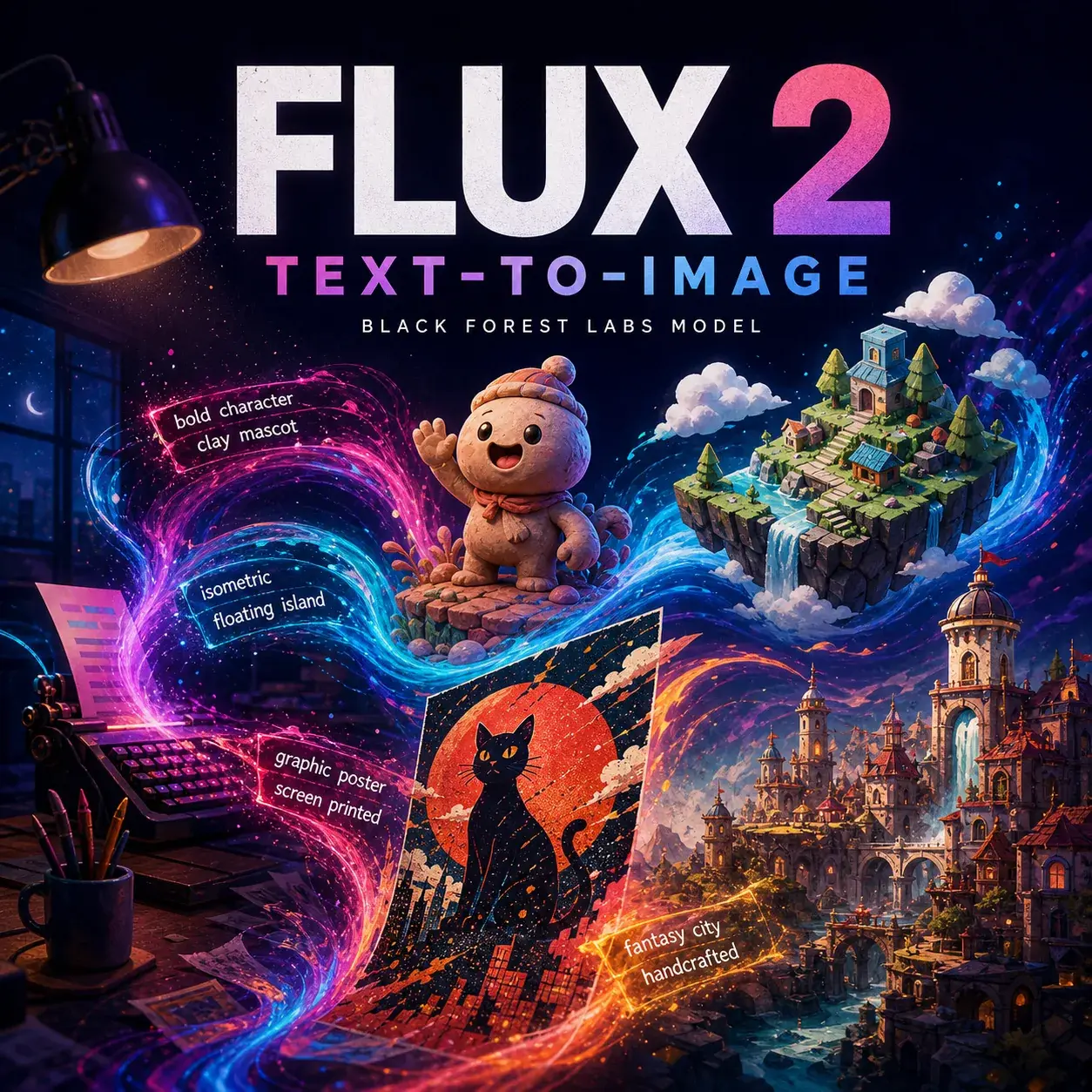
FLUX 2 Pro AI Image Generator Bold visual worlds from text
Turn a written idea into stylized campaign concepts, illustrated characters, playful 3D product worlds, posters, isometric explainers, album visuals, and cinematic pre-production frames—without uploading a reference image.
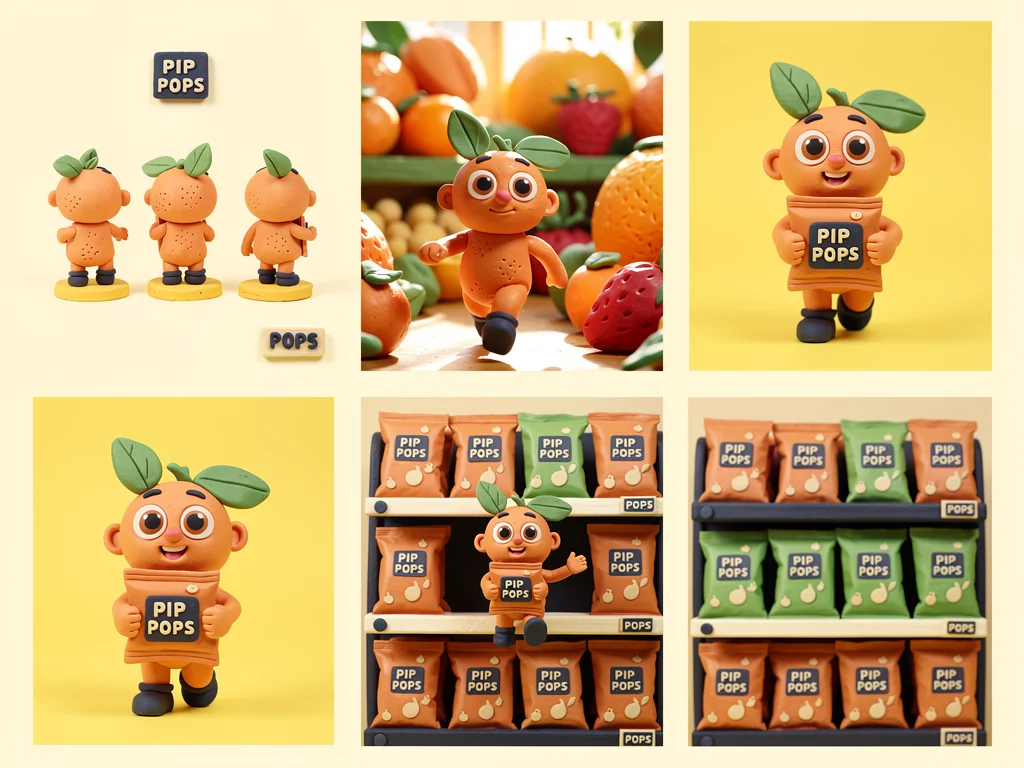 Marketing · Mascot worldText only
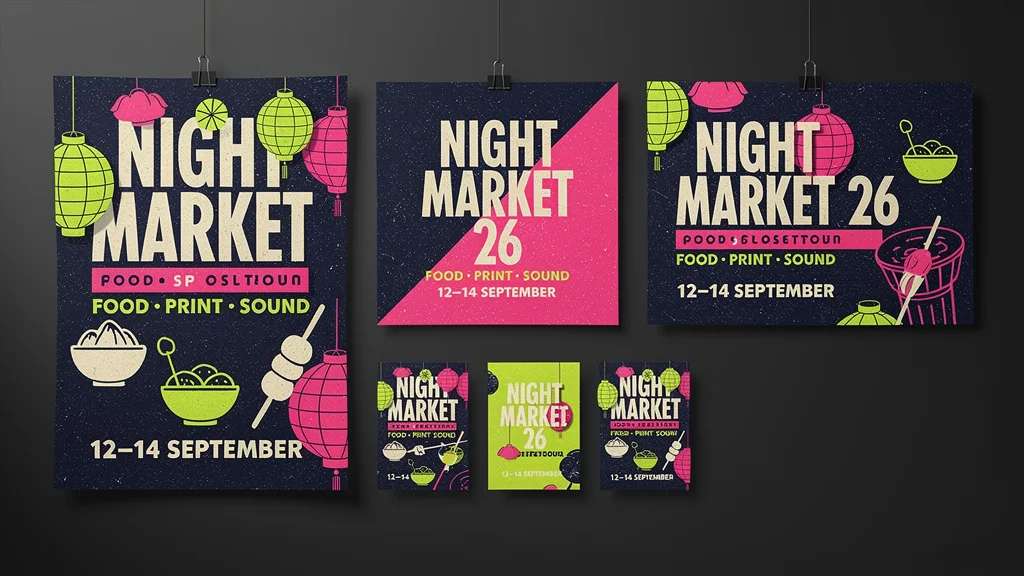 Creative · PosterTypography
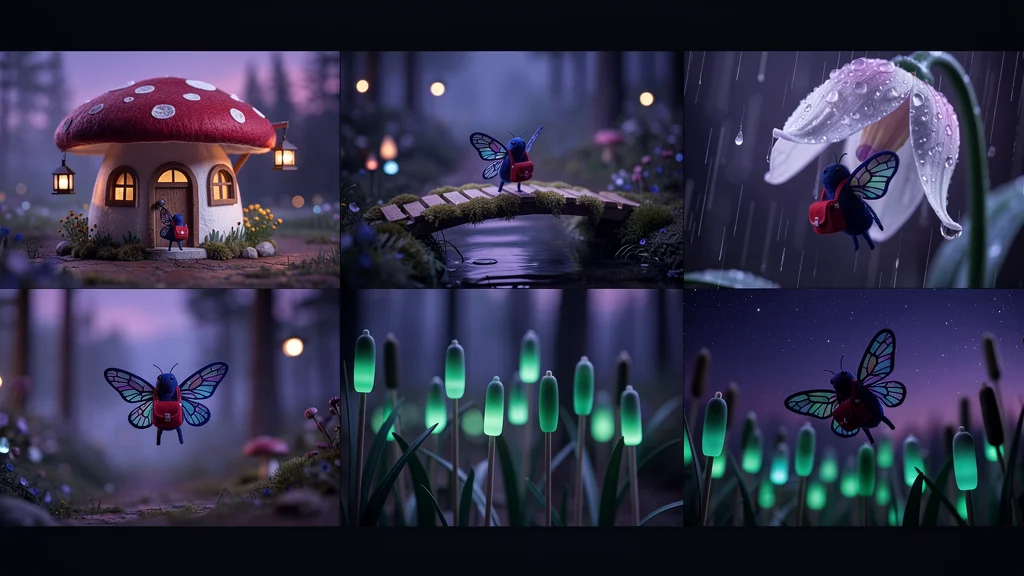 Video · Story worldKeyframes
FLUX 2 Pro is available inside the same Neurohelper AI subscription as GPT Image 2, Nano Banana 2, Grok Imagine Image 2.0, Seedream 5, and other creative models. Develop the idea in Chat Master, generate visuals in Image Master, compare different interpretations, and continue selected frames into Video Master and Audio Master.
FLUX 2 Pro overview
Use its visual personality instead of forcing generic realism
Black Forest Labs describes FLUX.2 as its current image-model family for controlled text-to-image generation, flexible aspect ratios, typography, structured prompts, exact colors, and detailed scenes. In the present Neurohelper AI configuration, FLUX 2 Pro is offered as text-to-image. Its strongest practical role is often visual exploration: expressive concepts, graphic compositions, playful 3D scenes, stylized characters, and worlds that would be expensive to art-direct manually.
Start from a complete idea
Describe the subject, world, material language, composition, lighting, palette, text, and final placement in one production-oriented prompt.
Lean into designed images
Ask for clay, paper-cut, editorial illustration, isometric 3D, surreal collage, graphic poster, or cinematic concept-art treatments.
Generate a visual system
One wide campaign board can show a mascot, product world, social layouts, packaging direction, or sequential keyframes from the same written brief.
The wider FLUX.2 family also includes image-editing capabilities in some BFL products. This page deliberately covers the current Neurohelper AI text-to-image model: every example below works from text alone and assumes no uploaded source or visual reference.
The current selector offers square_hd, square, portrait_4_3, portrait_16_9, landscape_4_3, and landscape_16_9. Every demonstration board on this page is designed for landscape_16_9; square and portrait deliverables appear as layouts inside that single generated board.
Text-to-image use cases
Six briefs designed for FLUX 2 Pro's expressive side
These examples avoid identity-preservation and before/after editing tasks. Each one begins with a complete text brief and turns FLUX 2 Pro's more illustrated, graphic, or synthetic look into a deliberate creative decision.
A Snack Brand Built Around One Playful Character
Turn a fictional product idea into a memorable clay-style mascot world suited to packaging concepts, social posts, and short animated ads.
View example prompt
Create one polished landscape 16:9 campaign board for the fictional fruit snack brand “PIP POPS.” The hero is Pip, a small round apricot-orange character with two leaf-shaped green ears, short navy boots, oversized expressive eyes, and a curious smile. Show six coordinated scenes: clean character turnaround, running through an oversized fruit market, holding the snack pouch, supermarket shelf display, square social post, and a playful end-frame for a short video. Use tactile clay animation, soft fingerprints, miniature sets, sunny yellow, apricot #FF8A4C, leaf green #4BAA65, navy #18243E, and cream. Keep Pip's shape, ears, boots, and colors consistent. The only readable words are “PIP POPS”. No real brands or logos.
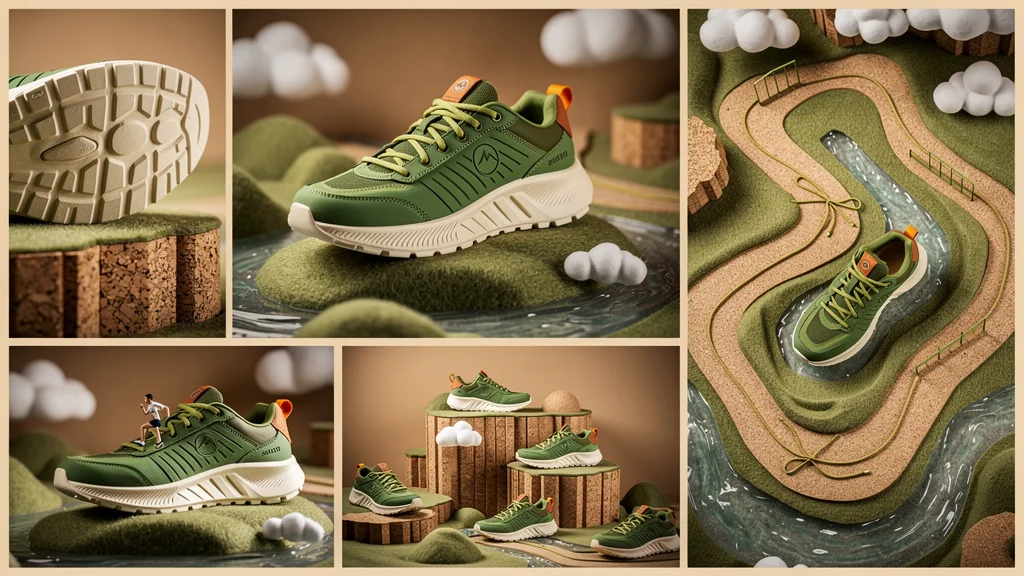
A Sneaker Launch Inside a Miniature Landscape
Use synthetic materials and oversized scenery to make an imaginary product feel visually ownable without relying on photorealistic lifestyle photography.
View example prompt
Create one landscape 16:9 six-scene launch board for the fictional “TERRA LOOP” trail sneaker. Define the product consistently as a moss-green low-top shoe with a sculpted cream sole, lime cord laces, a burnt-orange heel loop, and a small circular mountain symbol with no letters. Place it inside a playful miniature terrain made from felt hills, translucent resin streams, cork cliffs, and paper-cut clouds. Include hero view, sole detail, top-down trail map, miniature runner scene, store display concept, and vertical social frame. Use premium stylized 3D rendering, tactile handcrafted textures, precise colors #456B52, #DFFF55, #F2E8D0, and #D96B3B. No real logos and no readable text.
A Graphic Night-Market Identity From One Prompt
Combine typography, exact color instructions, illustration, and multiple placements in one coordinated event-design presentation.
View example prompt
Create one landscape 16:9 design board for the fictional evening food and illustration event “NIGHT MARKET 26”. Include one vertical poster, one square social tile, one landscape banner, and three supporting graphic motifs. The exact headline is “NIGHT MARKET 26”; supporting line: “FOOD · PRINT · SOUND”; date line: “12–14 SEPTEMBER”. Use bold condensed typography, paper-cut lanterns, simplified food shapes, screen-print texture, deep navy #09152F, acid lime #C7FF45, hot pink #FF4FA3, and warm cream #FFF4D6. Keep all supplied words legible and spelled exactly. No real venue, sponsor, or company logos.
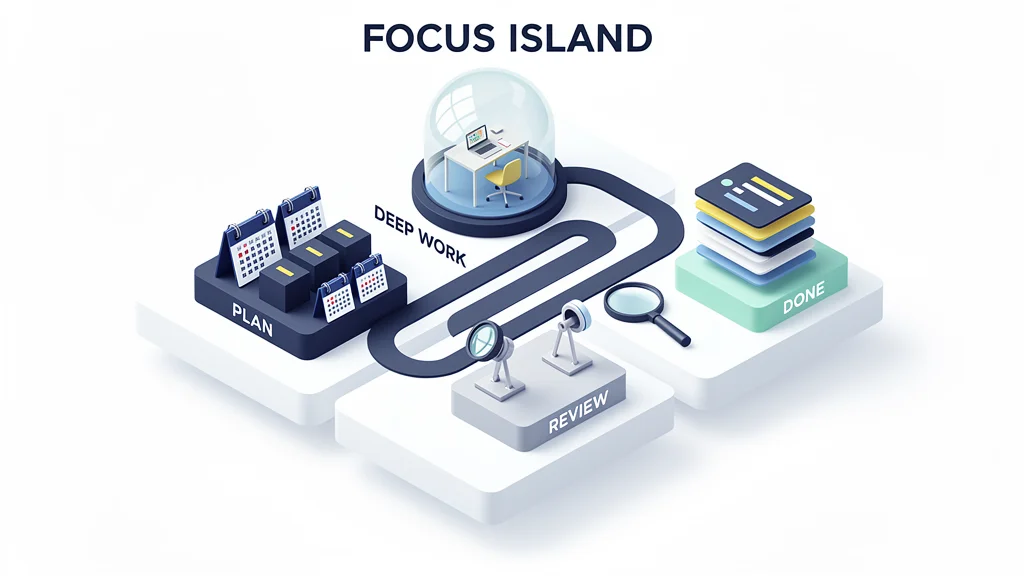
A Productivity System People Understand at a Glance
Replace a dry process diagram with an isometric world that makes focus, interruptions, review, and completion visually intuitive.
View example prompt
Create one clean landscape 16:9 isometric explainer titled “FOCUS ISLAND”. Show a miniature floating work island divided into four connected zones: “PLAN”, “DEEP WORK”, “REVIEW”, and “DONE”. A single winding path connects the zones. Add small symbolic objects: calendar blocks in Plan, a quiet desk under a glass dome in Deep Work, magnifying tools in Review, and stacked completed cards in Done. Use polished isometric 3D, simple geometry, soft shadows, white background, navy #14213D, blue #4E7BFF, mint #5DDBB5, and yellow #FFD166. Keep only the five supplied labels readable. No interface screenshot, no real app branding, and no extra text.
A Handcrafted Story World Ready for Animation
Use FLUX 2 Pro as a visual-development model: define a protagonist, recurring props, geography, color arc, and six shots before video generation begins.
View example prompt
Create one cinematic landscape 16:9 storyboard board containing six separate widescreen keyframes for an original fantasy short called “THE GLASSWING POST”. The protagonist is a tiny midnight-blue moth courier with a red satchel and two translucent wings patterned like stained glass. Sequence: leaving a mushroom post office at dusk, crossing a moss bridge, sheltering inside a bell flower during rain, flying above glowing reeds, delivering a golden letter to a sleeping stone giant, and returning at dawn. Use handcrafted stop-motion miniature aesthetics, wool felt, painted wood, translucent resin, atmospheric depth, and a color progression from violet night to warm sunrise. Keep the courier, satchel, wing pattern, and scale consistent. No text, logos, or existing characters.
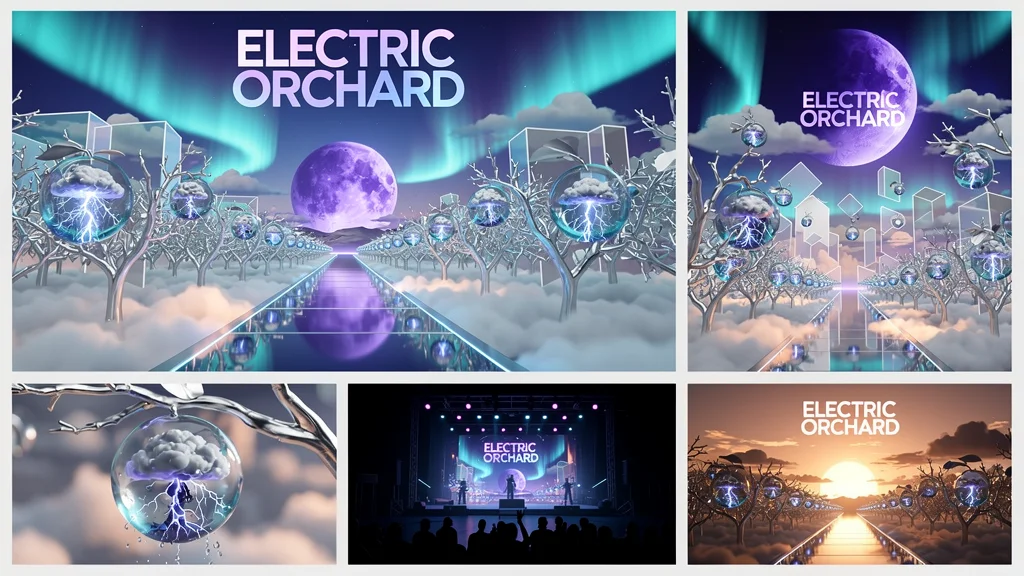
An Original Music World Without a Photoshoot
Build a surreal visual language for cover art, looping canvases, social teasers, and video concepts while embracing the model's synthetic look.
View example prompt
Create one landscape 16:9 visual-development board for the fictional instrumental release “ELECTRIC ORCHARD”. Show a surreal nighttime orchard where transparent glass fruit contains tiny thunderstorms, silver branches grow through geometric clouds, and a narrow mirrored path leads toward a violet moon. Include album-cover composition, landscape streaming banner, vertical looping-video frame, macro fruit detail, silhouette performance stage, and final sunrise variation. Use dreamlike editorial collage, polished 3D glass, airbrushed gradients, deep blue #071A3D, violet #7546C9, electric cyan #37E6E0, and peach #FF9D72. No people, no logos, no readable text, and no recognizable existing artwork.
How to prompt FLUX 2 Pro
Write the visual system into the prompt
Without references, consistency has to come from language. Repeat the defining features that must survive across a board: silhouette, materials, colors, recurring props, scene list, layout, and exclusions.
“Create one [format] for the fictional [project]. The recurring subject is [precise definition]. Show [scene list]. Use [medium and style], [materials], [lighting], and exact colors [hex codes]. Keep [identity anchors] consistent. Include only [required text]. Exclude [logos, extra words, real brands, unwanted style].”
Connected Neurohelper AI workflow
From written concept to moving creative
FLUX 2 Pro works especially well near the beginning of production, when the team needs several visual worlds to discuss before investing in final assets.
Write the creative system
Chat Master turns audience, message, story, platform, and brand constraints into a complete text-only art-direction brief.
Generate visual territories
Use FLUX 2 Pro to test stylized worlds, mascot directions, poster systems, 3D scenes, and narrative keyframes.
Compare the interpretation
Run the same brief through GPT Image 2, Nano Banana 2, Grok Imagine Image 2.0, or Seedream 5 when another balance of realism, layout, or fidelity is needed.
Move into production
Turn selected keyframes into motion in Video Master, then add narration, dialogue, sound design, or music in Audio Master.
Practical model selection
When FLUX 2 Pro is the right text-to-image model
Use FLUX 2 Pro when
- you want a strong visual concept from text alone;
- illustration, stylized 3D, collage, poster, or concept art suits the brief;
- exact palette instructions and hex colors matter;
- you need several directions before committing to production;
- the output will become a storyboard, pitch visual, or animation reference.
Compare another model when
- the task depends on an uploaded product, face, room, or visual reference;
- you need controlled before/after image editing;
- strict identity preservation matters more than style exploration;
- a highly natural UGC photograph is the central deliverable;
- the final result cannot receive human review before publication.
Compact FLUX 2 Pro guide
Official family capabilities and the current product mode
Black Forest Labs offers several FLUX.2 variants with different priorities. Neurohelper AI currently presents FLUX 2 Pro here as text-to-image, so provider-level editing or variant-specific controls should not be assumed in the examples above.
Verified against the official FLUX.2 text-to-image documentation, Black Forest Labs FLUX.2 model page, and official FLUX.2 overview. Last reviewed August 14, 2026.
Frequently asked questions
FLUX 2 Pro FAQ
What is FLUX 2 Pro best for in Neurohelper AI?
It is a useful text-to-image option for visual exploration, illustration, stylized 3D, mascots, product worlds, posters, isometric explainers, album art, fantasy concepts, and video pre-production keyframes.
Does this FLUX 2 Pro model require a reference image?
No. The current Neurohelper AI route covered here is text-to-image. Every prompt on this page is designed to work without an uploaded image.
Can FLUX 2 Pro generate realistic images?
The official FLUX.2 family supports photorealistic generation. In practical model selection, judge the actual output from your brief. If another model produces more convincing natural photography, use FLUX 2 Pro for style exploration, graphic concepts, or synthetic worlds instead.
Can FLUX 2 Pro create text inside images?
BFL documents typography as a strength of the FLUX.2 family, especially in relevant variants. Keep copy short, provide exact spelling, reduce competing instructions, and review all text before publication.
How do I keep a character or product consistent without references?
Repeat a compact identity specification in the same prompt: silhouette, colors, materials, clothing, props, proportions, and forbidden changes. A single campaign or storyboard board is often more coherent than unrelated generations.
Is FLUX 2 Pro available in Neurohelper AI?
Yes. FLUX 2 Pro is available alongside other leading image, video, audio, and text models within one Neurohelper AI workspace. Availability and usage limits depend on the selected plan.
One text prompt, a new visual direction
Explore bold concepts with FLUX 2 Pro, then keep building.
Move from a written brief to illustrated campaigns, 3D product worlds, posters, storyboards, and music visuals—then compare models or continue selected frames into video and sound.
