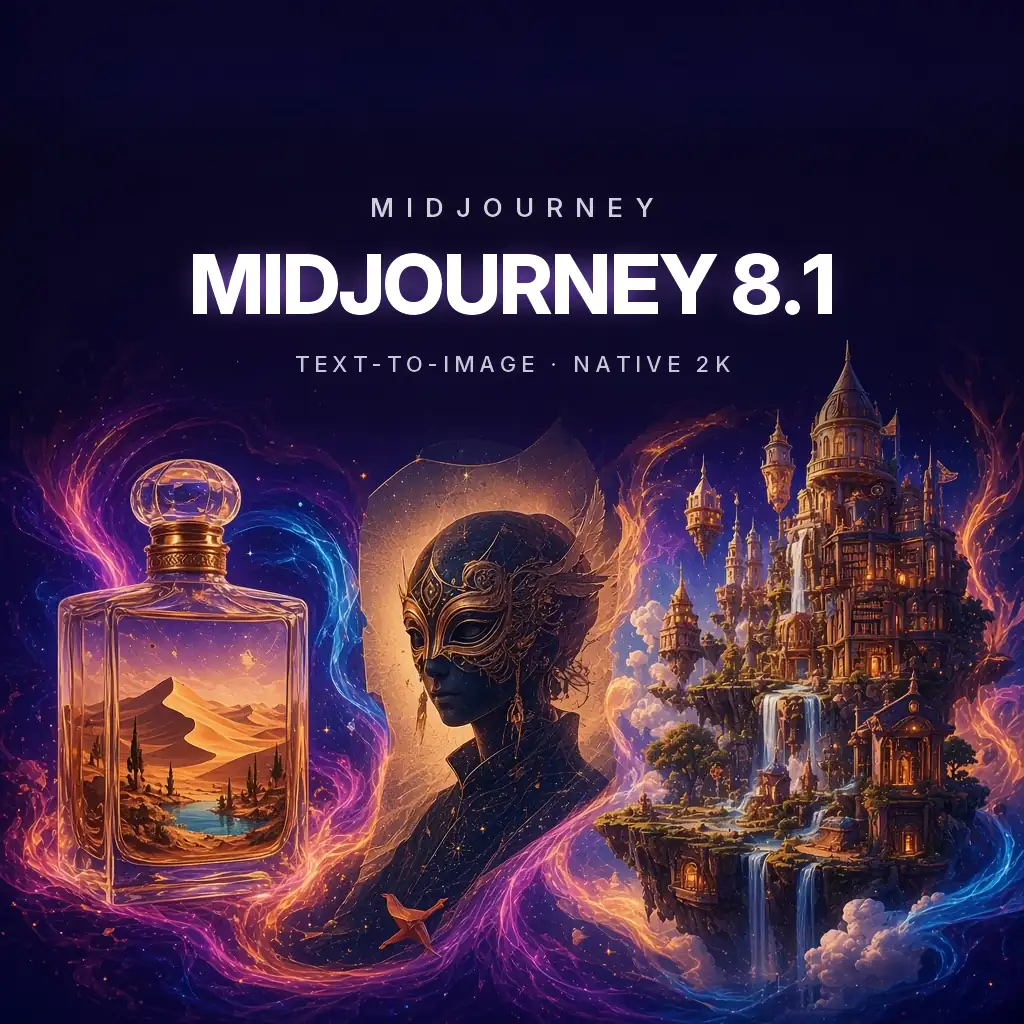
Midjourney 8.1 distinctive text-to-image art direction at native 2K
Midjourney 8.1 is the V8-series image model from Midjourney, known for its strong aesthetic, lighting, and composition. In Neurohelper AI it is offered as text-to-image only: you write a prompt and get images back, without uploading a photo to edit. If you need to change an existing image, use GPT Image 2.5, Nano Banana Pro, or QWEN Image 3.0 Pro instead.
Midjourney 8.1 lives next to GPT Image 2.5, Nano Banana Pro, FLUX 2 Pro, and other image models in Image Master. Generate the look in Midjourney, then switch to an editing model in the same workspace when you need to change a detail, add exact copy, or place a real product.
Midjourney 8.1 overview
What Midjourney 8.1 is good at
Midjourney has always been chosen for its look rather than for literal control: cinematic light, rich textures, and compositions that feel art-directed. Midjourney says V8.1 keeps that aesthetic while following prompts more closely, rendering text better, and producing native 2K images. It is a strong first stop for mood, concept, and key-visual exploration, and a common reason people look for a Leonardo alternative that also covers editing and video.
Art-directed results from short prompts
Midjourney tends to add considered lighting, color, and composition even when the prompt is brief, which makes it fast for exploring directions.
Closer prompt adherence
Midjourney says V8.1 follows detailed prompts more reliably than earlier versions, so specific subjects, counts, and arrangements land more often.
Native high resolution
HD mode renders at 2K directly, which Midjourney says avoids the softness that upscaling can add.
What changed in V8.1
What Midjourney changed in V8.1
Midjourney lists these improvements in its own release notes. They describe Midjourney's platform; the Neurohelper AI integration exposes the text-to-image part.
Native HD at 2K
HD mode renders 2048px images directly, which Midjourney says gives sharper detail than upscaling a smaller image.
Faster renders
Midjourney says V8.1 HD is about three times faster than V8.0 HD and standard-resolution jobs about 50% faster.
Better adherence and text
V8.1 follows complex prompts more closely and renders short text more reliably than earlier versions, according to Midjourney.
Honest scope
What Midjourney 8.1 does not do in Neurohelper AI
We would rather be precise than oversell. These limits apply to the current Neurohelper AI integration of Midjourney 8.1.
No image uploads
You cannot upload a photo to edit, use as an image prompt, or inpaint. The model takes text prompts only.
No Midjourney app features
Moodboards, personalization profiles, Draft mode, the web editor, and Discord commands belong to Midjourney's own app.
Not the newest default
Midjourney moved its default to V8.2 in July 2026. If a newer version is added to Image Master, this page will say so.
How Midjourney 8.1 fits a workflow
Use it for the look, then hand off
Because the Neurohelper AI integration is text-to-image only, the most efficient workflow is to explore with Midjourney 8.1 and finish elsewhere when exact edits are needed.
Generate many directions cheaply
At about 2 credits per generation, run several prompt variations for style, palette, and composition.
Pick one approved visual
Choose the image that best fits the brief and save it as your reference.
Edit in another model
Use GPT Image 2.5 or Nano Banana Pro for inpainting, product placement, or exact headline text.
Three marketing briefs · three creative briefs
Six prompts that play to Midjourney 8.1's strengths
These are example prompts written for Midjourney 8.1, not published outputs. Each is pure text, because the Neurohelper AI integration does not take image uploads for this model.
Find the mood before the product shoot
Use Midjourney to explore setting, light, and color for a campaign. Replace the bottle with your real product later in an editing model.
View the prompt
Prompt: Luxury fragrance campaign photograph, a tall amber glass perfume bottle with a brushed gold cap standing on a smooth sand dune at golden hour, long soft shadows, fine sand blowing in the wind, warm terracotta and gold palette, shallow depth of field, editorial high-fashion lighting, minimal composition with generous negative space at the top for copy, 4:5, no text, no logo
Create a seasonal hero image for social
Midjourney's lighting and texture make food and interiors feel inviting. Keep the headline for a later step if it must be exact.
View the prompt
Prompt: Cozy autumn café table by a rain-streaked window, a pumpkin spice latte with latte art, a cinnamon roll on a ceramic plate, scattered maple leaves, warm tungsten light mixed with cool window light, soft film grain, top-down three-quarter angle, inviting and calm, square 1:1 composition, no people, no text
Explore packaging directions in one batch
Ask for several illustrated packaging concepts at once to show a client range before committing to a design.
View the prompt
Prompt: Packaging concept board, four cylindrical tea tins in a row on a pale linen background, each with a different hand-drawn botanical illustration style: watercolor chamomile, linocut mint, art nouveau jasmine, minimalist line-art green tea, muted pastel palette, soft studio light, product design presentation, 3:2, labels contain only abstract shapes, no readable words
Build a world in one frame
Concept art is where Midjourney's composition and atmosphere matter most. Describe scale, light, and mood rather than every object.
View the prompt
Prompt: Epic fantasy concept art, a city of giant floating bookshelves connected by rope bridges above a sea of clouds, warm lanterns glowing in reading nooks, tiny figures carrying books, sunrise light breaking through mist, painterly yet detailed, sense of vast scale, cinematic wide 16:9 composition, rich teal and amber palette
Get a photographic look with character
Specify camera, film stock feel, and lighting to steer Midjourney toward a believable photographic portrait. Do not use real people's names.
View the prompt
Prompt: Portrait of a fictional jazz singer in her fifties on a small club stage, silver curls, deep green velvet dress, eyes closed mid-note, single warm spotlight, smoky background with soft bokeh, 35mm film photograph look, visible grain, rich shadows, intimate and emotional, 2:3 vertical, no text
Test short title text with V8.1's improved rendering
Midjourney says V8.1 renders text better than earlier versions. Keep titles short, put them in quotes, and still proofread every letter.
View the prompt
Prompt: 1970s retro science-fiction movie poster, a lone astronaut standing on a red rocky planet looking at a giant ringed moon, airbrushed illustration style, orange and teal palette, halftone texture, bold title at the top that reads "ORBIT ZERO", small tagline area left blank, 2:3 vertical poster layout
Midjourney 8.1 vs other image models
Midjourney 8.1 vs GPT Image 2.5 vs Nano Banana Pro
These three answer different needs. Midjourney 8.1 is the style-first generator, GPT Image 2.5 is OpenAI's precise generator and editor, and Nano Banana Pro is Google's reasoning image model for edits, text, and consistency. All three run in Neurohelper AI Image Master.
| Midjourney 8.1 | GPT Image 2.5 | Nano Banana Pro | |
|---|---|---|---|
| Mode in Neurohelper AI | Text-to-image | Generation + inpainting | Generation + image-to-image |
| Edit an uploaded photo | No | Yes | Yes |
| Strength | Aesthetic, mood, concept art | Precise edits, layouts, text | Multi-image edits, text, consistency |
| Text in images | Improved; keep it short | Strong; still proofread | Strong; still proofread |
| In-app estimate | ≈2 credits | ≈5 credits | ≈5 credits |
Credit figures are Image Master in-app estimates from November 12, 2026 and can vary by settings. Strengths summarize each vendor's own descriptions; run the same brief on all three to decide.
How to prompt Midjourney 8.1
Describe the picture like an art director
Midjourney responds well to clear subjects plus mood, light, medium, and composition. V8.1 follows longer prompts better than earlier versions, but order still matters: put the most important element first.
Lead with the subject
Start with what the image is of and where it is. Add style, light, and lens language after that.
Name the medium and light
Photograph, oil painting, linocut, or 3D render, plus golden hour, softbox, or neon, all change the result more than adjectives.
Keep text short and quoted
If you need words in the image, use a few words in quotes. Longer copy is safer to add afterward in an editing model.
In Neurohelper AI, Midjourney 8.1 does not take reference images. If you need a specific face, product, or layout preserved, generate the look here and finish with an image-to-image model.
Practical model selection
Where Midjourney 8.1 is especially useful
Strong uses
- mood boards and early campaign directions;
- concept art, environments, and illustration styles;
- editorial-looking portraits of fictional people;
- social posts where atmosphere matters more than exact details;
- posters with short, quoted titles;
- fast, low-cost exploration at about 2 credits per run.
Review carefully when
- you need to edit an existing photo or keep a real product exact;
- long headlines, prices, or legal copy must be letter-perfect;
- you depend on Midjourney-app features such as moodboards, personalization, or editor tools;
- brand colors and logos must match a style guide exactly;
- the image shows real people or trademarked characters;
- you need the newest Midjourney default: Midjourney itself moved its default to V8.2 in July 2026.
Credits and plans
What Midjourney 8.1 costs inside Neurohelper AI
Neurohelper AI uses one shared credit balance across chat, image, video, and audio models. At the time of writing, Image Master and Video Master show an in-app estimate of about 2 credits per generation for Midjourney 8.1. The estimate is shown before you generate and can change with settings, duration, resolution, and future pricing updates.
Start with the $1 trial
The trial costs $1 and includes 100 credits so you can test real generations before choosing a plan. A card is required to start the trial.
Basic: $19 per month
Basic includes 1,000 credits a month on the monthly plan and access to the shared workspace across chat, image, video, and audio models.
Pro: $49 per month
Pro includes 3,000 credits a month for heavier production, more Smart Assistants, and more room to compare several models on the same brief.
Midjourney 8.1 specifications
Compact model reference
Capabilities are taken from Midjourney's V8.1 release notes, V8.1 default announcement, and Version documentation. Features of Midjourney's own app may not be available in the Neurohelper AI integration. Credit estimate checked in the app on November 12, 2026. Last reviewed November 12, 2026.
Frequently asked questions
Midjourney 8.1 FAQ
What is Midjourney 8.1?
Midjourney 8.1 is a version of Midjourney's V8 image model. Midjourney describes it as faster than V8.0, with native 2K HD output, better prompt adherence, and improved text rendering.
Can I upload an image to Midjourney 8.1 in Neurohelper AI?
No. In Neurohelper AI, Midjourney 8.1 is offered as text-to-image only. To edit a photo or keep a real product, use GPT Image 2.5, Nano Banana Pro, or QWEN Image 3.0 Pro in Image Master.
Is Midjourney 8.1 the latest Midjourney version?
No. Midjourney made V8.2 its default model on July 24, 2026. Neurohelper AI currently offers V8.1, which remains a capable text-to-image model.
Do I need a Midjourney subscription?
No. Midjourney 8.1 runs inside Neurohelper AI on your shared credit balance. You do not need a separate Midjourney account or Discord.
How many credits does Midjourney 8.1 use?
Image Master shows an estimate of about 2 credits per generation as of November 12, 2026. The estimate is shown before you generate and can change.
Can Midjourney 8.1 render text?
Midjourney says V8.1 renders text better than earlier versions. Short, quoted titles work best. Always proofread, and add long copy in an editing model.
Midjourney 8.1 or GPT Image 2.5?
Choose Midjourney 8.1 for mood, style, and concept exploration from text. Choose GPT Image 2.5 when you need to edit an image, place exact text, or follow a precise layout.
Can I use Midjourney 8.1 images commercially?
Usage rights depend on Midjourney's terms and on Neurohelper AI's terms of service. Avoid real people, logos, and trademarked characters, and review images before commercial use.
From prompt to art-directed image
Explore the look with Midjourney 8.1, then finish it in the same workspace.
Generate directions for about 2 credits each, then refine the chosen image with an editing model and write the campaign copy in Chat Master.