
Creative Use Cases
A music video used to mean a band, a crew, a location and a long edit. With AI you can make the song, design the look and generate every shot yourself, then cut them to the beat. The order matters: track first, then the visual concept, then the shots, then the edit.
This use case is for musicians, producers, labels and creators who want a video for a release, a teaser for social media or a visual for a track they generated. You write lyrics in Chat Master, make the song in Audio Master, lock the look in Image Master and generate the shots in Video Master, under one subscription.
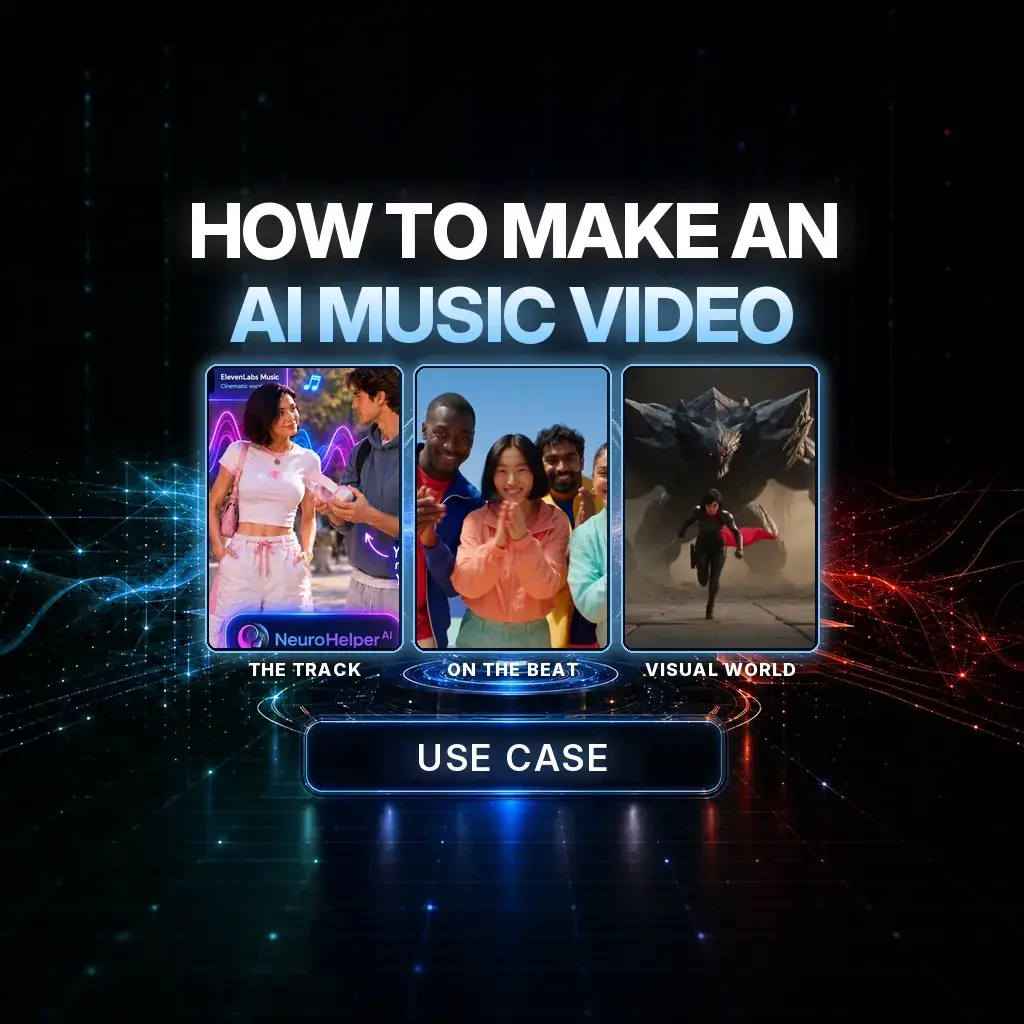
Three real examples made in NeuroHelper AI
All three are on our YouTube channel. The people, products and worlds in them are generated.
1. A 30-second dance spot where the music is part of the idea
Seedance 2.5 · 9:16 · 30 seconds · native music
Kito Beat turns a sunlit court into a dance floor around a portable speaker. Four friends, coordinated moves and a funk-pop track generated with the picture make the benefit visible and audible at once. It shows the most important rule of a music video: the movement follows the rhythm.
2. One prompt panel, many music styles
Audio Master · music models · short
Neo-soul, cinematic vocals and electronic beats from the same Audio Master panel: describe the sound, pick a music model and generate. It was made with MiniMax Music 3, ElevenLabs Music and the Suno version available at the time; today the panel runs Suno v6.
3. An anime action sequence with scale and pursuit
Seedance 2.5 · 16:9 · stylized animation
A caped hero and a huge stone creature become an animated set piece with readable scale, environment and a chase. A style like this suits an animated music video: one visual world, one character, one chase that builds with the song.
Pick the music model for your track
| You need | Model | Why |
|---|---|---|
| A complete song from lyrics | Suno v6 | Two complete takes per run, about 3 to 6 minutes; simple or custom mode; instrumental on demand |
| A track of an exact length or a briefed cue | ElevenLabs Music | 3 seconds to 5 minutes, vocals or instrumental, multilingual lyrics |
| A song with a clear section structure | MiniMax Music 3 | Up to 5 minutes (vendor), eight section tags such as verse, chorus and bridge |
Not sure between the first two? Read Suno v6 vs ElevenLabs Music.
How to make an AI music video, step by step
1. Write the song idea and the lyrics
Open Chat Master and ask for lyrics with section tags, a short chorus hook and a style line for the music model. Claude Sonnet (Latest) or GPT-6.1 Sol Pro also suggests one visual idea per section, which becomes the start of your shot list.
Write lyrics for a 2-minute indie-pop song for a music video.
Theme: a city that wakes up at night when one person starts to dance.
Structure: [Intro] [Verse 1] [Pre-Chorus] [Chorus] [Verse 2] [Chorus] [Bridge] [Final Chorus] [Outro].
Short, singable lines; a chorus hook of no more than six words that repeats.
Then give me a style line for the music model: genre, mood, tempo in BPM, instruments and vocal type.
Finally, list one visual idea per section that a video model could show in 5 to 15 seconds.
2. Generate the track in Audio Master
In Audio Master, paste the lyrics and style into Suno v6 custom mode, which returns two takes of about 3 to 6 minutes, or brief ElevenLabs Music for a track of an exact length from 3 seconds to 5 minutes. MiniMax Music 3 reads section tags such as verse, chorus and bridge. Pick the take you will cut to and do not change it after this step.
3. Map the song and write the treatment
Write down the tempo and the start and end time of each section. At 120 BPM one bar of 4/4 lasts 2 seconds, so 4 bars are 8 seconds and 8 bars are 16 seconds. Ask Chat Master for a treatment and a shot list where every shot is a whole number of bars.
I have a finished song at 120 BPM, 2:04 long. Sections and timecodes:
[paste the section list with start and end times]
Write a music video treatment: one visual rule for the whole video (palette, light, camera style),
the main character in one paragraph that can stay the same in every shot,
and a shot list with one row per shot: section, start-end time, shot length in whole bars,
location, action, camera move and what must not change. Keep shots between 4 and 15 seconds.
4. Lock the look in Image Master
Make the main character, the outfit and two or three locations as stills in Image Master with Nano Banana 2.1, Midjourney 8.2 or Seedream 5.5. Approve them before you make any video; see consistent AI characters.
5. Generate the shots in Video Master
In Video Master, make each shot from its stills. Seedance 2.5 runs up to 30 seconds with several beats in one generation, and Kling 4.0 animates a first frame into a 3 to 30 second take. Ask for movement on a steady rhythm at your tempo, and make one or two extra takes of the shots that carry the chorus.
Use @image1 as the dancer and outfit reference and @image2 as the location. Keep her face, hair and clothes the same.
Vertical 9:16, 8 seconds. Night street with wet asphalt and neon reflections in cobalt and pink.
She starts still under a streetlight, then breaks into a sharp dance move on every beat, steady rhythm of about 120 BPM.
The camera circles her slowly at waist height. Shop signs flicker on one by one behind her.
No readable text, no logos.
A template for one chorus shot. Replace the dancer, the location and the tempo with your own.
6. Edit to the track
Put the song on the timeline first, then place the shots on bar lines. Cut on the downbeat, save the biggest visual change for the first chorus, and mute the native sound of the clips under the song. Export 9:16 for Shorts, Reels and TikTok and 16:9 for YouTube.
A 60-second cut at 120 BPM
A one-minute social cut is the best first goal. At 120 BPM it is 30 bars, which splits into a handful of shots you can generate in one session.
| Section | Bars | Seconds | Shots |
|---|---|---|---|
| Intro | 4 | 0–8 | One wide establishing shot of the world |
| Verse | 8 | 8–24 | Two shots of 4 bars: the character, then the place |
| Pre-chorus | 4 | 24–32 | One shot that builds: a slow push-in or rising light |
| Chorus | 8 | 32–48 | Two or four shots on the downbeat, the biggest visual change |
| Outro | 6 | 48–60 | One closing shot that returns to the opening image |
That is seven to nine shots. Generate the chorus shots first, because they carry the video, then fill the verse.
Three visual concepts that work with AI
- Performance. One artist or dancer, two or three locations, movement on the beat. The simplest to keep consistent.
- Story. A short narrative across the verses with a turn at the chorus. Plan it like a short film; see how to make an AI short film.
- Visual world. An animated or surreal world that changes with the song: palette, weather or scale grow with each section.
Common problems and fixes
The character changes between shots
Use the same approved stills as references in every shot and repeat what must not change: face, hair and outfit.
The movement does not match the beat
State the tempo in the prompt, keep shots to whole bars and fix the timing in the edit by trimming to the downbeat.
The clips have their own sound
Video models with native audio add sound to each clip. Mute the clip audio under the song, or keep only a short effect where it helps.
The video looks like a showreel
Hold one visual rule for the whole song. Change the look at the chorus, not in every shot.
Frequently asked questions
Can AI make a full music video?
Yes, if you treat it as production rather than one prompt. Make the track first, plan the shots against the song, generate each shot from approved stills, then edit them to the beat. In NeuroHelper AI the song, the stills and the video clips are made in one workspace.
Which AI makes the music for a music video?
In NeuroHelper AI, Audio Master includes Suno v6, which returns two complete takes per run, ElevenLabs Music, which follows a detailed brief from 3 seconds to 5 minutes, and MiniMax Music 3, which reads section tags. See our comparison of Suno v6 and ElevenLabs Music to pick one.
Which video model should I use for the shots?
Seedance 2.5 makes up to 30 seconds with several beats in one generation and native audio. Kling 4.0 animates one approved still into a 3 to 30 second take at 720p or 1080p. Use the model that suits each shot and keep the same character stills for all of them.
How do I make the video match the beat?
Know the tempo of your track and plan every shot as a whole number of bars. At 120 BPM, one bar of 4/4 is 2 seconds. Ask for movement on a steady rhythm in the prompt, then cut on the downbeat in your editor.
How long should an AI music video be?
Start with a 30 to 60 second cut of the chorus for social media. When that works, extend it to the full song by adding verse shots that reuse the same character, outfit and locations.
Can I use my own song?
Yes. Plan the shots against the timecodes of your own track and edit the AI shots to it. Use a song you own or have the rights to.
How much does it cost?
It depends on the models, resolution and length you pick. Each module shows the estimate before you generate. Start with a $1 trial, then choose Basic $19 or Pro $49.