
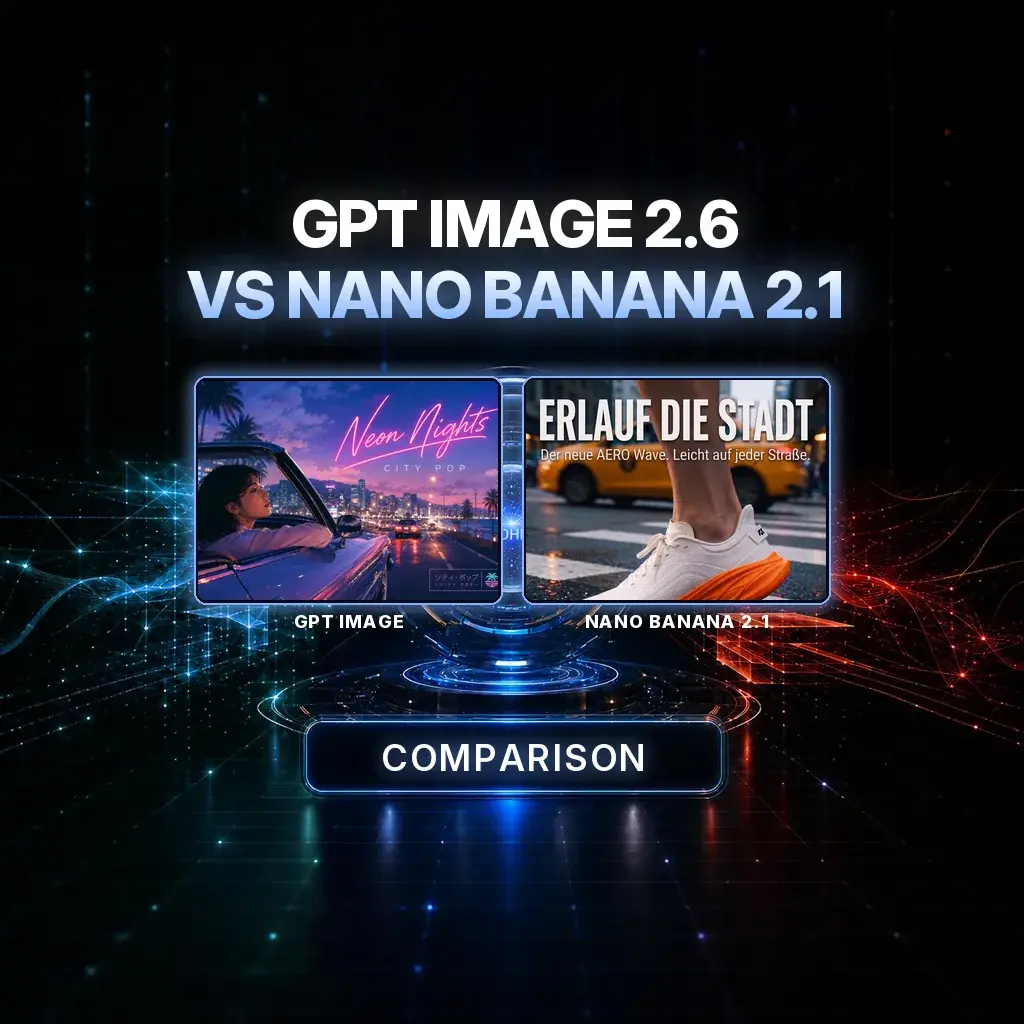
GPT Image vs Nano Banana GPT Image 2.6 or Nano Banana 2.1: which image model to use?
OpenAI’s GPT Image 2.6 and Google’s Nano Banana 2.1 are two image models people often compare, and both are in NeuroHelper AI Image Master. They start from different places. GPT Image 2.6 creates from a prompt, with optional references, and repaints only the area you select. Nano Banana 2.1 starts from your own image, takes up to 14 references, and changes the scene, season or language while the product stays the same. Below: specs from our live model pages and the makers’ own pages, real images made in NeuroHelper AI, a decision table and two prompt templates.
GPT Image 2.6
OpenAI’s image model, released on 4 November 2026 and built on GPT Image 2.5. Two variants: Sunburst for precise edits, Flare for fast everyday generation. Prompt, optional references, inpainting, 1K to 4K, five quality levels.
Nano Banana 2.1
Google’s image model, released on 6 October 2026 and based on Gemini 3.6 Flash. Starts from your image, up to 14 references, 1K, 2K or 4K, with better text rendering and consistency across edits. Nano Banana Pro is the precision-first sibling.
Fast verdict
The quickest way to decide
Two questions settle most cases: do you start from words or from an image, and should the result change one area or the whole scene?
You start from a prompt or fix one area
Write the brief, add references if you have them, and get a first visual. When something is wrong, select that area and describe the change; the rest of the image stays the starting point.
- Text-only or reference-led generation
- Inpainting of a selected area
- Posters, layouts and infographics
- Flare for fast drafts, Sunburst for finals
You start from the approved image
Upload the product shot or the key visual, add more references, and describe the change in words. The model keeps the product or character and rebuilds what you ask for.
- Up to 14 reference images
- Same product across new scenes
- Headline swaps into another language
- 1K, 2K or 4K output
A campaign needs a hero and its variations
Create the hero with GPT Image 2.6, then make the format, season and language versions with Nano Banana 2.1, in the same Image Master.
- One workspace, one subscription
- Send the result to Video Master
- Start with a $1 trial
Specs table
GPT Image 2.6 vs Nano Banana 2.1 at a glance
From our live GPT Image 2.6, Nano Banana 2.1 and Nano Banana Pro pages, OpenAI’s announcement and Google DeepMind’s model documentation, checked on 19 November 2026. Vendor pages describe the underlying model; Image Master shows what the integration offers.
| GPT Image 2.6 | Nano Banana 2.1 | Nano Banana Pro | |
|---|---|---|---|
| Developer and release | OpenAI, 4 November 2026 | Google DeepMind, 6 October 2026 | Google (Gemini 3 Pro Image) |
| What you start from in Image Master | A text prompt, with optional reference images | At least one image you upload, plus instructions | A prompt, or your images and instructions |
| References | Optional | Up to 14 | Reference images supported |
| How you edit | Select an area and repaint only that part | Describe the change in words; the rest is kept | Conversational editing |
| Resolution | 1K, 2K or 4K | 1K, 2K or 4K | See Image Master |
| Quality control | Five levels, low to max | Choose 1K, 2K or 4K | See Image Master |
| Variants | Sunburst (precise editing), Flare (fast generation) | One model; Pro is the precision-first sibling | One model |
| Text in images | Listed: in-image text, posters, infographics | Improved text rendering; localized text in several languages | Built for dense text |
| Maker’s headline claim | 50% faster than before; Flare in as little as six seconds at low quality | Better quality, text and consistency across edits | Maximum control for complex assets |
Image Master shows the estimate for each model, resolution and quality level before you generate, so compare there rather than with a number from an article. Google’s model documentation notes that small text can blur at 1K, so render text-heavy Nano Banana 2.1 work at 2K or 4K.
Real outputs
Images made in NeuroHelper AI
All of these were generated in Image Master and are already published on our site. They come from different briefs, so treat them as examples of what each model family is used for, not as a same-prompt test.
GPT Image: a brand system and cover art from a brief
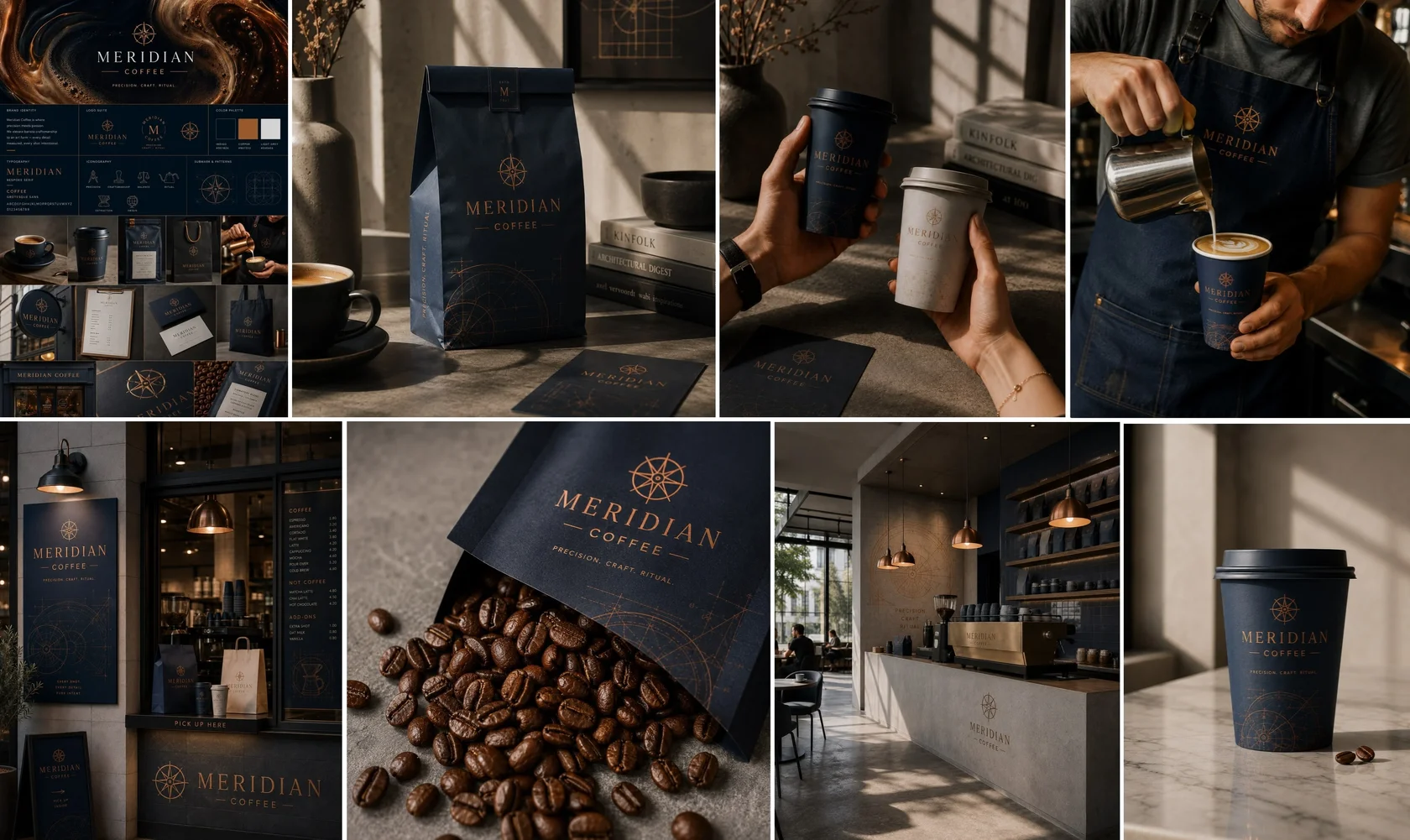

What to notice: both images start from words. The model had to invent the scene and place the lettering, which is the job GPT Image is built for. These were made with the previous generation; GPT Image 2.6 replaces it in Image Master.
Nano Banana 2.1: one poster, new language and season
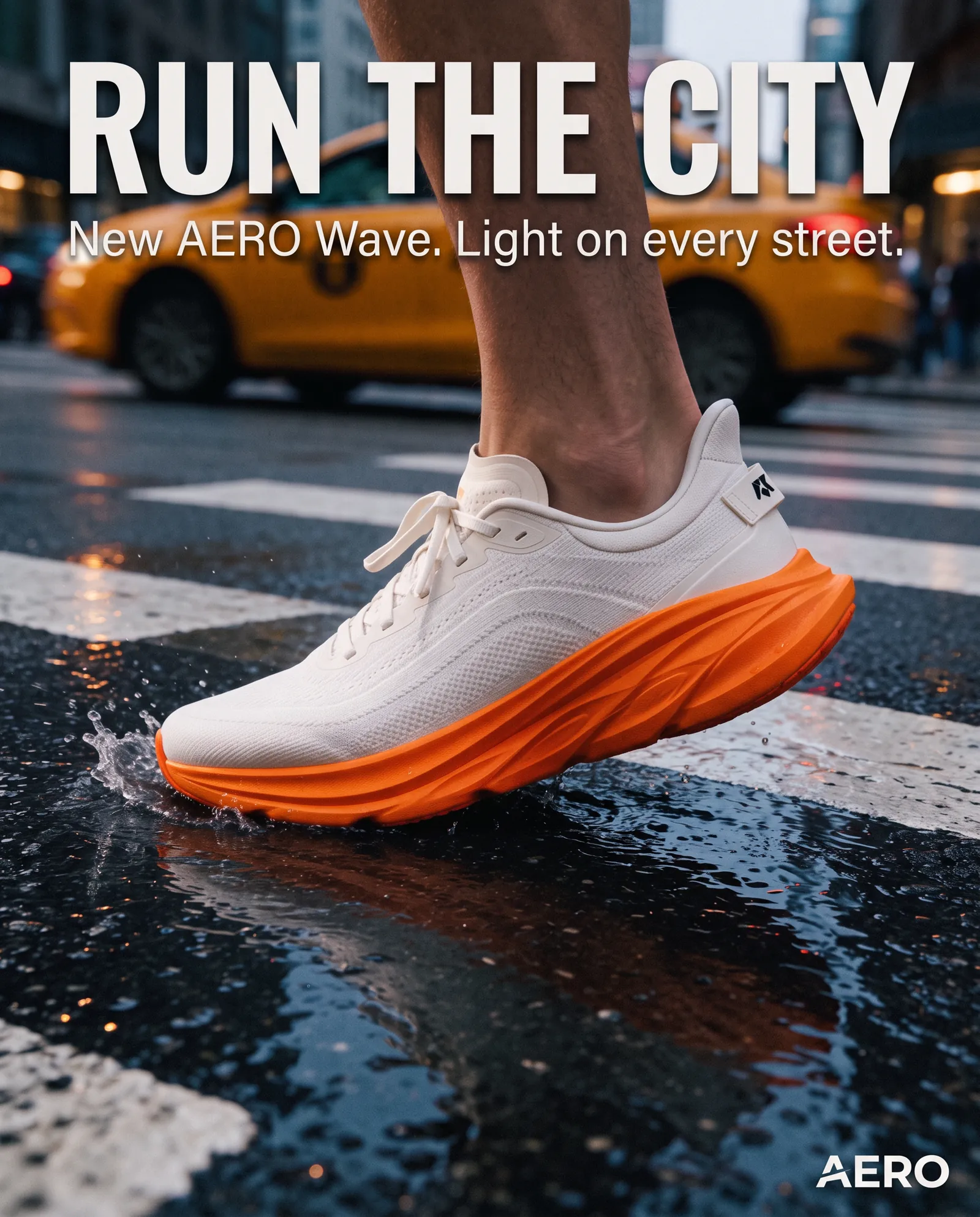
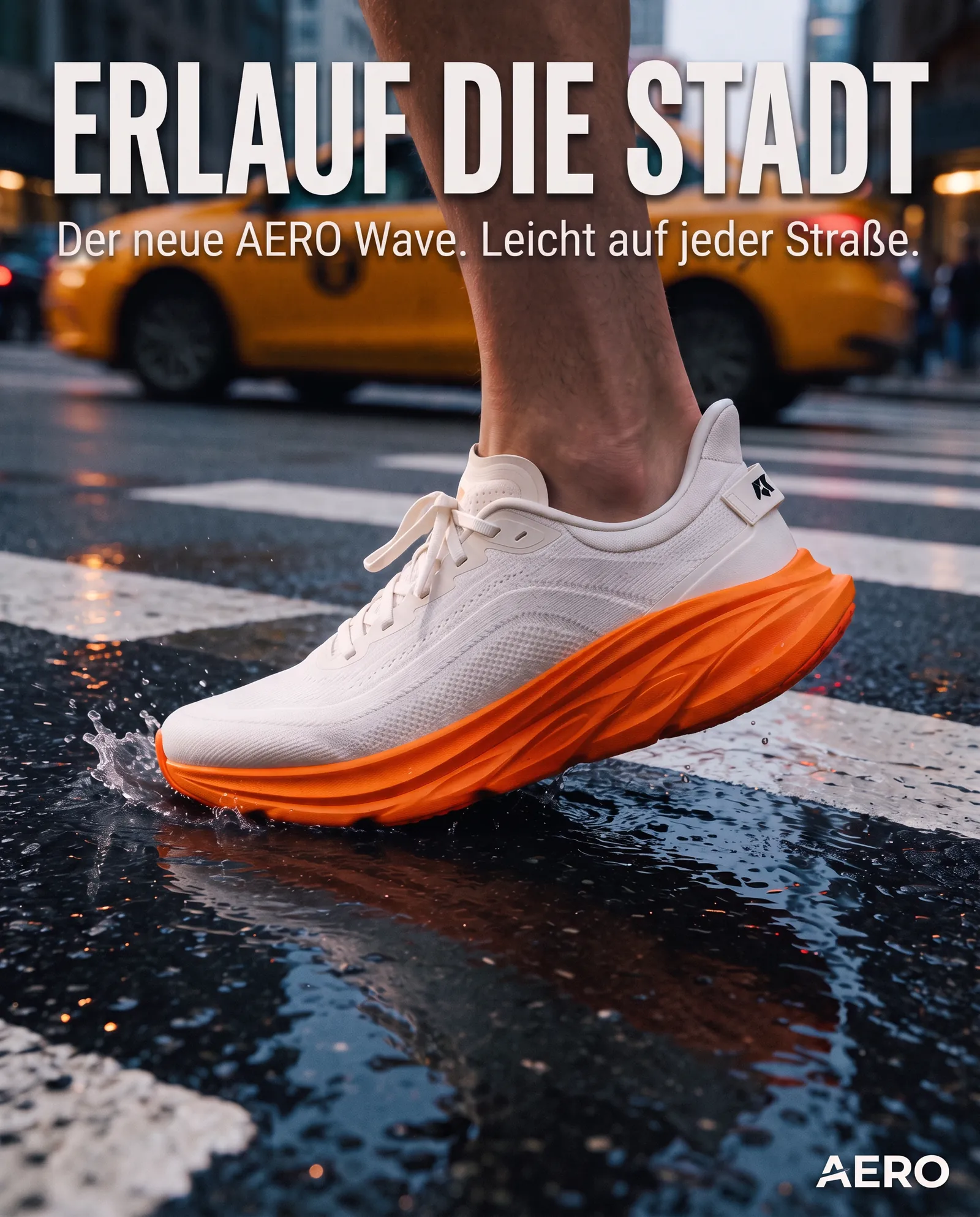
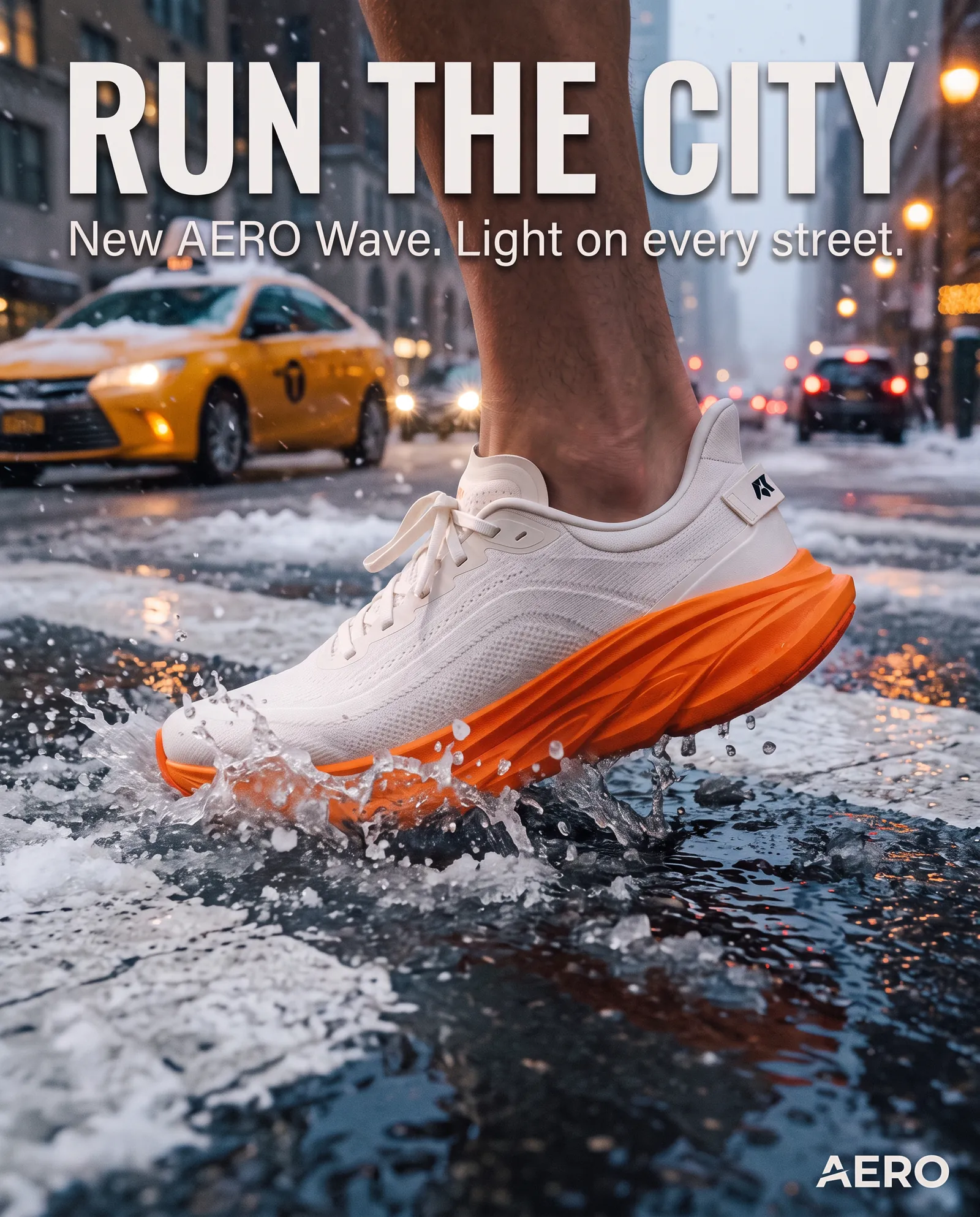
What to notice: nothing here was invented from scratch. Nano Banana 2.1 took an approved image and produced versions of it, which is exactly the job it is built for. The set is published on the Nano Banana 2.1 model page.
Decision table
GPT Image or Nano Banana: pick by the job
Start with the model in the middle column. If it misses, run the same brief through the other one.
| The job | First test | Why |
|---|---|---|
| A first key visual from a written brief | GPT Image 2.6 | Starts from a prompt; references are optional. |
| Fix one detail without touching the rest | GPT Image 2.6 (Sunburst) | Select the area and repaint only that part. |
| Many quick drafts of an idea | GPT Image 2.6 Flare | Positioned for fast everyday generation; use a low quality level for drafts. |
| A poster, an infographic or a layout with exact words | GPT Image 2.6, then Nano Banana Pro | Both list text and layout work; Pro is built for dense text. |
| The same product in five new scenes | Nano Banana 2.1 | Starts from your product photo with up to 14 references. |
| Swap a headline into another language | Nano Banana 2.1 | Keeps the layout and changes the copy, as in the AERO example. |
| Seasonal or format versions of an approved visual | Nano Banana 2.1 | Describe the change; the product and composition stay. |
| One character across a whole set | Nano Banana 2.1 or Nano Banana Pro | Both are built around references and consistency. |
| A product cut-out on a transparent background | Seedream 5.5 | Seedream 5.5 offers a transparent background option in Image Master. |
| A first frame for a video | Either, then Video Master | Make the frame in the output aspect ratio and animate it with Kling 4.0, Seedance 2.5 or Veo 3.1. |
Prompting
How to brief each model
The two models want different briefs. A GPT Image 2.6 brief describes the whole picture; a Nano Banana 2.1 brief says what to keep and what to change.
Describe the layout and quote the exact words
Name the format, where the text goes and what it says, word for word in quotes. Then describe the subject, light and style. Draft with Flare at a low quality level, and render the final with Sunburst at high quality. Example template (not a published output):
Poster for a fictional coffee brand called "MERIDIAN COFFEE".
Layout: vertical 4:5, large headline at the top, product in the lower half.
Headline (exact text): "PRECISION. CRAFT. RITUAL."
Small line under the headline (exact text): "Single origin, roasted weekly"
Scene: a deep navy coffee bag with a copper compass logo on a stone counter,
soft window light from the left, warm shadows, a few coffee beans in front.
Style: premium editorial product photo, muted navy and copper palette.
Quality: high. Resolution: 2K.
Upload first, then list what stays and what changes
Start from the approved image, add product or character references, and write two short lists: keep exactly, and change. One change per round gives the most predictable result. Example template (not a published output):
Edit the uploaded poster.
Keep exactly: the layout, the sneaker, its colours and position, the logo.
Change: translate the headline and the small line into German.
Keep the same font style, size and placement for the new text.
Do not add any other text. Output at 2K.
Same brief, fair comparison
How to test GPT Image and Nano Banana on your own brief
- Make the hero image once with GPT Image 2.6 from a written brief, at the output aspect ratio and 2K.
- Give both models the same edit: upload that hero to Nano Banana 2.1 with an instruction, and make the same change in GPT Image 2.6 by selecting the area and describing it.
- Repeat with a harder edit, for example a new language or a new season, and with a real product photo as the starting point.
- Judge with one checklist: is the product identical, is the text correct letter by letter, did anything change that you did not ask for, and could you publish it after a normal retouch?
Save the winning prompt and settings so the next brief starts from them. Our testing method explains how we compare models without a mystery score.
One workspace, both models
A practical GPT Image and Nano Banana workflow
The model choice is one step. The brief, the references and the next format decide most of the result.
Chat Master
Write the brief, the exact headline and the list of versions you need, for example with GPT-6.1 Terra Pro or Claude Sonnet (Latest).
Image Master
Create the hero with GPT Image 2.6, then the formats, seasons and languages with Nano Banana 2.1. Use Nano Banana Pro for dense text.
Video Master
Use the final image as the first frame for Kling 4.0, Seedance 2.5 or Veo 3.1.
Audio Master
Add a voiceover with ElevenLabs v3 or a track with Suno v6.
New to GPT Image 2.6? Read New in NeuroHelper: GPT Image 2.6 and the Nano Banana 2.1 launch note. To animate the result, see How to Turn a Photo into a Video with AI.
Final recommendation
Which is better: GPT Image or Nano Banana?
GPT Image 2.6
Start here when the image does not exist yet, when it needs exact words in a layout, or when one area must change and nothing else. Flare for drafts, Sunburst for finals.
Nano Banana 2.1
Start here when you already have the product photo or key visual and need scenes, seasons, formats or languages, with up to 14 references keeping it consistent.
Use both
Hero with GPT Image 2.6, variations with Nano Banana 2.1, dense text with Nano Banana Pro, and the first frame of the video from the same set. Compare more models in the best AI image generators.
How this comparison was built
Documented specs and real images, no mystery score
This page compares what OpenAI and Google document, how both models appear on our live model pages, and images our team generated in NeuroHelper AI. We have not published a same-prompt test for this pair yet, and we say so.
What we compare
Where each model starts, how it edits, references, resolution, text and the jobs where those differences matter.
What we verify
Our live model pages, OpenAI’s Images 2.6 announcement and Google DeepMind’s Nano Banana 2.1 model documentation, read on 19 November 2026.
What we do not claim
No invented scores, no prices from articles, and no features beyond what Image Master and the makers document. The GPT Image examples were made with the previous generation and are labelled as such.
Frequently asked questions
GPT Image vs Nano Banana FAQ
Which is better, GPT Image 2.6 or Nano Banana 2.1?
Neither wins every job. Use GPT Image 2.6 when you start from a prompt, want to repaint one selected area, or need a poster or layout with exact words. Use Nano Banana 2.1 when you start from your own photo and want to keep the product, face or layout while you change the scene, season or language. Many projects use both: GPT Image 2.6 for the first visual, Nano Banana 2.1 for the variations.
What is the difference between GPT Image 2.6 Sunburst and Flare?
Both are GPT Image 2.6 and both generate and edit images. OpenAI positions Sunburst for higher-quality generation and consistency across edits, and Flare for speed, saying it can generate in as little as six seconds at low quality. In NeuroHelper AI Image Master, pick Sunburst for precise edits and Flare for fast everyday generation.
Can Nano Banana 2.1 generate an image from text only?
In NeuroHelper AI, Nano Banana 2.1 starts from at least one image you upload, then follows your instructions, with up to 14 references. For a first image from words alone, use GPT Image 2.6, Seedream 5.5 or Nano Banana Pro, then bring the result to Nano Banana 2.1 for variations.
Which model is better for text in images?
Both handle text. GPT Image 2.6 lists in-image text, posters and infographics as capabilities, and the Flare variant improves layout quality for posters and product imagery, according to OpenAI. Nano Banana 2.1 improves text rendering and localized text across several languages, according to Google, which also notes small text can blur at 1K. Quote the exact words, use 2K or 4K for small text, and proofread.
What is the difference between Nano Banana 2.1 and Nano Banana Pro?
Nano Banana 2.1 is Google’s faster, more efficient image model and the newer release. Nano Banana Pro is the precision-first option for complex assets, dense text and brand consistency, and it also creates images from text. Both are in NeuroHelper AI Image Master.
ChatGPT images vs Gemini: which models are they?
OpenAI says Images 2.6 is available in ChatGPT across all subscription tiers. Google lists the Gemini app among the channels for Nano Banana 2.1. In NeuroHelper AI you use GPT Image 2.6 and Nano Banana 2.1 side by side in Image Master, with one subscription.
What resolutions do GPT Image 2.6 and Nano Banana 2.1 support?
In NeuroHelper AI both output at 1K, 2K or 4K. GPT Image 2.6 also has five quality levels, from low to max, so you can draft fast and render the final in detail.
Can I turn the images into video?
Yes. Send the finished image from Image Master to Video Master and use it as the first frame for Kling 4.0, Seedance 2.5 or Veo 3.1. Our image-to-video guide walks through the steps.
Stop guessing
Put GPT Image and Nano Banana on the same brief
Both models, the copy, the video and the sound in one workspace. Start with a $1 trial, then choose Basic $19 or Pro $49.
