
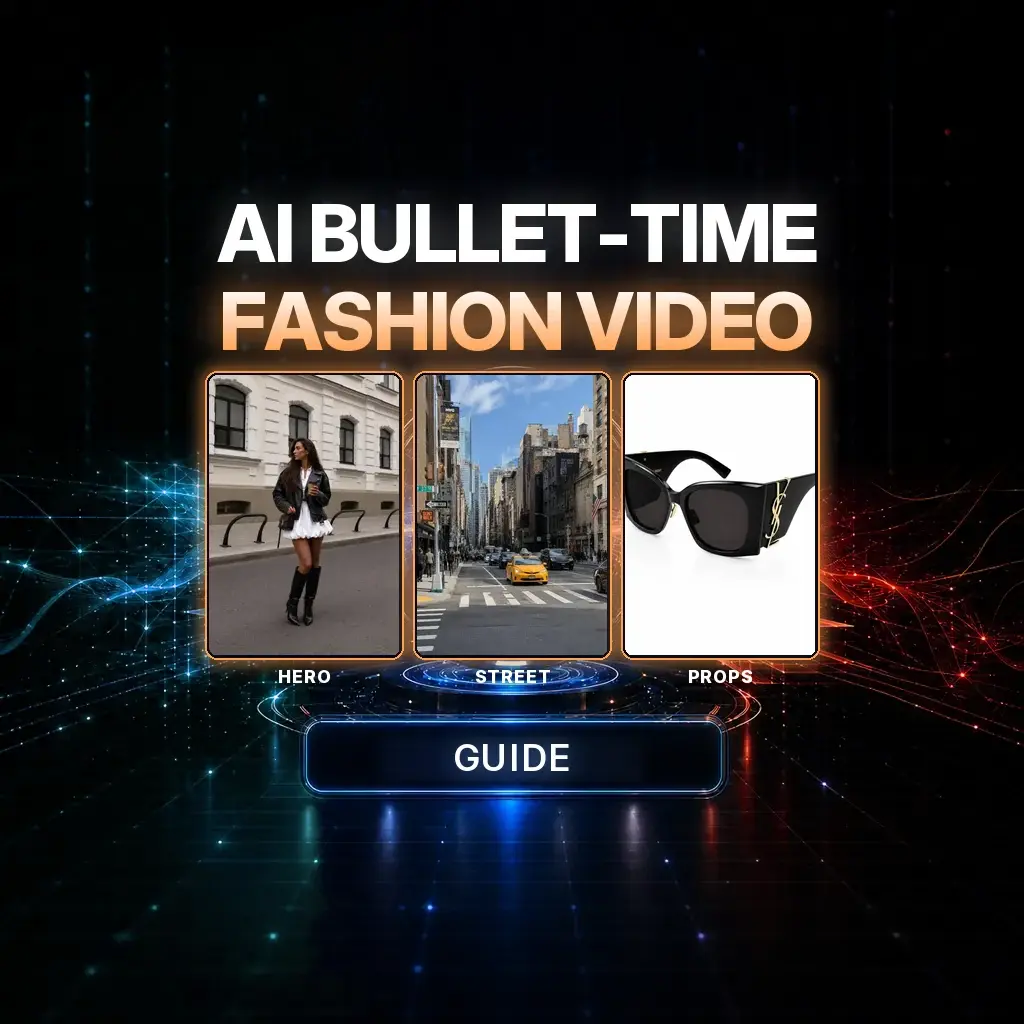
Bullet time in an AI fashion film is not a filter you sprinkle on a walk cycle. It is a 15-second plan: a low crane-up on a character, one believable collision, a near-frozen tableau, and a camera that is still allowed to move while the world almost stops.
The official NeuroHelper case study is a daytime Manhattan crossing shot in Seedance 2.5. Four stills do different jobs — character, street, sunglasses, phone — and the prompt treats each of them as a lock, not as mood lighting. Watch the film, then steal the structure, not just the adjectives.
What the finished film is
We start extremely low on black knee-high boots crossing a zebra. The camera tracks back and cranes up in one move: boots, white mini, leather jacket, bag, coffee, phone, face, sunglasses. A man with a Labrador comes the other way. His elbow clips her. She does not fall. Sunglasses, cup, and phone leave her hands. Time drops to a crawl. The camera dollies in on the same sunglasses, then the cup, then she is walking again. Fifteen seconds, one street, no cut.
Case study / Storyboard frames from the final film
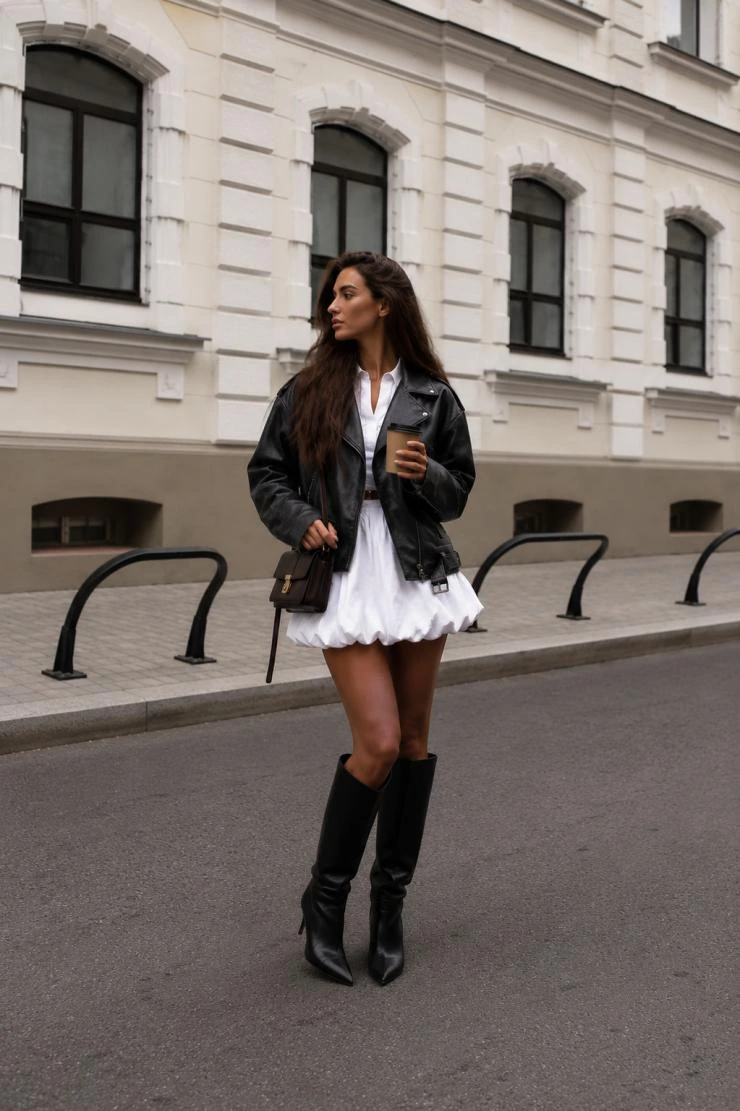 01 Hero
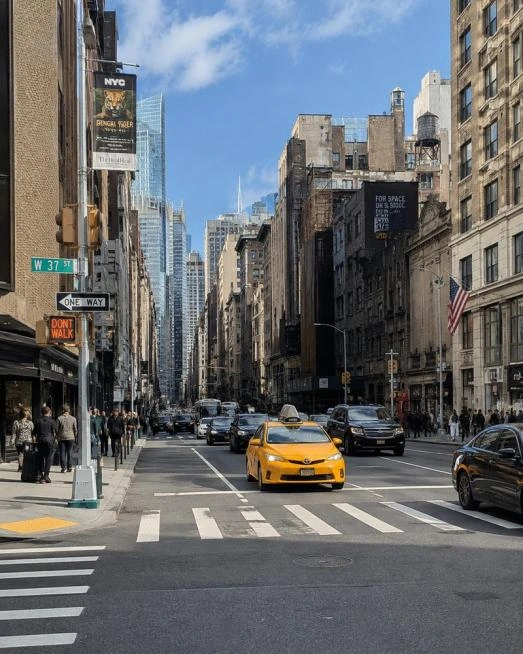 02 Street
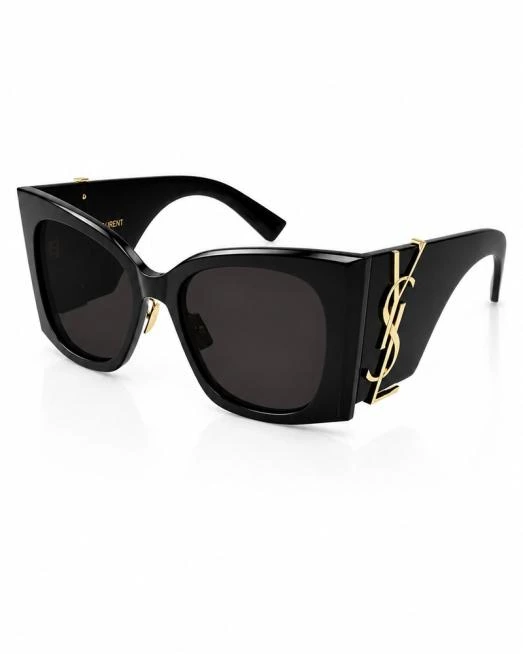 03 Macro
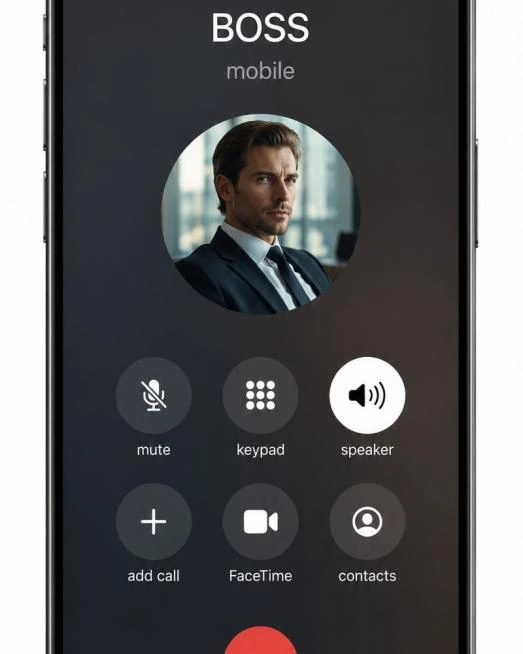 04 Phone
Those four stills are shown at storyboard size, the way they sit in the original tutorial. The large media is the YouTube film. Two of the prop stills carry visible third-party marks from the source guide (a sunglasses lock and a phone call UI); they are included because the public PDF uses them, and they are listed for review.
The workflow: Generate or collect four reference stills (character, street, hero prop, second prop) → write a timed 15-second Seedance 2.5 brief that names each still’s job → generate once → fix the freeze, the collision, or a prop — never all three in the same rewrite.
Why bullet time fails when the camera also freezes
The trick only reads if time and camera disagree. If the heroine, the Labrador, the coffee droplets, and the lens all stop together, you just have a paused frame. The official brief is explicit: objects stay in world space; the camera keeps moving; time slows to a few percent after the clip. That is closer to a fashion commercial than to a visual-effects reel, and it is why a model that can hold a continuous 15-second camera move matters. Compare current options in best AI video generators and Seedance vs Kling. For a related “one idea, continuous move” approach, see cinematic AI action videos and start and end frames.
The production pipeline
1. Build four stills with clear jobs
In Image Master, or from photography you already own: (1) the woman only, full outfit; (2) the intersection only, no heroine; (3) the exact sunglasses; (4) the exact phone, including the on-screen state you want held. Mixing those jobs — putting the woman into the street still, or inventing a second pair of glasses — is how identity and props drift later.
2. Write the brief as a shot list, not a mood
Open Chat Master if you want help tightening timings, but keep the official constraints: one woman, one male passerby, one dog, one pair of glasses, one cup, one phone. Before the collision, glasses on her face, phone in the right hand, coffee in the left. After the clip, both hands empty, she remains standing.
3. Generate in Seedance 2.5
In Video Master, choose Seedance 2.5, attach the four stills in the order the prompt names, and paste the brief in full. The case study is 15 seconds, vertical 9:16, live-action, daytime New York. Confirm duration and output in the picker before you generate.
4. Diagnose the freeze separately from the walk
If the crane-up stutters, fix the first 2.8 seconds. If she falls over, restate “does not fall.” If a second pair of sunglasses appears in the macro, restate “the SAME pair” and regenerate only after that lock is back in the prompt.
Copy-ready 15-second brief
Create one continuous 15s vertical 9:16 ultra-photorealistic LIVE-ACTION luxury fashion film in daytime New York.

@Image1 = CHARACTER ONLY. Preserve the exact woman: face, eyes, hair, body proportions, black leather jacket, voluminous white mini dress/skirt, black knee-high boots, handbag. Stable identity and outfit. Handbag stays on the body.
@Image2 = ENVIRONMENT ONLY. Believable Manhattan intersection: asphalt, zebra crossing, sidewalks, NYC architecture, yellow taxis, traffic, pedestrians, natural daylight.
@Image3 = SUNGLASSES ONLY. Reproduce the exact glossy black angular sunglasses, dark lenses, proportions, thick temples, gold side hardware. The SAME pair when worn, released, in macro, and after landing. No redesign or duplication.
@Image4 = PHONE ONLY. Use the exact realistic modern smartphone and screen from Image4: metal frame, glass display, active call interface and call controls. The SAME phone throughout.

Exactly ONE woman, ONE male passerby, ONE Labrador on a leash, ONE pair of sunglasses, ONE coffee cup with lid, ONE phone.
Before the collision: sunglasses on her face, RIGHT HAND = phone at her ear, LEFT HAND = coffee.

0.0–2.8s: Start EXTREMELY LOW on the boots walking across the zebra. Camera tracks backward and cranes up continuously: boots → legs → white skirt → leather jacket → bag → coffee → phone → face → sunglasses. No cut. She walks confidently and talks naturally on the phone.
2.8–4.8s: Frontal tracking. ONE man with a Labrador approaches FROM THE OPPOSITE DIRECTION. She continues crossing.
4.8–5.6s: As they pass, his elbow accidentally clips her arm or torso. A small, believable impact. He does NOT stop or turn back. She recoils, takes one balancing step, but DOES NOT FALL. The collision releases: sunglasses leave her face; the cup leaves the left hand, tilts, lid partially opens, coffee spills only through the real opening; the phone leaves the right hand outward and up. BOTH HANDS EMPTY. Preserve her exact face.
5.6–6.5s: Time slows to 2–3%. Medium-wide frozen tableau. She REMAINS STANDING, slightly leaned back, looking at the suspended objects with surprise. The man continues away with the Labrador. Sunglasses, cup, coffee droplets and phone almost frozen near their real release points. OBJECTS STAY IN WORLD SPACE. THE CAMERA MOVES.
6.5–8.4s: Camera dollies to the SAME sunglasses for a restrained 20–30° orbit. Macro of the exact Image3 geometry, glossy frame, dark lenses, gold detail, real reflections, shallow depth of field.
8.4–10.3s: Camera travels to the SAME cup. Real paper cup, lid displaced on one edge. Dark coffee pours only through physically honest openings.
10.3–12.5s: Find the SAME phone in mid-air, still showing the active call, then begin easing out of the freeze.
12.5–15s: Time returns to normal. She recovers her balance, objects complete their real-world falls or she catches the glasses if that reads cleanly, and she continues across the street. No cut, no new characters, no redesigned props.

Sound: city air, footsteps, a short impact, suspended-time hush, then traffic again. No wall-to-wall music unless it stays under the action.How to do this in NeuroHelper AI
- Image Master. Build the four stills with a current model such as GPT Image 2.6. Keep each still to one job.
- Chat Master. Tighten timings or retarget the city, but do not collapse four locks into one vague “fashion in New York” sentence.
- Video Master. Seedance 2.5, 15 seconds, 9:16, all four references attached in the named order.
- Audio Master. Add a tighter street bed or a hush during the freeze in Audio Master if the native pass is thin.
Browse models in the models hub. Other camera-craft pieces in this series: new camera angles without a reshoot, scroll-stopping hooks, and a product ad from one photo. For fashion and beauty work more broadly, see creative use cases and how we test AI models.
Mistakes that kill the freeze
- She falls. The brief says one balancing step, standing tableau. A fall turns a fashion film into a stunt reel.
- The passerby stops to apologize. He has to continue. The comedy and the geometry both depend on it.
- A second pair of glasses in the macro. The orbit is a portrait of the same object that just left her face.
- Camera and time both stop. If the lens freezes with the droplets, there is no bullet time — only a still.
- Phone or call interface morphs. Treat the screen as a prop design, not as “a phone.”
Watch the street scene again
The test is whether you can feel the crane, the clip, and the orbit as one shot. Watch it once more, then retarget the city or the wardrobe without touching the timing spine.
Frequently asked questions
What is an AI bullet-time video in this guide?
A 15-second continuous fashion shot in which a collision releases props, time slows to a few percent, and the camera keeps moving around objects that stay in world space. It is a planned move, not a paused frame.
Which model and duration does the case study use?
Seedance 2.5 in Video Master, 15 seconds, vertical 9:16, with four reference stills: character, street, sunglasses, and phone. Confirm current duration and output options in the Video Master picker.
Why do I need four stills instead of one?
Each still has a job. The character lock should not also invent the intersection; the sunglasses macro should not also redesign the heroine. Mixing those jobs is the usual reason props and faces drift mid-shot.
The heroine keeps falling over. How do I stop that?
Restate that the impact is small, she takes one balancing step, and she remains standing in the tableau. Do not add a second collision or a wider action beat to “sell” the hit.
Can I change the city or the wardrobe and keep this structure?
Yes. Retarget the character and environment stills, then keep the same timings: crane-up, passerby, clip, freeze, prop orbits, and exit. Change one variable per regeneration.
How much does a 15-second Seedance 2.5 film cost in NeuroHelper AI?
It depends on the model, duration, resolution, and references you choose. Video Master shows the current estimate before you generate. You can start with the $1 trial.
