
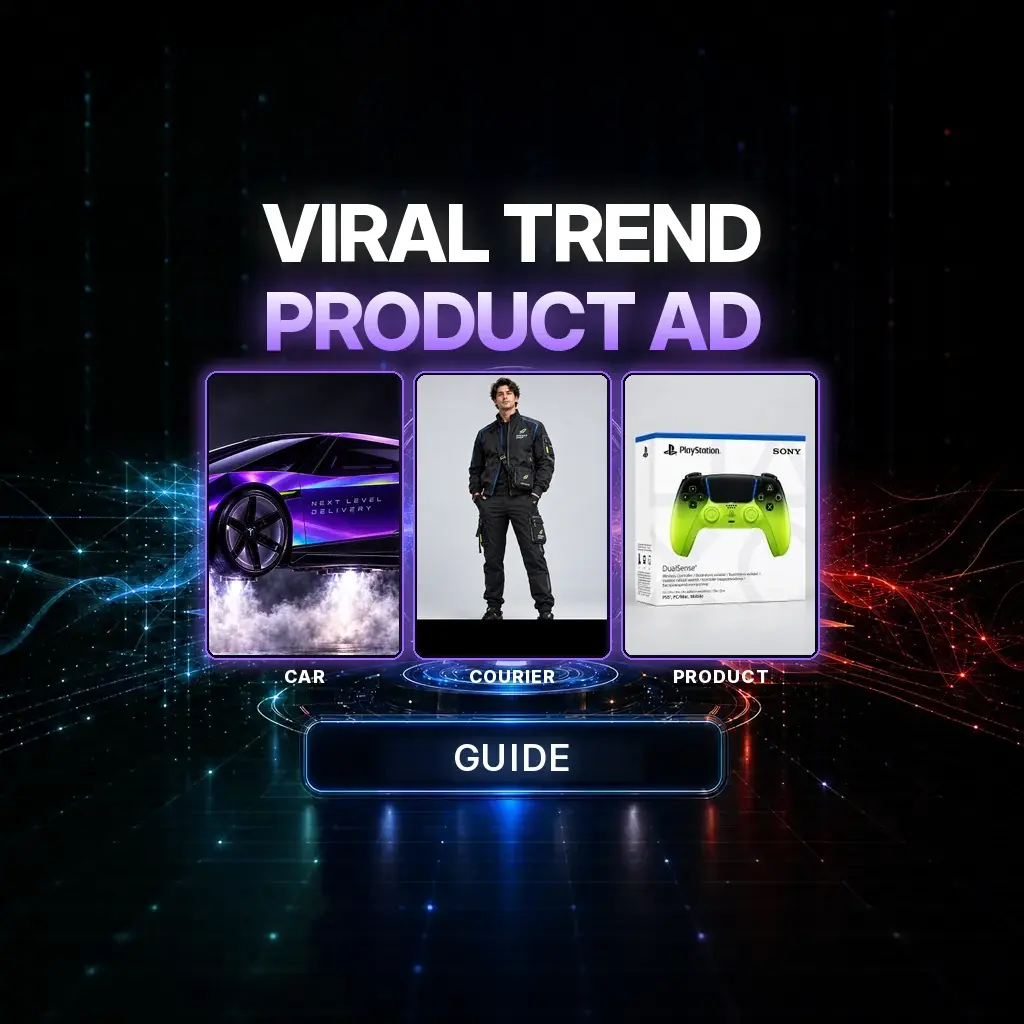
A viral AI trend becomes a product ad when you stop chasing the meme and start locking three things: the vehicle, the courier, and the box. The joke can be a hover-car over Manhattan. The brand cue has to be readable when the door opens.
The official NeuroHelper case study — “Next Level Delivery” — is a 15-second vertical commercial in Seedance 2.5. A purple Roadster Rocket hovers outside a high-rise window; a Rocket Drop courier hands a game-controller box through the opening; the car leaves a vapor trail. Watch the film. The stills below are the three visual anchors, shown at storyboard size. This is an AI concept for creative demonstration, not an official Tesla or PlayStation advertisement — a line the original tutorial is careful to print, and one we keep here.
The three reference stills
Case study / Storyboard frames from the official reference set
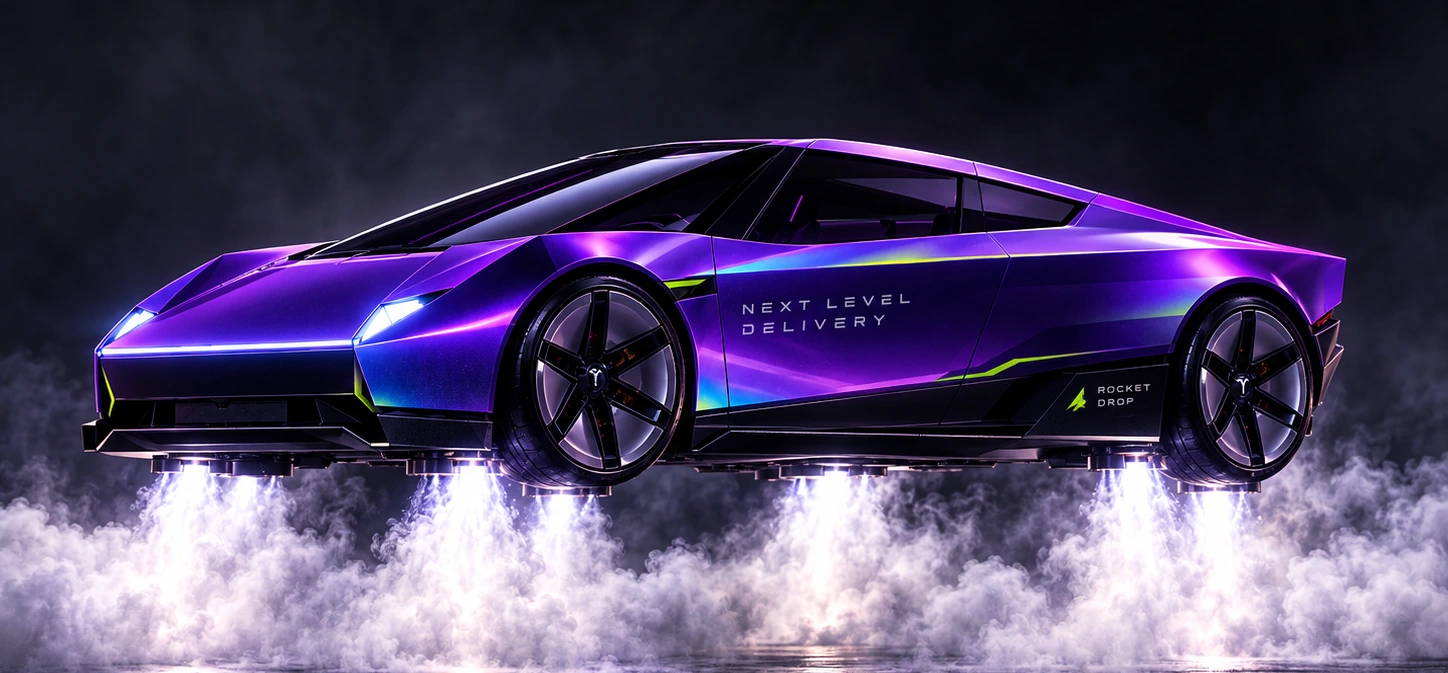 01 Car
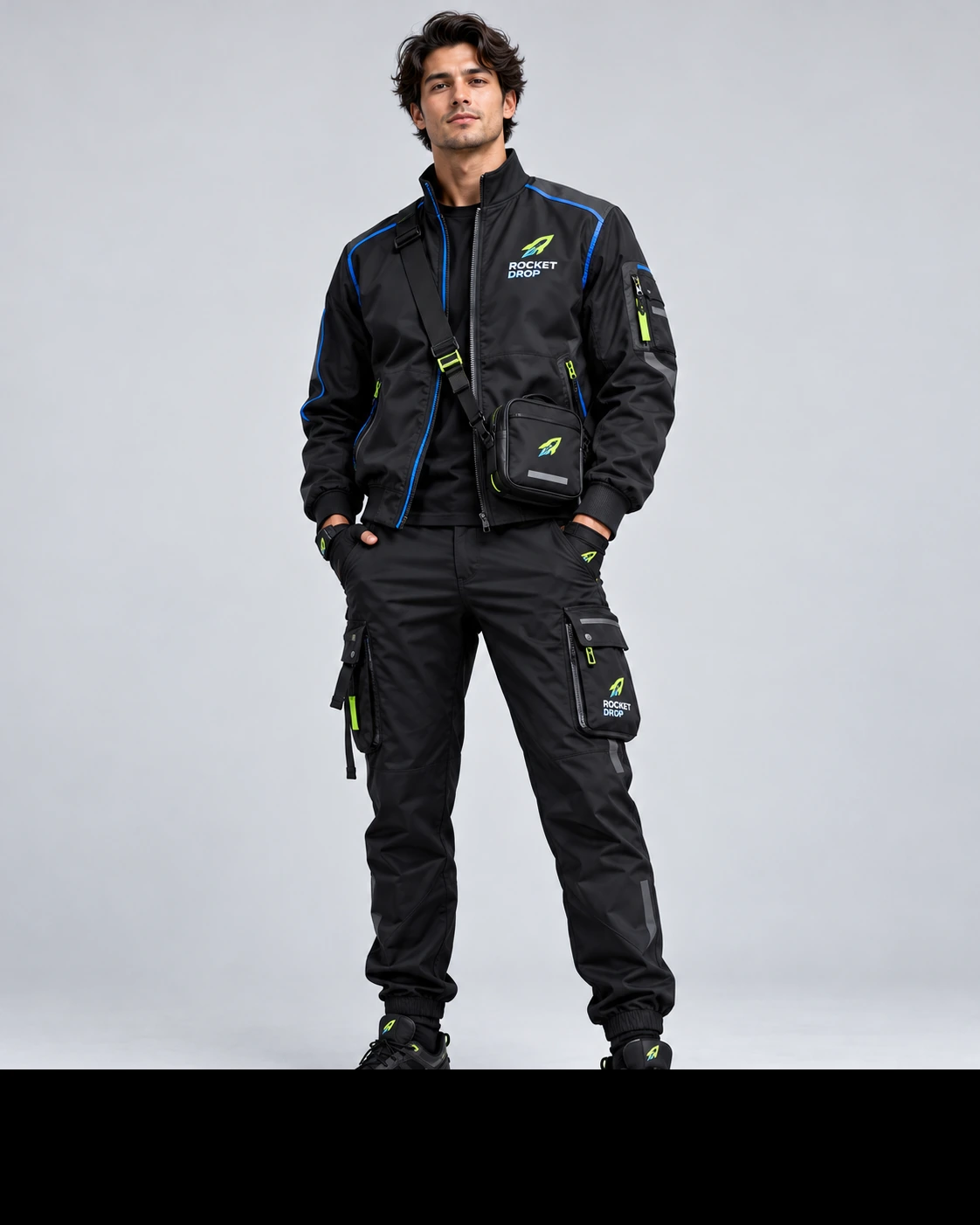 02 Courier
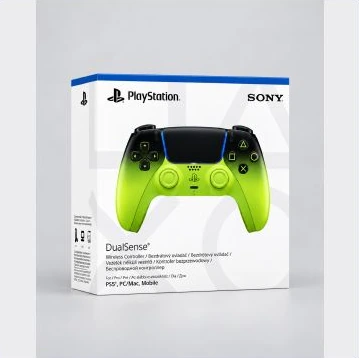 03 Box
The workflow: Generate three clean reference stills in Image Master (car, courier, box) → upload all three to Seedance 2.5 → paste a 15-second timeline that opens a window, hovers, hands off, and exits → keep faces and extra people out of the apartment if the brief says so.
Why the box matters more than the meme
Trends move. A hover-car at a window will be copied, then forgotten. What makes this a product ad is the readable handoff at 10–13 seconds: the same box as the still, in the courier’s hands, through a real window. If you retarget this idea, change the box (to a product you have the right to show) before you change the skyline. The same discipline shows up in a cinematic ad from one photo and the billboard ad, and in the live primer how to create AI ads.
The production pipeline
1. Lock three stills in Image Master
The official guide used GPT Image 2 in Image Master, at 9:16 and 2K, medium quality or higher. GPT Image 2.6 is now in the picker — same steps, no quality claim. Generate clean, neutral references before you touch video: the car with branding and thrusters visible, the courier’s full uniform, the box with a face you can read at a glance.
2. Animate the 15-second timeline in Seedance 2.5
In Video Master, choose Seedance 2.5. The tutorial used 15 seconds, 720p, 9:16, MP4, with the car, product box, and courier attached. Confirm duration and output in the picker. Paste the prompt after all three stills are in place. Use Chat Master only to retarget the product paragraph, not to invent a second vehicle.
3. Keep the apartment sparse and the physics honest
The official brief shows only one hand and part of one arm opening a single window panel — no face, no full body, no extra people. The car flies on visible steam or gas thrusters, not wings or magic. Branding (NEXT LEVEL DELIVERY, the small ROCKET DROP mark) should survive the hover. If the box morphs, tighten the product lock and regenerate that pass.
Copy-ready 15-second prompt
Use the reference images exactly as follows: Reference 1 is the purple Roadster Rocket delivery car; Reference 2 is the product box from the attached still; Reference 3 is the Rocket Drop courier. Create a 9:16 ultra-realistic cinematic commercial, 15 seconds long.

0–4 seconds: Inside a modern luxury high-rise apartment in New York City, show large corner windows and a Manhattan-style skyline. Do not show the man’s face or full body. Show only one hand and part of one arm as he reaches for one handle and opens one single window panel with one hand. The action must be clear, natural and realistic.

4–8 seconds: As the window opens, reveal the New York skyline. Far away between skyscrapers, the purple Roadster Rocket rapidly approaches. It must fly using visible steam/gas-powered hover thrusters, not wings or magical levitation. Show strong white jets firing downward and backward and dense vapor clouds below the car.

8–10 seconds: The car slows and hovers directly outside the open window. Keep the vehicle design consistent with Reference 1. The side branding NEXT LEVEL DELIVERY and the small ROCKET DROP logo remain visible. The car continues hovering on clearly visible steam/gas thrust.

10–13 seconds: The door opens. The courier from Reference 3 appears in the same black techwear uniform with electric blue and lime-green accents. He hands the product box from Reference 2 through the open window. Make the handoff smooth, premium and realistic. The box must stay the same design as the still.

13–15 seconds: The door closes. The thrusters intensify, releasing powerful white gas/steam jets and thick vapor. The car accelerates away between the skyscrapers, leaving a dramatic vapor trail.

Style: ultra-photorealistic, premium commercial, realistic lighting and physics, smooth cinematic camera, realistic hands, consistent references, no subtitles, no UI, no extra people, no cartoon look, no object morphing.
If you keep this exact concept, keep the original disclaimer with it: it is an AI demonstration, not an official ad for the car design the Roadster echoes, and not an official ad for the game-controller brand the box echoes. Prefer a product still you own when you publish under your own name.
How to do this in NeuroHelper AI
- Image Master. Car, courier, box — three files, three jobs, 9:16 if the film will be vertical.
- Chat Master. Retarget the box and the branding lines to a product you can actually show.
- Video Master. Seedance 2.5, 15 seconds, all three references, one timeline prompt.
- Audio Master. Thruster rush, a window latch, a quiet apartment tone — add in Audio Master if the native pass is thin.
Related films in this series: hooks from one photo, start and end frames, the rhinestone-car trend, and cinematic action. Compare video models in best AI video generators and Seedance vs Kling. Marketing context: AI for marketing and the alternatives hub.
Mistakes that waste the trend
- A morphing or unreadable box at the handoff. That is the only product shot. Protect it.
- Wings, magic, or a car that no longer matches Reference 1. The brief wants visible steam or gas thrusters and a stable design.
- Showing the apartment resident’s face when the brief hides it. One hand, one window panel.
- Dropping the branding on the hover. NEXT LEVEL DELIVERY has to survive the two-second hold.
- Treating this as an official brand film. It is a creative demonstration. Retarget the product to one you have rights to before you run it as an ad.
Watch the window handoff again
The test is whether a silent viewer can name the product at 10–13 seconds and still feel the trend. Watch the official film, then swap only the box.
Frequently asked questions
How do I turn a viral AI trend into a product ad?
Lock three reference stills — here, a vehicle, a courier, and a product box — then generate a short Seedance 2.5 film whose most readable beat is the handoff, not the meme. Retarget the box to a product you have the right to show before you run the clip as an ad.
Which models and settings does this case study use?
The official guide generated stills with GPT Image 2 (9:16, 2K) and the film with Seedance 2.5 at 15 seconds, 720p, 9:16, MP4. GPT Image 2.6 now replaces it in Image Master; use the same steps. Confirm duration and output in the Video Master picker.
Is this an official Tesla or PlayStation ad?
No. The original tutorial states that this is an AI concept for creative demonstration, not an official Tesla or PlayStation advertisement. We repeat that here. The Roadster-like vehicle and the game-controller box are part of the public example; if you publish your own ad, use product stills you have rights to.
Why hide the person who opens the window?
The official brief shows only one hand and part of one arm opening a single window panel. That keeps attention on the car, the courier, and the box, and it avoids a fourth identity the model has to hold.
The product box changes in mid-air. How do I fix it?
Restate that Reference 2 is the exact box, reattach that still, and tighten the 10–13 second beat so the handoff stays premium and readable. Do not add a second box design “for clarity.”
How much does a 15-second Seedance 2.5 trend ad cost in NeuroHelper AI?
It depends on the model, duration, resolution, and references you choose. Video Master shows the current estimate before you generate. You can start with a $1 trial, then choose Basic $19 or Pro $49.
